Singularity To Do List, Tasks

Singularity To Do List, Tasks

다운로드: App Store
Spark by MWM logo
로고: Singularity To Do List, Tasks
Singularity 할 일 목록: 혼돈을 마스터하고 가장 야심 찬 목표를 달성하세요

성공적인 전문가를 위한 궁극의 생산성 파워하우스입니다. 무제한 중첩, 원활한 캘린더 통합 및 고유한 인쇄-앱 인식 기술로 복잡한 프로젝트를 손쉽게 관리하세요.

개발사

Vladimir Zavertaylov

카테고리

Productivity

다운로드

133K+

사용자 평점

4.7/5

총 평가 수

1K+

지원 언어

11

한눈에 명확하게

이 인터페이스를 사용하는 133K+ 명의 사용자.

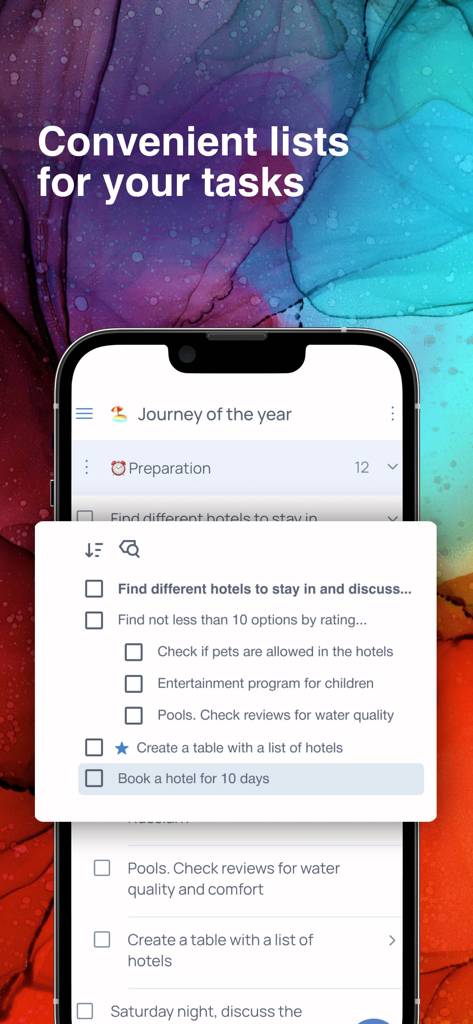
Singularity 앱에서 여행 계획을 위한 중첩된 작업 목록을 보여주는 모바일 화면

Singularity 앱에서 여행 계획을 위한 중첩된 작업 목록을 보여주는 모바일 화면

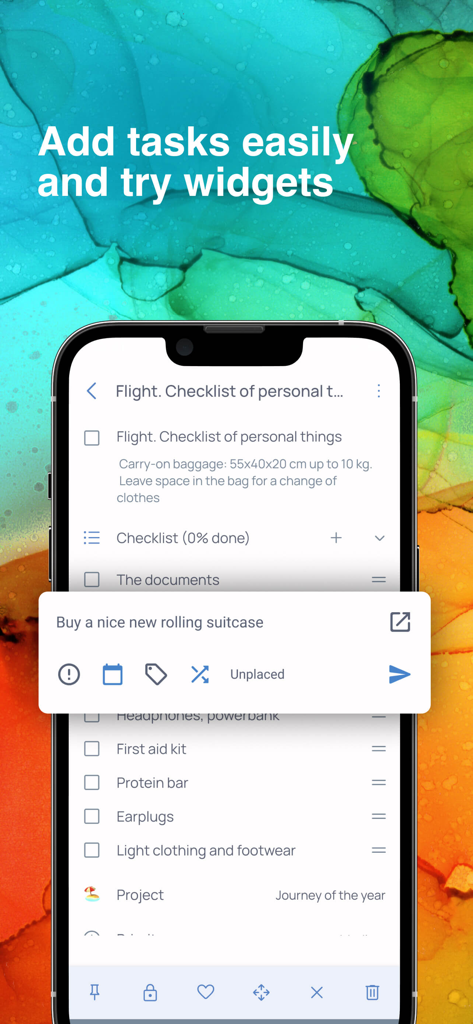
Singularity 앱에서 여행 체크리스트와 빠른 작업 입력 위젯을 보여주는 모바일 화면

Singularity 앱에서 여행 체크리스트와 빠른 작업 입력 위젯을 보여주는 모바일 화면

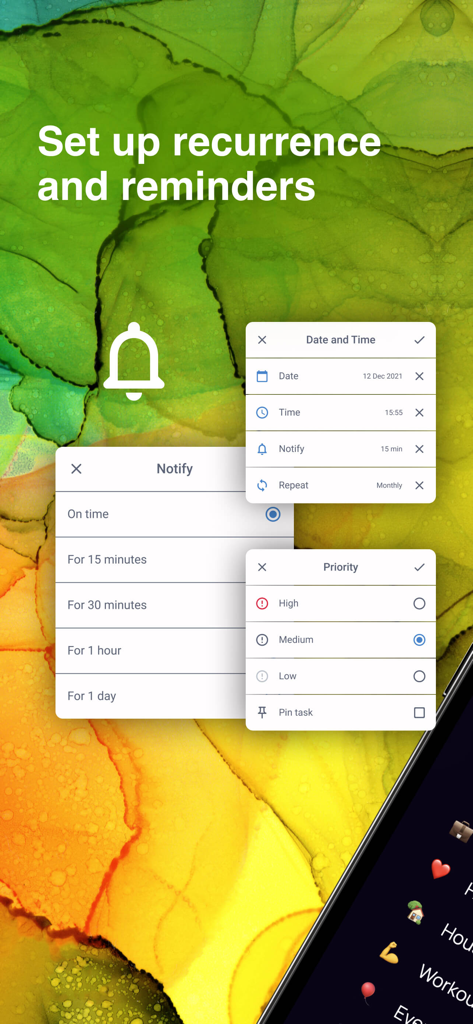
Singularity 앱에서 작업 미리 알림 및 우선 순위 수준을 설정하는 인터페이스

Singularity 앱에서 작업 미리 알림 및 우선 순위 수준을 설정하는 인터페이스

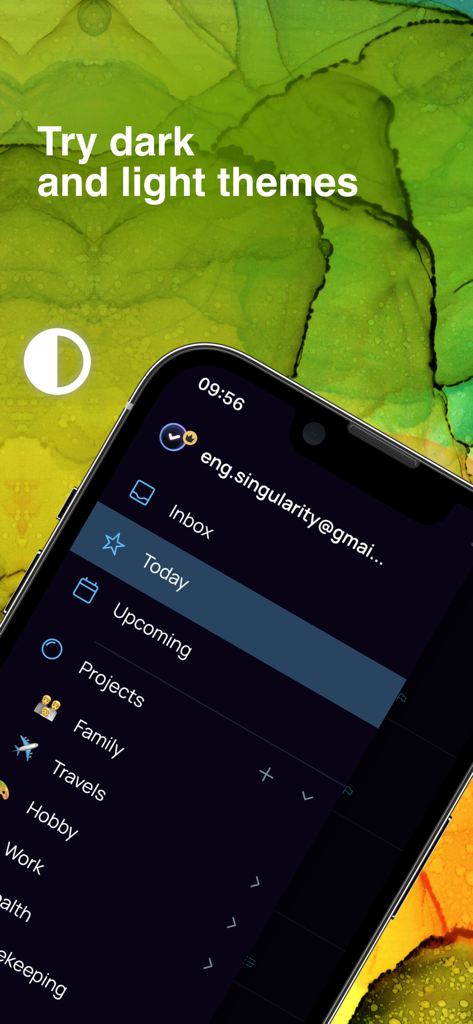
Singularity 할 일 목록 앱 인터페이스, iPhone에서 프로젝트 사이드바 및 다크 테마 옵션 표시

Singularity 할 일 목록 앱 인터페이스, iPhone에서 프로젝트 사이드바 및 다크 테마 옵션 표시

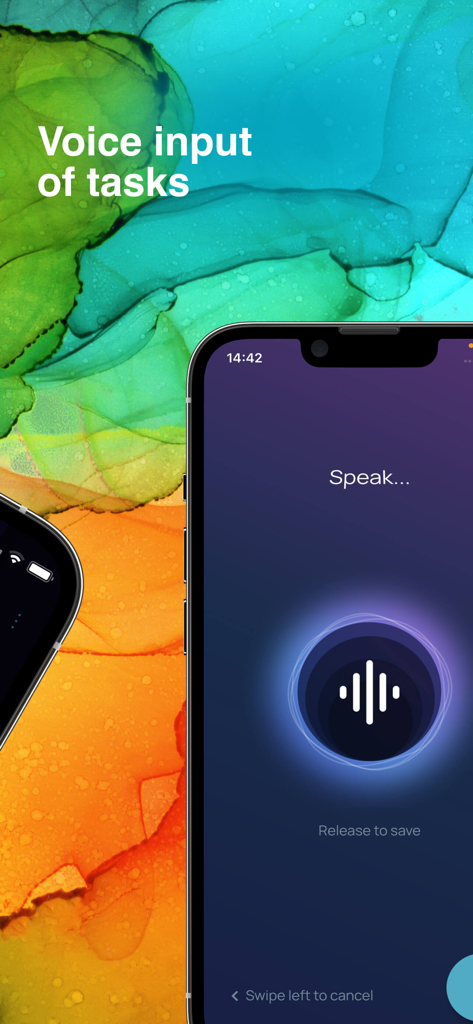
Singularity 할 일 목록 앱에서 빠른 작업 생성을 위한 음성 입력 기능

Singularity 할 일 목록 앱에서 빠른 작업 생성을 위한 음성 입력 기능

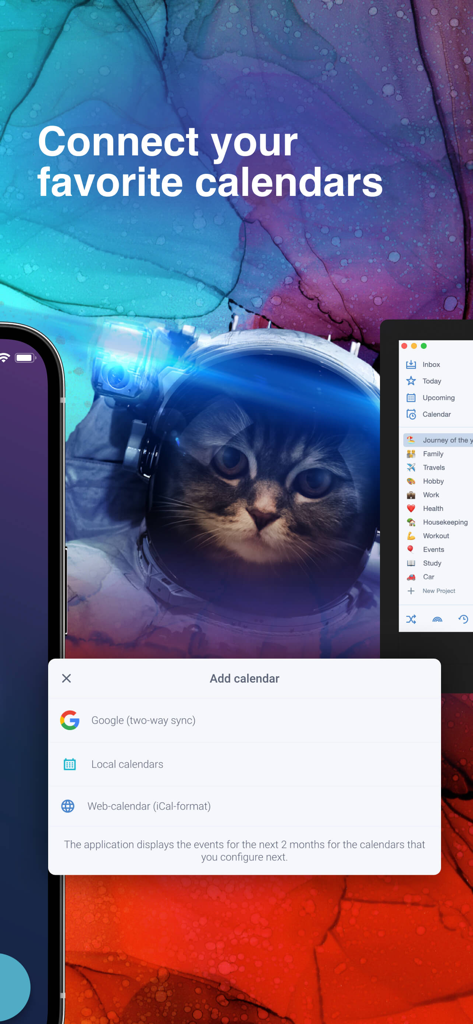
Singularity 할 일 목록 앱에서 Google 및 로컬 캘린더 연결을 위한 인터페이스

Singularity 할 일 목록 앱에서 Google 및 로컬 캘린더 연결을 위한 인터페이스

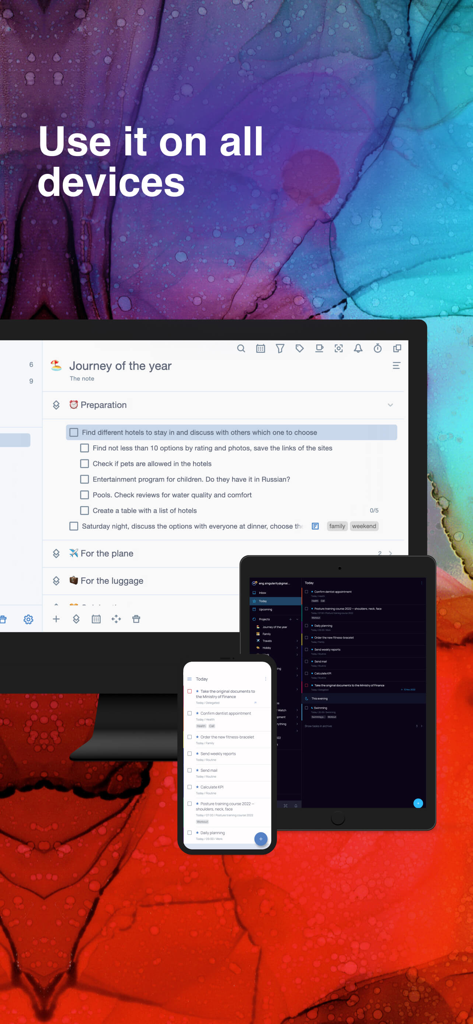
Singularity 작업 관리자 앱에서 데스크톱, 태블릿 및 스마트폰 장치 간의 원활한 동기화 표시

Singularity 작업 관리자 앱에서 데스크톱, 태블릿 및 스마트폰 장치 간의 원활한 동기화 표시

현대 생활의 혼돈을 마스터하세요

이 앱을 돋보이게 하는 도구, 133K+ 명의 사용자가 선택.

📂

무제한 프로젝트 계층 구조

무제한 중첩 수준으로 복잡한 이니셔티브를 세분화하세요. 다단계 프로젝트를 정신적 워크플로우를 반영하는 관리 가능한 하위 작업으로 구성하세요.

🖨️

아날로그 및 디지털 세계 동기화

방해 없이 집중할 수 있도록 일일 계획을 인쇄하고, 손으로 작업을 표시하고, 앱으로 다시 스캔하여 디지털 작업 공간을 즉시 업데이트하세요.

이동 중에도 끊김 없는 캡처

정신적 혼란을 즉시 해소하세요. 음성 입력, Telegram 봇 또는 이메일 전달을 사용하여 아이디어가 떠오르는 순간 캡처하고 모든 기기에서 동기화하세요.

전 세계 사용자들에게 사랑받는 앱

Trusted by 133K+ 명이 이 앱을 사랑합니다.

"

"수십 개의 동시 작업 스트림을 처리하는 선임 프로젝트 관리자로서 시장에 나와 있는 모든 플래너를 사용해 보았습니다. Singularity는 진정으로 혼돈을 관리하는 유일한 도구입니다. 무제한 중첩을 통해 복잡한 계층 구조를 쉽게 매핑할 수 있으며, Telegram 봇을 사용하면 이동 중에 아이디어를 캡처하는 것이 완전히 번거롭지 않습니다."

James Mitchell
"

"'인쇄 및 인식' 기능은 제 워크플로우에 있어 완전한 게임 체인저입니다. 아침에 종이에 계획하는 촉감과 손으로 쓴 내용이 앱으로 자동 동기화되는 것이 정말 마법 같습니다. 아날로그 습관과 디지털 생활을 완벽하게 연결해 줍니다."

Sarah Jenkins

앱 소개

에 대해 알아야 할 모든 것 Singularity To Do List, Tasks.

설명

• App of the Year in Tagline Awards • Enjoy planning your life! Singularity App combines the best techniques for managing tasks, projects, cases, calendars, checklists, and reminders in one tool. We have used the best practices such as time management, GTD and chaos management. All of them are embodied in one great tool: SingularityApp. SingularityApp will be helpful to: SMART AND PURPOSE DRIVEN PEOPLE. To those who strive for a purposeful life and prefer to set goals and achieve them instead of just dreaming. MANAGERS – to competently organize and manage project work, and not to get lost in urgent tasks, but rather find time for important ones. PEOPLE STRIVING FOR SUCCESS – to keep all tasks under control. Key Features: TASKS AND PROJECTS. Unlimited number of task, project, and section nesting. SHARING PROJECTS. Complete tasks together with other users. WIDGET FOR QUICK TASK CREATING. Create tasks without opening the application. You can do it at any time, even while watching a movie. PRINTOUTS AND RECOGNITIONS. Print out the plan for the day, mark completed tasks in the printout, take a photo of it from the application and all marks will be transferred to SingularityApp. RECURRING TASKS. Set up regularly recurring tasks and develop healthy habits. NOTIFICATIONS. Get notifications of upcoming tasks and deadlines. Nothing will be overlooked anymore! PRIORITY LEVELS. Decide what is really important to you and focus on it. INTEGRATION WITH CALENDARS. Set one-way integration with your favorite calendars. Or two-sided one with Google Calendars. PASSWORDS. Use for tasks with sensitive data. TAGS. Group tasks from a wide variety of projects using tags. CHECK LISTS. Add checklists to tasks to be sure not to skip any steps. THEMES. Switch the theme in one click. Click – and there is the dark depths of space. Click again – now there is bright stardust. COLOR MARKING OF PROJECTS. Set a different color and emoji for each project. FILTERS. Create dynamic to-do lists the way you want. POMODORO. To get more done in less time, break your work into 25-minute intervals with short breaks. HABITS TRACKER. Introduce habits into life easily and simply. Mark the completion every day, and everything will work out! CLOUD SYNCHRONIZATION. Work on the device that is at your fingertips. All updates will automatically appear on other devices. TASK CREATION VIA EMAIL. Have you received an email with instructions? Send it to a special email address and it will be converted into a task in the Singularity App. VOICE INPUT. Dictate the task, Singularity will recognize your speech and add the task to the list. TELEGRAM bot. Add tasks directly from Telegram. It is fast and always at hand – just send or forward a message to the bot. Additional features of the PC version: FOCUS MODE. Hide all projects except the current one to focus on the main thing. CHECK MODE. Set up intervals for checking projects and see which of them you need to shake up. TASK IMPORT FROM THE PLANNER. Are you using another planner? Set up import of tasks and projects in SingularityApp and compare the operation of the two applications. The SingularityApp is a free application. But you can always switch from your free plan to a premium one. SingularityApp Pro gives you access to the most powerful tools to fight chaos. SingularityApp Pro provides advanced options for scheduling tasks. – Tasks & to-do lists synchronization between all devices. – Sharing Projects. – An infinite number of projects and sections. – Adding tasks via Telegram and email. – Daily plans printing and mark recognition. – Built-in calendar and integration. Terms of use: https://singularity-app.com/terms_of_service/ Privacy Policy: https://singularity-app.com/policy/ Our site: https://singularity-app.com Chaos Management Blog: https://singularity-app.com/blog/ We welcome your feedback: https://helpdesk.singularity-app.com/– Multiple notifications per task.

최신 버전

10.2.1

크기

178.6 MB

출시일

2020년 2월 3일

시간을 마스터하고 혼돈을 정복하세요.

정신적 혼란을 총체적인 통제력으로 바꾼 수천 명의 목적 중심 전문가들과 함께하세요. 지금 SingularityApp을 다운로드하고 모든 기기에서 목표 달성을 시작하세요.

다운로드: App Store
FAQ

자주 묻는 질문

에 대해 알아야 할 모든 것 Singularity To Do List, Tasks

Singularity To Do List, Tasks는 무엇인가요?

Singularity To Do List, Tasks는 시간 관리, GTD, 혼돈 관리 기법을 활용하여 사용자가 목표를 달성하도록 돕는 작업 관리, 프로젝트 구성, 캘린더, 체크리스트 및 알림을 결합한 애플리케이션입니다.

Singularity To Do List, Tasks는 무료 애플리케이션인가요?

예, Singularity To Do List, Tasks는 무료 애플리케이션으로 사용할 수 있습니다. 사용자들은 더 강력하고 고급 기능 및 도구에 액세스하기 위해 SingularityApp Pro로 업그레이드할 수 있습니다.

SingularityApp에서 반복 작업을 설정할 수 있나요?

예, SingularityApp에서는 반복 작업을 설정할 수 있습니다. 이 기능은 개인이 앱 내에서 정기적인 활동 일정을 자동화하여 건강한 습관을 설정하고 유지하는 데 도움이 됩니다.

Singularity To Do List, Tasks는 외부 캘린더와 통합되나요?

예, Singularity To Do List, Tasks는 캘린더와 통합됩니다. 다양한 캘린더와의 단방향 통합을 지원하며, Google 캘린더, 로컬 및 iCal 형식 웹 캘린더와의 양방향 동기화를 제공합니다.

Singularity To Do List, Tasks는 여러 장치에서 클라우드 동기화를 지원하나요?

예, Singularity To Do List, Tasks는 클라우드 동기화를 지원합니다. 이를 통해 모든 작업 업데이트 및 데이터가 모든 사용자 장치에서 자동으로 표시되어 모든 플랫폼에서 원활하게 작업할 수 있습니다.

SingularityApp에서 앱을 열지 않고 빠르게 작업을 만들 수 있나요?

예, SingularityApp은 빠른 작업 생성을 위한 위젯을 제공합니다. 이 기능을 통해 사용자는 전체 애플리케이션을 열 필요 없이 편리하게 새 작업을 추가할 수 있습니다.

Singularity To Do List, Tasks는 작업을 만들기 위한 음성 입력 기능을 제공하나요?

예, Singularity To Do List, Tasks는 음성 입력 기능을 제공합니다. 사용자는 음성으로 작업을 지시할 수 있으며, 애플리케이션의 음성 인식 기술이 이를 할 일 목록의 항목으로 변환합니다.

Singularity To Do List, Tasks에서 프로젝트를 공유하고 다른 사람과 협업할 수 있나요?

예, Singularity To Do List, Tasks는 프로젝트 공유를 가능하게 합니다. 사용자는 공유 프로젝트 내에서 다른 사람들과 작업을 협업할 수 있으며, 이 기능은 SingularityApp Pro 플랜에도 포함되어 있습니다.

SingularityApp Pro에는 어떤 기능이 포함되어 있나요?

SingularityApp Pro에는 모든 장치 간의 작업 동기화, 프로젝트 공유, 무제한 프로젝트 및 섹션, Telegram 및 이메일을 통한 작업 추가, 일일 계획 인쇄, 내장 캘린더 통합과 같은 고급 기능이 포함되어 있습니다.