SnapMotion Unlimited

SnapMotion Unlimited

다운로드: App Store
Spark by MWM logo
로고: SnapMotion Unlimited

SnapMotion Unlimited: 4K 및 8K 비디오를 위한 전문가급 프레임 추출

고해상도 스틸 캡처, 프레임 일괄 처리, 정밀한 GIF 제작을 위한 크리에이터 전용 궁극의 도구입니다. 지연이나 품질 저하 없이 완벽한 비주얼을 제공합니다.

다운로드: App Store

개발사

VIZZINI JEREMY

카테고리

Photo & Video

다운로드

1K+

사용자 평점

5.0/5

총 평가 수

0

지원 언어

7

모든 픽셀의 정밀함

이 인터페이스를 사용하는 1K+ 명의 사용자.

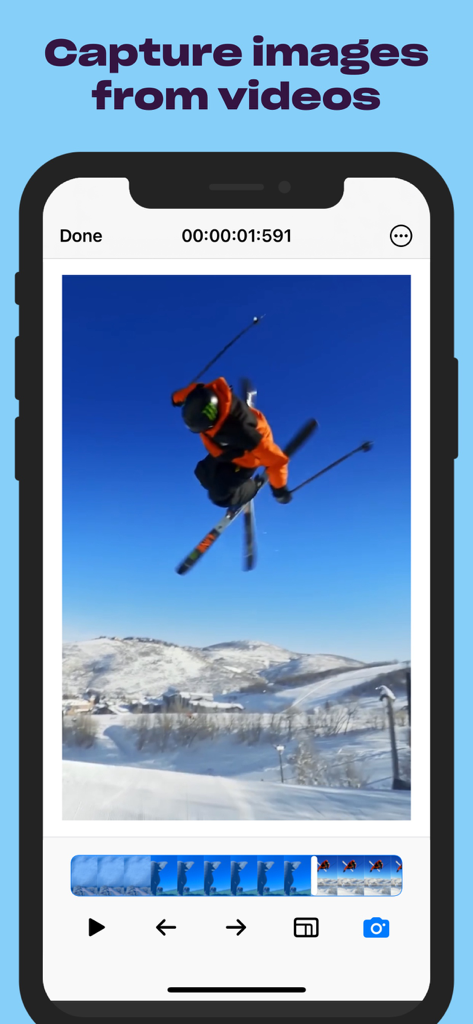
스키 비디오에서 고품질 스틸 프레임을 추출하는 SnapMotion 앱을 보여주는 iPhone 화면

스키 비디오에서 고품질 스틸 프레임을 추출하는 SnapMotion 앱을 보여주는 iPhone 화면

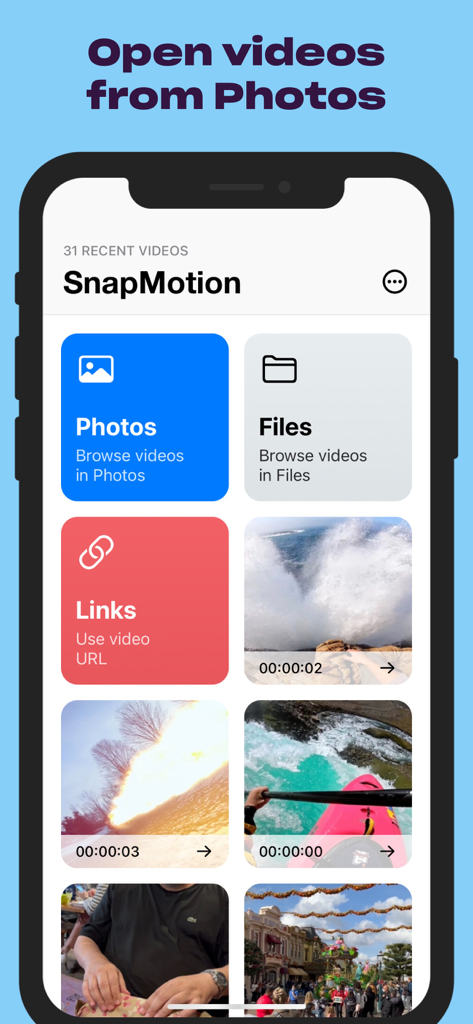
사진, 파일 및 링크에서 비디오를 여는 옵션을 보여주는 SnapMotion 앱 인터페이스

사진, 파일 및 링크에서 비디오를 여는 옵션을 보여주는 SnapMotion 앱 인터페이스

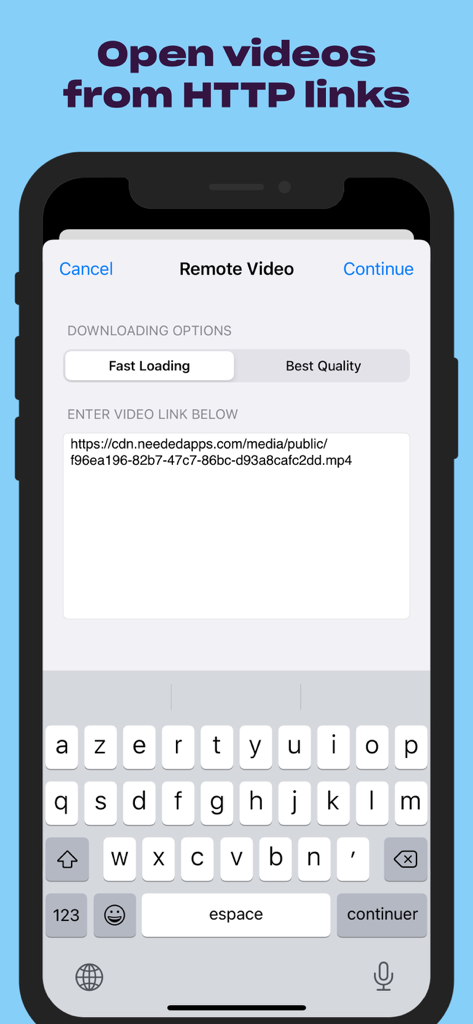
HTTP 링크를 통해 원격 비디오를 가져오기 위한 SnapMotion 앱 인터페이스

HTTP 링크를 통해 원격 비디오를 가져오기 위한 SnapMotion 앱 인터페이스

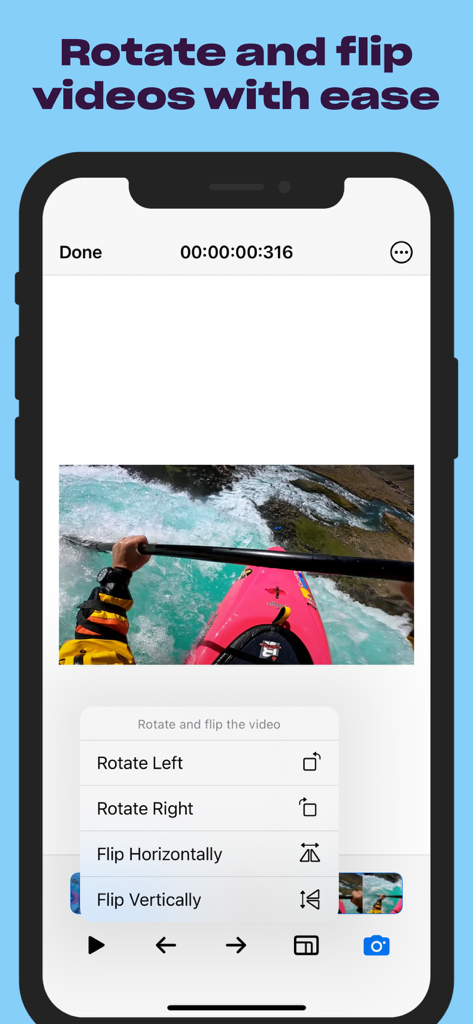
비디오 회전 및 반전 옵션을 보여주는 SnapMotion 앱 인터페이스

비디오 회전 및 반전 옵션을 보여주는 SnapMotion 앱 인터페이스

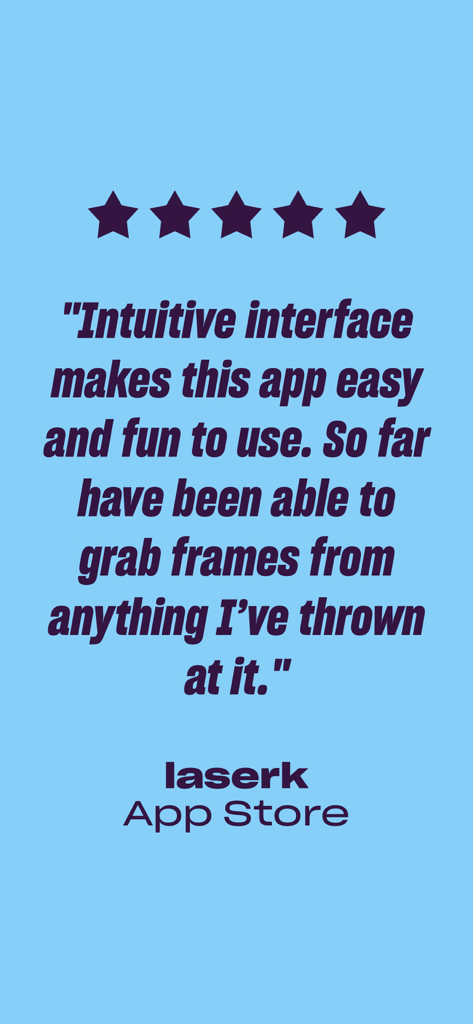
프레임 추출 기능을 극찬하는 SnapMotion Unlimited 앱에 대한 별 5개 App Store 리뷰

프레임 추출 기능을 극찬하는 SnapMotion Unlimited 앱에 대한 별 5개 App Store 리뷰

모든 프레임을 걸작으로 바꾸세요

이 앱을 돋보이게 하는 도구, 1K+ 명의 사용자가 선택.

💎

전문가급 8K 추출

지연이나 품질 저하 없이 4K 및 8K 비디오에서 선명한 이미지를 캡처하세요. 임팩트 있는 YouTube 썸네일 및 전문 인쇄 자산에 적합합니다.

매끄러운 워크플로우

사진 앱이나 Finder에서 즉시 파일을 여세요. 시간이 오래 걸리는 재인코딩이나 무거운 편집 소프트웨어 없이도 촬영분을 즉석에서 회전하거나 반전시킬 수 있습니다.

🚀

일괄 처리 및 다양한 형식 지원

수천 개의 프레임을 한 번에 추출하여 제작 과정을 자동화하세요. JPEG, PNG 또는 TIFF로 내보내거나 소셜 미디어 활용을 위해 클립을 GIF로 변환할 수 있습니다.

전 세계 사용자들에게 사랑받는 앱

Trusted by 1K+ 명이 이 앱을 사랑합니다.

"

"전문 여행 브이로거로서 완벽한 썸네일을 캡처하는 것은 흐릿한 수동 스크린샷과의 전쟁이었습니다. SnapMotion은 완전히 판도를 바꾸어 놓았습니다. 몇 초 만에 영상에서 선명한 4K 스틸을 뽑아낼 수 있습니다. 덕분에 편집 시간을 수 시간 단축했으며, YouTube 클릭률도 그 어느 때보다 좋아졌습니다!"

Marcus Rivera
"

"Mac과 iPhone 사이의 매끄러운 통합이 정말 마음에 듭니다. 일괄 처리 기능은 부동산 마케팅에 있어 생명의 은인과도 같습니다. 집 내부 투어 영상 하나에서 순식간에 수십 장의 고해상도 사진을 추출할 수 있습니다. 재인코딩 없이 클립을 회전할 수 있다는 점은 워크플로우 생산성을 크게 높여줍니다."

Chloe Stevenson

앱 소개

에 대해 알아야 할 모든 것 SnapMotion Unlimited.

설명

Want an easy tool to get images out of your videos? Use SnapMotion — a simple tool to help you get just the visuals you need from your video files. Rotate or flip your videos before capture, open quickly from Finder or Photos, and get as many stills as you like with no delay with SnapMotion. - CAPTURE IN TOP QUALITY Open 4K and 8K videos with no lag and get high quality captures with SnapMotion. Forget about haphazard screenshots that take too much time to capture just right and are blurry more often than not. Get frames from your videos in the highest quality possible with a handy tool such as SnapMotion. - OPEN VIDEOS EASILY Waste no time when opening your videos. Open the files in Finder, Photos, Files directly to SnapMotion. More good news? The app supports services such HTTP videos. You can open your videos to SnapMotion via their links, making your snapping easy and fast — no need to move your files or download in advance. - ROTATE AND FLIP VIDEOS Save even more time with SnapMotion’s built-in rotate and flip feature. No need to re-encode your video before you save your screen captures in the right orientation. Just flip or rotate the video in the app and capture what you need exactly the way it was intended to be viewed. - BATCH PROCESS If you need to capture many images from your video, SnapMotion is up for the task. The app allows you to extract thousands of images from your video in batches. You can also create GIFs or MP4s out of your images. - USE FOR MANY VIDEO FORMATS If your version of QuickTime can play it, SnapMotion can capture it! The app works with numerous video formats and codecs and can export your images as PNG, JPEG, HEIF, TIFF, GIF, and MP4. - GET HELP WITHIN THE APP SnapMotion is designed so that just anyone can pick it up and use it, particularly if you have even a rudimentary knowledge of photography. However, if something isn’t clear, you can submit feedback or ask questions within the app itself. Subscription Terms of Service and Privacy Policy: https://neededapps.com/legal. Please note that the application is universal. Batch processing and advanced exporting formats are exclusive to the Mac version.

최신 버전

5.2.7

크기

22.9 MB

출시일

2015년 11월 20일

흐릿한 스크린샷은 이제 그만

동영상에서 선명한 4K 및 8K 스틸을 추출하는 수천 명의 전문 크리에이터와 함께하세요. 지금 바로 Mac, iPhone, iPad에서 원활한 워크플로우를 시작하십시오.

다운로드: App Store