Solo - Fretboard Visualization

Solo - Fretboard Visualization

다운로드: App Store다운로드: Google Play
Spark by MWM logo
로고: Solo - Fretboard Visualization

Solo: 박스에서 벗어나 인터벌 시각화로 지판을 마스터하세요.

패턴 암기를 멈추고 넥을 이해하기 시작하세요. 세계적으로 유명한 기타리스트들이 디자인한 Solo는 실시간으로 악기 소리를 듣고, 의도적이고 인터랙티브한 연습을 통해 인터벌, 코드 변경, 스케일을 마스터하도록 돕습니다.

개발사

Trio Software LTD

카테고리

Music

다운로드

174K+

사용자 평점

4.8/5

총 평가 수

1K+

지원 언어

1

눈앞의 마스터링

이 인터페이스를 사용하는 174K+ 명의 사용자.

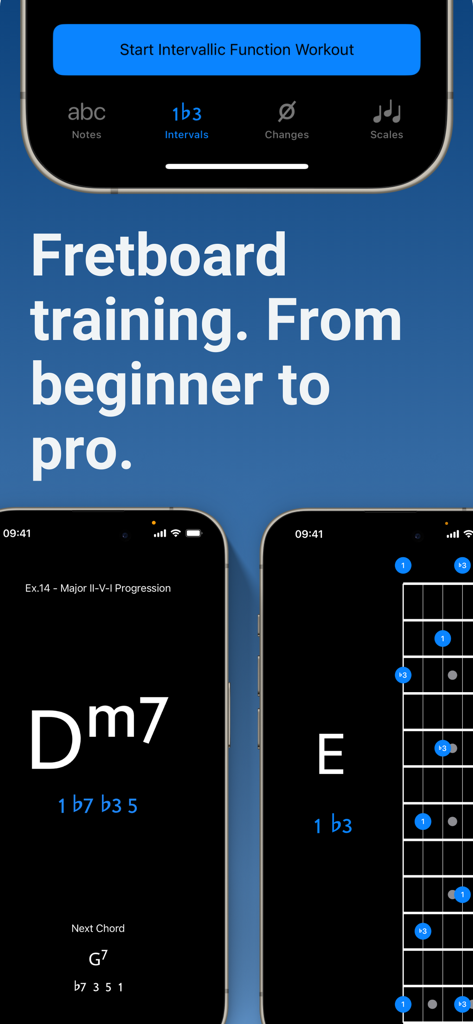
Solo 앱 인터페이스는 초보자부터 전문가 수준까지 기타 지판 훈련 및 음악 이론 연습을 보여줍니다.

Solo 앱 인터페이스는 초보자부터 전문가 수준까지 기타 지판 훈련 및 음악 이론 연습을 보여줍니다.

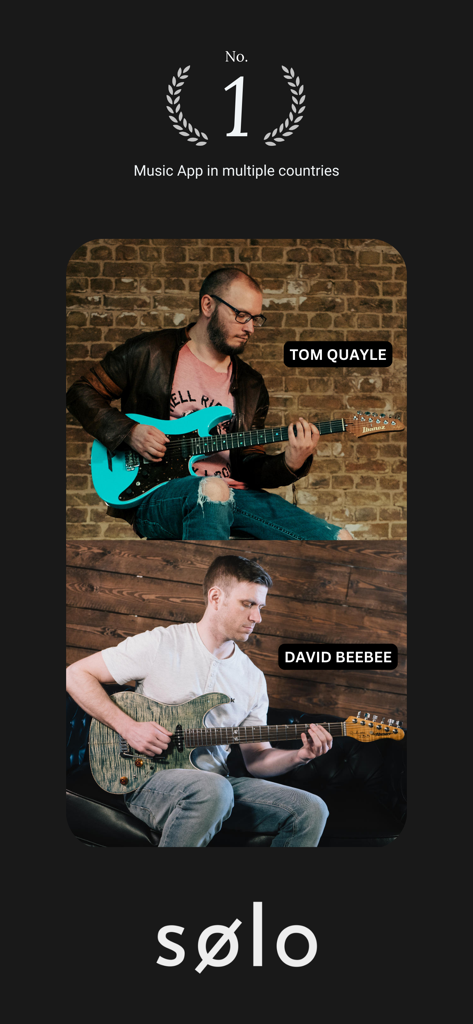
기타리스트 Tom Quayle과 David Beebee가 Solo 지판 시각화 앱을 위해 기타를 연주하고 있습니다.

기타리스트 Tom Quayle과 David Beebee가 Solo 지판 시각화 앱을 위해 기타를 연주하고 있습니다.

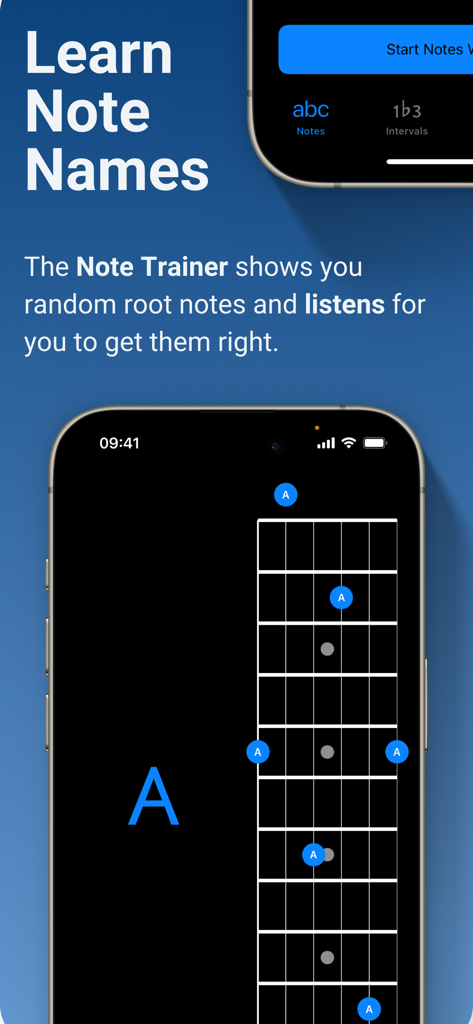
Solo 앱 스크린샷은 기타 지판에서 음표 이름을 배우는 음표 트레이너 기능을 보여줍니다.

Solo 앱 스크린샷은 기타 지판에서 음표 이름을 배우는 음표 트레이너 기능을 보여줍니다.

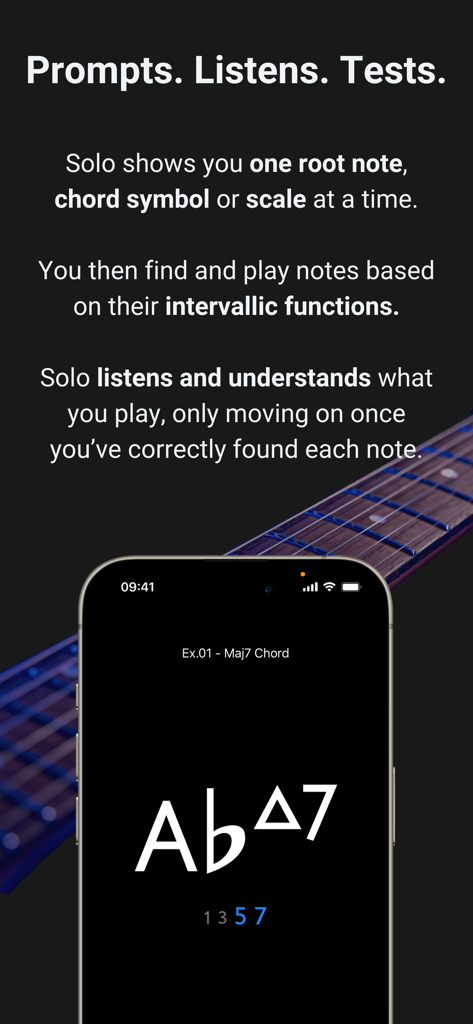
Solo 앱 스크린샷은 인터랙티브 코드 연습 및 지판 시각화를 보여줍니다.

Solo 앱 스크린샷은 인터랙티브 코드 연습 및 지판 시각화를 보여줍니다.

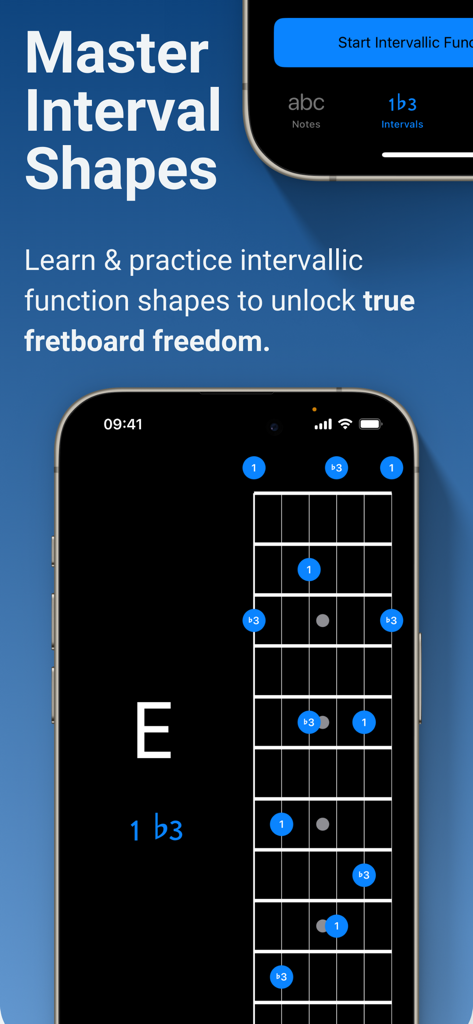
Solo 앱의 모바일 인터페이스는 음악 이론 연습을 위한 기타 지판의 인터벌 모양을 보여줍니다.

Solo 앱의 모바일 인터페이스는 음악 이론 연습을 위한 기타 지판의 인터벌 모양을 보여줍니다.

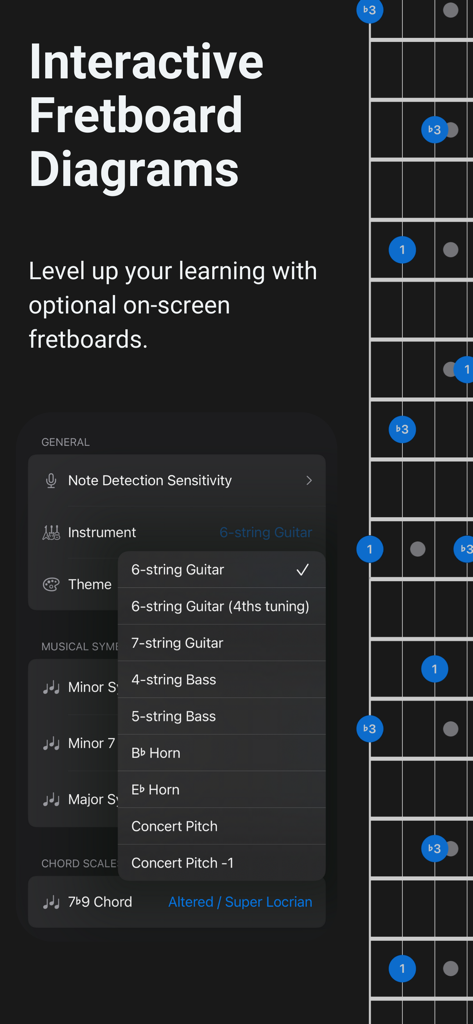
기타 및 베이스 옵션을 보여주는 지판 시각화 및 악기 선택 메뉴.

기타 및 베이스 옵션을 보여주는 지판 시각화 및 악기 선택 메뉴.

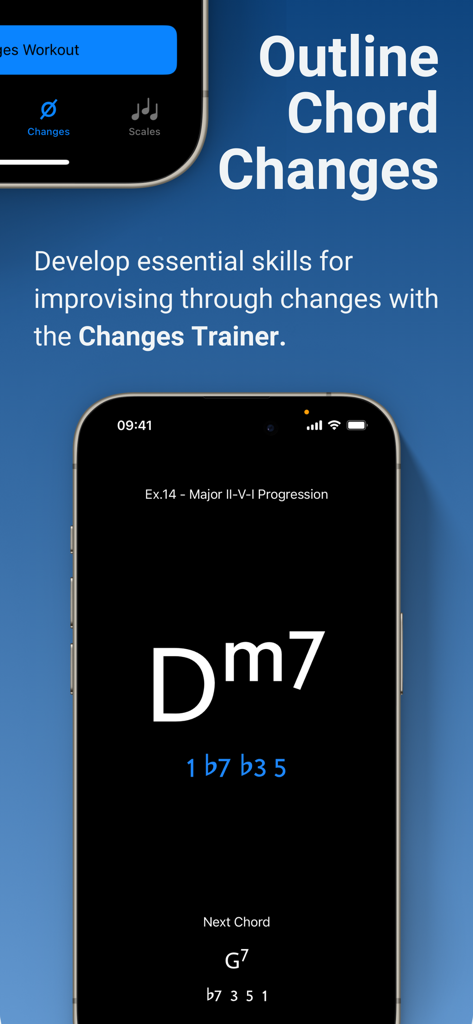
Solo 앱 인터페이스는 코드 진행을 통한 인터벌 기능 연습을 위한 변경 트레이너 기능을 보여줍니다.

Solo 앱 인터페이스는 코드 진행을 통한 인터벌 기능 연습을 위한 변경 트레이너 기능을 보여줍니다.

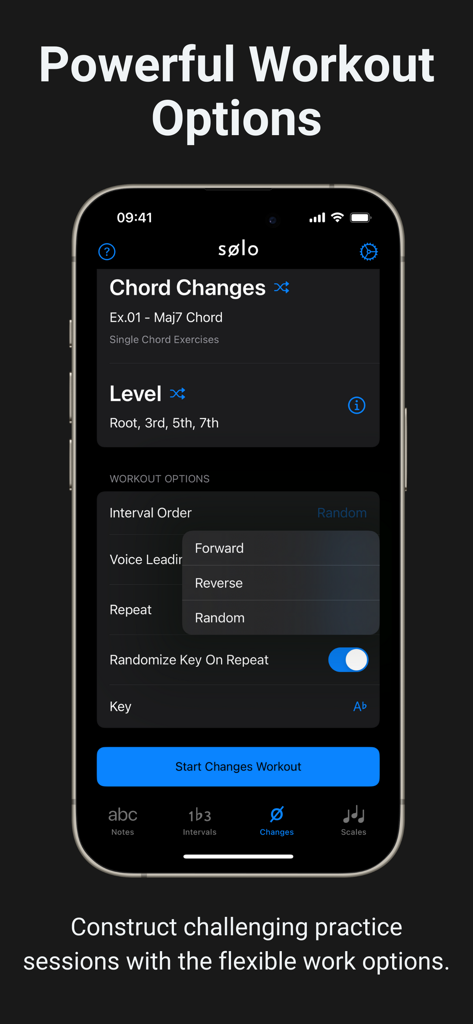
Solo 앱의 인터페이스는 코드 변경 연습을 위한 사용자 정의 가능한 연습 옵션을 보여줍니다.

Solo 앱의 인터페이스는 코드 변경 연습을 위한 사용자 정의 가능한 연습 옵션을 보여줍니다.

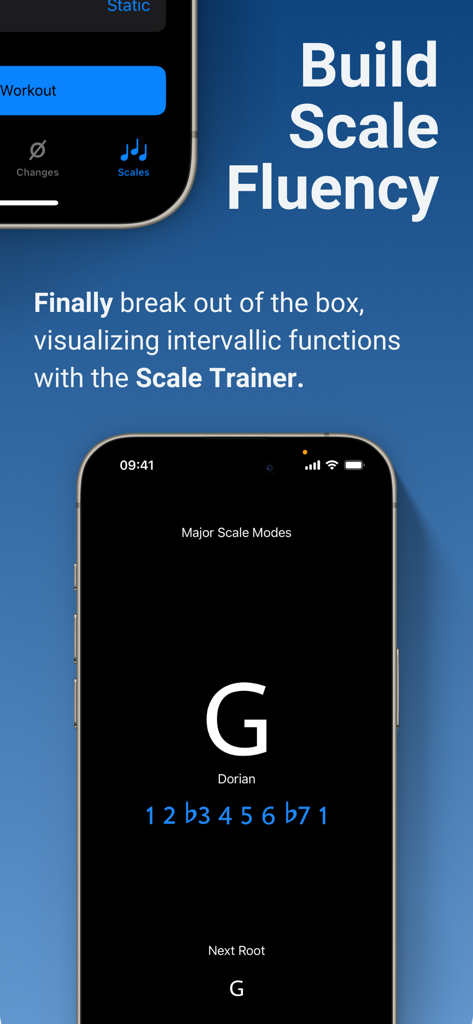
Solo 앱 인터페이스는 기타 연주자를 위한 G Dorian 인터벌 기능이 있는 스케일 트레이너 기능을 표시합니다.

Solo 앱 인터페이스는 기타 연주자를 위한 G Dorian 인터벌 기능이 있는 스케일 트레이너 기능을 표시합니다.

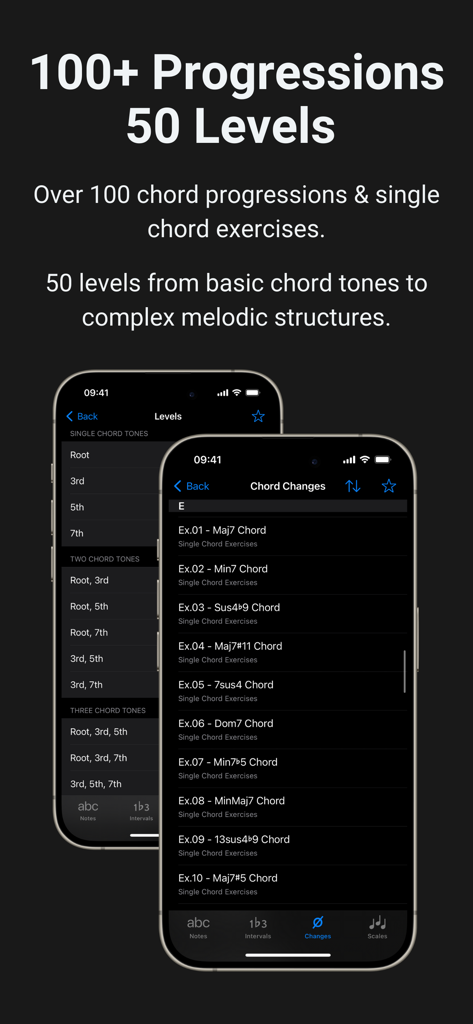
Solo 앱의 코드 진행 및 연습 레벨 스크린샷.

Solo 앱의 코드 진행 및 연습 레벨 스크린샷.

지판 잠재력 발휘

이 앱을 돋보이게 하는 도구, 174K+ 명의 사용자가 선택.

🎯

인터벌 기능 마스터하기

고정된 형태를 암기하는 것을 멈추고, 루트에 대한 모든 음의 역할을 이해하여 넥 전체를 직관적으로 탐색하세요.

👂

Solo는 실제 악기 소리를 듣고 올바른 음을 연주할 때만 진행하여 라이브 강사와 같은 책임감을 제공합니다.

🚀

복잡한 변경 정복

100개 이상의 일반적인 진행과 50개 이상의 스케일 모드를 연습하여 전문적인 수준의 즉흥 연주에 필요한 유창성을 개발하세요.

전 세계 사용자들에게 사랑받는 앱

Trusted by 174K+ 명이 이 앱을 사랑합니다.

"

"10년 넘게 마이너 펜타토닉 박스에 갇혀 있었습니다. 인터벌 및 스케일 트레이너를 사용한 지 몇 주 만에 지판이 드디어 논리적으로 이해되기 시작했습니다. 듣기 기능은 책이나 YouTube 동영상으로는 얻을 수 없는 수준의 책임감을 제공합니다. 매일의 연습을 무의미한 즉흥 연주에서 고강도 시각화로 변화시켰습니다."

Alex Thompson
"

"재즈 연주 전공 학생으로서 복잡한 코드 변경과 보이스 리딩을 즉석에서 마스터할 방법을 찾아야 했습니다. 변경 트레이너는 획기적입니다. 진행에 따른 인터벌을 지능적으로 매핑하고 실시간으로 찾도록 강제합니다. 7현 기타에서 사용해 본 가장 정교하고 유용한 연습 도구입니다."

Maya Rodriguez

앱 소개

에 대해 알아야 할 모든 것 Solo - Fretboard Visualization.

설명

Solo is the ultimate practice App for mastering fretboard visualization, designed by world renowned guitarists Tom Quayle and David Beebee. Four powerful fretboard trainers allow you to work intuitively on each aspect of the visualization process; learning note names, memorising interval shapes, outlining chord changes, and practicing scales. Solo asks you to find intervallic functions against one root note, chord symbol or scale at a time, listens to the notes you play, and doesn’t move on until you’ve correctly found each note by its intervallic function in the specified order. Practice with Solo and finally learn your note names, master interval shapes, confidently play through chord changes and break out of scale boxes with intervallic functions. Start transforming your playing and confidence on the fretboard today! NOTE TRAINER The Note Trainer is perfect for beginner and intermediate players getting to grips with note names on the neck - the foundation of solid fretboard knowledge. ‣ Solo shows you random root notes to find and listens, waiting for you to get it correct. ‣ Slide on the interactive fretboards for helpful diagrams and to study alternative options. Choose from 6 string guitar (standard and 4ths tuning), 7 string guitar, 4 string bass & 5 string bass. ‣ Optional practice suggestions offer challenging ways to limit and test yourself. ‣ Duration based workouts allow you to craft the perfect practice session. INTERVAL TRAINER The Interval Trainer will help players at all levels work on interval shapes with intervallic functions - the key to unlocking true freedom on the fretboard. ‣ Choose any combination of intervallic functions to practice. ‣ Create custom interval groups or choose the intervals for ANY chord type or scale. ‣ The Interval Trainer will randomise your chosen intervals and ask you to find them against either a fixed or random root note. ‣ Slide on the interactive fretboards for helpful diagrams, showing you where all of the interval shapes are across the neck, and to study alternative options. Choose from 6 string guitar (standard and 4ths tuning), 7 string guitar, 4 string bass & 5 string bass. ‣ Duration based workouts allow you to craft the perfect practice session. CHANGES TRAINER In the Changes Trainer you find intervallic functions, using single notes to outline different chord types or sets of chord changes, a key skill for learning to improvise through chord changes. ‣ Practice outlining intervallic functions through over 100 common chord progressions and single chord exercises. ‣ 50 intervallic function levels. Go from simple chord tones to complex melodic structures and scales. ‣ Solo intelligently maps out the correct intervals over each chord and listens for you to play each intervallic function in the specified order. ‣ Powerful workout options provide almost limitless ways to challenge yourself. ‣ Transpose the key of any progression or exercise. ‣ Choose to randomly transpose the progression (or single chord exercise) each time it repeats. ‣ Work on voice leading chord tones through single note lines. SCALE TRAINER The Scale Trainer contains a vast array of scales and powerful workout options, allowing you to finally break out of the box and develop a much deeper understanding of how scales are constructed on the fretboard. ‣ Practice finding scales on the fretboard using intervallic functions. ‣ Over 50+ Scales and modes. ‣ Powerful workout options provide almost limitless ways to challenge yourself. ‣ Melodic sequence options let you focus on starting from any chord tone within the scale. ‣ Duration based workouts allow you to craft the perfect practice session.

최신 버전

2.3.1

크기

231.1 MB

출시일

2021년 1월 1일

추측은 멈추고 마스터하세요.

Tom Quayle 및 David Beebee가 디자인한 궁극의 시각화 도구를 사용하는 174,000명 이상의 뮤지션과 함께하세요. 지금 Solo를 다운로드하고 지판의 잠재력을 최대한 발휘하세요.

다운로드: App Store다운로드: Google Play