Swift Playground

Swift Playground

다운로드: App Store
Spark by MWM logo
로고: Swift Playground

Swift Playgrounds: 코딩 배우고 실제 앱 만들기 위한 즐거운 방법

대화형 퍼즐 풀기부터 자신만의 작품을 App Store에 게시하기까지. 프로가 사용하는 강력한 도구로 Swift 및 SwiftUI 마스터하기—모두 iPad에서.

개발사

Apple Inc.

카테고리

Education

다운로드

3M+

사용자 평점

3.9/5

총 평가 수

11K+

지원 언어

16

퍼즐에서 앱까지

이 인터페이스를 사용하는 3M+ 명의 사용자.

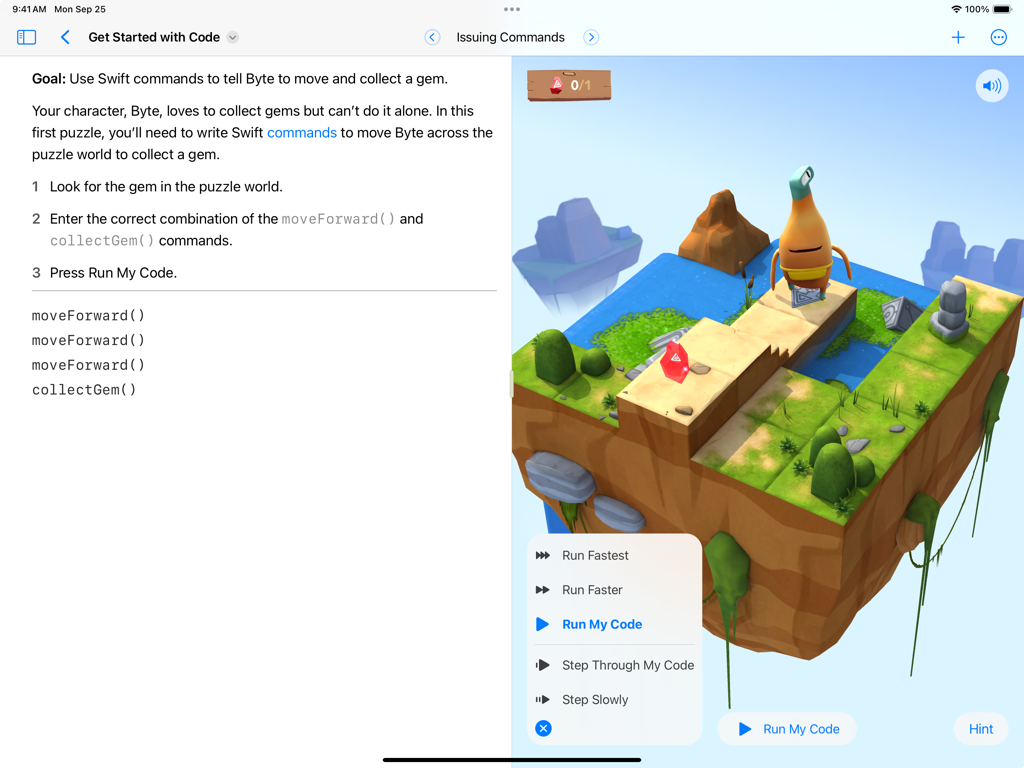
Swift Playgrounds iPad 인터페이스에 캐릭터 Byte와 Swift 코드 편집기가 있는 3D 코딩 퍼즐 표시

Swift Playgrounds iPad 인터페이스에 캐릭터 Byte와 Swift 코드 편집기가 있는 3D 코딩 퍼즐 표시

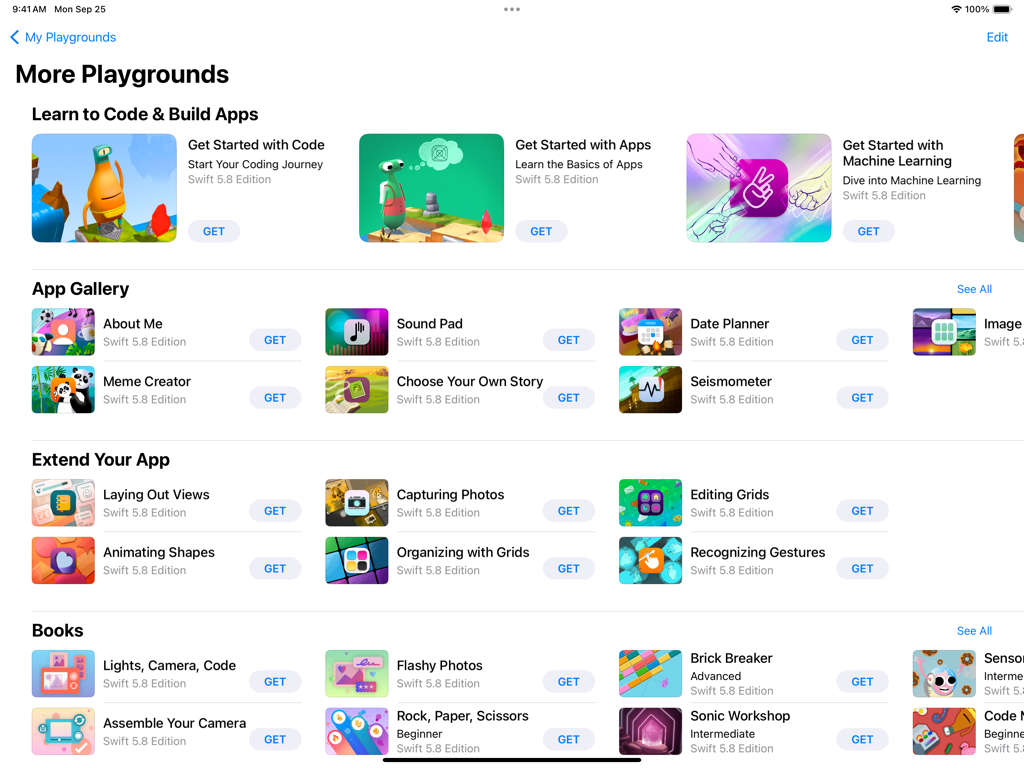
Swift Playgrounds의 '더 많은 플레이그라운드' 화면으로, 다양한 코딩 레슨 및 앱 개발 모듈 포함

Swift Playgrounds의 '더 많은 플레이그라운드' 화면으로, 다양한 코딩 레슨 및 앱 개발 모듈 포함

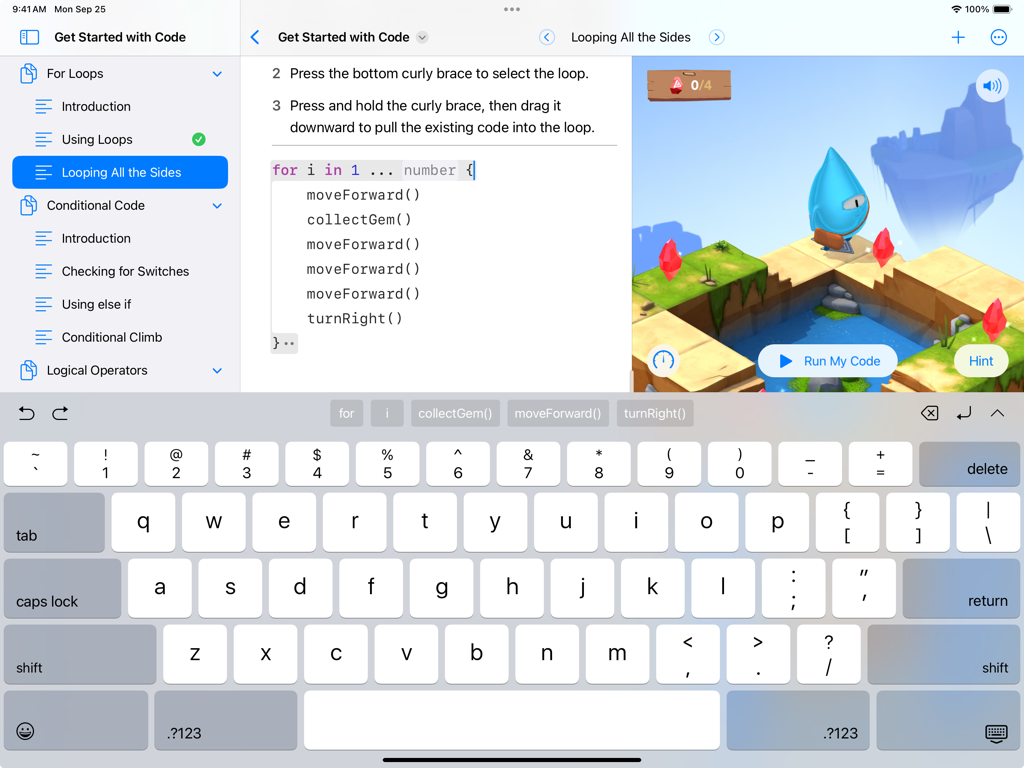
iPad의 Swift Playgrounds 인터페이스에 Swift 코딩 레슨과 대화형 3D 게임 세계 표시

iPad의 Swift Playgrounds 인터페이스에 Swift 코딩 레슨과 대화형 3D 게임 세계 표시

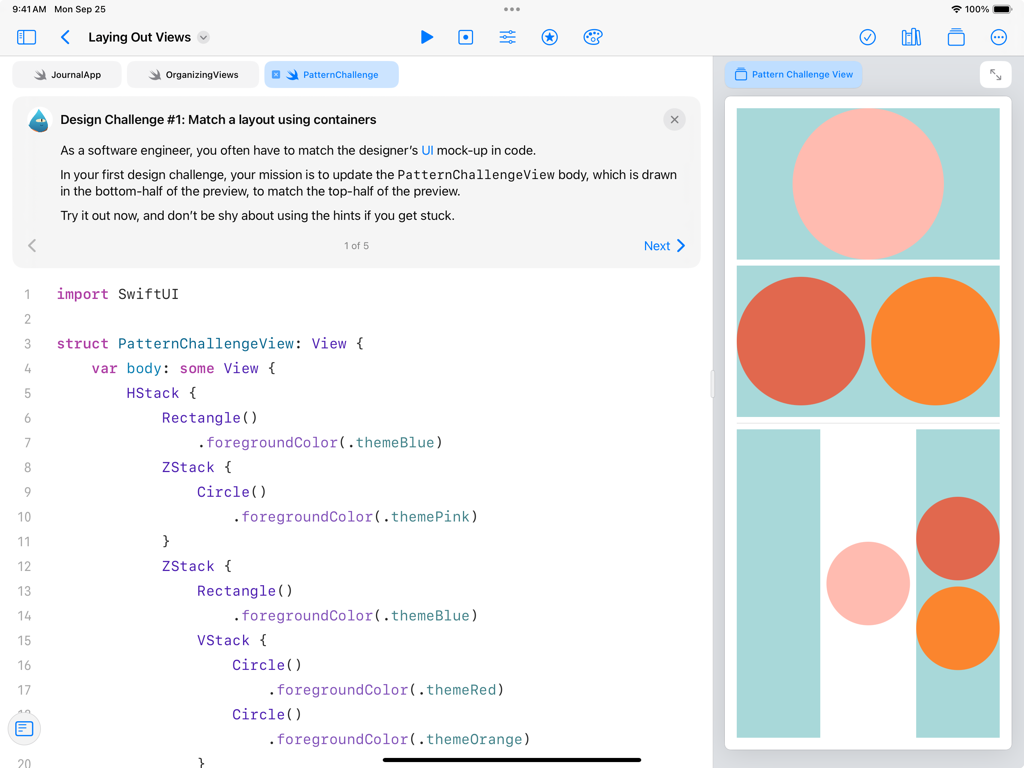
iPad의 Swift Playgrounds 앱에 SwiftUI 코드와 사용자 인터페이스 레이아웃의 실시간 시각적 미리보기가 표시된 디자인 챌린지 표시

iPad의 Swift Playgrounds 앱에 SwiftUI 코드와 사용자 인터페이스 레이아웃의 실시간 시각적 미리보기가 표시된 디자인 챌린지 표시

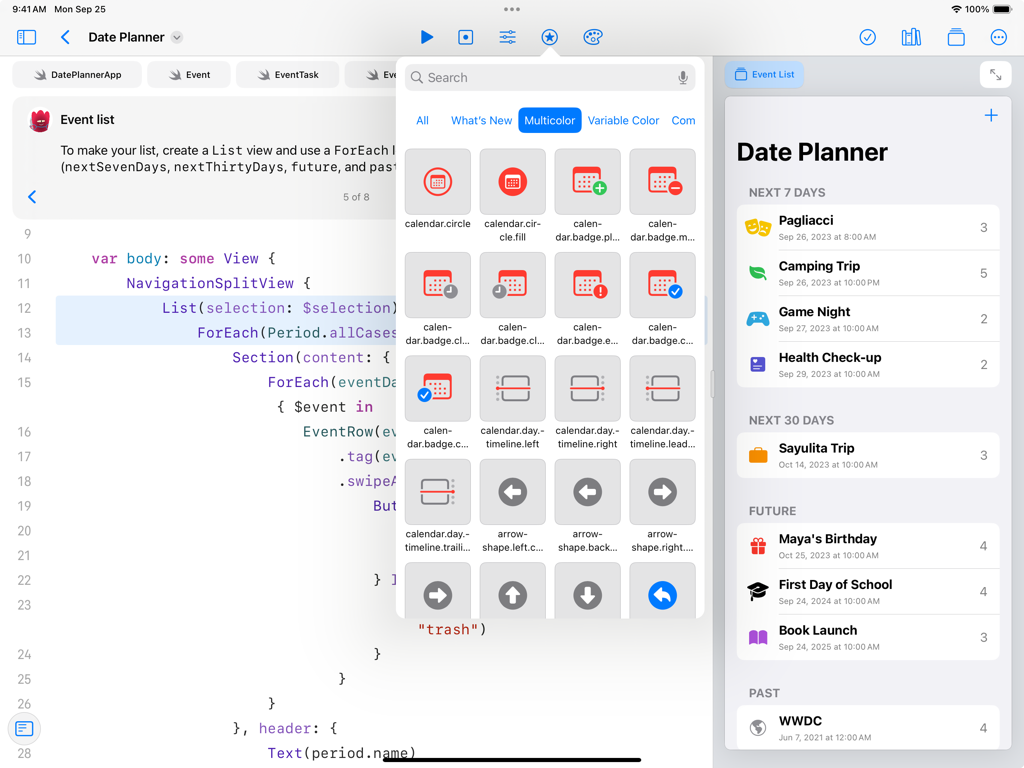
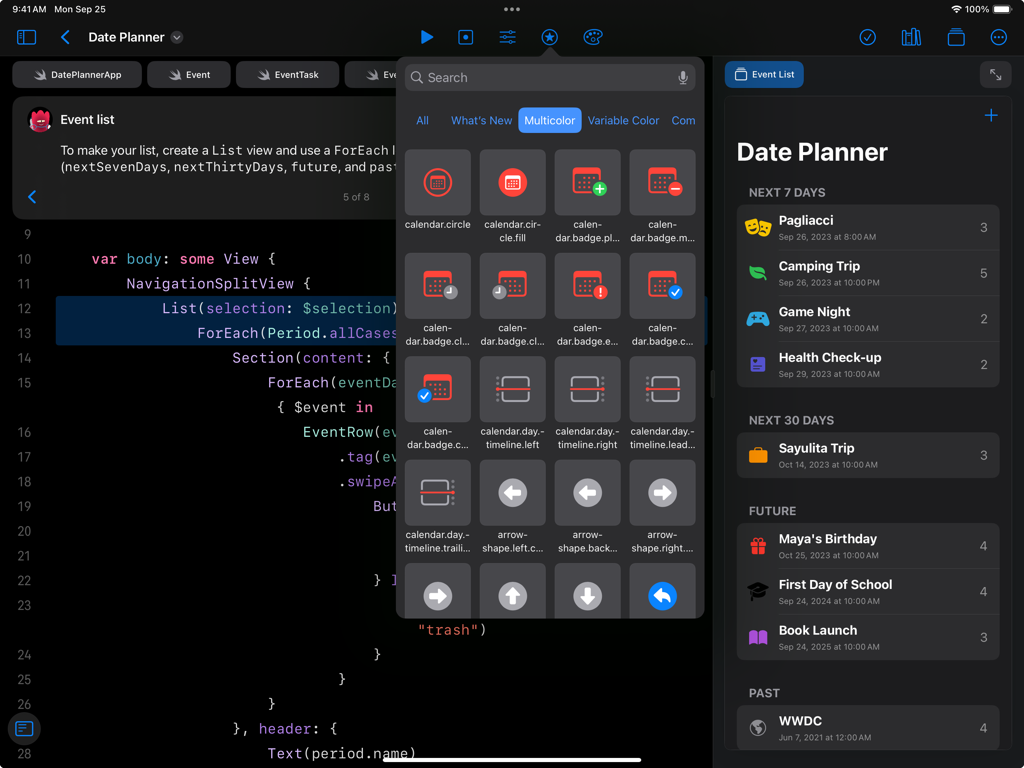
iPad의 Swift Playgrounds 인터페이스에 SwiftUI 코드 편집기와 날짜 플래너 앱의 실시간 미리보기 표시

iPad의 Swift Playgrounds 인터페이스에 SwiftUI 코드 편집기와 날짜 플래너 앱의 실시간 미리보기 표시

iPad의 Swift Playgrounds 인터페이스에 SwiftUI 코드와 날짜 플래너 앱의 실시간 미리보기 표시

iPad의 Swift Playgrounds 인터페이스에 SwiftUI 코드와 날짜 플래너 앱의 실시간 미리보기 표시

첫 논리부터 첫 앱까지

이 앱을 돋보이게 하는 도구, 3M+ 명의 사용자가 선택.

🧩

풀고, 플레이하고, 배우기

복잡한 논리를 매력적인 게임 경험으로 전환하는 대화형 3D 퍼즐을 통해 코딩 기본 사항 마스터하기.

💻

전문 코드, 실제 결과

프로가 사용하는 동일한 기술인 SwiftUI로 구축하고, 입력하는 대로 코드를 실시간으로 확인하기.

🚀

어디서든 구축 및 게시

iPad만 사용하여 프로젝트를 빈 페이지에서 App Store까지 가져오거나, Mac의 Xcode와 원활하게 동기화하기.

전 세계 사용자들에게 사랑받는 앱

Trusted by 3M+ 명이 이 앱을 사랑합니다.

"

"Swift Playgrounds는 코딩을 지루한 학교 과목이 아닌 퍼즐 게임처럼 느끼게 해줬어요. Byte가 3D로 움직이는 것을 볼 수 있고, 이제 친구들에게 보여줄 미니 게임을 만들기 시작했어요!"

Leo, 중학생
"

"항상 앱 아이디어를 가지고 있었지만 어디서부터 시작해야 할지 몰랐어요. 이 앱은 초보자에게 정말 게임 체인저입니다. SwiftUI 통합이 매우 직관적이며, 간단한 레슨부터 iPad에서 실제 앱을 구축하는 것까지 가능하게 해주는 것이 매우 강력합니다."

Sarah, 야심찬 앱 개발자

리뷰 분석

사용자 리뷰 인사이트.

감정 점수

28%
부정적

요약

Users report a predominantly negative experience with the app, citing frequent bugs, crashes, and poor performance, including slow loading times and excessive storage consumption. While some appreciate its potential for learning and the ability to develop iOS apps without a Mac, many find the learning curve steep due to confusing explanations and an outdated interface. Key issues include critical installation failures, file saving/loading bugs, and a general lack of consistent updates, which leave the app neglected. Furthermore, several users highlight version-specific problems on iOS 26 and iPadOS 26, leading to widespread functionality breakdown and poor iPad usability, particularly concerning hardware keyboard support and debugging tools.

주요 테마

Bugs & Crashes(9)
Learning Experience & Difficulty(9)
Performance & Resource Usage(8)
Installation & Project Management(7)
Educational & Development Capabilities(7)
Updates & Neglect(6)
Missing Features & Debugging Tools(5)

앱 소개

에 대해 알아야 할 모든 것 Swift Playground.

설명

Swift Playground makes it fun to learn to code and build real apps. You solve interactive puzzles in the guided “Get Started with Code” and learn the basics of building apps in “Get Started with Apps.” You experiment with a wide range of challenges and samples that let you explore unique coding experiences. Swift Playground doesn’t require any coding experience — it’s perfect for anyone just starting out, from eight to one-hundred-and-eight. The whole time you are learning Swift and SwiftUI, the powerful programming technologies created by Apple and used by professionals around the globe to build many of today’s most popular apps. And because it’s built to take advantage of iPad and the real iOS SDK, Swift Playground provides a one of a kind learning experience. Lessons Built-in • Apple-created lessons guide you through the core concepts of programming by using code to solve puzzles • See your code run in a beautiful, interactive 3D world that you can rotate with a finger and pinch to zoom • Animations introduce each new coding concept at a high-level before you dive into the puzzles • Glossary and built-in help pages give detailed information about available commands, frameworks, and terminology Explore and Create • Interactive coding shows the results of your code instantly, alongside your work • Step through code in playground books to highlight each line as it runs • Books provide a head start to create your own playgrounds that use graphics, sound, and touch • App Gallery walks you through the building blocks of apps, like tabbed navigation and receiving input from device sensors Build Apps on iPad • Create real apps on iPad using SwiftUI • See your code changes reflected live while you type • Type quickly and accurately with inline code suggestions • Extend your app with an ecosystem of Swift packages • Navigate your code with project-wide search Smart Coding Assistance • Touch and hold to grab any command and move it around to change the order of your code • Drag a brace with your finger to wrap a block of code inside a loop or conditional statement • Drag and drop snippets of commonly-used code directly into your playground • Fix common code errors with helpful inline suggestions • Stay organized with automatic code formatting Real Swift, SwiftUI, and iOS Code • Learn the same powerful Swift programming language used by the pros to create apps in the App Store • Build dynamic, elegant apps using SwiftUI, a modern way to create user interfaces • Access iOS frameworks such as SpriteKit for 2D games, SceneKit for 3D graphics, UIKit, and more • Your code has direct control of iPad hardware, including the gyroscope, accelerometer, camera, and touch events Share or Publish • Send your projects to friends and family using Messages, Mail, AirDrop, or other Share Sheet extensions • Bring your app projects to Xcode on Mac and back again • Submit your completed apps to the App Store with App Store Connect

최신 버전

4.6.4

크기

1.3 GB

출시일

2016년 9월 13일

자신만의 앱을 만들 준비가 되셨나요?

3백만 명 이상의 크리에이터와 함께 퍼즐을 전문 기술로 전환하세요. 지금 Swift Playgrounds를 다운로드하고 첫 코딩 줄부터 App Store까지 나아가세요.

다운로드: App Store
FAQ

자주 묻는 질문

에 대해 알아야 할 모든 것 Swift Playground

Swift Playground는 무엇인가요?

Swift Playground는 코딩 학습과 실제 앱 개발을 재미있고 상호작용적으로 만들도록 설계된 앱입니다. 강력한 Apple 프로그래밍 기술인 Swift와 SwiftUI를 사용합니다.

누가 Swift Playground를 사용하여 코딩을 배울 수 있나요?

Swift Playground는 코딩 경험이 없는 사람부터 8세부터 108세까지 누구나 사용할 수 있습니다. 처음 시작하는 초보자에게 완벽합니다.

사용자는 Swift Playground로 실제 앱을 만들 수 있나요?

네, 사용자는 Swift Playground와 SwiftUI를 사용하여 iPad에서 실제 앱을 만들 수 있습니다. 이 앱은 iOS SDK를 활용하여 독특한 학습 경험을 제공합니다.

Swift Playground는 코딩을 위한 가이드 학습을 제공하나요?

네, Swift Playground에는 Apple이 만든 학습 과정이 포함되어 있어 사용자가 3D 세계에서 상호작용적인 코드 퍼즐을 풀면서 핵심 프로그래밍 개념을 익힐 수 있습니다.

Swift Playground는 어떤 프로그래밍 언어를 가르치나요?

Swift Playground는 Apple이 만든 강력한 프로그래밍 기술인 Swift와 SwiftUI를 가르칩니다. 이는 전 세계 전문가들이 인기 있는 앱을 만드는 데 사용합니다.

Swift Playground 프로젝트를 공유하거나 게시할 수 있나요?

네, 사용자는 Messages, Mail, AirDrop 또는 기타 Share Sheet 확장을 통해 친구나 가족에게 Swift Playground 프로젝트를 보낼 수 있습니다. 완성된 앱은 App Store에 제출할 수 있습니다.

Swift Playground는 코딩을 어떻게 도와주나요?

Swift Playground는 명령 이동을 위한 터치 앤 홀드, 코드 스니펫 드래그 앤 드롭, 일반적인 오류 수정을 위한 인라인 제안과 같은 스마트 코딩 지원을 제공합니다. 또한 자동 코드 서식 지정도 제공합니다.

Swift Playground는 학습을 위해 어떤 상호작용 요소를 제공하나요?

Swift Playground는 코드 실행을 위한 상호작용적인 3D 세계를 제공하며 코드 변경 결과를 즉시 보여줍니다. 사용자는 playground book에서 코드를 한 줄씩 실행할 수 있습니다.

Swift Playground는 iOS 프레임워크에 액세스할 수 있나요?

네, Swift Playground는 2D 게임을 위한 SpriteKit, 3D 그래픽을 위한 SceneKit, UIKit과 같은 iOS 프레임워크에 액세스할 수 있습니다. 또한 코드가 iPad 하드웨어를 직접 제어합니다.