TV Remote Control “Universo”

TV Remote Control “Universo”

다운로드: App Store
Spark by MWM logo
로고: TV Remote Control “Universo”
TV 리모컨 “Universo”: 스마트 홈을 위한 궁극의 제어 센터

분실된 리모컨을 찾느라 헤매는 일과 복잡함을 끝내세요. iPhone을 고정밀 만능 컨트롤러로 변환하여 터치패드 탐색, 쉬운 키보드 입력, 집안의 모든 TV에 대한 원탭 액세스를 이용하세요.

다운로드: App Store

개발사

Nemo Apps LLC

카테고리

Utilities

다운로드

464K+

사용자 평점

4.7/5

총 평가 수

8K+

지원 언어

23

손끝에서 펼쳐지는 제어

이 인터페이스를 사용하는 464K+ 명의 사용자.

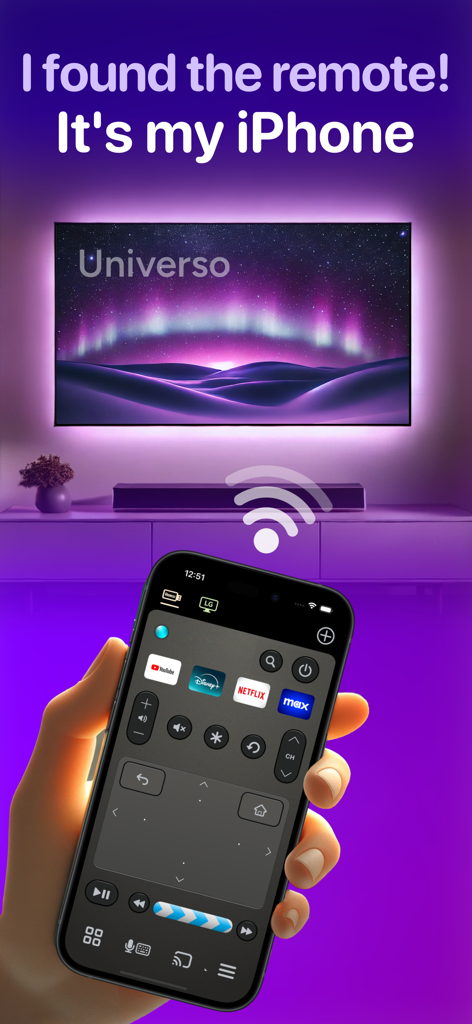
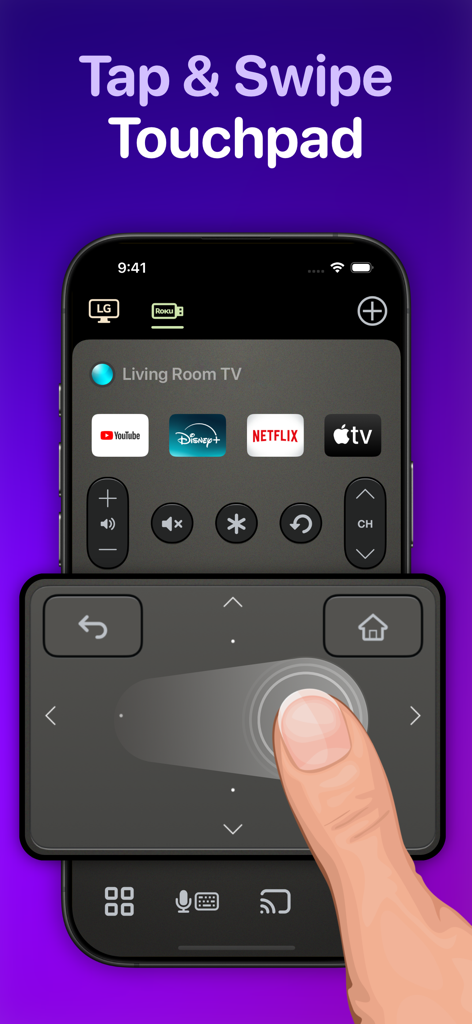
터치패드와 스트리밍 바로가기가 있는 Universo TV 리모컨 앱을 보여주는 iPhone 화면.

터치패드와 스트리밍 바로가기가 있는 Universo TV 리모컨 앱을 보여주는 iPhone 화면.

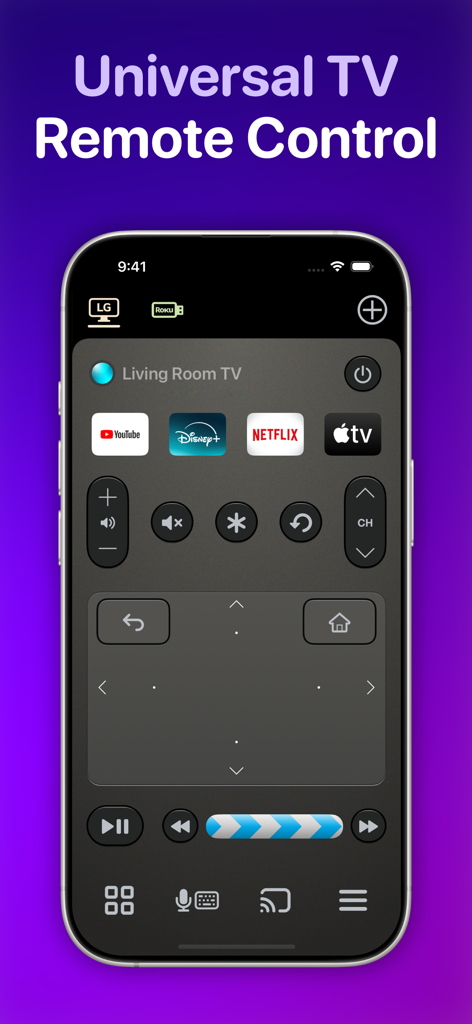
터치패드와 스트리밍 앱 바로가기가 있는 iPhone의 Universo 만능 TV 리모컨 앱 인터페이스

터치패드와 스트리밍 앱 바로가기가 있는 iPhone의 Universo 만능 TV 리모컨 앱 인터페이스

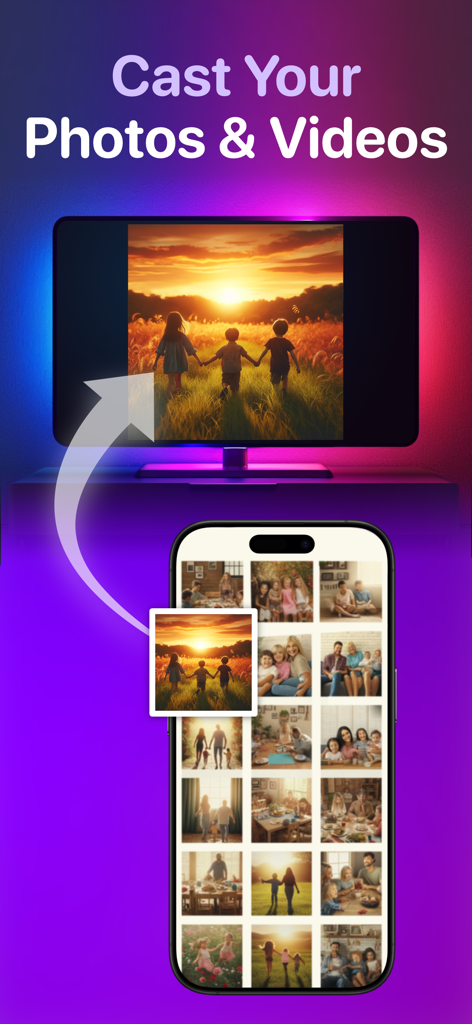
스마트 TV로 사진 및 동영상을 전송하는 기능을 보여주는 iPhone 앱 인터페이스

스마트 TV로 사진 및 동영상을 전송하는 기능을 보여주는 iPhone 앱 인터페이스

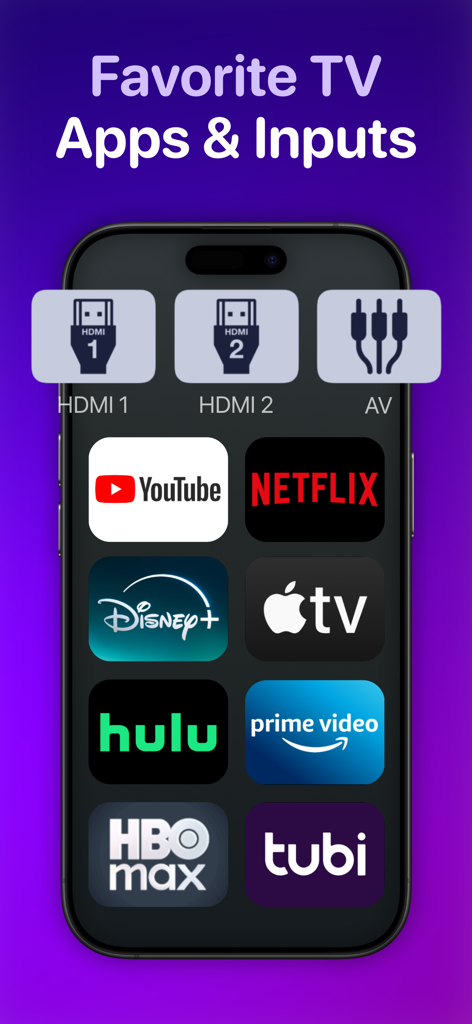
인기 스트리밍 앱 및 TV 입력에 대한 바로가기를 표시하는 스마트폰 화면.

인기 스트리밍 앱 및 TV 입력에 대한 바로가기를 표시하는 스마트폰 화면.

Universo 리모컨 앱의 스와이프 터치패드를 사용하여 스마트 TV를 탐색하는 사용자

Universo 리모컨 앱의 스와이프 터치패드를 사용하여 스마트 TV를 탐색하는 사용자

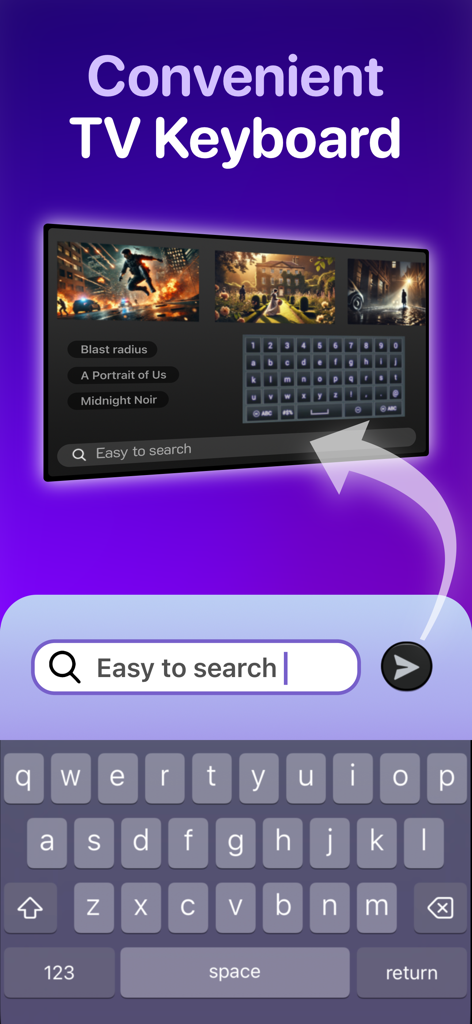
스마트 TV 화면에서 콘텐츠를 검색하는 데 사용되는 iPhone 키보드

스마트 TV 화면에서 콘텐츠를 검색하는 데 사용되는 iPhone 키보드

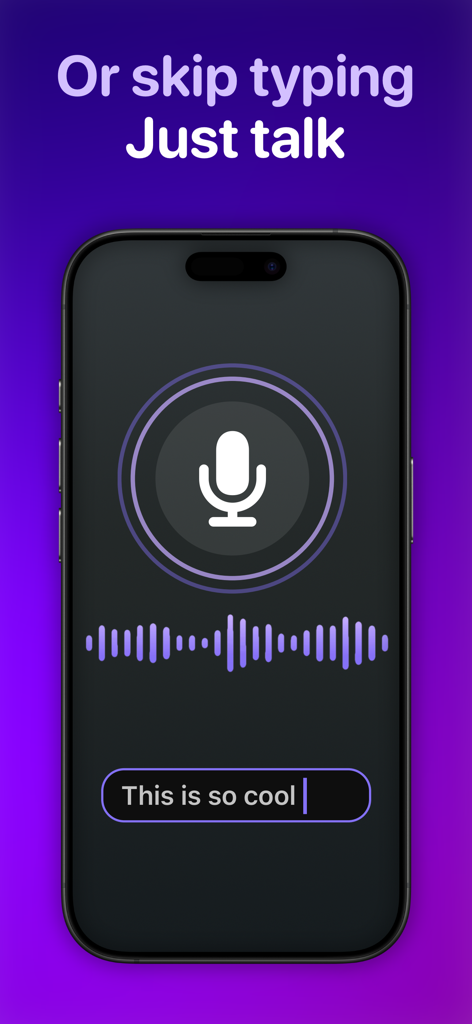
만능 TV 리모컨 앱을 위한 음성 텍스트 변환 기능을 보여주는 iPhone 화면

만능 TV 리모컨 앱을 위한 음성 텍스트 변환 기능을 보여주는 iPhone 화면

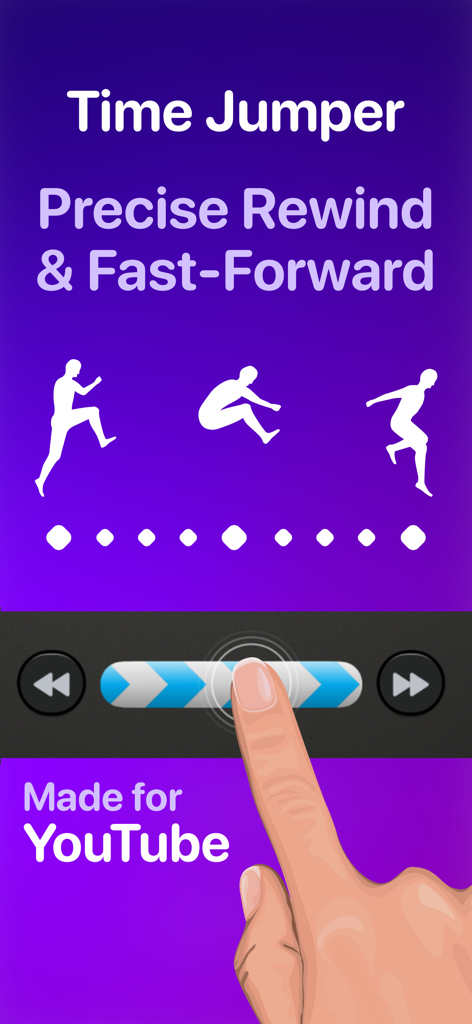
YouTube에서 정밀하게 되감기 및 빨리 감기를 위한 타임 점퍼 기능을 보여주는 인터페이스

YouTube에서 정밀하게 되감기 및 빨리 감기를 위한 타임 점퍼 기능을 보여주는 인터페이스

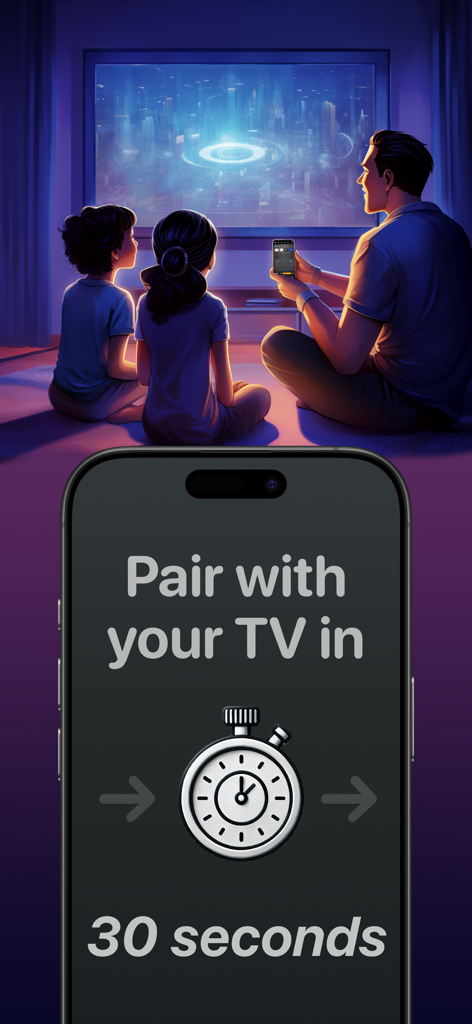
Universo 리모컨 앱의 30초 페어링 타이머를 보여주는 iPhone 디스플레이와 함께 TV를 시청하는 가족

Universo 리모컨 앱의 30초 페어링 타이머를 보여주는 iPhone 디스플레이와 함께 TV를 시청하는 가족

홈 엔터테인먼트를 마스터하세요

이 앱을 돋보이게 하는 도구, 464K+ 명의 사용자가 선택.

⌨️

생각하는 속도로 검색하세요

D-패드에서 글자를 찾는 일은 이제 그만. iPhone 키보드나 음성 변환 기능을 사용하여 몇 초 안에 영화를 찾고 비밀번호를 입력하세요.

🖐️

눈으로 보지 않고도 정밀하게 제어하세요

한 손 사용에 최적화된 넓은 스와이프 터치패드를 사용하여 메뉴를 탐색하세요. 시청 중 휴대폰을 보지 않아도 됩니다.

🏠

궁극의 만능 허브

거실 삼성 TV, 침실 Roku TV, 게임 콘솔 간에 원활하게 전환하세요. 좋아하는 앱과 HDMI 입력에 대한 사용자 지정 바로가기를 이용하세요.

전 세계 사용자들에게 사랑받는 앱

Trusted by 464K+ 명이 이 앱을 사랑합니다.

"

"드디어 제대로 된 프리미엄 느낌의 만능 리모컨이 나왔네요. 거실의 삼성 TV와 침실의 Roku TV 때문에 저는 세 개의 다른 리모컨을 사용해야 했어요. 이제 사용자 지정 HDMI 버튼을 사용하여 PS5나 Netflix로 바로 이동할 수 있습니다. 스트리밍 앱에 로그인할 때 키보드 입력 기능은 정말 최고예요!"

Sarah Miller
"

"타임 점퍼 기능은 YouTube 시청에 있어서 게임 체인저입니다. 이제 실제로 정밀하게 동영상을 건너뛸 수 있어요. 시청 중 TV를 보지 않고도 메뉴를 탐색할 수 있는 스와이프 터치패드가 마음에 듭니다. LG와 함께 제공된 물리적 리모컨보다 훨씬 반응성이 좋습니다."

Jason Chen

앱 소개

에 대해 알아야 할 모든 것 TV Remote Control “Universo”.

설명

Turn your iPhone into a universal remote control for smart televisions and streaming devices. Simplify Entertainment When you’re ready to relax at the end of a hard day, do you want to spend the next 10 minutes hunting for a lost TV remote in the sofa cushions? Place this app on all your iPhones, and a fully functional remote control is always one tap away. Designed to Keep Your Eyes on the TV • With a spacious swipe touchpad right under your thumb, you can navigate the user interface of your TV without needing to look down at your phone. • Make a long swipe to take several steps in one motion. • Tap a side of the pad to step once. • Long press a side of the pad to smoothly scroll through menus and program lists. • Built-in back and home buttons keep all navigation convenient in one spot. Skip to the Action • Introducing the Time Jumper. It’s a media “scrubber” that gives you precision control over the current play position in a video. Slowly shift it to rewind or advance 10 seconds at a time. Flick it rapidly to leap to a far-off scene in the video. • Time Jumper works great with YouTube and apps that implement rewind and fast forward similarly. • Our remote control includes standard playback buttons like play, pause, rewind and fast-forward. Multi-Device Support • Set up remote controls for multiple TV’s and streaming devices in one place. One tap switches between them. Cast Your Photos and Home Movies to Your TV • Make it family slideshow time by sharing photos and videos from your iPhone onto the big screen. Keyboard Input and Voice Search • Enter text on your TV easily with the standard iOS keyboard or with automatic voice transcription. Customizable App and Input Buttons • Launch apps like YouTube, Netflix, Max, and Disney with one tap. Switch TV inputs/sources like HDMI1, HDMI2, or Antenna (“Live TV”). • For your most-used apps and TV inputs, make quick access buttons on the main panel. For example, if you have a PlayStation on HDMI1, and an Xbox on HDMI2, make a button for each. Other Features offered on many TV’s: • Power on/off. This app uses Wake-on-LAN (WoL) to power on TV’s that support it. • Audio buttons for volume control and mute. • Inputs, settings, menu, caption buttons. • Change channels with channel up/down buttons and numpad. • Previous channel button to flip between two channels. Great for sports. • TV guide button to see an on-TV program list. • Haptic feedback when command is sent to TV. How Does This App Work? • This app connects with your TV securely on your home wireless network. It doesn’t use IR (Infrared) like a traditional remote control. • Wi-Fi connection is great. You don’t need to point your phone at the TV for it to work. Also, there is no cross-interference between two TV’s. • This app uses Apple Bonjour (zeroconf) and Universal Plug and Play (UPnP) discovery to detect devices on your home network automatically to make setup easy. Compatibility This app is compatible with the latest versions of most major TV platforms, including: • Samsung Tizen • LG WebOS • Sony Bravia • Vizio SmartCast • Roku • Fire TV OS • Google TV Supports devices including: • Chromecast • Roku Streaming Stick • Amazon Fire TV Stick • Nvidia Shield And many TV models from: • Samsung (2016+) • LG • Sony • Vizio (2016+) • TCL • Hisense • Sharp • Toshiba Also: Philips, Insignia, Panasonic, JVC, RCA, Onn, Element, Magnavox, Grundig, Onida, OnePlus, Realme, Xiaomi, Skyworth, Blaupunkt, Metz, XGIMI, Haier, Pioneer, Westinghouse This app is not affiliated with the TV brands mentioned here. All trademarks are property of their respective owners. We try to make the most out of the functionality offered by the TV platform for control by apps. But the capabilities offered vary by manufacturer and model. So some of the remote control features listed here may not be available for your TV. Terms of use: https://www.apple.com/legal/internet-services/itunes/dev/stdeula

최신 버전

3.4.0

크기

112.7 MB

출시일

2024년 3월 4일

TV에 걸맞은 전문가급 리모컨으로 업그레이드하세요

분실된 리모컨을 찾는 것을 멈추고 제어를 시작하세요. iPhone을 집안의 모든 화면을 위한 궁극의 제어 센터로 변환한 464,000명 이상의 사용자와 함께하세요.

다운로드: App Store