Unicorn HTTPS

Unicorn HTTPS

다운로드: App Store
Spark by MWM logo
로고: Unicorn HTTPS

유니콘 HTTPS: VPN 지연 없는 진정한 인터넷 자유 경험

차단된 웹사이트를 최고 속도로 연결하고 우회하세요. 광고, 데이터 추적, 속도 저하 없이 원탭으로 모든 네트워크에서 디지털 개인 정보를 되찾으세요.

개발사

Unicorn Soft, Inc.

카테고리

Utilities

다운로드

4M+

사용자 평점

4.8/5

총 평가 수

182K+

지원 언어

14

시각화된 필터링되지 않은 액세스

이 인터페이스를 사용하는 4M+ 명의 사용자.

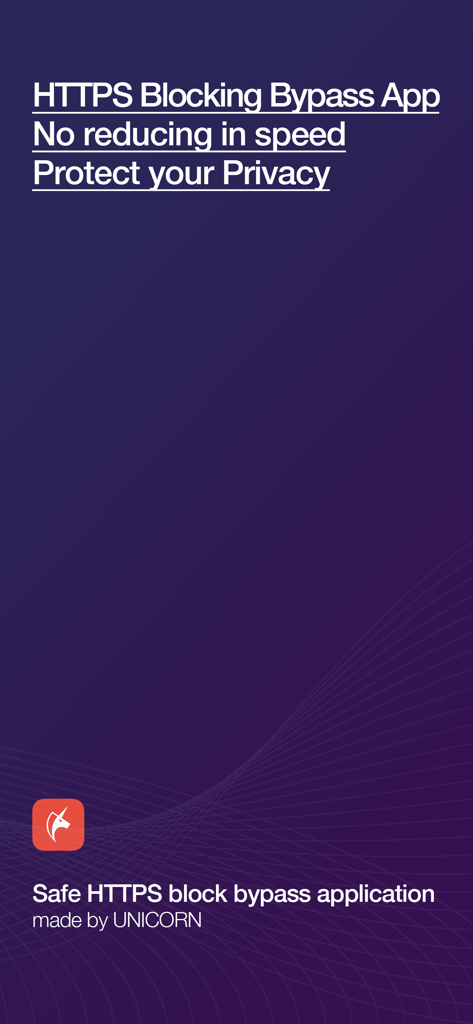
유니콘 HTTPS 앱 시작 화면으로 비공개 검색 및 우회 기능 강조

유니콘 HTTPS 앱 시작 화면으로 비공개 검색 및 우회 기능 강조

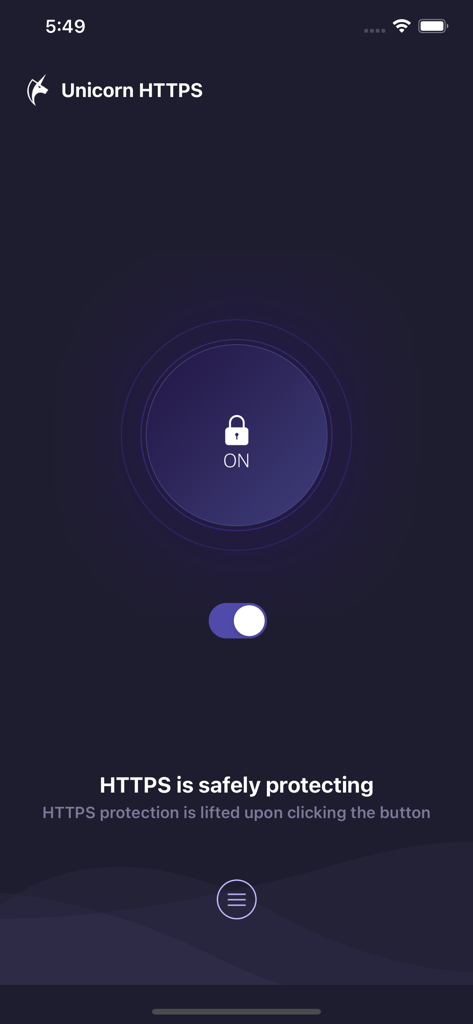
유니콘 HTTPS 앱 인터페이스로 보호 상태가 켜져 있음을 토글 스위치 및 잠금 아이콘으로 표시.

유니콘 HTTPS 앱 인터페이스로 보호 상태가 켜져 있음을 토글 스위치 및 잠금 아이콘으로 표시.

인터넷을 자유롭게

이 앱을 돋보이게 하는 도구, 4M+ 명의 사용자가 선택.

성능 지연 제로

'VPN 속도 저하'는 잊으세요. 당사의 고유한 패킷 수준 기술은 게임, 소셜 미디어 및 4K 스트리밍을 위해 연결이 매우 빠르게 유지되도록 보장합니다.

🛡️

완벽한 개인 정보 보호 방패

ISP 감시 및 네트워크 관리자로부터 SNI 데이터와 DNS 쿼리를 보호하세요. 학교, 사무실 또는 공공 Wi-Fi에서 디지털 발자국을 안전하게 보호하세요.

🔓

100% 무료 및 광고 없음

월간 구독료나 성가신 팝업 없이 프리미엄 디지털 자율성을 즐기세요. 원탭으로 웹에 제한 없이 광고 없이 액세스할 수 있습니다.

전 세계 사용자들에게 사랑받는 앱

Trusted by 4M+ 명이 이 앱을 사랑합니다.

"

"캠퍼스 Wi-Fi에서 인터넷의 절반이 차단되어 있었고 사용해 본 모든 VPN은 연결 속도를 매우 느리게 만들었습니다. 유니콘 HTTPS는 게임 체인저입니다. 매우 빠르고 무료이며 비디오 스트림이나 게임 속도를 늦추지 않고 실제로 작동합니다."

Alex Rivera
"

"프리랜서로서 저는 항상 공용 Wi-Fi를 사용하며 개인 정보 보호에 대해 걱정합니다. 이 앱은 기존 VPN의 복잡함 없이 SNI 보호 및 빠른 DNS 전환으로 마음의 평화를 제공합니다. 깔끔하고 간단하며 실제로 속도를 제한하지 않습니다."

Sarah Jenkins

앱 소개

에 대해 알아야 할 모든 것 Unicorn HTTPS.

설명

Internet should be free and equal to everyone. There should be no surveillance and interference. Unicorn HTTPS is invented to solve the inconvenience from HTTPS eavesdropping and blocking while using Internet. Every function is served free of charge, no advertisement. Your personal information is never collected by us and you can access blocked HTTPS websites without a slowdown in speed. Please use it with confidence. Representative features • HTTPS blocking bypass • change DNS quickly(1.1.1.1, 8.8.8.8) • SNI field protection • No slowdown • All browser support Safe HTTPS Block Bypass App This is an app created by team Unicorn to bypass blocked HTTPS access as securely and fast as possible. With over 4 years of experience built from our know-how and technology, we are committed to providing you a quality service so your web surfing experience can be pleasant by regularly managing and updating our app. Changing the internet for the better Unicorn HTTPS Blocking Bypass App is created to give freedom of Internet access and personal information protection. All internet users can feel safe and use this app. You can use it at a fast speed without speed decrease. You can use it at a fast speed without slowing down. Unicorn is different from the other apps such as VPN or another app which uses the overseas server. It is developed to change the specific packet so it can be used for web surfing without reduction of speed. Your private information are safely protected with us Unicorn HTTPS block Bypass App secures all users' private information. It does not trace or save any private information from the used apps or visited websites. It can be used in all browsers Unicorn HTTPS Blocking Bypass App can be used freely by clicking the button once on your current browser. It supports multiple browsers such as Chrome, Samsung Internet, Firefox, Opera, and more. Are you having a pleasant web surfing? Please spare a little bit of your time to leave us a review. It will be a great support to the developer. E-mail : unicorn.https@gmail.com

최신 버전

1.9.4

크기

9.9 MB

출시일

2019년 6월 7일

인터넷 자유 되찾기

속도 저하 없이 안전하고 제한 없는 웹 경험을 즐기는 4백만 명 이상의 사용자와 함께하세요. 광고, 추적 없이, 인터넷은 원래 있어야 할 모습 그대로입니다.

다운로드: App Store
FAQ

자주 묻는 질문

에 대해 알아야 할 모든 것 Unicorn HTTPS

Unicorn HTTPS 앱은 무료인가요?

네, Unicorn HTTPS는 완전 무료입니다. HTTPS 차단 우회 및 DNS 변경을 포함한 모든 기능을 비용이나 광고 없이 제공합니다.

Unicorn HTTPS는 개인 정보나 데이터를 수집하나요?

아니요, Unicorn HTTPS는 개인 정보를 수집하거나 추적하지 않습니다. 사용자의 개인 데이터와 방문한 웹사이트를 보호하여 사용자 프라이버시를 보장합니다.

Unicorn HTTPS가 인터넷 속도를 저하시키나요?

아니요, Unicorn HTTPS는 인터넷 속도를 저하시키지 않습니다. 다른 일부 프록시 앱과 달리 속도 저하 없이 빠른 웹 서핑을 할 수 있도록 설계되었습니다.

Unicorn HTTPS와 호환되는 브라우저는 무엇인가요?

Unicorn HTTPS는 다양한 브라우저를 지원합니다. Chrome, Samsung Internet, Firefox, Opera 등과 함께 작동하여 플랫폼 간 자유로운 사용을 가능하게 합니다.

Unicorn HTTPS 앱에서 HTTPS 보호 기능을 어떻게 활성화하나요?

Unicorn HTTPS에서 HTTPS 보호 기능을 활성화하려면 앱을 열고 토글 스위치를 탭하세요. 활성화되면 메인 화면에 "HTTPS 연결이 안전하게 보호됩니다"라는 메시지가 표시됩니다.

Unicorn HTTPS를 사용하여 DNS 설정을 변경할 수 있나요?

네, Unicorn HTTPS를 사용하면 DNS 설정을 빠르게 변경할 수 있습니다. 이 앱은 1.1.1.1(Cloudflare) 및 8.8.8.8과 같은 옵션을 제공합니다.