Video Saver - Video Cache

Video Saver - Video Cache

다운로드: App Store
Spark by MWM logo
로고: Video Saver - Video Cache

Video Saver - Video Cache: 최고의 클라우드 및 로컬 동영상 허브

Dropbox, Google Drive 및 iCloud 간에 동영상을 손쉽게 동기화하세요. 맞춤 폴더로 라이브러리를 정리하고 iPhone 저장 공간을 관리하면서 원활한 오프라인 재생을 즐기세요.

개발사

Jyoti Yadav

카테고리

Photo & Video

다운로드

453K+

사용자 평점

3.3/5

총 평가 수

0

지원 언어

1

내부 미리보기

이 인터페이스를 사용하는 453K+ 명의 사용자.

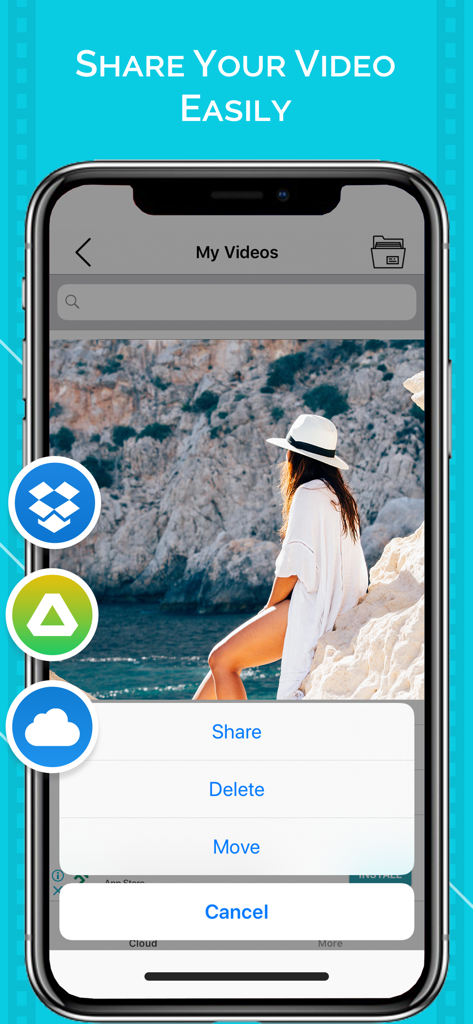
Dropbox 및 Google Drive와 같은 클라우드 저장 아이콘과 함께 동영상 공유 및 관리 옵션을 보여주는 모바일 앱 인터페이스.

Dropbox 및 Google Drive와 같은 클라우드 저장 아이콘과 함께 동영상 공유 및 관리 옵션을 보여주는 모바일 앱 인터페이스.

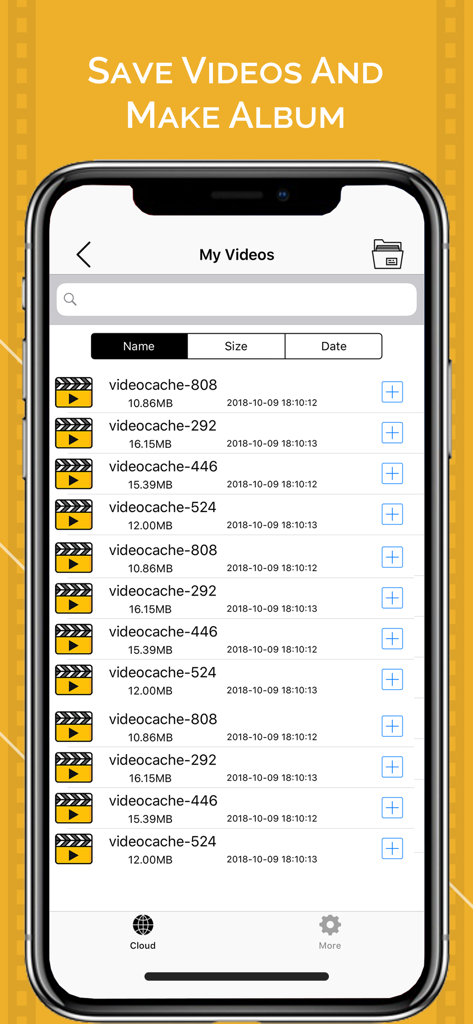
동영상 파일 이름, 크기 및 날짜가 표시된 Video Saver 앱의 내 동영상 목록을 보여주는 스마트폰 화면.

동영상 파일 이름, 크기 및 날짜가 표시된 Video Saver 앱의 내 동영상 목록을 보여주는 스마트폰 화면.

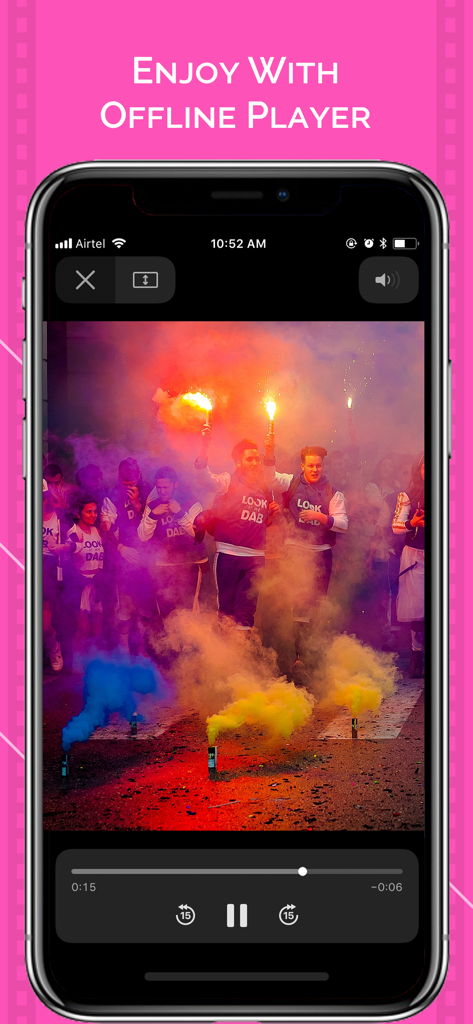
iPhone에서 동영상을 재생하는 Video Saver 앱 오프라인 플레이어 인터페이스

iPhone에서 동영상을 재생하는 Video Saver 앱 오프라인 플레이어 인터페이스

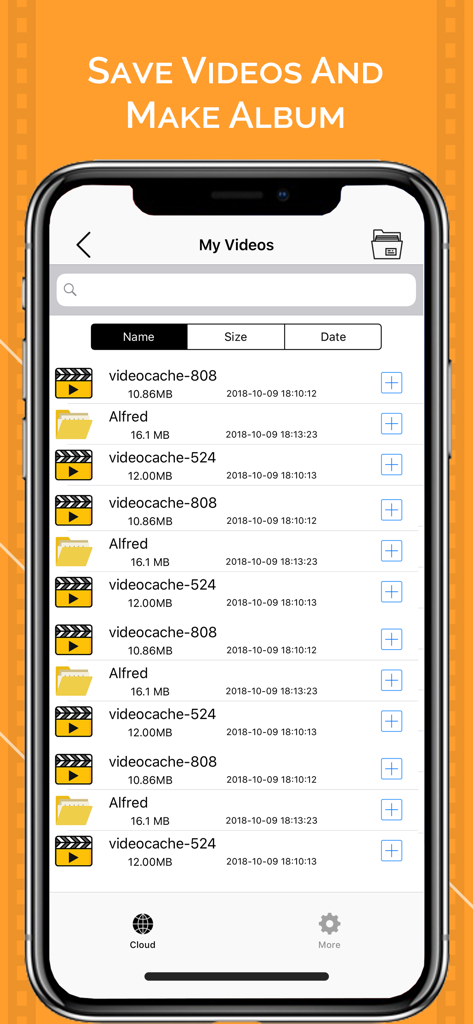
정리된 동영상 파일 및 맞춤 앨범 목록을 보여주는 모바일 앱 인터페이스

정리된 동영상 파일 및 맞춤 앨범 목록을 보여주는 모바일 앱 인터페이스

모바일 미디어 마스터하기

이 앱을 돋보이게 하는 도구, 453K+ 명의 사용자가 선택.

☁️

통합 클라우드 액세스

Google Drive, Dropbox 및 iCloud 간에 동영상을 손쉽게 전송하여 파일과 기기 간의 격차를 해소하세요.

📁

전문가 수준의 정리

수천 개의 사진을 스크롤하는 것을 멈추세요. 맞춤 폴더를 만들어 프로젝트와 개인 즐겨찾기를 깔끔하게 분류하세요.

🚀

오프라인 자유

즐겨찾는 동영상을 로컬 캐시에 저장하고 출퇴근 시간이나 비행 중에 데이터를 사용하지 않고 고품질 재생을 즐기세요.

전 세계 사용자들에게 사랑받는 앱

Trusted by 453K+ 명이 이 앱을 사랑합니다.

"

"프리랜서 소셜 미디어 매니저로서 저는 Google Drive와 iPhone 간에 B-roll을 끊임없이 옮기고 있습니다. Video Saver는 클립을 맞춤 폴더로 정리하고 메인 사진 갤러리를 복잡하게 만들지 않고 직접 소셜에 공유하는 데 매우 유용합니다."

Sarah M., 소셜 미디어 매니저
"

"클라우드 통합이 원활합니다. Dropbox에서 강의 자료를 캐시하여 지하철 출퇴근 시간에 오프라인으로 시청하는 데 사용합니다. 저장 공간 한도에 걸리지 않고 동영상 라이브러리를 관리하는 가장 효율적인 방법입니다."

David L., 대학원생

앱 소개

에 대해 알아야 할 모든 것 Video Saver - Video Cache.

설명

Video Saver - Video Cache lets you manage your local videos and cloud videos. It helps to download and upload videos from Dropbox, Google drive and iCloud on your device. You can also create custom folders and manage and play different videos in them. How to Use: -Import videos from photo gallery. -Create new folder and keep your videos by tapping on create folder icon. -Press plus(+) icon to Delete,Rename and Move videos. -Press upload button for uploading on google drive, dropbox. -For sharing video, tap the plus icon on the video and share it on social media. App Features: - Play cloud video in your device. - Create different folders to mange different types of videos. - Video Uploader & Saver for Dropbox. - Video Uploader & Saver for Google drive. SUBSCRIPTION: You can subscribe to premium features, choosing from the following plans: – 1 month – 12 months – Lifetime (One Time Purchase) The subscription automatically renews unless auto-renewal is turned off at least 24 hours before the end of the current period. Payment will be charged to your iTunes account at confirmation of purchase. Account will be charged for renewal within 24 hours of the end of the current period, and the cost of the renewal will be provided.
 Subscriptions may be managed by the user. Auto-renewal may be turned off by going to the user’s Account Settings after purchase. No cancellation of the current subscription is allowed during active subscription period. Any unused portion of a free trial period, if offered, will be forfeited when the user purchases a subscription to that publication. TERMS OF USE: https://awesomeappleappsprivacy.blogspot.com/2019/12/terms-of-use.html PRIVACY POLICY: https://awesomeappleappsprivacy.blogspot.com/2019/12/privacy-and-policy.html

최신 버전

2.3

크기

38.2 MB

출시일

2018년 10월 14일

동영상 관리를 시작할 준비가 되셨나요?

450,000명 이상의 사용자와 함께 클라우드 및 로컬 라이브러리를 전문가처럼 동기화, 정리 및 시청하세요. 지금 다운로드하여 사용해 보세요.

다운로드: App Store