Video Size Compressor

Video Size Compressor

다운로드: App Store
Spark by MWM logo
로고: Video Size Compressor
동영상 크기 압축기: 필요한 정확한 크기로 파일 축소

파일 크기 제한으로 어려움을 겪지 마세요. 단 한 프레임도 자르지 않고 어떤 동영상이든 몇 초 만에 목표 MB로 압축하여 이메일, WhatsApp 또는 iMessage를 통해 쉽게 공유할 수 있습니다.

다운로드: App Store

개발사

Ruchira Ramesh

카테고리

Photo & Video

다운로드

12K+

사용자 평점

4.6/5

총 평가 수

0

지원 언어

1

한눈에 보는 정밀함

이 인터페이스를 사용하는 12K+ 명의 사용자.

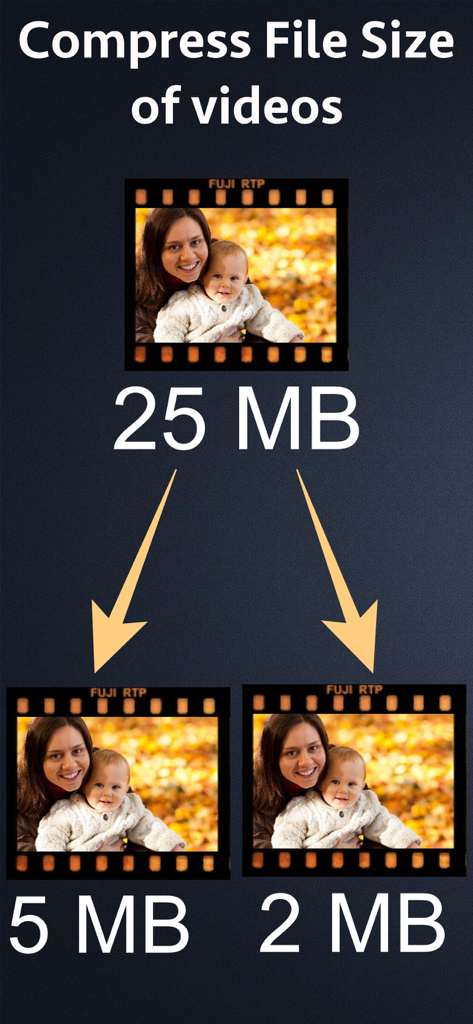
25MB 동영상이 5MB와 2MB 크기로 압축된 것을 보여주는 그래픽

25MB 동영상이 5MB와 2MB 크기로 압축된 것을 보여주는 그래픽

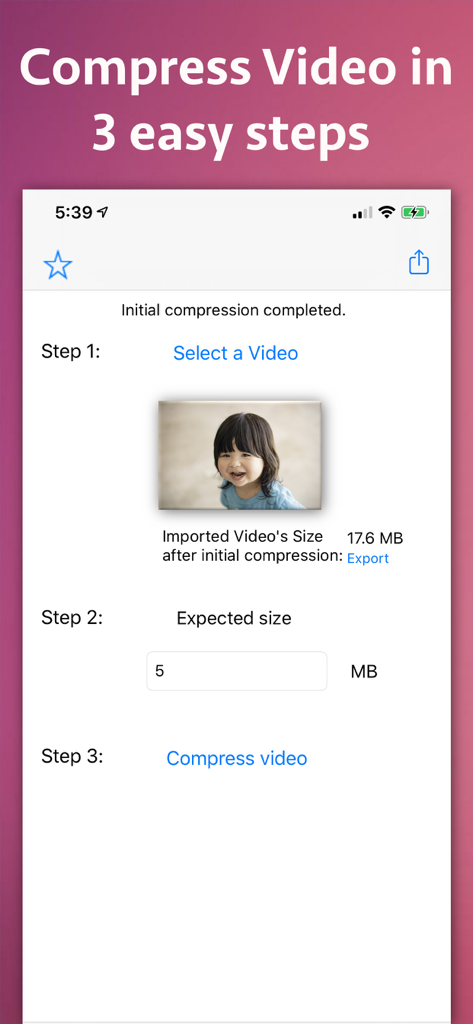
동영상 파일 크기를 줄이는 세 가지 쉬운 단계를 보여주는 비디오 크기 압축기 앱 화면

동영상 파일 크기를 줄이는 세 가지 쉬운 단계를 보여주는 비디오 크기 압축기 앱 화면

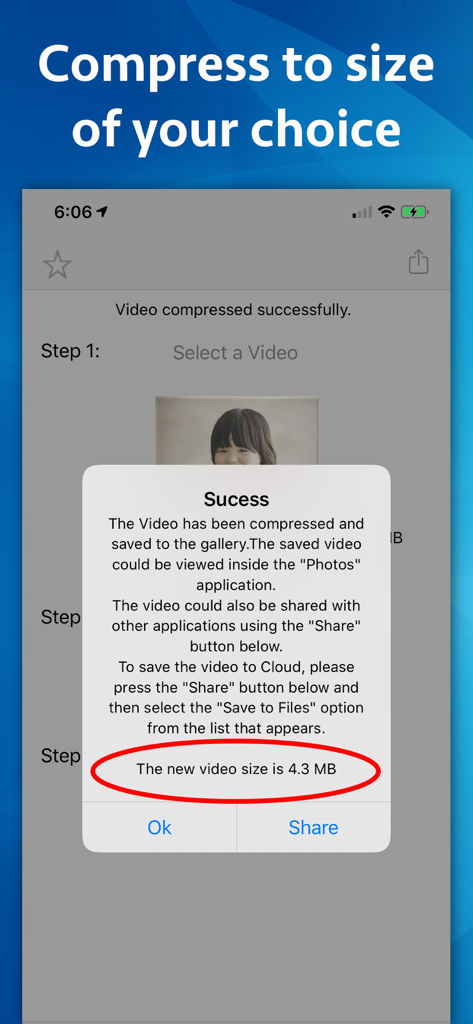
압축된 비디오 크기가 4.3MB임을 확인하는 비디오 크기 압축기 앱의 성공 팝업

압축된 비디오 크기가 4.3MB임을 확인하는 비디오 크기 압축기 앱의 성공 팝업

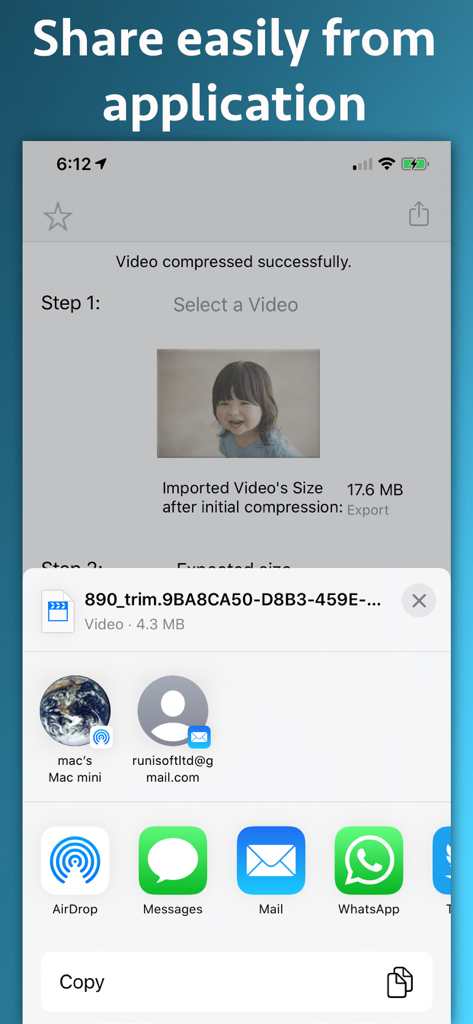
성공적으로 압축된 동영상과 이메일 및 메시징 앱을 통한 공유 옵션을 보여주는 iOS 화면

성공적으로 압축된 동영상과 이메일 및 메시징 앱을 통한 공유 옵션을 보여주는 iOS 화면

강력한 압축을 간편하게

이 앱을 돋보이게 하는 도구, 12K+ 명의 사용자가 선택.

🎯

정확한 크기 지정

Gmail 또는 Outlook과 같은 이메일 첨부 파일에 완벽하게 맞도록 MB 단위로 특정 목표 크기를 입력하세요.

🎞️

잘림 없는 완벽 보장

어떤 장면도 자르거나 편집할 필요 없이 전체 동영상의 파일 크기를 줄여 전체 스토리가 손상되지 않도록 합니다.

즉각적인 작업 흐름

동영상을 선택하고, 크기를 설정한 다음, 압축하세요. 바쁜 전문가와 이동 중인 크리에이터를 위해 설계된 3단계 프로세스입니다.

전 세계 사용자들에게 사랑받는 앱

Trusted by 12K+ 명이 이 앱을 사랑합니다.

"

"이 앱은 제 업무 흐름에 혁신을 가져왔습니다. 저는 종종 고객에게 비디오 워크스루를 이메일로 보내야 하는데, 25MB 제한을 중요한 부분을 잘라내지 않고 맞추는 것은 불가능했습니다. 이제 목표 크기를 설정하기만 하면 몇 초 만에 전체 클립이 Gmail에 완벽하게 압축됩니다."

사라 젠킨스, 부동산 중개인
"

"드디어 답답함 없이 온전한 가족 동영상을 공유할 방법을 찾았습니다. 대부분의 앱은 영상을 잘라내도록 강요하지만, 이 앱은 전체 동영상을 유지하면서 파일 크기만 줄여 WhatsApp에 완벽하게 맞춥니다. 사용법이 놀라울 정도로 간단하고 저장 공간을 많이 절약해 주었습니다."

마크 톰슨, 디지털 크리에이터

앱 소개

에 대해 알아야 할 모든 것 Video Size Compressor.

설명

Reduce the file size of a video to a size of your choice without clipping any part of it. For example - If there is a Video of size 25 MB, the application could reduce its size to 5 MB, 10MB, 15 MB and etc. In order to use the application, just specify the size of the video in MB that you want to achieve and it will compress the video to that size. There are various places where reducing the Video size helps.For example, in emails the attachment sizes are limited to 25 MB.In such cases the large videos could be compressed to 25 MB and sent across emails. Many messaging platforms like WhatsApp do not allow large sized videos to be shared.In such scenarios, we have to often cut a part of the video to send and we are unable to send the full video. Using Video Size Compressor you will be able to overcome this problem. Using the application , you will be able to reduce the file size of the entire video to a smaller size. After this, you will be able to share the entire video easily without cutting any part of it. Smaller sized videos also help to upload them to a website and could be transferred easily using file sharing services and pen drives.If you are a website owner, you could offer different sizes of the same video to your customers.This will help them to download the video as per their requirements. The compressed videos also help to save the space on phone, harddisk or the pen drives wherever they are used. The application itself is very easy to use.The videos could be compressed using the application in 3 easy steps. In order to compress the video, just select it from gallery ,specify the required size and click on "Compress Video" button.The application will reduce the video size and it will save it to gallery.It will also display a share page using which you will be able to share the video directly with various other applications and services like WhatsApp, iCloud, Mail, AirDrop,Save to Files,Cloud services and many more.

최신 버전

9.2

크기

15.1 MB

출시일

2017년 12월 29일

'파일이 너무 큼' 오류에 작별을 고하세요

몇 초 만에 동영상을 필요한 정확한 MB로 압축하세요. 이메일 제한을 우회하고 단 한 프레임도 자르지 않고 WhatsApp 또는 Slack에서 전체 길이 영상을 공유하는 데 완벽합니다.

다운로드: App Store