WaSticker - Sticker Maker

WaSticker - Sticker Maker

다운로드: App Store
Spark by MWM logo
로고: WaSticker - Sticker Maker

WaSticker - 스티커 메이커: 사진을 맞춤 밈으로 변환

WhatsApp 및 iMessage 그룹 채팅을 한 단계 업그레이드하세요. AI 마법 도구를 사용하여 독특한 스티커를 만들고, 바이럴 글꼴을 추가하고, 말로 표현할 수 없는 것을 표현하세요.

개발사

Brain Craft Ltd

카테고리

Utilities

다운로드

4M+

사용자 평점

4.7/5

총 평가 수

100K+

지원 언어

1

나만의 분위기 디자인하기

이 인터페이스를 사용하는 4M+ 명의 사용자.

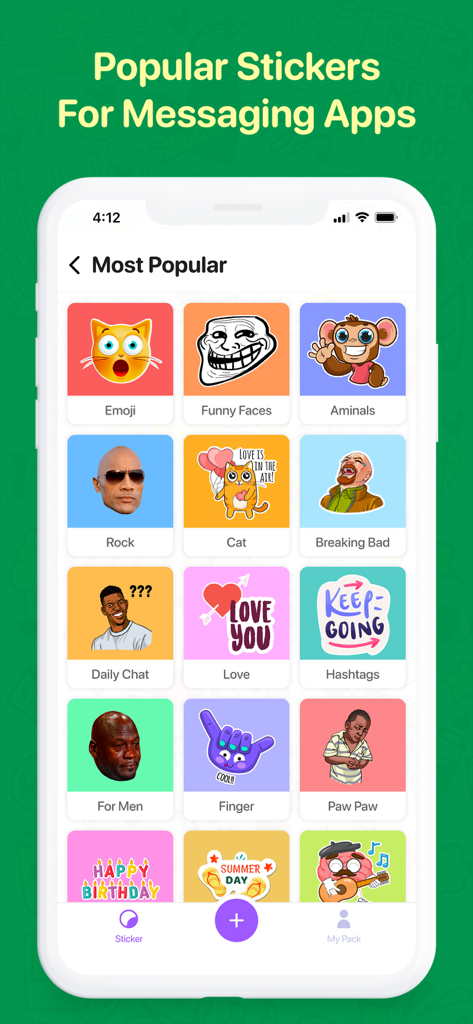
WaSticker 앱의 인기 스티커 카테고리 그리드, 밈, 이모티콘, 동물 포함

WaSticker 앱의 인기 스티커 카테고리 그리드, 밈, 이모티콘, 동물 포함

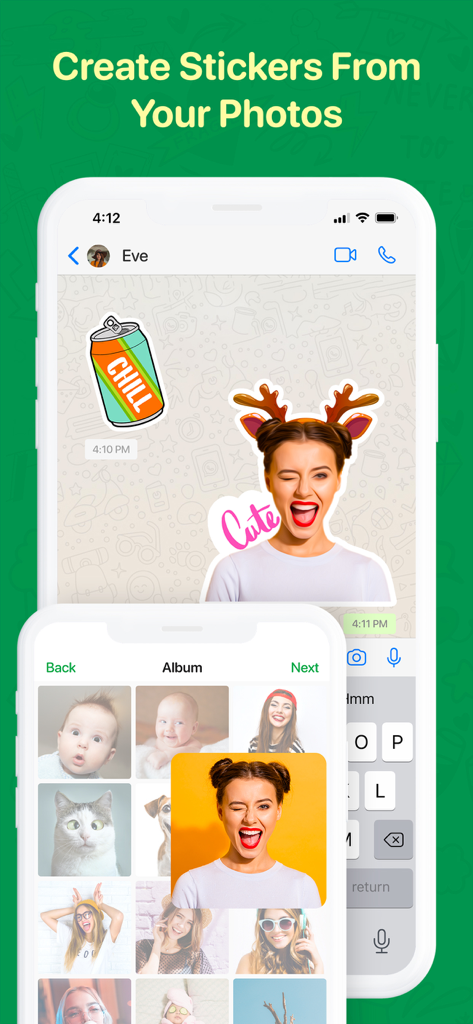
메시징 앱용 사진 갤러리에서 개인 맞춤 스티커를 만드는 방법을 보여주는 모바일 앱 인터페이스.

메시징 앱용 사진 갤러리에서 개인 맞춤 스티커를 만드는 방법을 보여주는 모바일 앱 인터페이스.

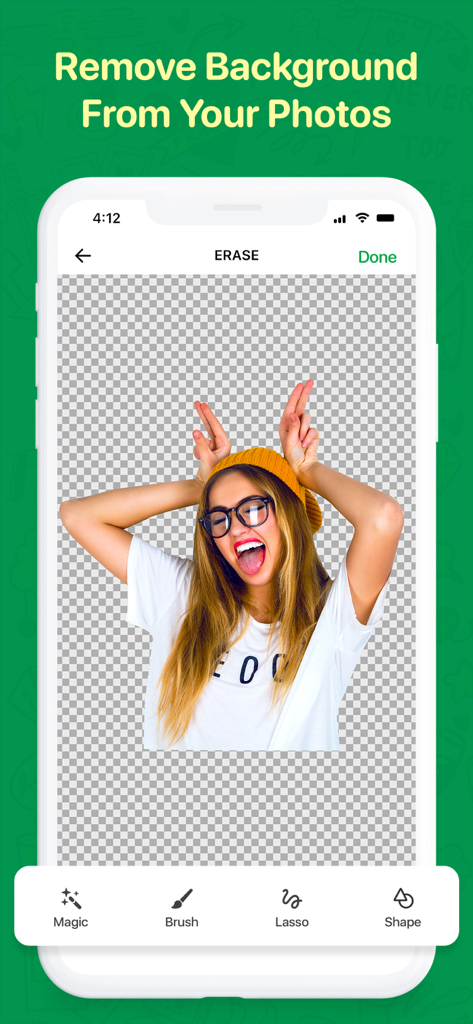
WaSticker 앱 인터페이스에서 마법 도구를 사용하여 사진 배경을 제거하여 스티커를 만드는 방법을 보여줍니다.

WaSticker 앱 인터페이스에서 마법 도구를 사용하여 사진 배경을 제거하여 스티커를 만드는 방법을 보여줍니다.

메시징 앱 대화 내에서 전송된 맞춤 재미있는 얼굴 스티커

메시징 앱 대화 내에서 전송된 맞춤 재미있는 얼굴 스티커

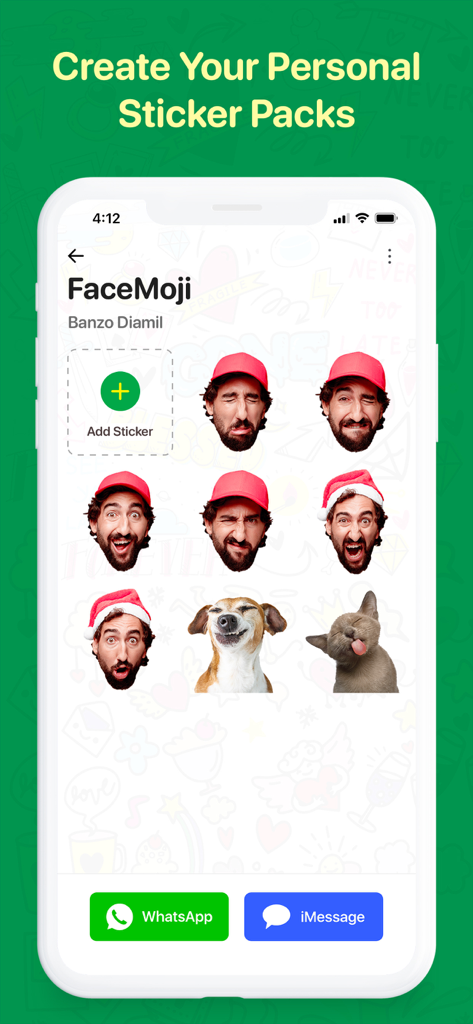
WhatsApp 및 iMessage용 표현적인 사람 및 반려동물 얼굴이 있는 맞춤 스티커 팩을 보여주는 WaSticker 앱 인터페이스.

WhatsApp 및 iMessage용 표현적인 사람 및 반려동물 얼굴이 있는 맞춤 스티커 팩을 보여주는 WaSticker 앱 인터페이스.

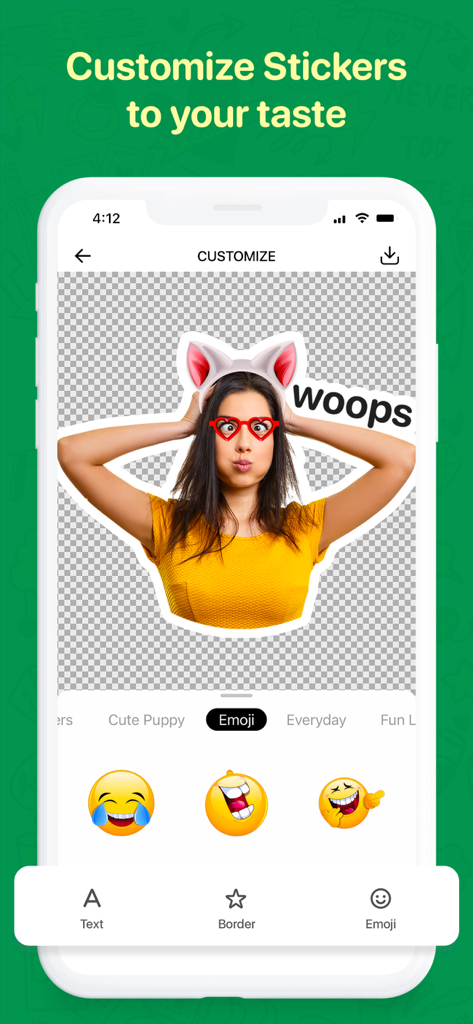
고양이 귀와 하트 모양 안경이 있는 맞춤 사진 스티커를 보여주는 WaSticker 앱 인터페이스.

고양이 귀와 하트 모양 안경이 있는 맞춤 사진 스티커를 보여주는 WaSticker 앱 인터페이스.

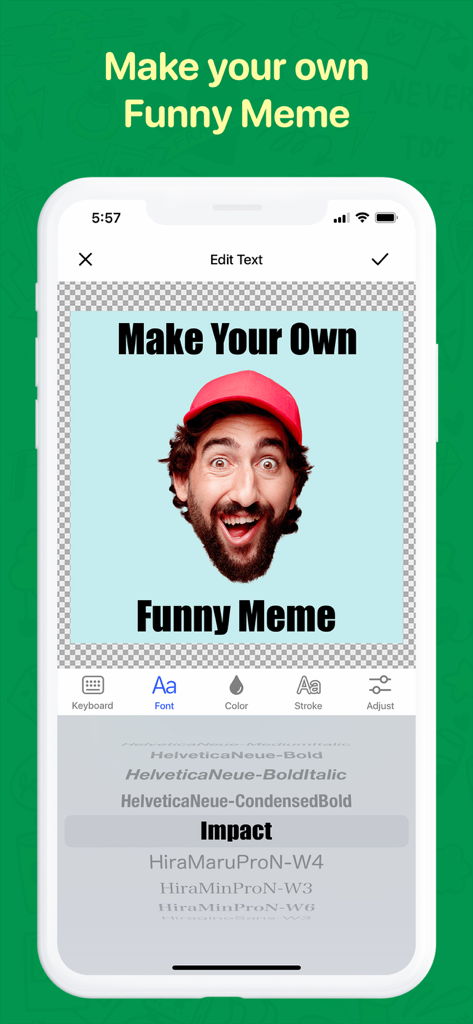
텍스트 편집 및 글꼴 선택 도구를 사용하여 맞춤 밈을 만드는 방법을 보여주는 WaSticker 앱 인터페이스.

텍스트 편집 및 글꼴 선택 도구를 사용하여 맞춤 밈을 만드는 방법을 보여주는 WaSticker 앱 인터페이스.

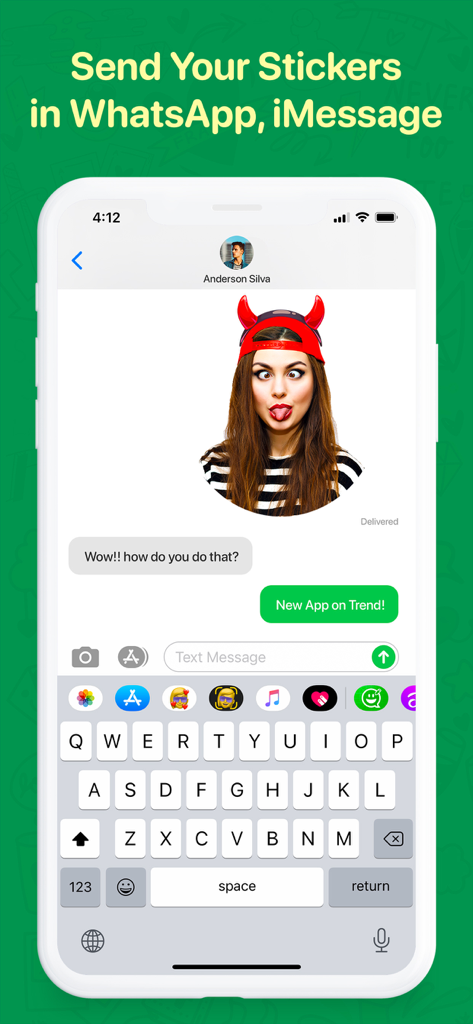
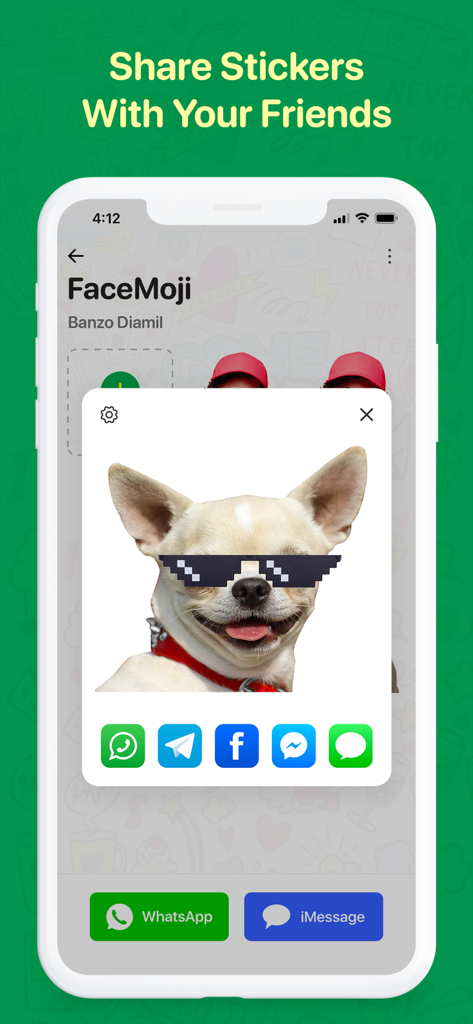
선글라스를 낀 맞춤 강아지 스티커와 WhatsApp 및 iMessage에서 공유하는 버튼을 표시하는 WaSticker 앱 인터페이스

선글라스를 낀 맞춤 강아지 스티커와 WhatsApp 및 iMessage에서 공유하는 버튼을 표시하는 WaSticker 앱 인터페이스

그룹 채팅 수준 높이기

이 앱을 돋보이게 하는 도구, 4M+ 명의 사용자가 선택.

🪄

즉석 마법 컷아웃

AI 기반 배경 제거 도구로 셀카 또는 반려동물 사진을 즉시 깔끔한 스티커로 변환하세요. 수동 추적이 필요 없습니다.

💬

나만의 밈 만들기

100개 이상의 인기 글꼴과 다채로운 테두리로 텍스트를 추가하여 모든 내부 농담을 포착하고 친구와 분위기를 공유하세요.

🚀

즉시 어디든 공유

한 번의 탭으로 맞춤 팩을 WhatsApp 또는 iMessage로 내보낼 수 있습니다. 항상 완벽한 반응을 준비할 수 있는 사람이 되세요.

전 세계 사용자들에게 사랑받는 앱

Trusted by 4M+ 명이 이 앱을 사랑합니다.

"

"이 앱은 우리 그룹 채팅이 살아있는 이유입니다. 바이럴 순간이나 친구의 당황스러운 사진을 몇 초 만에 고품질 스티커로 만들 수 있습니다. 마법 배경 제거 도구는 항상 완벽하게 작동합니다!"

Chloe R.
"

"반려동물 사진을 가족을 위한 맞춤 스티커로 만들 수 있어서 정말 좋아요. 사용법이 매우 간단하고 WhatsApp에 추가하는 것도 간편합니다. 매일의 채팅에 훨씬 더 많은 웃음을 가져다주었습니다!"

Marcus G.

앱 소개

에 대해 알아야 할 모든 것 WaSticker - Sticker Maker.

설명

Are you a chat geek and love to bring fun and laughter into all your interactions? You also find that words can sometimes be not enough to express all the emotions and energy when chatting? You use emoticons, stickers, a lot of exclamation marks, and question marks to show off all your emotions when you chat and text? Then tune in! We have created the Sticker.me just for you! The all-in-one Sticker maker will challenge your creativity and provide all the tools to create the most hilarious stickers on your own! Hold on! Check the hundreds of inbuilt funny sticker packs! Download the app and create the style and the mood of your messages. Get crazy and bring the party to your friends in your group chats! Create unique stickers, emojis & memes from your own photos! With just a tap you can add them to WhatsApp or iMessage. It’s that easy and comprehensive. Features: ======= • Wide range of popular stickers and animated stickers. • Create unique stickers from your own photos, with the best image editor! • Remove the background from your photos instantly using the magic tool. • Add colorful borders to your stickers. • Add texts on the stickers. • Customise text adding color and stroke. • Choose from 100+ meme fonts collection. • Add emojis & icons to your stickers. • Use in the Chats to add fun and flare • Share with friends to cut loose Want to make your chat goofy? Install Sticker.Me Premium Subscription Includes: * Premium sticker packs. * Animated sticker packs. * Unlimited sticker creation. * No Ads Subscription Price: • Weekly: Free for the first 3 days, then $3.99/ Week. • Monthly: Free for the first 3 days, then $9.99/Month. • Yearly: Free for the first 3 days, then $34.99/Year - Payment will be charged to iTunes Account at confirmation of purchase. - Subscription automatically renews unless auto-renew is turned off at least 24-hours before the end of the current period. - Your account will be charged for renewal within 24-hours prior to the end of the current period, and identify the cost of the renewal. - Subscriptions may be managed by the user and auto-renewal may be turned off by going to the user's Account Settings after purchase. - Any unused portion of a free trial period, if offered, will be forfeited when the user purchases a subscription to that publication, where applicable. Please read our Terms and Service & Privacy Policy: https://braincraftapps.com/apps/i/sticker-maker/terms/ https://braincraftapps.com/apps/i/sticker-maker/privacy-policy/ Found a bug? or Have a suggestion? or Wanna new feature? Get in touch and e-mail us at‪ support@braincraftapps.com‬ Follow us on Facebook, Twitter, Instagram, and Youtube to keep in touch and receive all updates. Thank you!

최신 버전

4.0.2

크기

161.9 MB

출시일

2020년 9월 24일

그룹 채팅의 전설이 되세요

지루한 이모티콘은 그만 보내세요. 4백만 명 이상의 크리에이터와 함께 내부 농담을 몇 초 만에 맞춤 스티커로 만드세요. 오늘 모든 대화에 파티를 가져오세요!

다운로드: App Store
FAQ

자주 묻는 질문

에 대해 알아야 할 모든 것 WaSticker - Sticker Maker

WaSticker - Sticker Maker는 무엇인가요?

WaSticker - Sticker Maker는 올인원 스티커 메이커 앱입니다. 사용자는 사진으로 독특한 스티커, 이모티콘, 밈을 만들고 채팅을 위해 내장된 스티커 팩을 사용할 수 있습니다.

WaSticker - Sticker Maker를 사용하여 맞춤 스티커를 만들 수 있나요?

네, WaSticker - Sticker Maker를 사용하면 자신의 사진으로 독특한 스티커를 만들 수 있습니다. 배경 제거, 텍스트 사용자 정의, 테두리 추가와 같은 도구가 포함되어 있습니다.

WaSticker - Sticker Maker에 미리 만들어진 스티커 팩이 포함되어 있나요?

네, WaSticker - Sticker Maker에는 수백 개의 재미있는 스티커 팩이 포함되어 있습니다. 또한 다양한 인기 스티커와 애니메이션 스티커를 제공합니다.

WaSticker - Sticker Maker에서 사진의 배경을 어떻게 제거하나요?

WaSticker - Sticker Maker는 사진의 배경을 즉시 제거하는 마법 도구를 제공합니다. 또한 브러시, 올가미, 모양과 같은 도구를 사용하여 정밀하게 편집할 수 있습니다.

WaSticker - Sticker Maker와 호환되는 메시징 앱은 무엇인가요?

WaSticker - Sticker Maker를 사용하면 만든 스티커를 WhatsApp 및 iMessage에 추가할 수 있습니다. 사용자는 Telegram, Facebook 및 Messenger를 통해 스티커를 공유할 수도 있습니다.

WaSticker - Sticker Maker에서 스티커의 텍스트를 사용자 정의할 수 있나요?

네, WaSticker - Sticker Maker를 사용하면 스티커에 텍스트를 추가하고 사용자 정의할 수 있습니다. 색상, 획 추가, 100개 이상의 밈 글꼴 중에서 선택하는 옵션이 있습니다.

WaSticker - Sticker Maker의 프리미엄 구독 혜택은 무엇인가요?

WaSticker - Sticker Maker의 프리미엄 구독에는 프리미엄 및 애니메이션 스티커 팩 액세스, 무제한 스티커 생성, 광고 없음이 포함됩니다.

WaSticker - Sticker Maker의 월간 구독 가격은 얼마인가요?

WaSticker - Sticker Maker의 월간 구독은 월 $9.99이며, 처음 3일 동안 무료 체험을 제공합니다.

WaSticker - Sticker Maker 구독을 어떻게 관리하나요?

사용자는 구매 후 계정 설정을 통해 WaSticker - Sticker Maker 구독을 관리하고 자동 갱신을 해제할 수 있습니다.

WaSticker - Sticker Maker의 무료 체험 기간이 제공되나요?

네, WaSticker - Sticker Maker는 주간, 월간, 연간 구독 요금제에 대해 처음 3일 동안 무료 체험을 제공합니다.