
Whats Messenger App



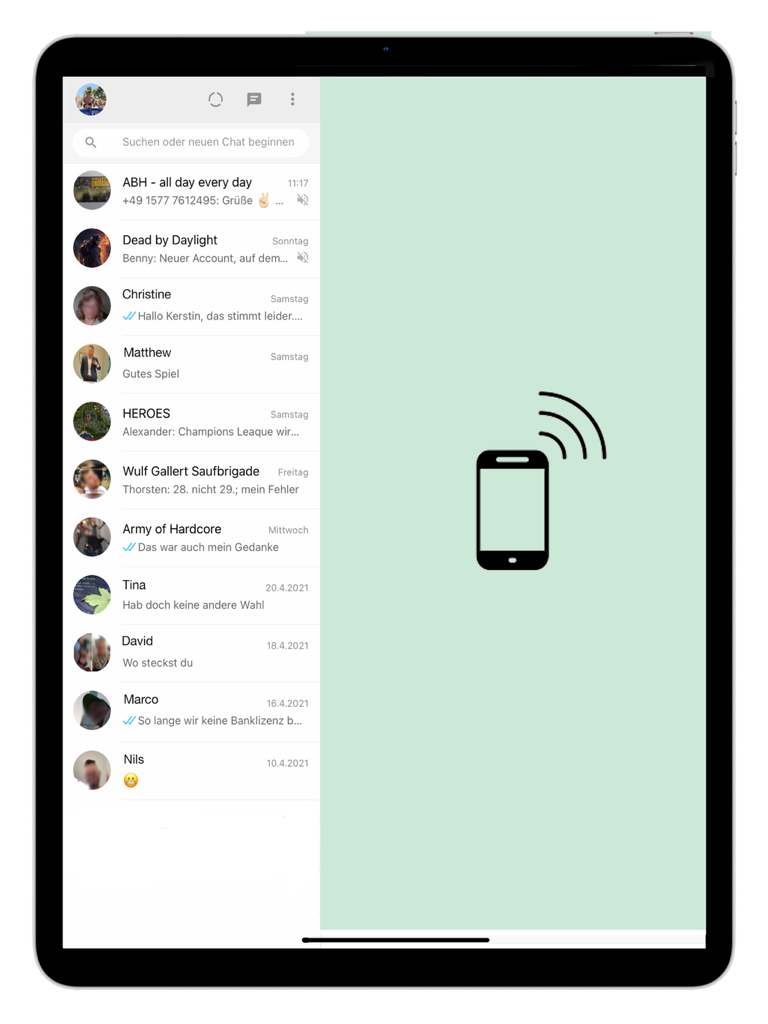
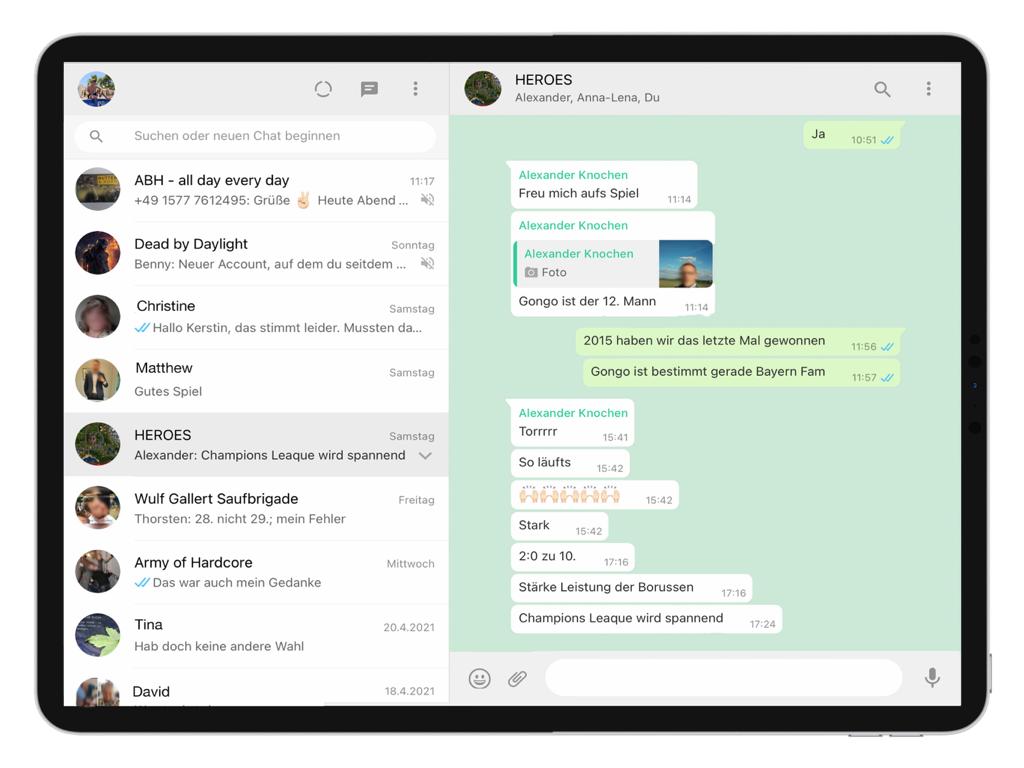
기기 간의 간극을 메우세요. iPhone 채팅, 미디어, 파일을 iPad와 완벽하게 동기화하여 큰 화면에서 음성 메모, 동영상, PDF 지원을 포함한 모든 메신저 기능을 즐기세요.
개발사
카테고리
Social Networking다운로드
2M+사용자 평점
총 평가 수
1K+지원 언어
14이 인터페이스를 사용하는 2M+ 명의 사용자.
이 앱을 돋보이게 하는 도구, 2M+ 명의 사용자가 선택.
iPhone의 모든 채팅, 연락처, 미디어 기록에 즉시 액세스하여 모바일 라이프스타일에 맞는 끊김 없는 대화 흐름을 iPad에서 즐기세요.
PDF, 문서, 미디어를 iPad의 파일 앱에 직접 보고 저장하여 손쉬운 정리를 통해 전문적인 워크플로를 쉽게 처리하세요.
음성 메시지, 고화질 동영상 재생, 더 큰 화면에 최적화된 카메라 통합에 대한 완벽한 지원으로 기능 저하 없이 사용하세요.
Trusted by 2M+ 명이 이 앱을 사랑합니다.
"이 앱은 제 업무 흐름에 정말 큰 도움이 됩니다. 원격 프리랜서로서 하루 종일 iPad를 사용합니다. iPhone을 계속 찾지 않고도 모든 전문 WhatsApp 채팅을 동기화하고 파일 앱을 통해 직접 PDF 문서를 처리할 수 있어 생산성이 크게 향상되었습니다."
"해외에 있는 가족들과 연락을 유지하는 데 완벽합니다. 휴대폰을 쳐다보는 대신 더 큰 iPad 화면에서 보내는 사진과 동영상을 보는 것이 정말 좋습니다. 설정은 1분도 채 걸리지 않았고, 음성 메모를 포함한 모든 기능이 완벽하게 작동합니다. iPad 소유자라면 누구나 강력 추천합니다!"
사용자 리뷰 인사이트.
감정 점수
요약
This app receives overwhelmingly negative feedback, primarily due to persistent issues with frequent logouts and disconnections requiring constant relinking to a phone. Users are also highly frustrated by excessive and intrusive advertisements, with many reporting that ads continue even after purchasing a paid version. Core functionalities like reliable message sending, notifications, and video/voice calls are frequently reported as broken or missing. Overall, the app is criticized for poor performance, including crashes and slow loading, leading to an unreliable and frustrating experience on the iPad, despite a few users acknowledging the convenience of having WhatsApp on their device.
주요 테마
에 대해 알아야 할 모든 것 Whats Messenger App.
설명
최신 버전
3.083
크기
69.9 MB
출시일
2021년 4월 30일
더 이상 휴대폰을 찾지 마세요. 2백만 명 이상의 사용자와 함께 iPad에서 직접 완벽한 메시징, 고화질 미디어, 쉬운 파일 관리를 즐기세요.
에 대해 알아야 할 모든 것 Whats Messenger App
Whats Messenger 앱을 사용하면 인기 있는 메신저의 웹 버전에 iPad에서 직접 액세스하여 iPhone 또는 스마트폰의 채팅, 연락처 및 미디어를 동기화할 수 있습니다.
예, Whats Messenger 앱은 iPad에서 카메라, 음성 메시지, 사진, 동영상 및 PDF 문서를 포함한 모든 기능을 지원합니다.
Whats Messenger 앱을 설정하려면 iPad에서 실행하세요. iPhone/스마트폰에서 메신저를 열고 "설정" -> 웹/데스크톱을 선택한 다음 iPad에서 카메라를 잡고 코드를 스캔하세요.
예, Whats Messenger 앱은 모든 채팅, 연락처 및 미디어를 iPhone에서 iPad로 전송하여 대화 기록에 액세스할 수 있도록 합니다.
Whats Messenger 앱을 사용하여 저장된 PDF 문서는 "내 iPad -> Messenger Pro" 경로 아래의 파일 앱에 저장됩니다.
유사한 기능과 사용자 경험을 가진 앱

BEYLER SAGLIK BILISIM SAVUNMA DANISMANLIK SANAYI VE TICARET LIMITED SIRKETI

RBT Digital LLC
Kokila Ukani
Sudhir Donga
芳 王

Bitsbaker LLC.

ALL RADIO DEVELOPMENT TECHNOLOGY JOINT STOCK COMPANY

XAN Software GmbH & Co. KG

Jennifer Kirby