WIB Mobile Banking St Maarten

WIB Mobile Banking St Maarten

다운로드: App Store
Spark by MWM logo
로고: WIB Mobile Banking St Maarten

세인트마틴 WIB 모바일 뱅킹: 손 안의 은행

섬 생활에 맞춰 설계된 안전한 24시간 연중무휴 뱅킹을 경험하세요. 개인 및 비즈니스 계정을 관리하고, 국제 송금을 하고, 휴대폰을 즉시 충전하세요. 지점 방문은 필요 없습니다.

다운로드: App Store

개발사

The Windward Islands Bank Ltd.

카테고리

Finance

다운로드

19K+

사용자 평점

2.6/5

총 평가 수

0

지원 언어

2

시각화된 뱅킹

이 인터페이스를 사용하는 19K+ 명의 사용자.

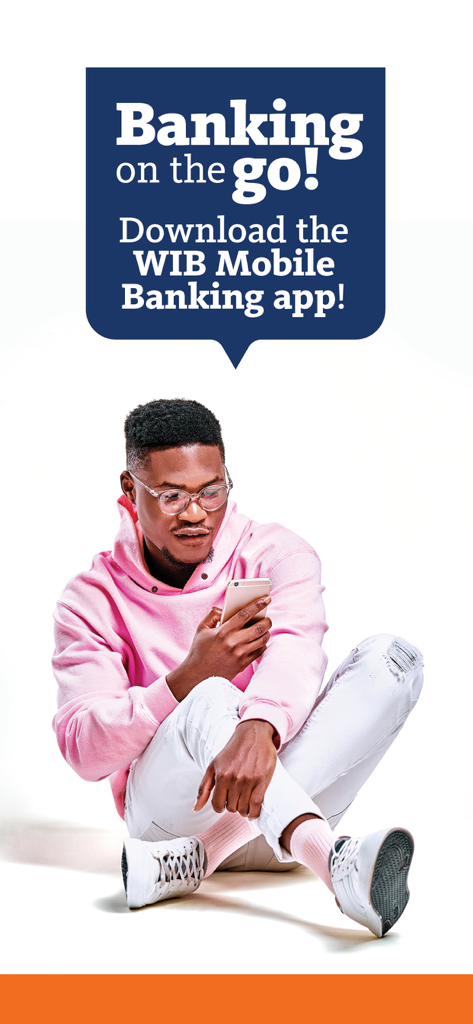
남자가 앉아서 휴대폰으로 WIB 모바일 뱅킹 앱을 사용하고 있는 모습

남자가 앉아서 휴대폰으로 WIB 모바일 뱅킹 앱을 사용하고 있는 모습

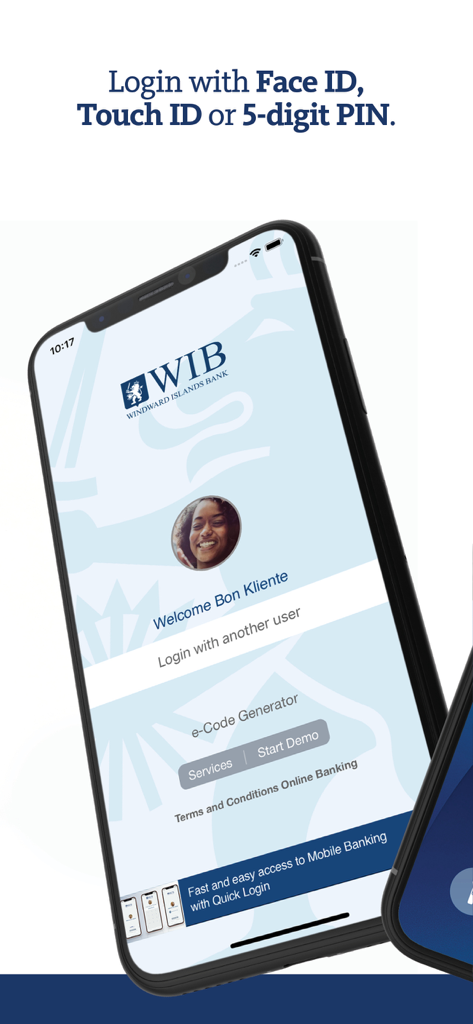
WIB 모바일 뱅킹 로그인 화면, 안전한 액세스를 위한 Face ID 및 Touch ID와 같은 생체 인식 옵션 표시

WIB 모바일 뱅킹 로그인 화면, 안전한 액세스를 위한 Face ID 및 Touch ID와 같은 생체 인식 옵션 표시

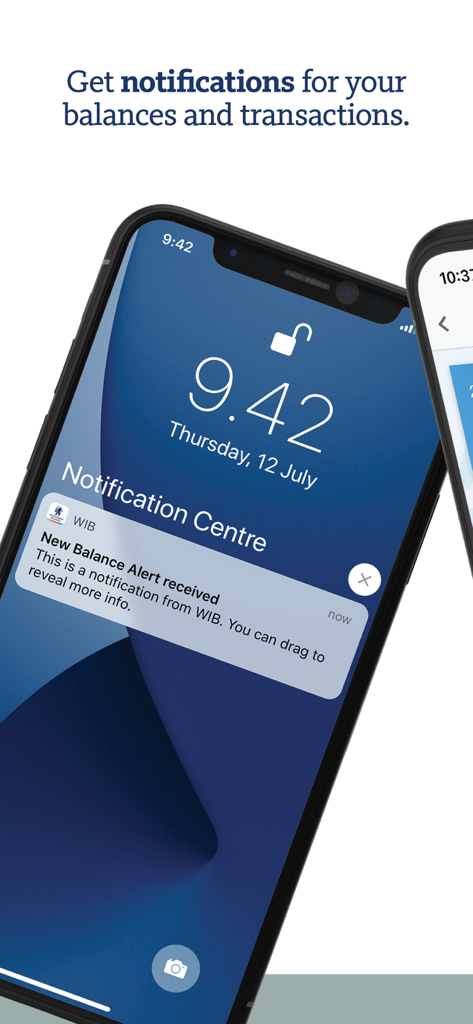
WIB 모바일 뱅킹 잔액 알림 알림을 보여주는 iPhone 잠금 화면

WIB 모바일 뱅킹 잔액 알림 알림을 보여주는 iPhone 잠금 화면

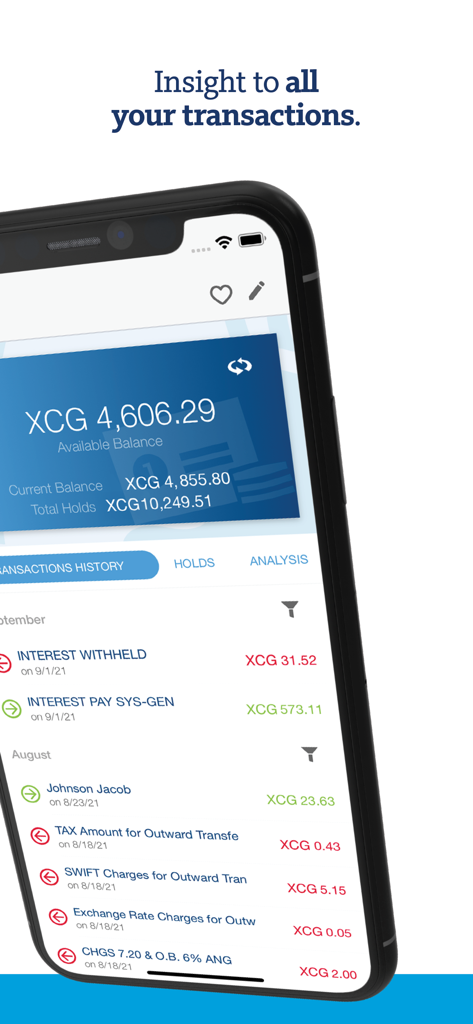
WIB 모바일 뱅킹 세인트마틴 앱의 거래 내역 및 계정 잔액 화면

WIB 모바일 뱅킹 세인트마틴 앱의 거래 내역 및 계정 잔액 화면

섬 생활을 위한 스마트 뱅킹

이 앱을 돋보이게 하는 도구, 19K+ 명의 사용자가 선택.

💸

즉시 글로벌 결제

어디서든 어떤 기기에서든 실시간으로 현지 또는 국제 송금을 보내고 신용카드 잔액을 관리하세요.

📱

원활한 셀프 서비스

줄 서기는 잊으세요. 즉시 모바일 통화를 충전하고 내장된 로케이터를 사용하여 가장 가까운 ATM 또는 지점을 찾으세요.

🛡️

은행 등급 보안

Face ID 또는 Touch ID로 안전하게 로그인하세요. 계정은 다단계 인증 및 실시간 활동 알림으로 보호됩니다.

전 세계 사용자들에게 사랑받는 앱

Trusted by 19K+ 명이 이 앱을 사랑합니다.

"

"WIB 모바일 뱅킹은 제 일상 루틴에 혁신을 가져왔습니다. 필립스버그 교통 체증을 겪지 않고도 비즈니스 송금을 처리하고 잔액을 확인할 수 있습니다. 실시간 모바일 충전 기능은 이동 중에 정말 유용합니다!"

Julian Richardson
"

"미국에서 신트마르텐의 제 휴가용 부동산을 관리하는 것이 그 어느 때보다 쉬워졌습니다. FaceID 로그인은 빠르고 안전하며, 휴대폰으로 현지 공과금을 납부하고 환율을 볼 수 있다는 사실은 제가 없을 때도 마음의 평화를 줍니다."

Sarah Miller

앱 소개

에 대해 알아야 할 모든 것 WIB Mobile Banking St Maarten.

설명

WIB Mobile Banking brings the bank to the palm of your hand. Have real-time, 24/7 easy access to your personal and business accounts, from an Internet-enabled smartphone or tablet. Mobile Banking Features Get real-time account balances and transaction details on current and savings accounts. Stay up to date with all your credit cards, loans, time deposits and other accounts. View, print or share your current, savings and credit card account statements. Make real-time transfers between your own accounts, day and night. Make payments – locally or internationally - to any beneficiary and immediately see the payment in your transactions overview after execution. View, download and/or email a PDF cyber receipt of executed and scheduled payments. Create your own beneficiaries and templates with the option to pre-authorize the templates for easy and quick payment. On the go? Increase your available credit card balance and top-up your mobile phone in real-time. View the audit trail of all activity on your online and mobile banking account, see current exchange rates and secure mail from the bank. Use our app’s ATM Locator to find a service point nearest to you. All MCB Group ATMs & branches on the ABC and SSS islands are listed. View opening hours, offered currencies and denominations and use your phone for directions. Create balance and transaction alerts and have them delivered to your secure mail inbox, email address or receive them as a push notification. Add widgets to see your account balances and upcoming payments without the need of logging in to the Mobile Banking app, or create a Quick Access Template for easy access to frequently used payments. Access Start using our Mobile Banking app immediately – all you need is your Online Banking username and password. Your e-Code (soft token) will be activated during first login. Not using Quick Login yet? During login choose your favorite Quick Login method and create your 5-digit PIN. After this logging into the app is easy peasy with just a Face ID, Touch ID or self-chosen 5-digit PIN. Use one of your registered devices to setup a second device. No need to visit a branch anymore. Your new e-Code (soft token) is activated remotely from any location. Use the mobile friendly Self-Service Portal to reset your password, report your e-Pass lost or stolen, activate and manage your e-Code (soft token) and more. Private and Secure Banking via the Mobile Banking App is just as safe as via Online Banking in your browser. Your accounts are always safe with the app’s secured connection and multi factor authentication. Your personal information remains private and is always protected. View and manage your registered devices directly from the app. Lost your phone? Login to another registered device – you can register up to three of your devices – and simply remove the lost phone from the list. Language The Mobile Banking app and alerts language can be set to English and Dutch. Use Mobile Banking in the language of your choice.

최신 버전

2.13.0

크기

53.3 MB

출시일

2017년 10월 13일

세인트마틴 어디에서든 원하는 방식으로 은행 업무를 보세요

지점 방문은 잊으세요. 계정, 국제 송금, 모바일 충전을 몇 초 만에 관리하세요. 24시간 스마트 뱅킹을 이용하는 19,000명 이상의 사용자와 함께하세요.

다운로드: App Store