WilhelmSK

WilhelmSK

다운로드: App Store
Spark by MWM logo
로고: WilhelmSK

WilhelmSK: 선박을 위한 궁극의 맞춤형 글래스 콕핏

iPad와 iPhone을 전문가급 해양 디스플레이로 바꿔보세요. Signal K, NMEA 2000 및 Victron 시스템을 원활하게 통합하여 해상에서 완벽한 제어와 안심을 선사합니다.

개발사

Scott Bender

카테고리

Navigation

다운로드

97K+

사용자 평점

4.6/5

총 평가 수

0

지원 언어

1

당신의 디지털 조타실

이 인터페이스를 사용하는 97K+ 명의 사용자.

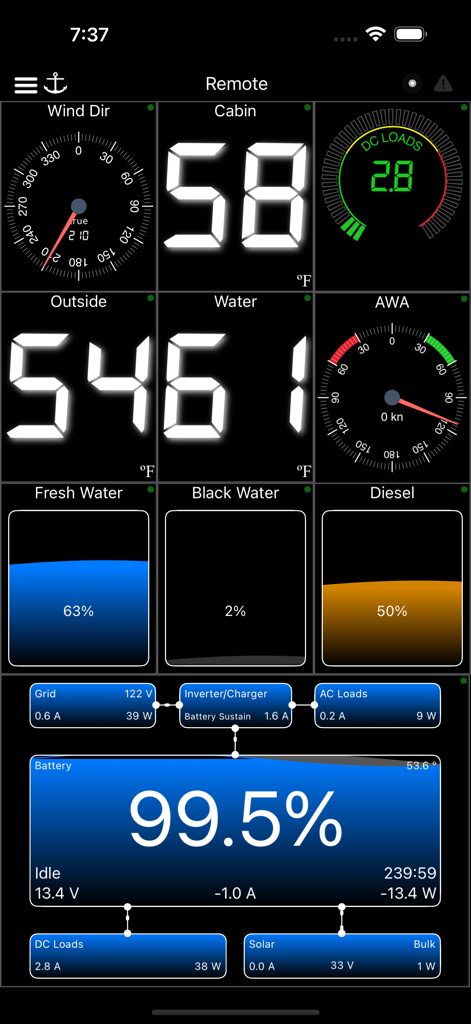
풍향, 선실 온도, 수위 및 배터리 전력 관리를 보여주는 WilhelmSK 해양 대시보드.

풍향, 선실 온도, 수위 및 배터리 전력 관리를 보여주는 WilhelmSK 해양 대시보드.

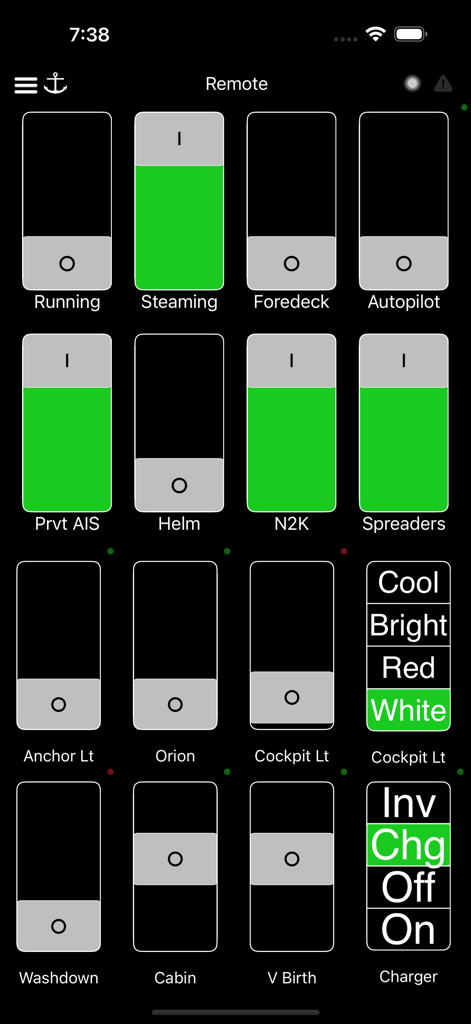
조명 및 오토파일럿과 같은 선박 시스템용 제어 스위치를 보여주는 WilhelmSK 해양 앱 원격 대시보드

조명 및 오토파일럿과 같은 선박 시스템용 제어 스위치를 보여주는 WilhelmSK 해양 앱 원격 대시보드

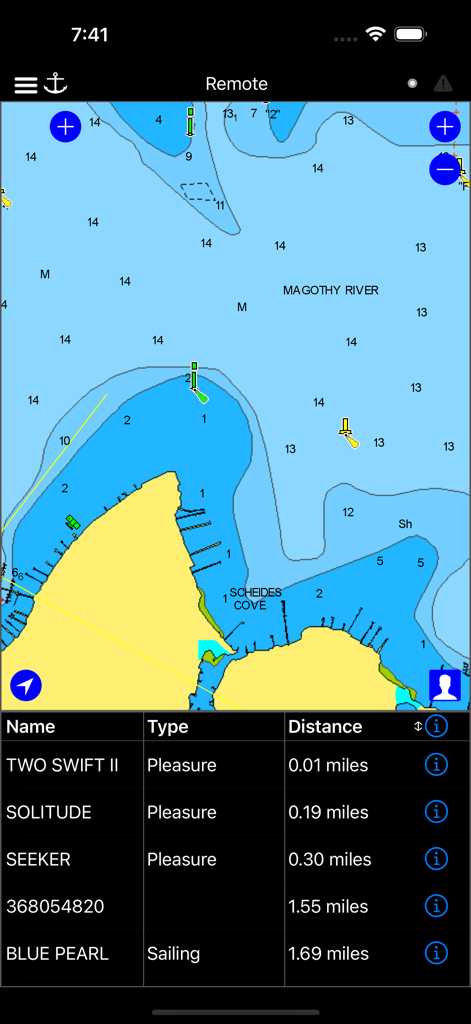
보트 위치와 AIS 선박 목록을 보여주는 WilhelmSK 앱의 해도.

보트 위치와 AIS 선박 목록을 보여주는 WilhelmSK 앱의 해도.

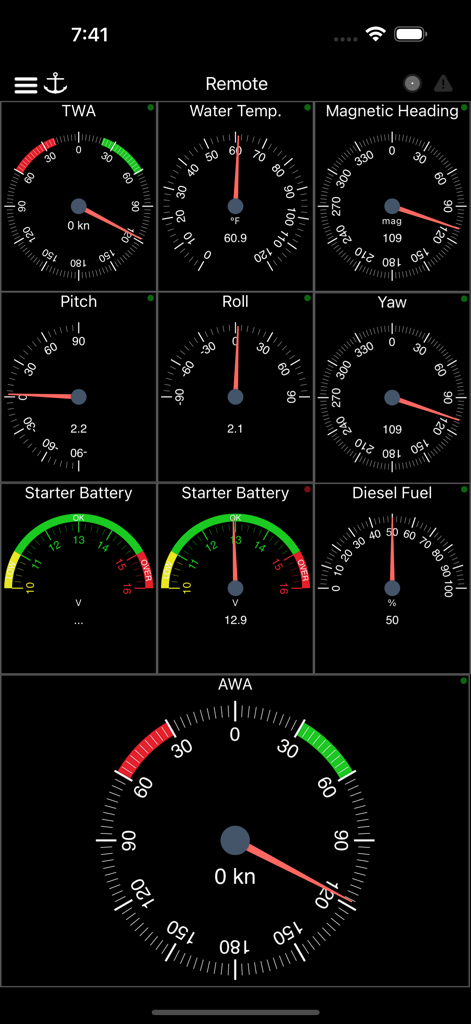
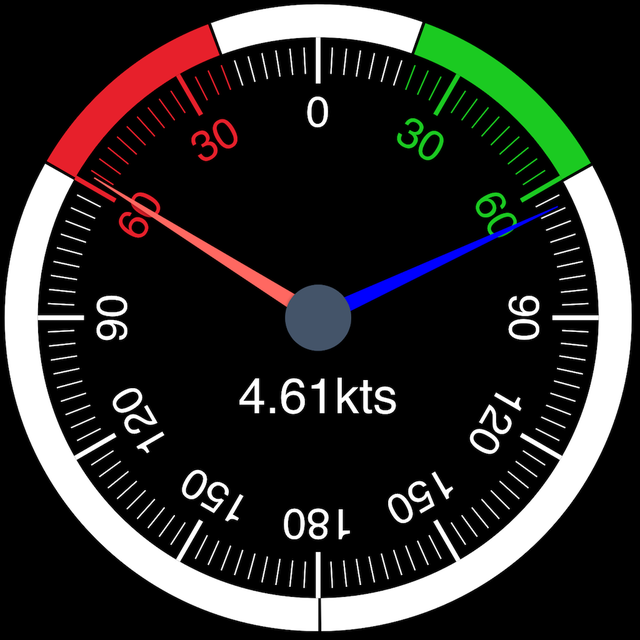
풍향, 온도, 침로 및 연료 잔량을 게이지로 표시하는 해상 내비게이션 대시보드

풍향, 온도, 침로 및 연료 잔량을 게이지로 표시하는 해상 내비게이션 대시보드

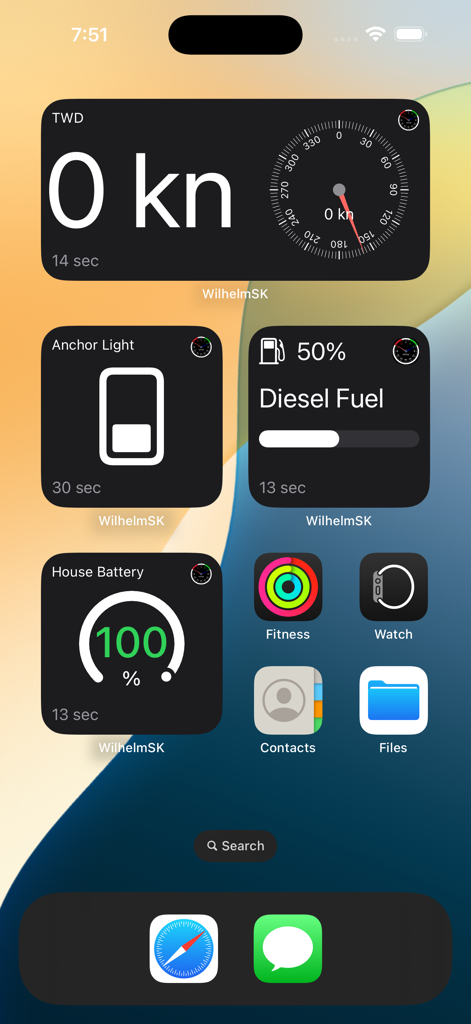
풍향, 연료 및 배터리 데이터를 위한 WilhelmSK 해양 위젯을 표시하는 iPhone 홈 화면

풍향, 연료 및 배터리 데이터를 위한 WilhelmSK 해양 위젯을 표시하는 iPhone 홈 화면

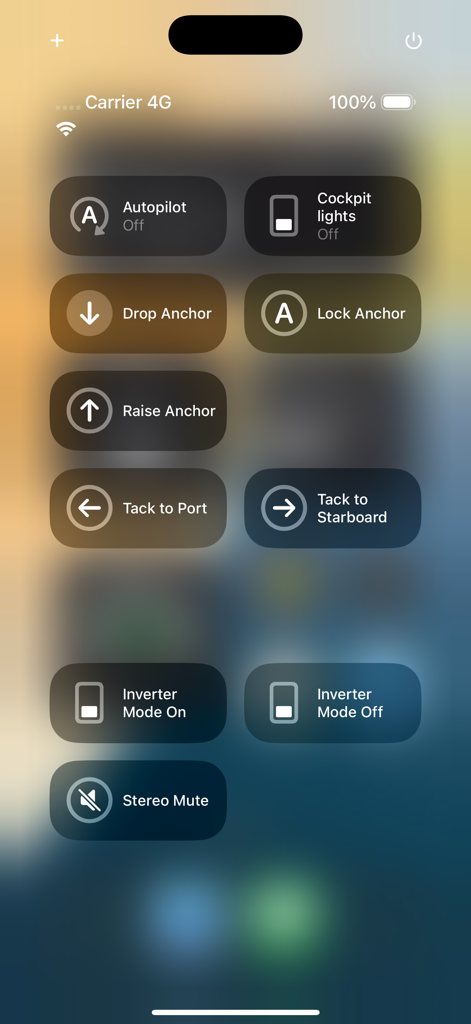
오토파일럿, 앵커링, 조명 및 인버터 모드 제어 기능이 포함된 선박 관리용 모바일 인터페이스.

오토파일럿, 앵커링, 조명 및 인버터 모드 제어 기능이 포함된 선박 관리용 모바일 인터페이스.

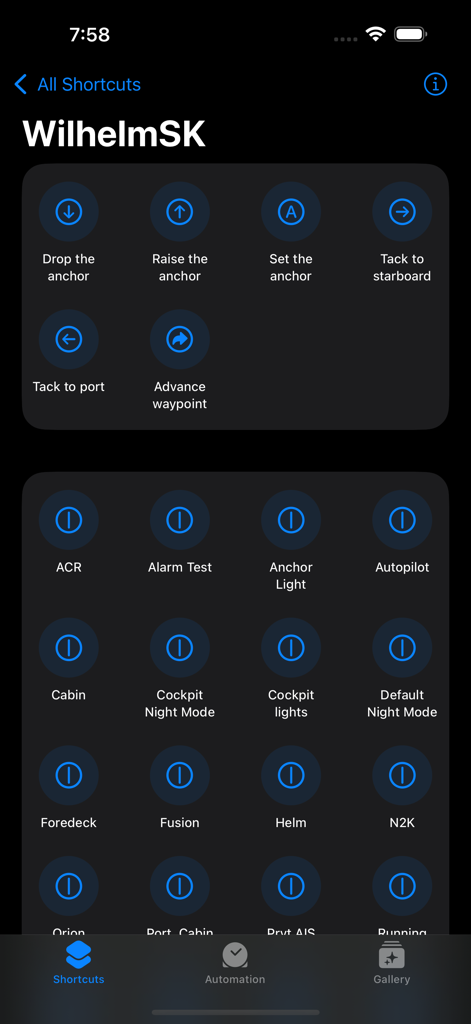
앵커 내비게이션 및 선박 조명 제어를 보여주는 WilhelmSK iOS 단축어 화면

앵커 내비게이션 및 선박 조명 제어를 보여주는 WilhelmSK iOS 단축어 화면

이전과는 다른 방식으로 선박을 지휘하세요

이 앱을 돋보이게 하는 도구, 97K+ 명의 사용자가 선택.

📐

맞춤형 글래스 콕핏

완벽하게 맞춤 설정 가능한 아날로그 및 디지털 게이지로 필요한 대시보드를 정확하게 디자인하세요. 항해, 동력 주행 또는 원격 모니터링을 위한 독특한 레이아웃을 생성할 수 있습니다.

🔗

범용 시스템 통합

브랜드 간의 장벽을 허무세요. 단일 인터페이스에서 Victron 전력 시스템 모니터링, Fusion 오디오 제어 및 Raymarine 오토파일럿 관리를 원활하게 수행할 수 있습니다.

완벽한 상황 인식

기기로 직접 푸시 알림을 보내는 정교한 앵커 알람, Navionics 차트 및 통합 AIS 추적으로 안전을 유지하세요.

전 세계 사용자들에게 사랑받는 앱

Trusted by 97K+ 명이 이 앱을 사랑합니다.

"

"WilhelmSK는 제 배의 하드웨어와 디지털 삶 사이의 궁극적인 가교입니다. 저는 이 앱을 실행하는 iPad 하나로 노후된 여러 디스플레이를 교체했습니다. Signal K 데이터에 대한 맞춤 설정 수준은 타의 추종을 불허하며, UI는 제가 사용해 본 어떤 전용 MFD보다 훨씬 깔끔하고 반응이 빠릅니다. 기술에 능숙한 항해사라면 반드시 갖춰야 할 앱입니다."

스티븐 R. 선장
"

"이 앱이 제공하는 안심은 모든 비용을 지불할 가치가 있습니다. 보트에서 생활하는 사람으로서 Victron 배터리 수준과 빌지 상태를 원격으로 모니터링할 수 있는 것은 필수적입니다. 앵커 알람은 매우 신뢰할 수 있으며, 선수에서 휴식을 취하면서 Apple Watch로 Fusion 스테레오를 제어할 수 있는 편리함은 정말 놀랍습니다."

멜리사 J.

앱 소개

에 대해 알아야 할 모든 것 WilhelmSK.

설명

WilhelmSK is a highly customizable display, monitoring and control dashboard for your boat. WilhelmSK works best wth Signal K Server . It can also connect directly to some devices: º NMEA 0183 over TCP or UDP. (from for example, Digital Yacht's Smart WLN10) º Any modern Navico (Lowrance, Simnet or B&G) GoFree MFDs º NMEA 2000 via Yacht Device's YDWG-02 º NMEA 2000 via Actisense W2k-1 º Victron Venus GX or CCGX º Victron VRM º Chetco SeaSmart Devices º Chetco HelmSmart RayMarine Auto Pilot Support (via node-server or the YDWG only) º View or change current mode (Standby, Auto, Wind, Track) º View current target heading or Wind direction º Change target heading or Wind direction º Acknowledge "Turn To Waypoint' Active Captain: º You can view Active Captain Points of Interest and review or comment on them. º Go to Settings->Appearance to show Active Captain Points of Interest on the maps. Alarms and Notifications º View list of current current alarms º Acknowledge RayMarine "Turn To Waypoint' * º Push notification support * º Setup server side alarms * º Set an anchor alarm with the push of a button * Navionics Maps If you already have the Navionics Boating application with an active subscription, you can now use the same Navionics charts in WilhelmSK. Ensure you are a registered user with Navionics and have a Username and Password. If you have not registered, go to the Navionics Boating App’s Main Menu, click on the top “Me” option and then click Login. In WilhelmSK click the login button on the bottom right of the map and enter your Navionics login information. Features: - Raymarine MFD: display and interact with a RayMarine MFD (discovered via Bonjour) - Fusion stereo (control zone volumes, source input, play, pause etc.) - Create a gauge for any value available via SignalK - Sophisticated anchor alarm (requires node server and signalk-anchoralarm-plugin) - Customize gauge display using SignalK meta.zones - Customize gauge range, min/max, etc. - Save custom gauges to node server or the cloud for use on other devices - Wind Angle gauges can optionaly be rotated so that they always point ot the bow of the boat, regaurless of device positioning - Place gauges by long pressing on a gauge and choosing a differnt one - Make a gauge full screen by double tapping - Multiple layout support. Create a differnt layout for Steaming, Sailing, Home Monitoring, etc. - Customize the nuber of pages and their layout - Manuall connection configuration synced accross devices via iCloud - Automatic connection selection based on current ip (usefull when Bonjour is not available and you have multiple boats) - Two themes, dark and light - Animated gauge needles - iPad Slideover and Split View support (Your gauge configuration can be customized for these views) - Connections can be configured to be refreshed manually or at a specific time interval - Design your own custom gauge templates - Share your custom templates via Air Drop, eMail, Text, etc. - Edit ApplyTV or other device layouts and templates remotely using your iPhone or iPad - Most gauges can be configured to be digital or analog - Enter the SignalK path and title for any gauge to show data not supported by default - Displays AIS targets in the Map views - Configure node server plugins inside of the app - IP and RTSP camera display * Some advanced features require signalk-server-node and special plugins installed. Setup Instructions at https://github.com/sbender9/wilhelmsk-node-server-setup

최신 버전

1.17.0

크기

118.1 MB

출시일

2016년 10월 4일

선박 데이터의 주도권을 잡으세요

자신의 기기를 궁극의 해양 대시보드로 바꾼 수천 명의 기술 친화적 선장들과 함께하세요. 콕핏이나 거실 소파에서 바로 전문가급 모니터링과 제어를 경험해 보세요.

다운로드: App Store