Yard Planner

Yard Planner

다운로드: App Store
Spark by MWM logo
로고: Yard Planner

Yard Planner: 손쉬운 꿈의 조경 디자인

땅을 파기 전에 완벽한 야외 공간을 시각화하세요. 360,000명 이상의 주택 소유주들이 직관적인 드래그 앤 드롭 도구와 Google 지도 연동을 사용하여 몇 분 만에 전문적인 조경 레이아웃을 만들고 있습니다.

개발사

Home Outside, Inc.

카테고리

Lifestyle

다운로드

362K+

사용자 평점

3.2/5

총 평가 수

900

지원 언어

1

야외 오아시스를 시각화하세요

이 인터페이스를 사용하는 362K+ 명의 사용자.

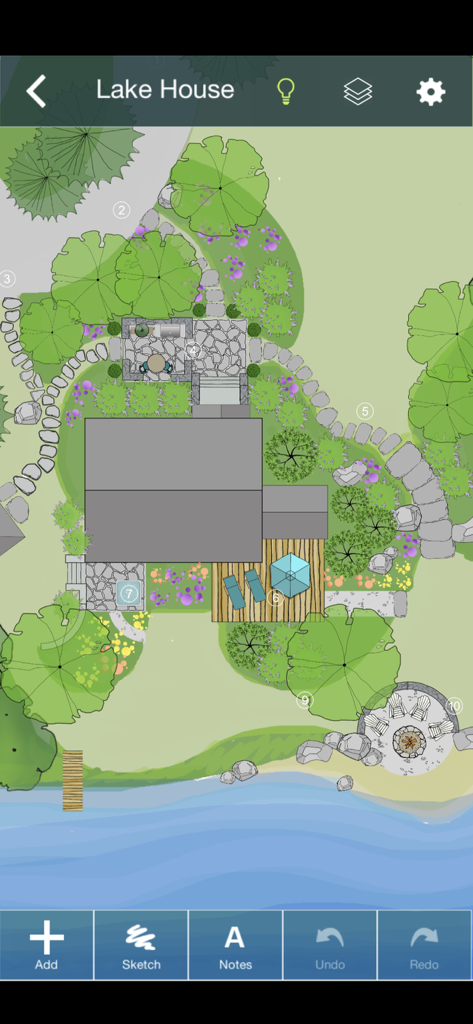
호숫가 집을 위한 2D 조경 디자인의 평면도, 나무, 돌길, 데크, 화덕을 보여줌

호숫가 집을 위한 2D 조경 디자인의 평면도, 나무, 돌길, 데크, 화덕을 보여줌

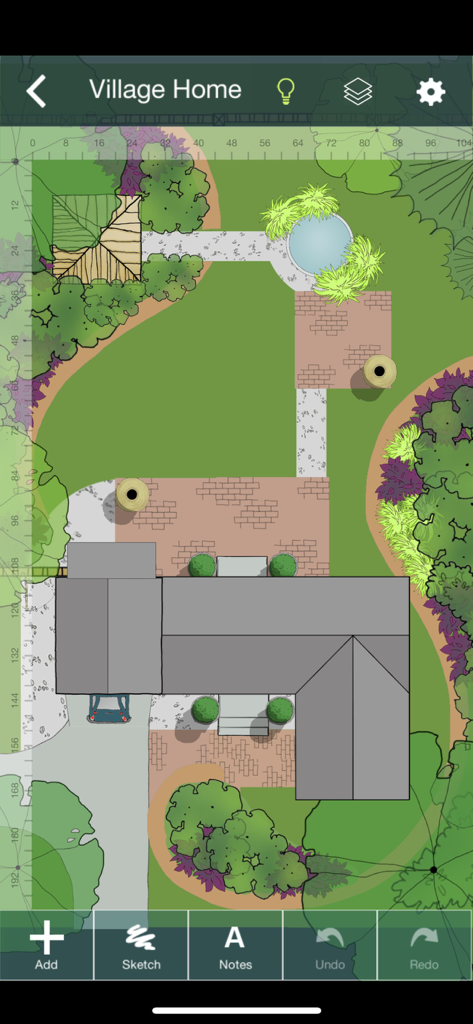
Yard Planner 앱에서 부동산의 2D 조경 디자인 평면도

Yard Planner 앱에서 부동산의 2D 조경 디자인 평면도

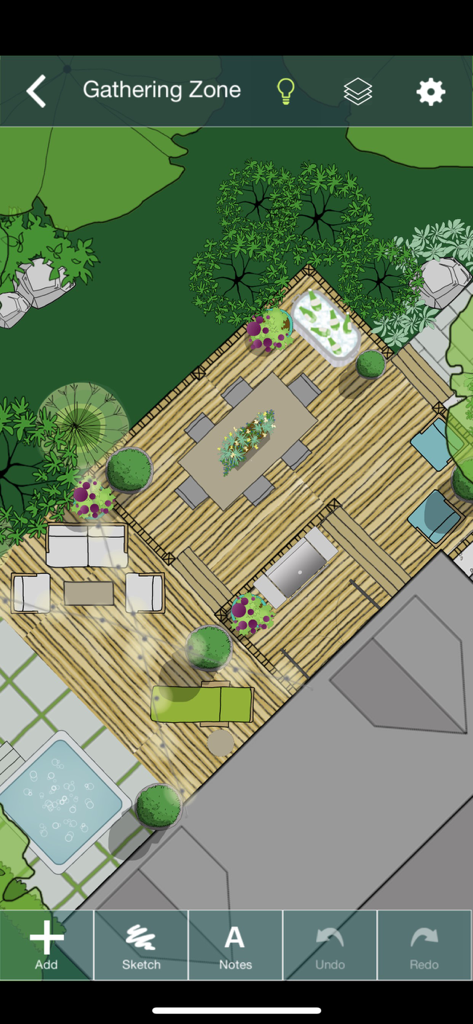
Yard Planner 앱에서 데크, 식탁, 온수 욕조를 특징으로 하는 뒷마당 모임 공간의 2D 조경 디자인 평면도.

Yard Planner 앱에서 데크, 식탁, 온수 욕조를 특징으로 하는 뒷마당 모임 공간의 2D 조경 디자인 평면도.

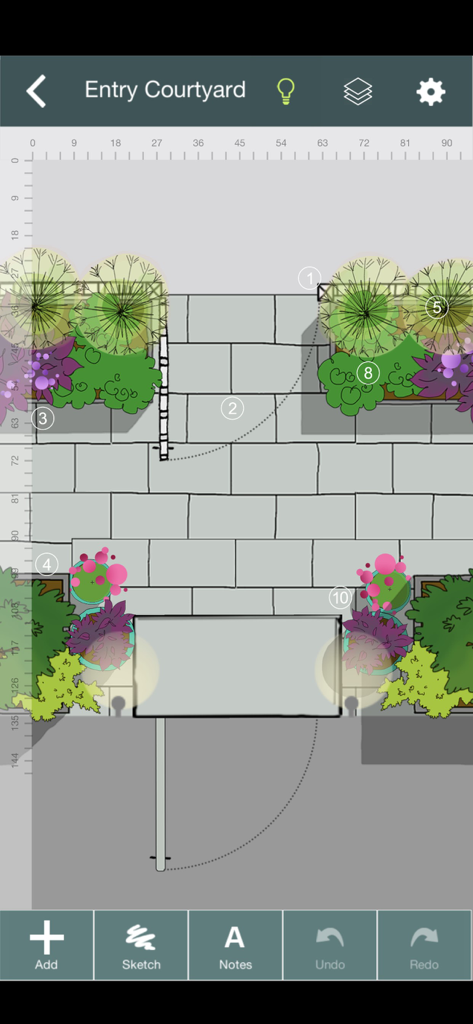
Yard Planner에서 돌길과 화단이 있는 입구 안뜰의 2D 조경 디자인

Yard Planner에서 돌길과 화단이 있는 입구 안뜰의 2D 조경 디자인

꿈에 그리던 야외 생활 공간을 디자인하세요

이 앱을 돋보이게 하는 도구, 362K+ 명의 사용자가 선택.

📍

정밀한 부동산 지도 제작

Google 지도 연동을 사용하여 실제 토지 경계를 가져와 모든 나무와 파티오가 땅에 완벽하게 맞도록 하세요.

🌳

드래그 앤 드롭 창의력

계절별 정원, 수영장부터 파티오, 진입로까지 800개 이상의 손으로 그린 요소로 즉시 비전을 현실로 만드세요.

🤝

자신감 있는 협업

배우자 또는 조경 계약자와 편집 가능한 디자인을 공유하여 정확한 견적을 받고 최종 비전에 대한 모든 사람의 동의를 얻으세요.

전 세계 사용자들에게 사랑받는 앱

Trusted by 362K+ 명이 이 앱을 사랑합니다.

"

"처음 집을 샀을 때, 조경에 큰 실수를 할까 봐 두려웠습니다. Yard Planner는 정말 구세주였어요! Google 지도 도구를 사용하여 실제 부동산 경계를 불러와 몇 시간 동안 나무를 '심고' 파티오를 배치하며 어떤 것이 가장 보기 좋은지 확인했습니다. 막연한 아이디어를 계약자에게 실제로 보여줄 수 있는 구체적인 계획으로 바꿔주었습니다. 전문 CAD 소프트웨어보다 사용하기가 훨씬 쉽습니다."

Sarah M., 주택 소유주
"

"저는 작은 조경 사업을 운영하는데, Yard Planner는 초기 고객 상담을 위한 최고의 도구가 되었습니다. iPad를 꺼내 고객 앞에서 바로 아름답고 손으로 그린 정원이나 수영장 공간의 목업을 만들 수 있습니다. 고객이 공간의 잠재력을 즉시 시각화하는 데 도움이 되며 예약률이 크게 증가했습니다. 팀에 편집 가능한 디자인을 이메일로 보낼 수 있다는 점은 정말 최고입니다."

David L., 조경 디자이너

앱 소개

에 대해 알아야 할 모든 것 Yard Planner.

설명

YARD PLANNER is a simple drag-and-drop 2D landscape design app with all the tools you need to mock up your property, create new designs, and share them with friends and family. YARD PLANNER is ideal for homeowners who want to try out fresh ideas for their yard. Useful for landscape professionals to share designs with clients and contractors. Also perfect for children and adults alike to exercise their imagination and creativity! Use YARD PLANNER to select and place over 800 beautiful hand-drawn elements including trees, gardens, pools, patios, hammocks, driveways, houses and sheds, solar panels, and just about anything you might want for your property–even parties and weddings! Features include: • Sample designs to inspire or get you started • Simple drag-and-drop functionality • 34 palettes (800+ hand-drawn elements) to create your landscape design layout • Resize, Rotate, Undo/Redo, Duplicate, Flip, Group • Rotate elements with “Snap to 90” or turn off to rotate more precisely • Snap to grid (elements stick to a re-sizeable grid of guidelines, turn on/off in Settings) • Rulers (visible at edges of design; zoom in to the single unit; user selects feet/meters; can be turned on/off) • Choose from 15 different background colors • Sketch Tool (allows users to draw garden beds and other free-form shapes with an eraser and brushes of different colors, widths and opacity) • Map Tool (This highly accurate mapping tool based on Google Maps allows you to drop pins at the corners of your property and import the map image with measurements into the app as a background.) • North arrow (appears with Map Tool) • Site Analysis palettes to mark the locations of your site’s utilities and light and moisture conditions • Notes (allows users to tag elements in their designs with typed comments or descriptions) • Light/Dark mode (changes Note tags and North arrow from white to black for visibility against light backgrounds.) • Animated Figures (a palette of animated elements—a person, dog, cat, bird, and car—that move through your design on a looped or repeating path, adjustable speed, play and stop animation) • Import a Photo as a background (useful for importing a digital image of your property plan) • Create different Layers of elements in your design. Add, delete, rename layers, make each layer visible/invisible, lock/unlock for editing, and reorder layer position. • In-app step-by-step guide to creating your Property Plan. • Designs automatically save to the app’s Saved Designs gallery • Share designs on social media • Email an editable design so friends can edit one another’s designs and email them back and forth ***As featured in The New York Times, Fox News, USA Today, Gardenista, and more. “Home Outside allows you to create intricate and varied landscapes…And when you’re finished designing your yard or indulging in a little dreamscaping, you can email results to friend.” –Kate Murphy, The New York Times “The app gives you drag and drop tools to create a garden design idiosyncratic to your garden [and] allows you to choose hardscape materials, design paths and patios, and arrange furniture in your outdoor space.” –Dalilah Arja, Gardenista “I can’t imagine a designer who wouldn’t want to have this on their phone or tablet. I’ve tried this app … it’s a great tool for a ‘quickie’ design that you can show clients … and then refine as you like.” –Jane Berger, Garden Design Online

최신 버전

3.6.2

크기

761.7 MB

출시일

2011년 6월 1일

꿈의 마당을 디자인할 준비가 되셨나요?

Yard Planner를 사용하여 완벽한 야외 공간을 시각화하는 362,000명 이상의 주택 소유주 및 전문가들과 함께하세요. iPhone 또는 iPad에서 지금 바로 디자인을 시작하고 삽을 뜨기 전에 당신의 공간이 가진 잠재력을 확인하세요.


다운로드: App Store