PCalc

PCalc

Download on App Store
Spark by MWM logo
Logo of PCalc

PCalc: The Gold Standard for Scientists and Engineers

Master complex calculations with RPN mode, extensive unit conversions, and a fully customizable interface designed for professionals who demand precision.

Publisher

TLA Systems Ltd.

Category

Utilities

Downloads

420K+

User Rating

4.5/5

Total Ratings

3K+

Locales

1

Precision at a Glance

Discover the interface used by 420K+ users.
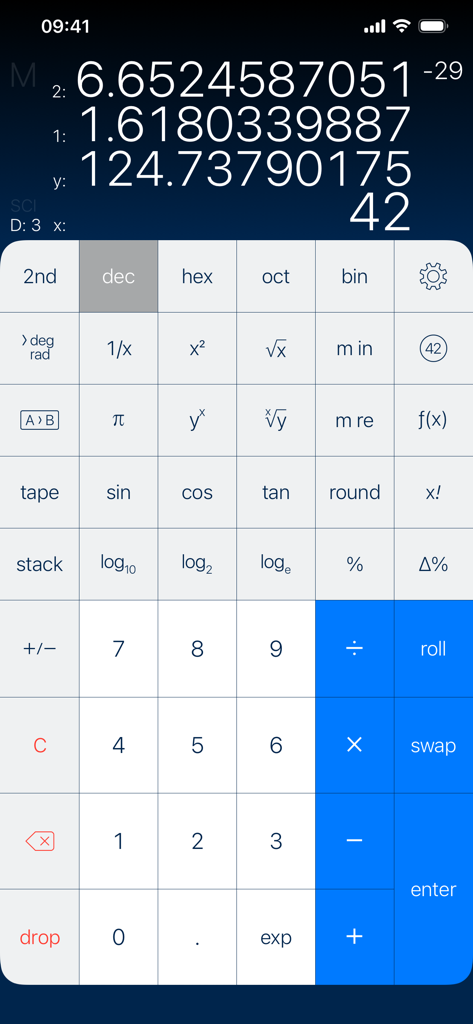
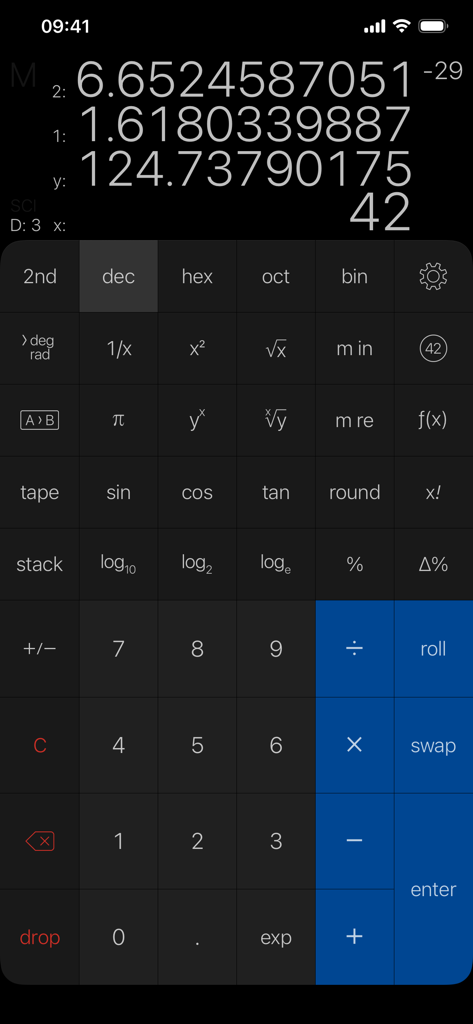
PCalc iOS app interface showing scientific calculator with RPN mode multi-line display and advanced mathematical functions

PCalc iOS app interface showing scientific calculator with RPN mode multi-line display and advanced mathematical functions

PCalc scientific calculator interface on iPhone showing RPN mode and multi-line display

PCalc scientific calculator interface on iPhone showing RPN mode and multi-line display

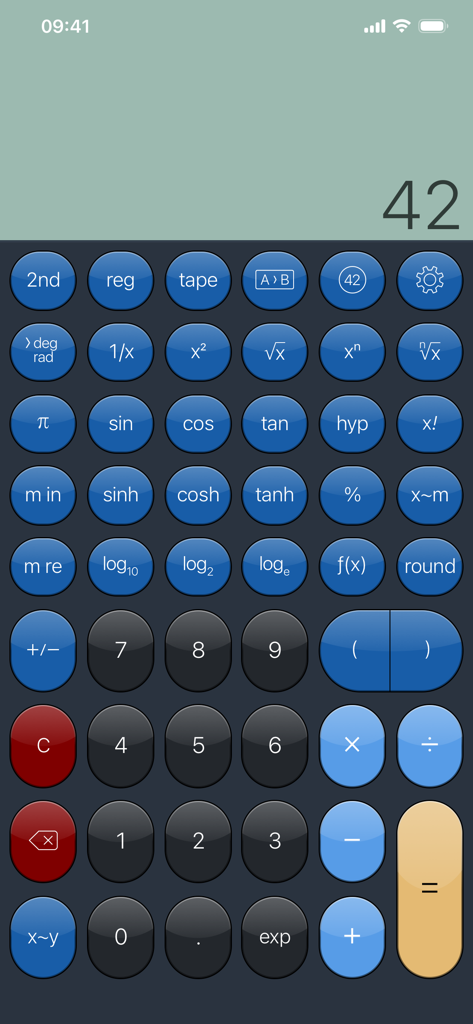
A full-screen view of the PCalc scientific calculator interface on an iPhone featuring various mathematical functions and a blue button theme.

A full-screen view of the PCalc scientific calculator interface on an iPhone featuring various mathematical functions and a blue button theme.

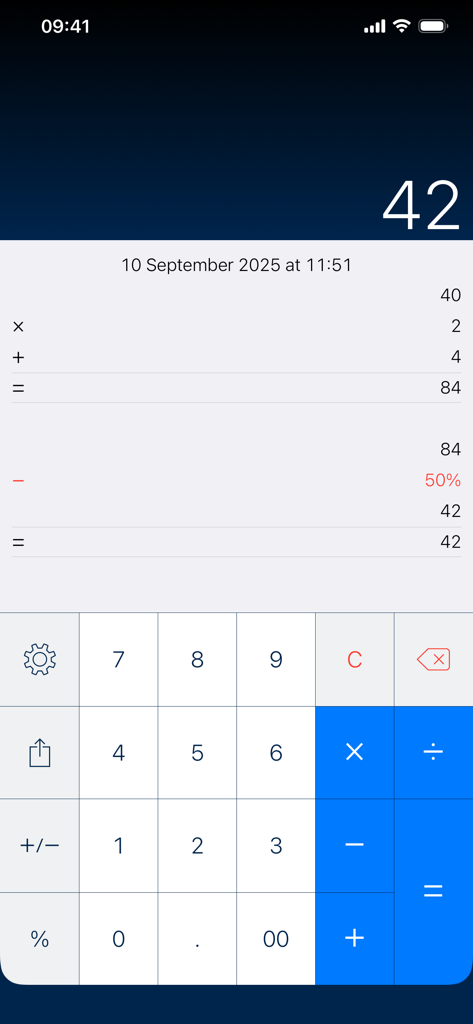
PCalc app interface displaying the paper tape feature with a history of calculations and final result

PCalc app interface displaying the paper tape feature with a history of calculations and final result

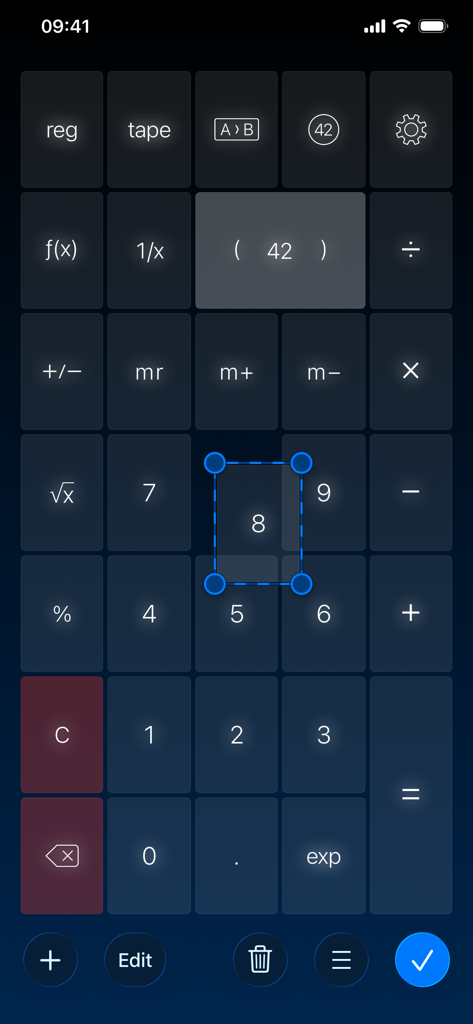
Interface of PCalc scientific calculator showing the custom button layout editor with a selected number button for resizing

Interface of PCalc scientific calculator showing the custom button layout editor with a selected number button for resizing

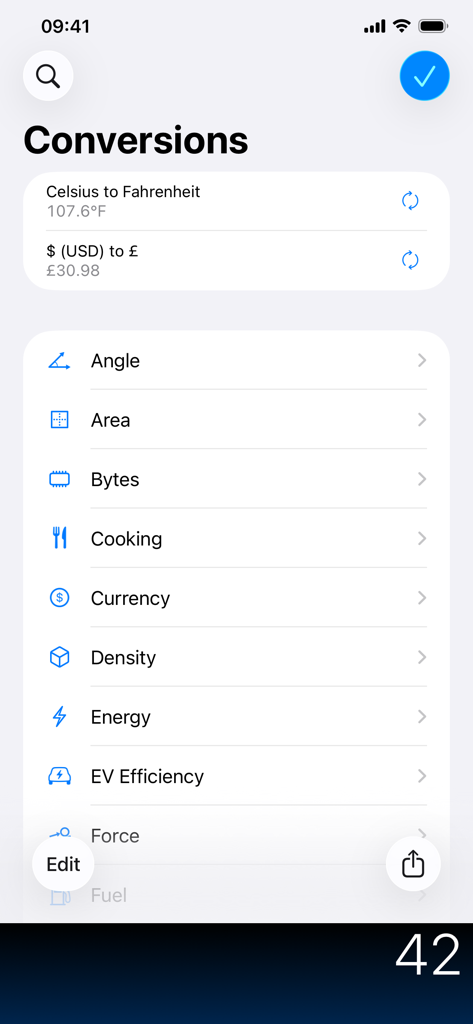
PCalc app conversions interface showing a list of unit categories like currency, area, and energy.

PCalc app conversions interface showing a list of unit categories like currency, area, and energy.

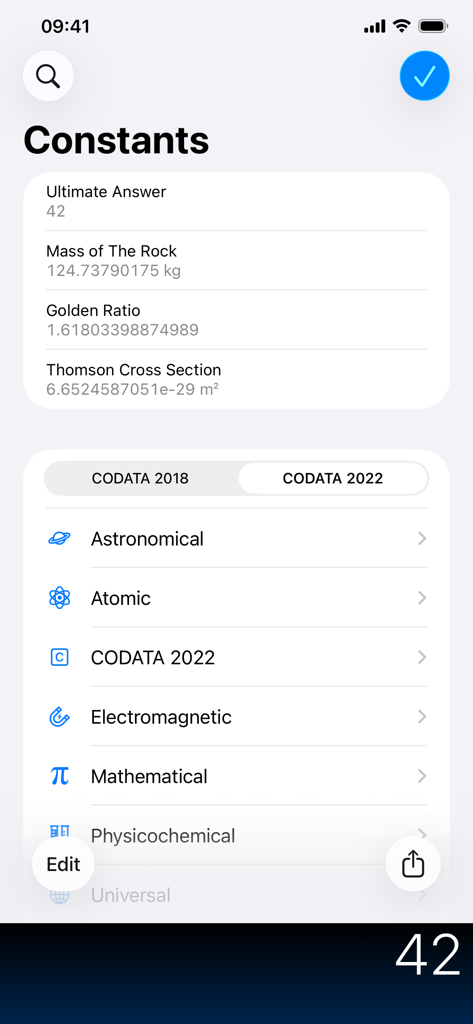
List of scientific and mathematical constants in the PCalc app.

List of scientific and mathematical constants in the PCalc app.

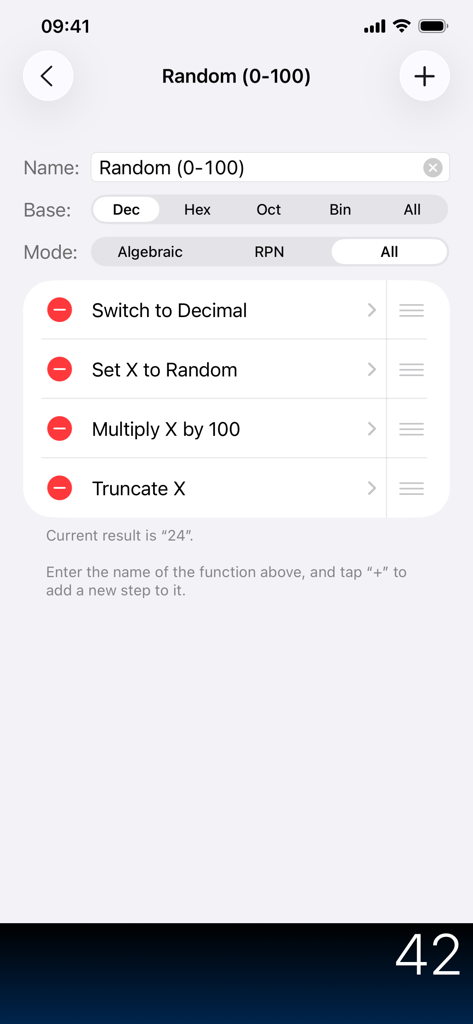
Interface for creating a custom function in PCalc with a list of calculation steps

Interface for creating a custom function in PCalc with a list of calculation steps

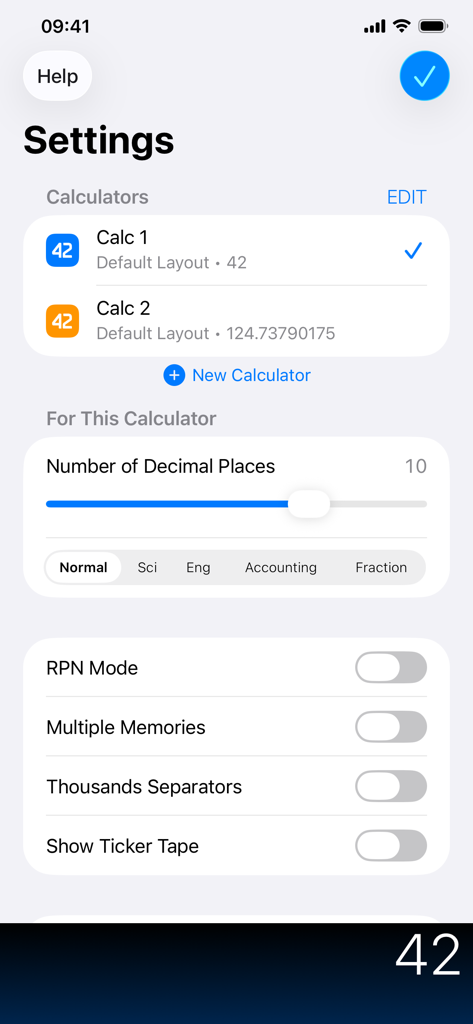
PCalc settings screen showing customization options for decimal places RPN mode and calculator layouts

PCalc settings screen showing customization options for decimal places RPN mode and calculator layouts

Theme settings in the PCalc app showing options for light or dark mode, tint colors, and various UI presets like Blue Sun and Brawn.

Theme settings in the PCalc app showing options for light or dark mode, tint colors, and various UI presets like Blue Sun and Brawn.

Engineered for Absolute Precision

The tools that make this app stand out, trusted by 420K+ users.

⚙️

RPN & Multi-Line Power

Master complex equations with optional Reverse Polish Notation and a clear multi-line display for professional-grade accuracy.

📏

Comprehensive Conversions

Instantly access a massive library of unit conversions and scientific constants, tailored for lab work and field engineering.

💻

Programmer's Toolkit

Seamlessly handle hexadecimal, octal, and binary calculations with bitwise operators and a digital paper tape for auditing.

Loved by users worldwide

Trusted by 420K+ people who love this app.

"

"As a structural engineer, PCalc is the only app that has successfully replaced my physical HP calculator. The RPN mode is flawless, and the paper tape has saved me countless hours when auditing complex calculations on-site. It is an indispensable tool for my daily workflow."

David S., Senior Civil Engineer
"

"I use PCalc daily for my computer science labs. Switching between decimal, hex, and binary is seamless, and having the unit conversions right on my Apple Watch is a game changer during hands-on projects. It is easily the most powerful tool in my dock."

Elena M., Software Engineering Student

About the app

Everything you need to know about PCalc.

Description

PCalc is the powerful choice for scientists, engineers, students, programmers, or indeed anybody looking for a feature rich calculator. It includes an optional RPN mode and multi-line display, a choice of button layouts, an extensive set of unit conversions and constants, a paper tape, multiple undo and redo, engineering and scientific notation, as well as support for hexadecimal, octal, and binary calculations. Includes an Apple Watch app, so you can calculate on your wrist!

Latest Version

3.14.3

Size

81.2 MB

First Released

Feb 8, 2019

Upgrade to the Professional Standard

Join 420,000+ engineers, programmers, and scientists who rely on PCalc for ultimate precision and RPN logic across all their Apple devices.

Download on App Store