Ringtone Maker Garage

Ringtone Maker Garage

Download on App Store
Spark by MWM logo
Logo of Ringtone Maker Garage
Ringtone Maker Garage: Custom Ringtones & Viral Sounds

Turn any TikTok video or song into a unique iPhone ringtone in seconds. Personalize your alerts with trending hits and aesthetic wallpapers—no computer required.

Publisher

TwinBit Ltd

Category

Music

Downloads

2M+

User Rating

4.6/5

Total Ratings

15K+

Locales

6

Style Your Sound

Discover the interface used by 2M+ users.
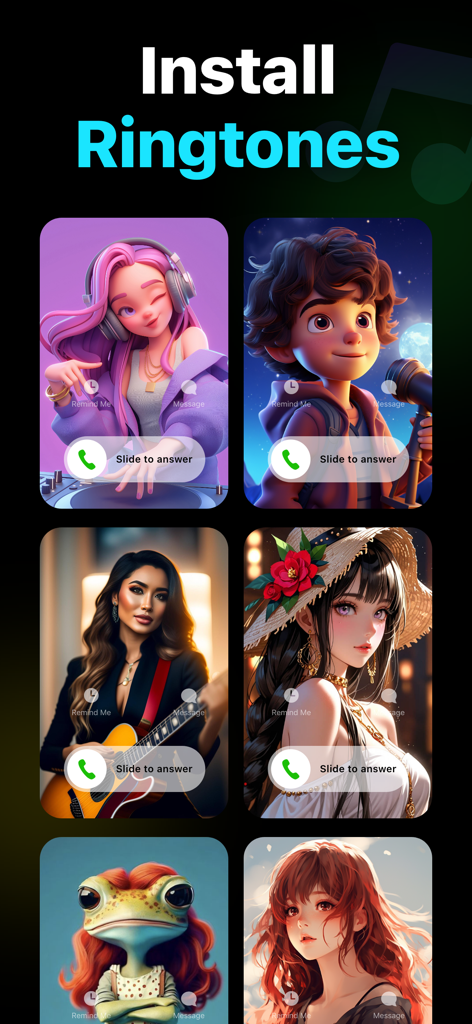
A display of custom incoming call screens with aesthetic illustrations in the Ringtone Maker Garage app

A display of custom incoming call screens with aesthetic illustrations in the Ringtone Maker Garage app

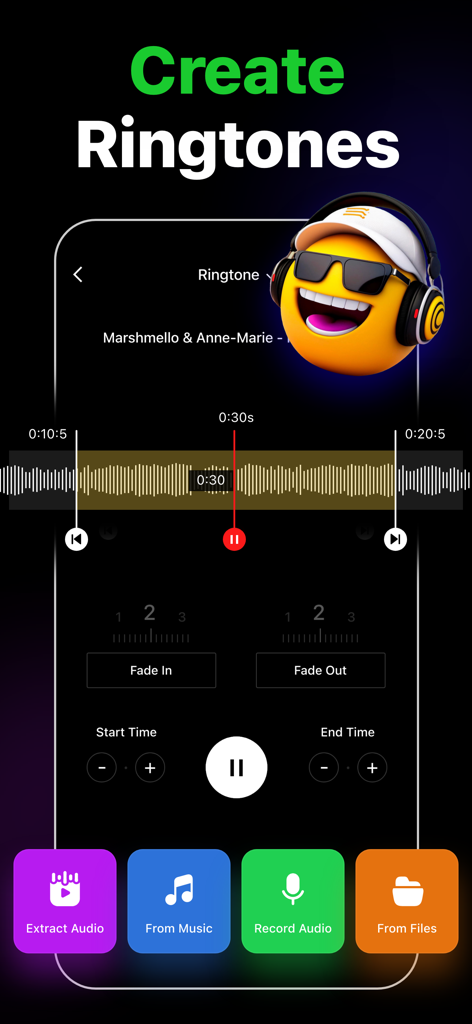
Ringtone Maker Garage app interface showing audio trimming tools and options to create custom ringtones from music and video.

Ringtone Maker Garage app interface showing audio trimming tools and options to create custom ringtones from music and video.

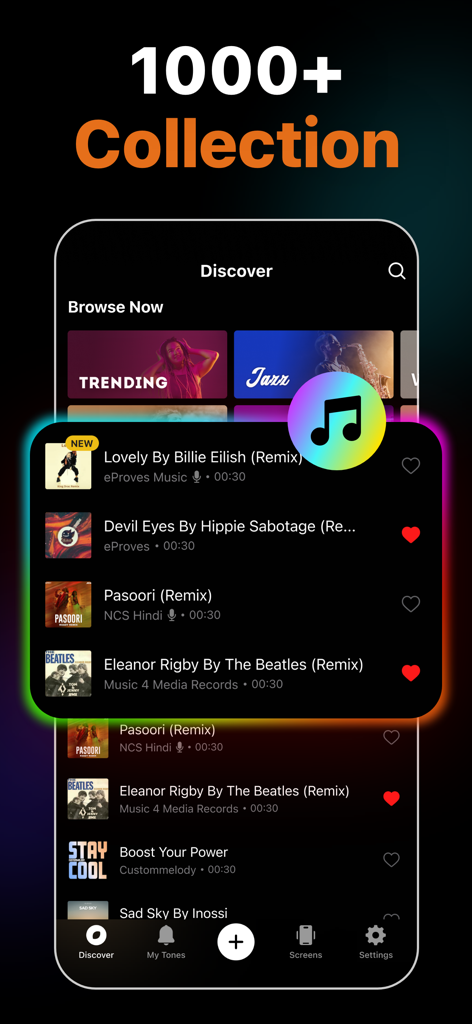
Ringtone Maker Garage app discover screen showing a collection of trending song remixes for custom iPhone ringtones.

Ringtone Maker Garage app discover screen showing a collection of trending song remixes for custom iPhone ringtones.

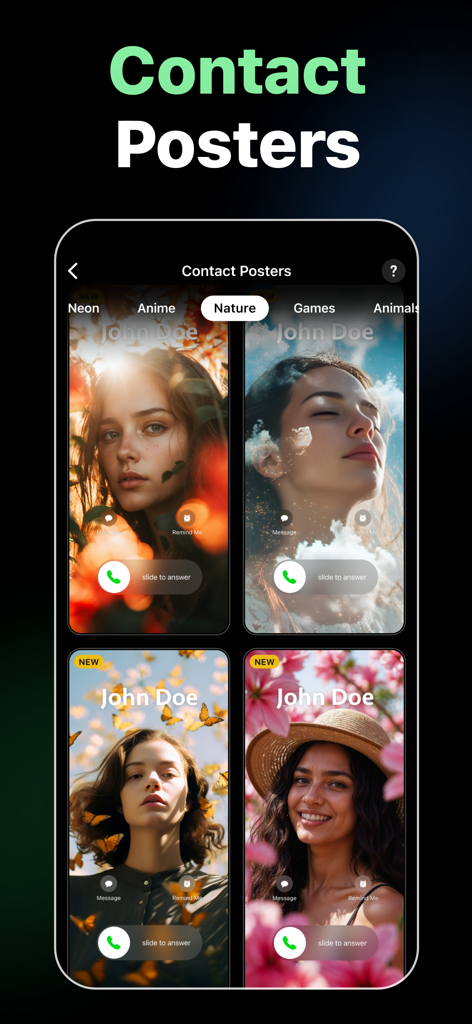
iPhone contact poster designs featuring nature and floral themes

iPhone contact poster designs featuring nature and floral themes

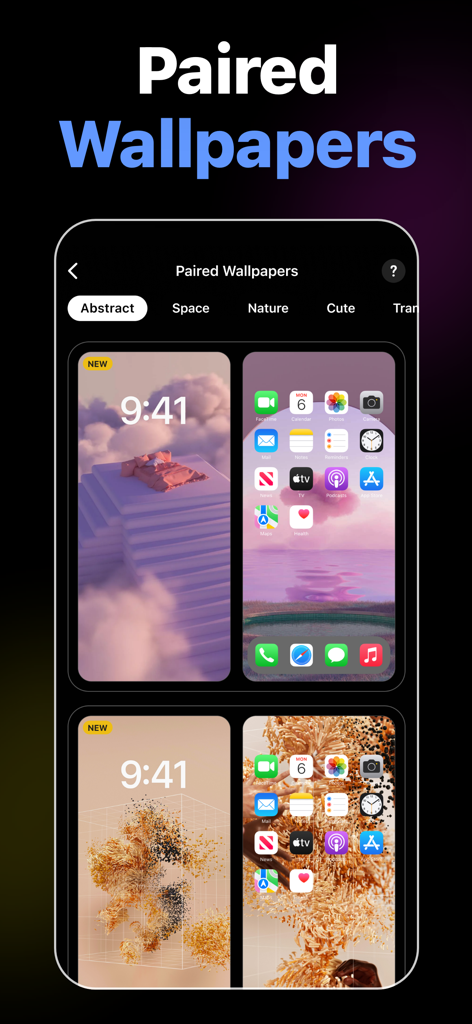
A collection of aesthetic paired wallpapers for iPhone lock and home screens within the Ringtone Maker Garage app.

A collection of aesthetic paired wallpapers for iPhone lock and home screens within the Ringtone Maker Garage app.

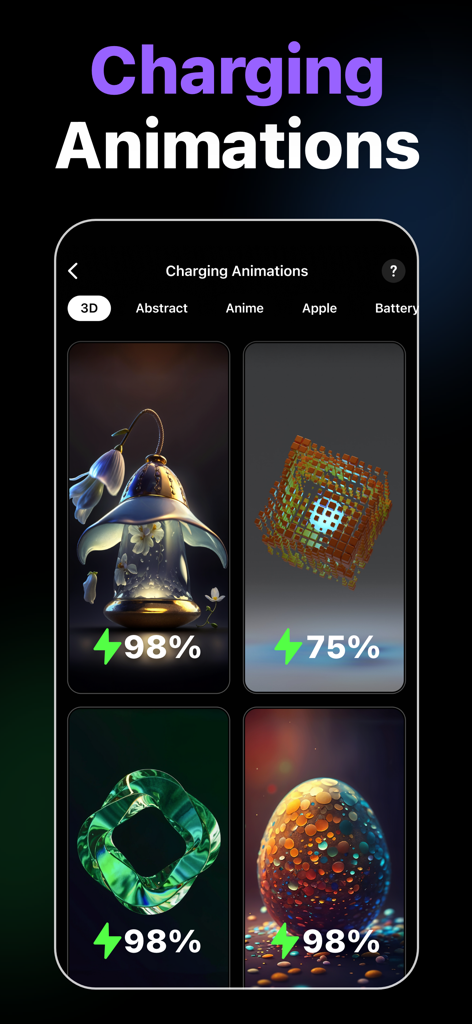
Selection of aesthetic 3D charging animations for iPhone customization

Selection of aesthetic 3D charging animations for iPhone customization

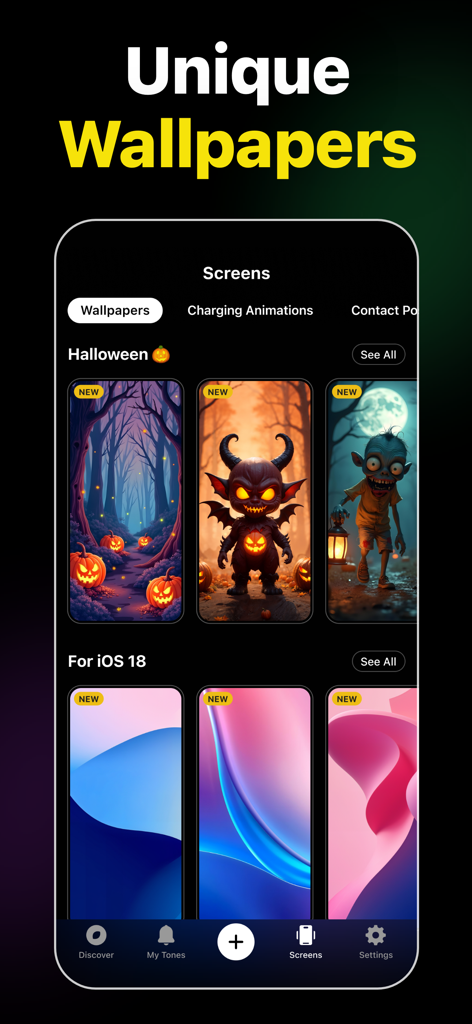
Ringtone Maker Garage app interface showing unique Halloween and iOS 18 wallpapers for iPhone

Ringtone Maker Garage app interface showing unique Halloween and iOS 18 wallpapers for iPhone

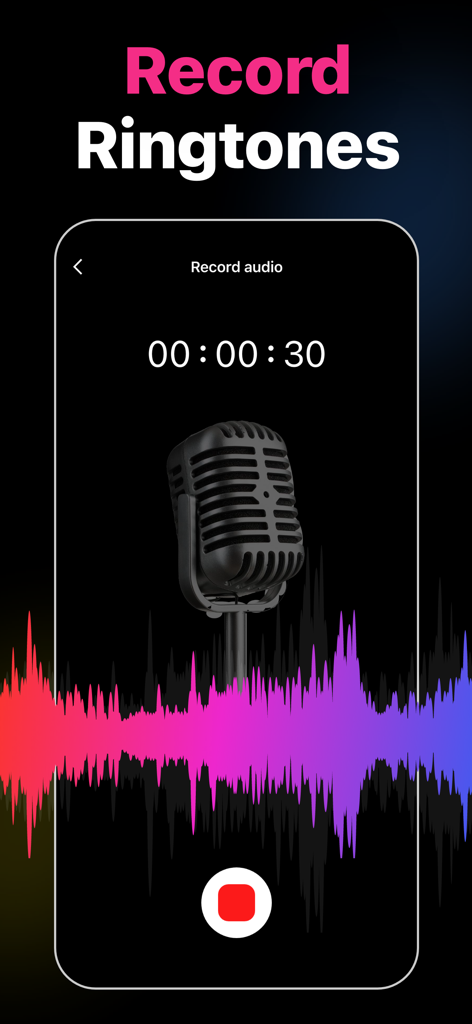
Ringtone Maker Garage app recording screen with a vintage microphone and colorful audio waveform

Ringtone Maker Garage app recording screen with a vintage microphone and colorful audio waveform

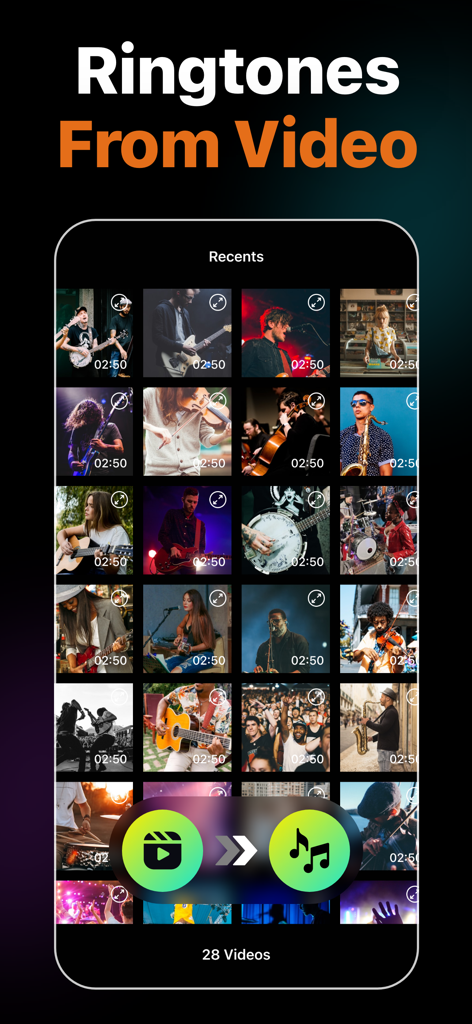
Screenshot of Ringtone Maker Garage app showing the feature to extract audio from videos to create custom ringtones

Screenshot of Ringtone Maker Garage app showing the feature to extract audio from videos to create custom ringtones

Your Phone, Your Vibe

The tools that make this app stand out, trusted by 2M+ users.

🎬

Video-to-Ringtone Magic

Found a viral sound on TikTok? Extract audio from any screen recording or video to create unique tones in seconds.

Skip the Cables

Stop struggling with iTunes on PC. Our easy GarageBand integration lets you install custom ringtones directly from your phone.

🎨

Total Aesthetic Control

Go beyond sound. Match your custom alerts with a massive library of trendy wallpapers for a complete device makeover.

Loved by users worldwide

Trusted by 2M+ people who love this app.

"

"Literally the only way I could get that viral TikTok sound as my text tone without using a computer! The video-to-audio extraction is a lifesaver, and the aesthetic wallpapers are such a nice bonus for my home screen layout."

Chloe_Vibes22
"

"I was so tired of the default iPhone sounds, but I hated the thought of using iTunes. This app's GarageBand tutorial is foolproof. I had my favorite Lo-fi track trimmed and set as my alarm in under two minutes. Highly recommend!"

Marcus_DigitalNomad

About the app

Everything you need to know about Ringtone Maker Garage.

Description

Easily create custom ringtones for iPhone with the best Ringtone Maker app using songs from local iTunes and videos. Personalize your ringtones, alarm tones, text alert, and notification sounds anytime from a rich collection of popular music genres and categories. Key Features of Ringtone Maker: • Create unique ringtones, custom alarms, and text tones for iPhone from local iTunes files • Extract audio from videos to make ringtones • Record audio to create ringtones • Trim, Fade in, and Fade out audio files • Install ringtones via GarageBand and iTunes • Numerous catalogs of ringtones – HipHop, Funky, Jazz, Rock, Classical, Children, Comedy, Reggae, TikTok, Blues ringtones, and more • Regularly updated popular ringtones section • Mark ringtones as favorites and share them with friends • Large selection of wallpapers to set as iPhone home screen and lock screen Ringtones from Various Genres of Music This music ringtones app offers tons of choices for those looking for how to change ringtones on an iPhone. Personalize your device however you want, from Latin, Instrumental, Rap, R&B to Souls, Blues, Pop, and Folk music ringtones. Create Ringtones from Audio and Video Make iPhone ringtones by directly recording audio or trimming songs in just a few steps. Cut any music from the local iTunes library using the audio trimmer. You can also extract audio from videos and set them as ringtones on your iPhone. Cool iPhone Wallpapers Personalize both your iPhone lock screen and home screen with a wide variety of wallpapers available in the app. From aesthetic wallpapers to cute backgrounds, you have a plethora of options to decorate your iPhone and give it a whole new stylish look. Popular Ringtones and Favorite Feature Frequently updated popular ringtones ensure that you don't miss out on trendy tunes and keep your iPhone experience fresh. Also, favorite any ringtones to find those easily later on. How to make a custom ringtone on iPhone with the Ringtone Maker app? Whether the goal is to make custom ringtones for contacts or create iPhone text message sounds, just follow these simple steps. - Tap on the "+" button - Select the song you want to convert into the iPhone ringtone format - Trim, fade-in, or fade-out as necessary - Save the custom ringtone How to make a ringtone for iPhone without iTunes or PC using Ringtones: Ringtone Maker? Ringtone Maker app lets you create and install unique ringtones through the GarageBand app. - Go to the "My Tones" section of the app - Tap on the three-dot option of the desired track - Press "Install Ringtone" and then "Install via GarageBand" - Select GarageBand and long-press the track - From the pop-up window, press on "Share" and then "Ringtone" - Tap "Export" - After exporting, press "Use sound as" to set the ringtone Auto-Renewable Subscription Terms: Subscribe to get unrestricted access to all the features outlined above. • Subscription Length: Weekly, Yearly • Subscription with a free trial period will automatically renew to a paid subscription unless it is canceled at least 24 hours before the end of the trial period. • Payment will be charged to iTunes Account at confirmation of purchase. • Your Apple ID account will be charged for renewal within 24 hours before the end of the trial period. • Manage and cancel your subscriptions by going to your account settings on the App Store. • Any unused portion of a free trial period, if offered, will be forfeited when the user purchases a subscription to that publication, where applicable. • By signing up for this subscription, you agree to our Terms of Use and Privacy Policy. Terms of Use: https://www.twinbit.net/tc/ringtones/terms.php Privacy Policy: https://www.twinbit.net/tc/ringtones/privacy.php Disclaimer: This app is free to download, but you will be required to sign-up for an auto-renewing subscription to access the app's full functionality.

Latest Version

1.4.7

Size

100.8 MB

First Released

Nov 9, 2020

Ready to Give Your iPhone a Vibe Check?

Join over 2 million creators turning viral TikToks and favorite tracks into custom ringtones. Download now to start your phone makeover with unique sounds and aesthetic wallpapers.

Download on App Store
FAQ

Frequently Asked Questions

Everything you need to know about Ringtone Maker Garage

Can I create custom ringtones using the Ringtone Maker Garage app?

Yes, Ringtone Maker Garage allows users to create custom ringtones for iPhone from local iTunes songs, extracted audio from videos, or newly recorded audio. The app provides tools to trim, fade in, and fade out audio files.

Does Ringtone Maker Garage support creating ringtones from video files?

Yes, Ringtone Maker Garage enables users to extract audio directly from videos to use them as custom ringtones for their iPhone. This feature is detailed within the app's capabilities.

Can I record my own audio to make ringtones with Ringtone Maker Garage?

Yes, Ringtone Maker Garage allows users to record their own audio directly within the app. This recorded audio can then be used to create personalized ringtones for an iPhone.

How do I install ringtones created with Ringtone Maker Garage on my iPhone without using a computer?

Ringtone Maker Garage supports installing ringtones via GarageBand directly on your iPhone without a PC. You access "My Tones," select "Install via GarageBand," and then export the ringtone from GarageBand.

What music genres are available for ringtones in Ringtone Maker Garage?

Ringtone Maker Garage offers a rich collection of ringtones across various genres, including HipHop, Funky, Jazz, Rock, Classical, Children, Comedy, Reggae, TikTok, Blues, Latin, Instrumental, Rap, R&B, Souls, Pop, and Folk.

Does Ringtone Maker Garage provide wallpapers for iPhone customization?

Yes, Ringtone Maker Garage offers a large selection of wallpapers. Users can personalize both their iPhone's home screen and lock screen with a variety of aesthetic and cute backgrounds available in the app.

Is the Ringtone Maker Garage app free to download and use?

Yes, Ringtone Maker Garage is free to download. However, accessing the app's full functionality requires signing up for an auto-renewing subscription.

What are the subscription options for Ringtone Maker Garage?

Ringtone Maker Garage offers weekly and yearly auto-renewable subscriptions. Subscriptions with a free trial automatically renew unless canceled 24 hours before the trial ends. Payment charges to your iTunes Account.