3D GO | 3D Printing Models

3D GO | 3D Printing Models

Download on App Store
Spark by MWM logo
Logo of 3D GO | 3D Printing Models
3D GO: The Ultimate STL Search Engine and Mobile Slicer

Stop juggling tabs. Search every major 3D model library, preview files in 3D, and generate G-code for your Bambu, Prusa, or Creality printer—all from one powerful app.

Publisher

SimpleDev LLC

Category

Utilities

Downloads

147K+

User Rating

4.6/5

Total Ratings

3K+

Locales

1

Your Workshop, Visualized

Discover the interface used by 147K+ users.
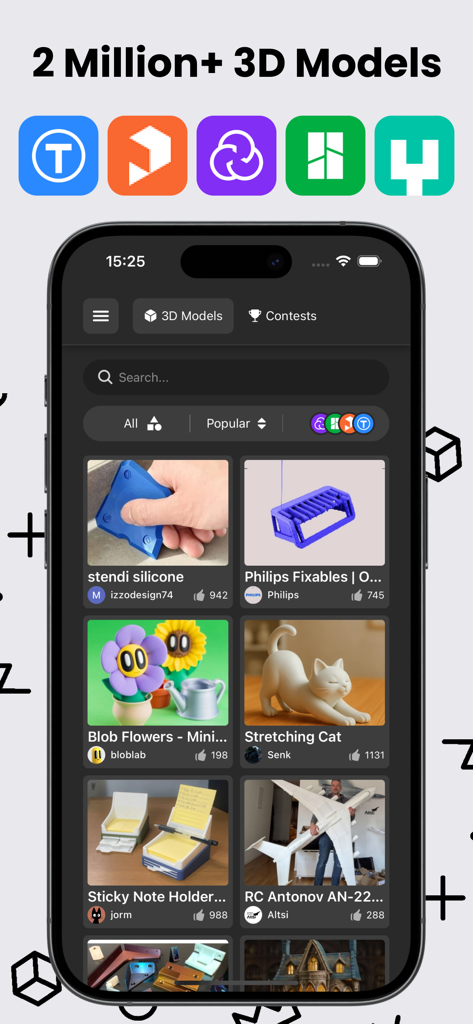
Mobile app interface of 3D GO displaying a gallery of diverse 3D printing models with icons of supported platforms like Thingiverse and Printables

Mobile app interface of 3D GO displaying a gallery of diverse 3D printing models with icons of supported platforms like Thingiverse and Printables

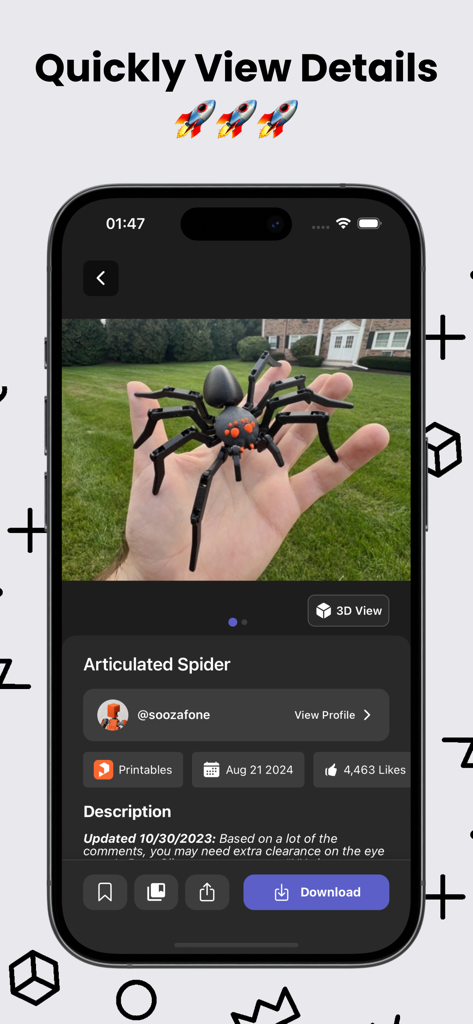
Interface of 3D GO app showing details and a photo of an articulated spider 3D printing model

Interface of 3D GO app showing details and a photo of an articulated spider 3D printing model

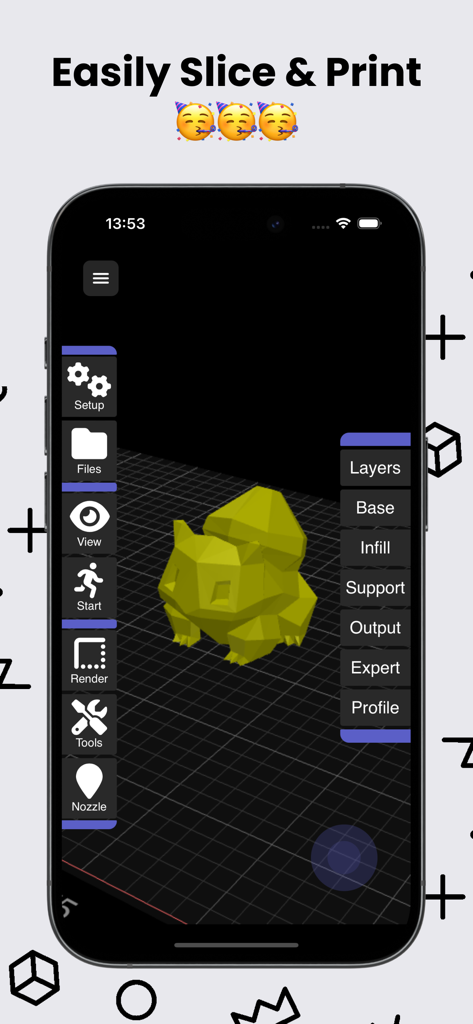
3D GO app interface showing a 3D model on a slicing grid with settings for layers and infill

3D GO app interface showing a 3D model on a slicing grid with settings for layers and infill

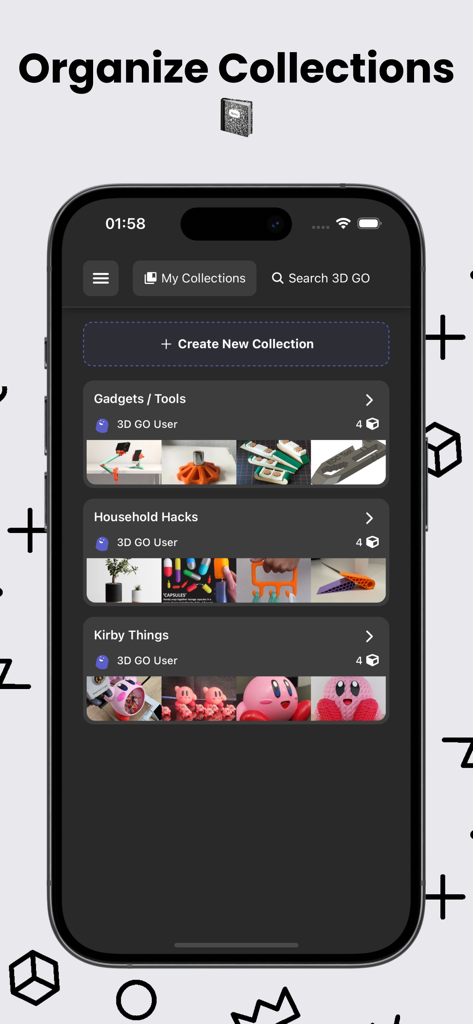
Mobile interface of 3D GO app showing organized 3D model collections like Gadgets and Household Hacks

Mobile interface of 3D GO app showing organized 3D model collections like Gadgets and Household Hacks

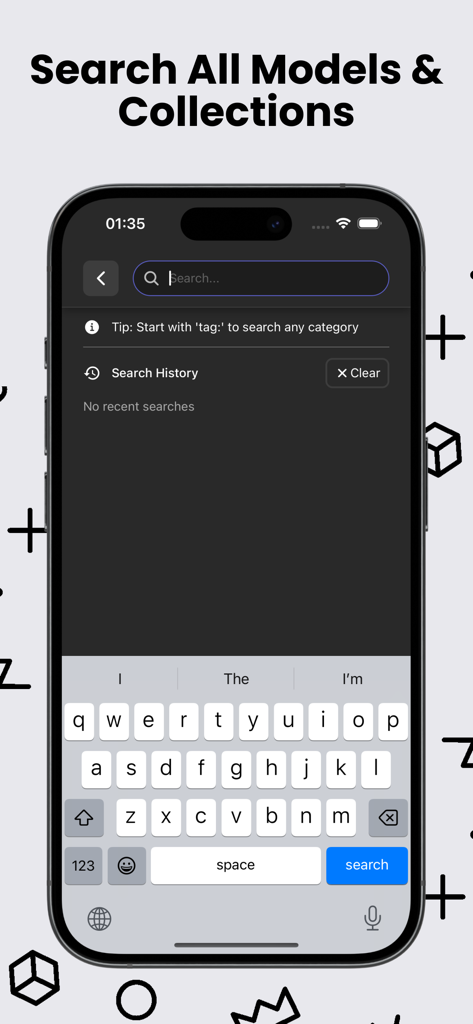
Mobile search interface for finding 3D printing models and STL collections across multiple platforms

Mobile search interface for finding 3D printing models and STL collections across multiple platforms

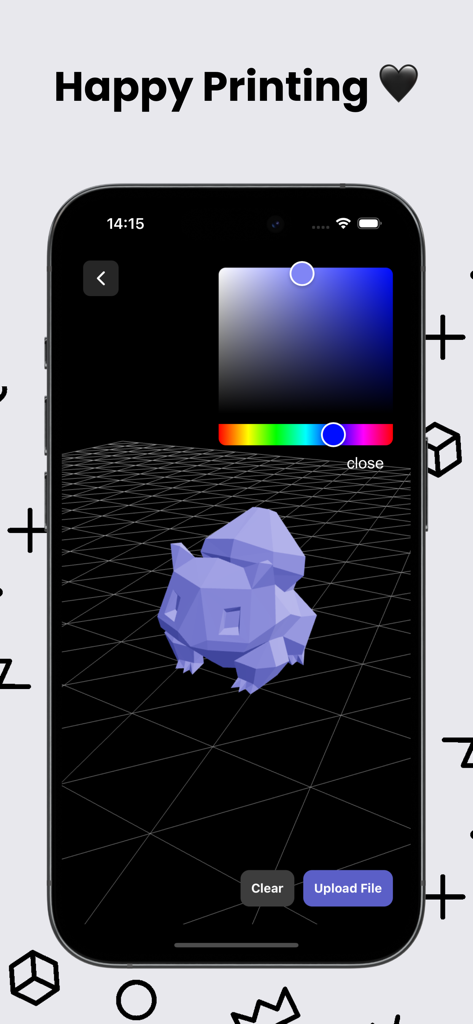
A 3D model preview inside the 3D GO mobile app with a color picker tool

A 3D model preview inside the 3D GO mobile app with a color picker tool

3D GO app download screen featuring the 3D cube icon and download now call to action

3D GO app download screen featuring the 3D cube icon and download now call to action

The Ultimate Toolkit for Modern Makers

The tools that make this app stand out, trusted by 147K+ users.

🔍

Unified Model Discovery

Search Thingiverse, Printables, Cults3D, and more simultaneously. Find the perfect STL for your next project in seconds without the friction.

📱

Mobile Slicing & G-code

Break free from your desktop. Convert models into print-ready G-code directly from your phone and prepare files for PLA, PETG, or ABS on the go.

👁️

Pro-Grade 3D Viewer

Inspect every detail before you print. Rotate, zoom, and check geometry in a full 3D preview to avoid failed prints and wasted filament.

Loved by users worldwide

Trusted by 147K+ people who love this app.

"

"As a dedicated tabletop gamer, I used to spend hours jumping between tabs to find the perfect miniatures. 3D GO changed everything. Being able to search across Thingiverse, Printables, and Cults3D at once is a massive time-saver, and the 3D viewer is perfect for checking fine details before I even hit print. It's the ultimate tool for any hobbyist looking to streamline their workflow."

Liam Sullivan
"

"I primarily focus on functional prints for my home automation projects, and 3D GO is the first app that actually lets me stay productive away from my desk. The built-in mobile slicer is incredible; I can find a part, prepare the G-code from my couch, and organize everything into custom collections. It has completely replaced the fragmented process I used to struggle with."

Sarah Chen

About the app

Everything you need to know about 3D GO | 3D Printing Models.

Description

3D GO – 3D Printing, STL Viewer & Slicer 3D GO is a fast, all-in-one 3D printing app for finding, previewing, organizing, and slicing 3D models from the biggest sites in the world. Instead of jumping between five different websites, folders, and slicers, you can do everything in one place. Search across Thingiverse, Printables, Cults3D, MakerWorld, and MyMiniFactory at the same time to find STL files for parts, tools, upgrades, miniatures, home décor, and just about anything else you want to 3D print. Whether you’re printing functional parts or artistic models, 3D GO makes it easy to discover the best files from the entire 3D printing community. Select models with a full 3D preview and STL viewer, so you can rotate, zoom, and inspect it before you download or slice. This helps you avoid bad files, broken geometry, and wasted filament. You can also open any STL from your device and view it instantly inside the app. When you’re ready to print, 3D GO includes a built-in 3D slicer that converts STL files into print-ready G-code. You can prepare files for PLA, PETG, ABS, TPU, and more, then export them for your printer using your normal workflow. It works great alongside Bambu Studio, PrusaSlicer, Cura, and Klipper-based setups. You can save any model from any site and organize them into custom collections. Keep folders for different printers, materials, or projects, search through your saved models, and manage even huge STL libraries without losing track of anything. 3D GO also lets you explore what’s happening across the entire 3D printing world. Browse trending 3D models, check out design contests, and discover new creators without visiting each site individually. No matter what 3D printer you use — Bambu Lab, Prusa, Creality, Anycubic, Flashforge, Ultimaker, and more — 3D GO fits right into your workflow. Key features • Search Thingiverse, Printables, Cults3D, MakerWorld, and MyMiniFactory • Full 3D preview and STL viewer • Built-in 3D slicer with G-code export • Save models and create custom collections • Search and manage your STL library • View trending models and design contests • Works with all major 3D printers If you’re into 3D printing and tired of juggling multiple websites and slicer apps, 3D GO brings everything together into one clean, fast experience. Download 3D GO and make finding and preparing your next 3D print simple again. Privacy Policy: https://3dgo.app/privacy Terms of Use: https://www.apple.com/legal/internet-services/itunes/dev/stdeula/

Latest Version

1.3.10

Size

50.8 MB

First Released

Oct 9, 2023

Ready to Print Smarter?

Join 147,000+ makers who have ditched the browser tabs. Search, view, and slice the world’s best STL files in one seamless mobile experience.

Download on App Store
FAQ

Frequently Asked Questions

Everything you need to know about 3D GO | 3D Printing Models

What is 3D GO?

3D GO is an all-in-one 3D printing app for finding, previewing, organizing, and slicing 3D models. It centralizes functions typically spread across multiple websites and slicer applications.

Which 3D model sites does 3D GO support?

3D GO supports simultaneous search across Thingiverse, Printables, Cults3D, MakerWorld, and MyMiniFactory. It consolidates these major 3D model repositories.

Can I preview STL files in 3D GO?

Yes, 3D GO includes a full 3D preview and STL viewer. Users can rotate, zoom, and inspect models before downloading or slicing them directly within the app.

Does 3D GO include a built-in slicer for 3D models?

Yes, 3D GO features a built-in 3D slicer. It converts STL files into print-ready G-code, supporting materials like PLA, PETG, ABS, and TPU for various printers.

What types of 3D printers are compatible with 3D GO?

3D GO is compatible with all major 3D printers, including Bambu Lab, Prusa, Creality, Anycubic, Flashforge, and Ultimaker. It integrates with existing workflows.

Can I organize my 3D models in 3D GO?

Yes, 3D GO allows users to save models from any site and organize them into custom collections. This helps manage large STL libraries effectively.

Does 3D GO provide a privacy policy?

Yes, 3D GO provides a privacy policy. Users can access the full details at the provided URL: https://3dgo.app/privacy.

How does 3D GO help discover new 3D models?

3D GO allows users to browse trending 3D models and discover design contests. It centralizes content from the entire 3D printing world.

Can 3D GO open STL files from my device?

Yes, 3D GO allows users to open any STL file directly from their device. It provides instant viewing capabilities within the application.