Airbrush: Face Photo Editor

Airbrush: Face Photo Editor

Download on App StoreDownload on Google Play
Spark by MWM logo
Logo of Airbrush: Face Photo Editor

Airbrush: Master Your Look with Effortless AI Editing

Join 48 million creators who achieve the perfect 'no-filter' aesthetic. From flawless skin retouching and object removal to instant professional headshots, Airbrush helps you showcase your best, most authentic self on every platform.

Download on App Store

Publisher

PIXOCIAL TECHNOLOGY (SINGAPORE) PTE. LTD.

Category

Photo & Video

Downloads

48M+

User Rating

4.8/5

Total Ratings

608K+

Locales

9

Picture Perfect Moments

Discover the interface used by 48M+ users.

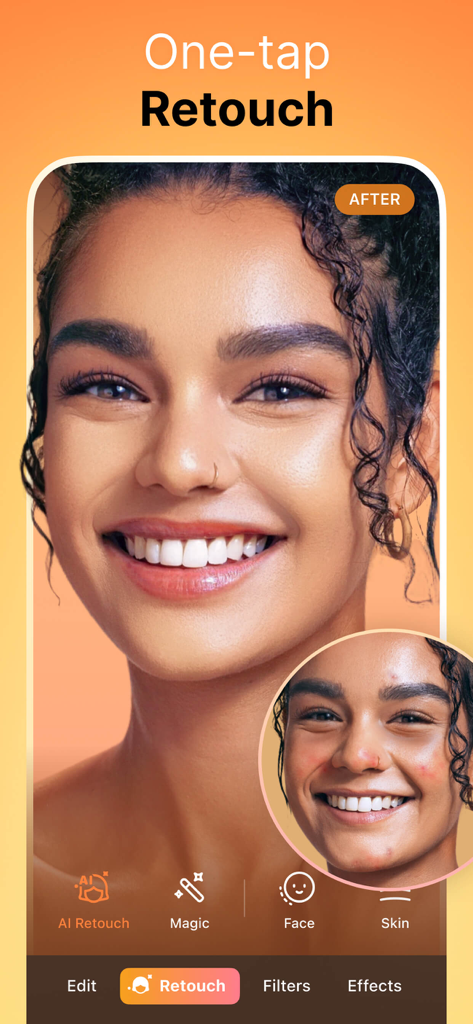
A side by side comparison of a woman's face before and after using the Airbrush app's AI retouch feature to smooth skin and remove blemishes

A side by side comparison of a woman's face before and after using the Airbrush app's AI retouch feature to smooth skin and remove blemishes

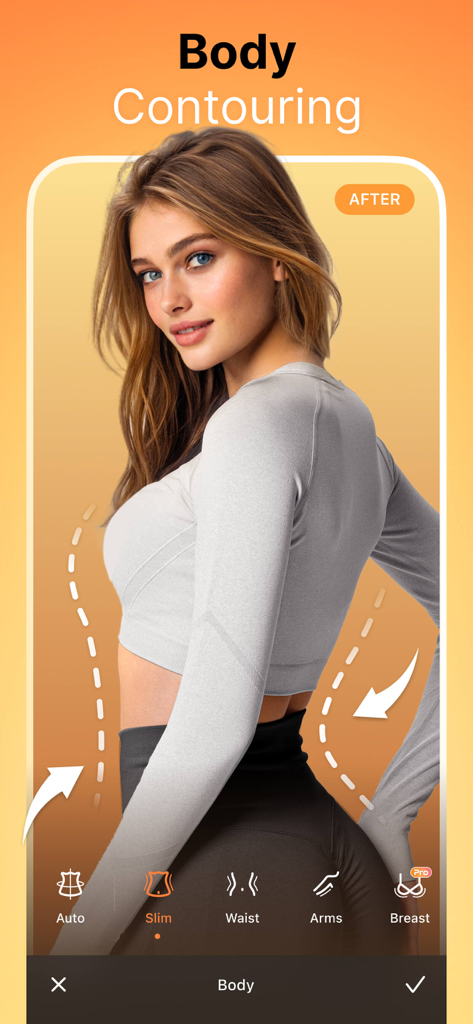
Airbrush app screen showing body contouring and slimming tools for photo editing

Airbrush app screen showing body contouring and slimming tools for photo editing

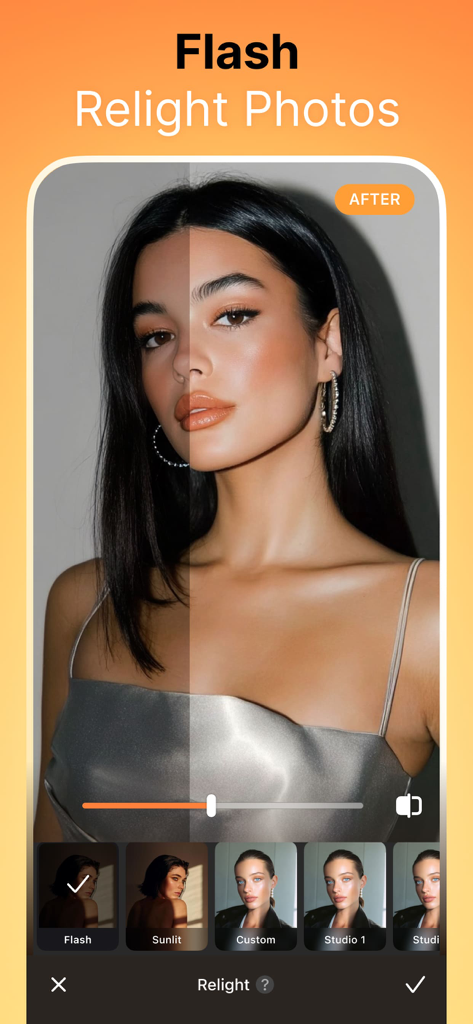
Before and after comparison of the Flash Relight feature in the Airbrush photo editor app.

Before and after comparison of the Flash Relight feature in the Airbrush photo editor app.

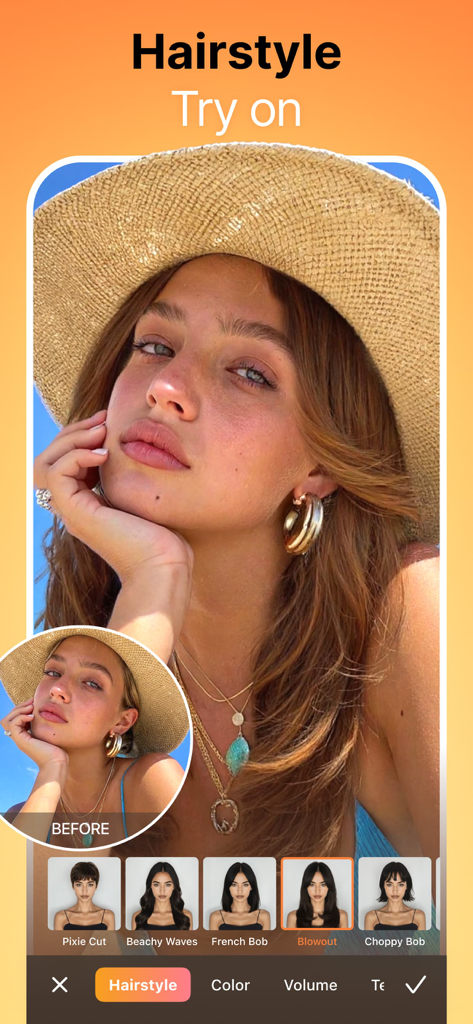
A woman using the Airbrush app's Hairstyle Try on feature to experiment with different virtual hair styles and cuts.

A woman using the Airbrush app's Hairstyle Try on feature to experiment with different virtual hair styles and cuts.

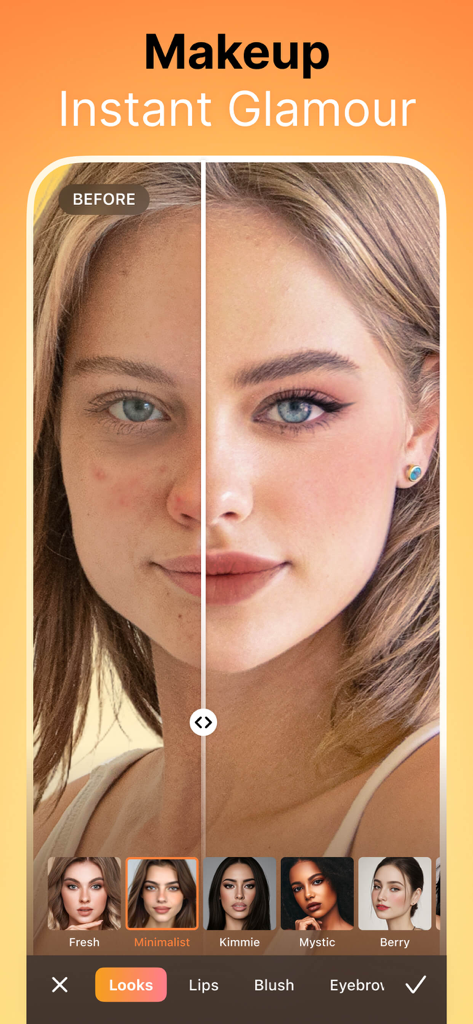
A before and after side-by-side comparison of a woman's face using the Airbrush makeup feature.

A before and after side-by-side comparison of a woman's face using the Airbrush makeup feature.

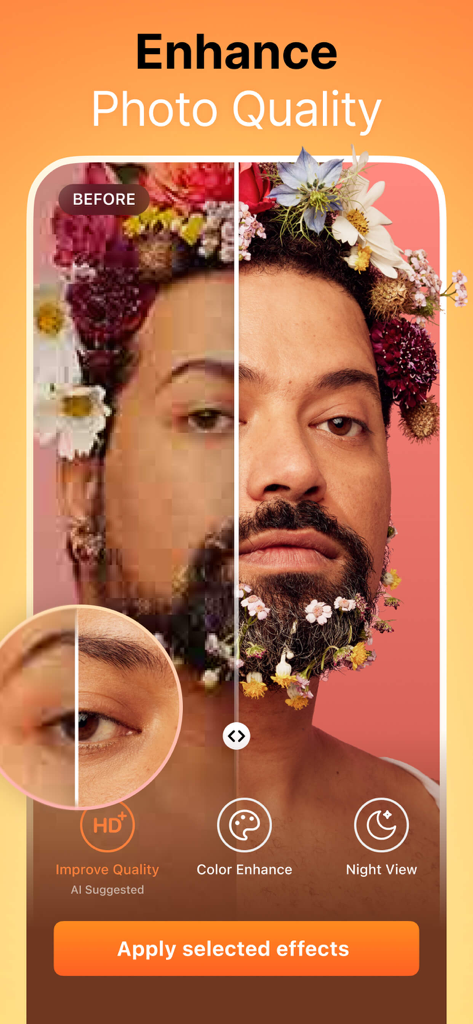
Before and after split screen showing AI-powered photo quality enhancement on a portrait.

Before and after split screen showing AI-powered photo quality enhancement on a portrait.

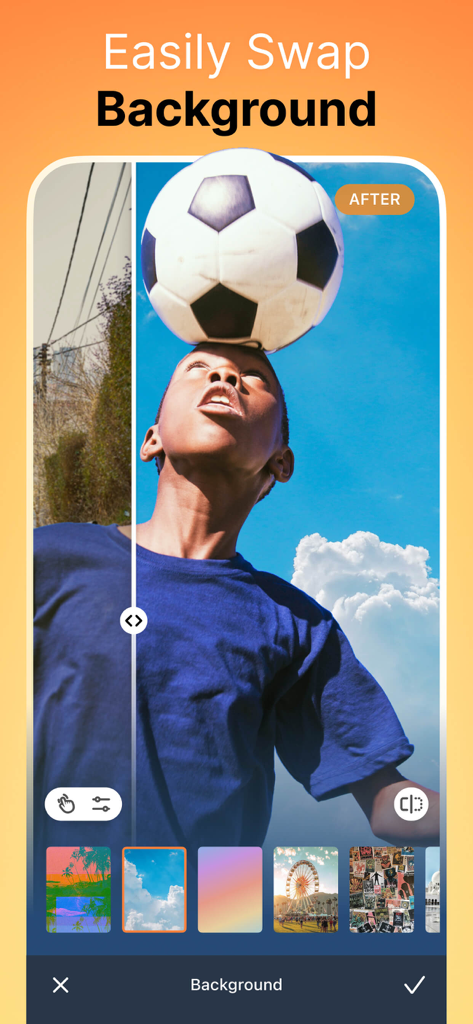
A before and after comparison of the background swap feature showing a boy balancing a soccer ball with a blue sky background

A before and after comparison of the background swap feature showing a boy balancing a soccer ball with a blue sky background

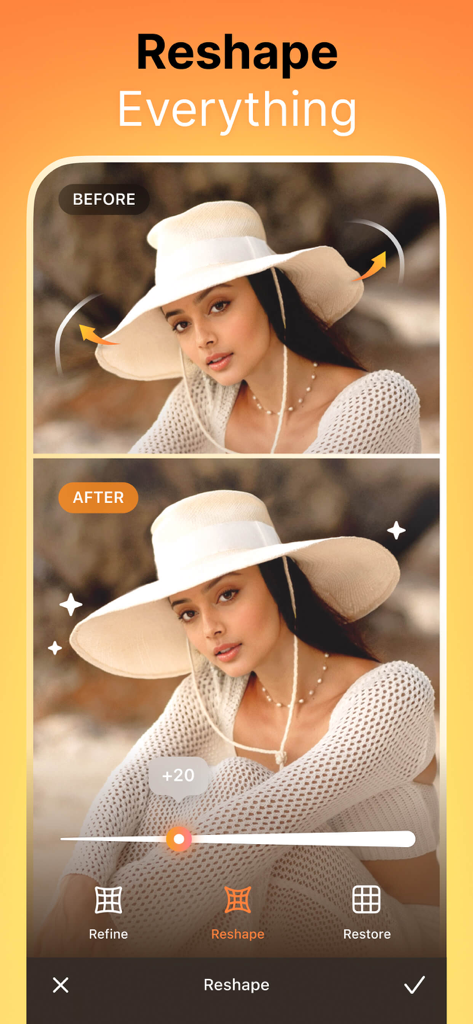
Before and after comparison of the Reshape tool in the Airbrush app showing a woman in a sunhat

Before and after comparison of the Reshape tool in the Airbrush app showing a woman in a sunhat

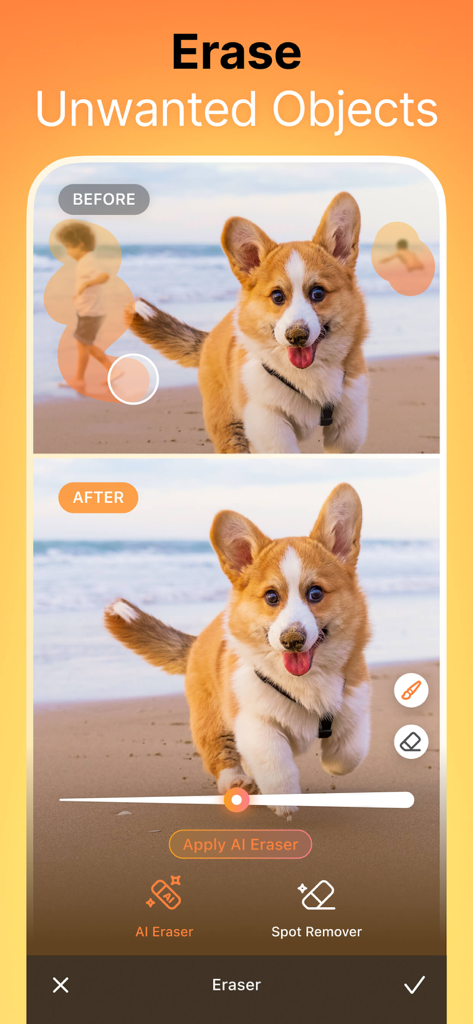
Airbrush app demonstration showing the AI eraser tool removing people from the background of a dog photo on a beach.

Airbrush app demonstration showing the AI eraser tool removing people from the background of a dog photo on a beach.

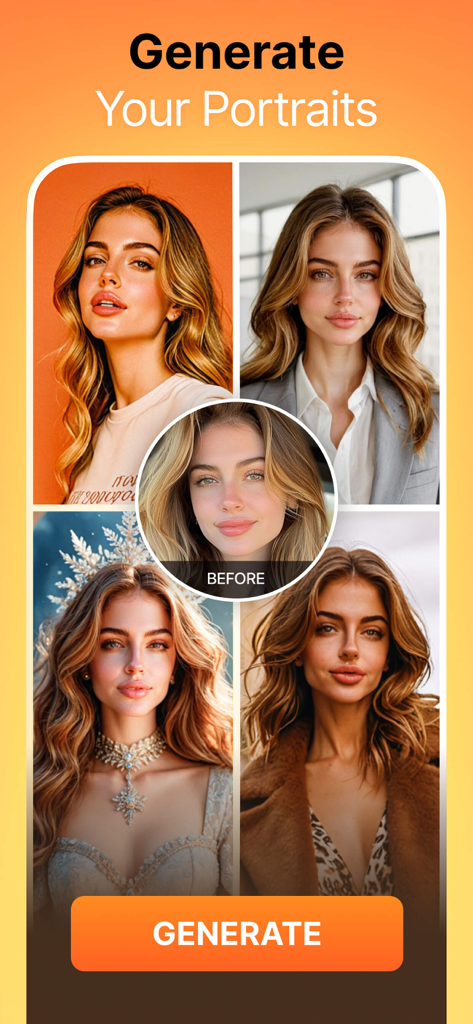
Airbrush app interface displaying AI generated portraits in various professional and creative styles from a single photo

Airbrush app interface displaying AI generated portraits in various professional and creative styles from a single photo

Your Visual Identity, Perfected

The tools that make this app stand out, trusted by 48M+ users.

Natural AI Retouching

Enhance your natural beauty with precision AI that removes blemishes and softens lines while keeping your authentic skin texture intact.

👔

Instant Professional Headshots

Skip the studio. Generate high-quality, professional portraits in seconds to elevate your personal brand on LinkedIn and beyond.

🤳

Pro-Grade Video Selfie Tools

Bring your favorite retouching tools to motion. Look flawless in every frame of your TikToks, Reels, and Stories with ease.

Loved by users worldwide

Trusted by 48M+ people who love this app.

"

"I was skeptical about AI headshots, but Airbrush completely changed the game for my professional branding. It saved me a trip to the studio and the results look stunningly authentic. It’s my secret weapon for polished LinkedIn and resume photos."

Emily Rodriguez
"

"Airbrush is the only app I trust to keep my photos looking natural. The blemish removal and skin smoothing tools are so precise that no one can tell I've even edited my selfies. It perfectly nails that 'no-filter' aesthetic that my followers love."

Jordan Lee

About the app

Everything you need to know about Airbrush: Face Photo Editor.

Description

Master Your Selfie Game with Airbrush – The Ultimate Photo and Video Editor! With our easy-to-use features, you can master your selfie and photo with tools designed to enhance your natural beauty while maintaining authentic charm. MASTERFUL PORTRAITS WITH A TAP • AI Retouch: Unleash the power of artificial intelligence as you elevate your portraits, fine-tuning every detail to perfection. • Blemish Removal: Say goodbye to acne and blemishes with precision editing that leaves your skin peachy and spotless. • Smooth: Soften wrinkles and balance skin tones for a youthful glow. • Highlighter: Illuminate your best features by adding texture or highlighter to make them pop. • Reshape: Sculpt your facial features effortlessly, ensuring every angle is your best angle. • Eye Enhancer: Overcome red eyes, erase dark circles, or experiment with vibrant eye colors for a captivating look. • Teeth: Flaunt a brighter smile and whiten clothing to keep your style looking immaculate. • Makeup: From eyebrows to lipstick, apply makeup with virtual tools that rival any beauty editor's kit. • Hair: Add depth to your hair, explore new hair colors, or simply darken your tresses for dramatic effect. UNLOCK YOUR CREATIVITY • Background: Blur distractions or swap backgrounds seamlessly. • Photo Cleaner: Utilize the Eraser or Stamp to remove unwanted objects and clutter from your shots. • AI-Powered Adjustments: Tweak photo temperature, saturation, and more, letting AI optimize your image balance. • Filter & Effects: Dare to be different using filters and effects that push the boundaries of creativity. • AI Repair: Enhance lower quality photos effortlessly, breathing new life into every pixel. SELFIE VIDEO PERFECTION • Face Retouch: Apply our renowned face retouching to your videos. • Object Removal: Clear up your scenes by removing distractions. • Quality Enhancement: Upgrade the clarity of your videos, making every moment crisp and memorable. HAVE FUN WITH AI • Mood Swapper: Change your expressions in seconds – when your smile says it all. • Style Explorer: See yourself in different styles, discovering portrait variations that showcase your versatility. • Pro Headshots: Generate professional headshots instantly, skipping the studio without compromising on quality. Join millions who trust Airbrush to edit their photos and selfie videos with ease, speed, and incredible results. Whether it's for a quick touch-up or a complete digital makeover, Airbrush stands out among apps like Facetune, delivering unparalleled precision and simplicity. Get ready to express yourself, capture every moment, and share your world with confidence. Download Airbrush now and start creating photos and video selfies that reflect the true beauty of your moments. DISCOVER EDITING TIPS ON SOCIAL MEDIA! - Instagram: instagram.com/AirbrushOfficial - TikTok: https://www.tiktok.com/@airbrushofficial - Facebook: facebook.com/airbrushappofficial - Twitter: twitter.com/AirbrushApp Airbrush Premium With Airbrush Premium, you get everything with unlimited access to our full suite of advanced retouching tools, cutting-edge AI tools, filters and more. Start your subscription with a free trial - limited to one per Apple account. Once the trial is over, you’ll be charged a nominal subscription fee. Your subscription will automatically renew unless auto-renew is turned off at least 24 hours before the end of the current period. If your subscription is subject to any promotional discount, the discount will expire upon the end of the current period & you’ll be charged the standard rate upon renewal. Go to your Apple account to manage your membership & to turn auto-renew off. Your Apple account will be charged when the purchase is confirmed. --- Terms of Service: https://airbrush.com/legal/terms-of-service Privacy Policy: https://airbrush.com/legal/privacy-policy

Latest Version

8.0.0

Size

593.3 MB

First Released

Oct 8, 2015

Ready to Show the World Your Best Self?

Join 48 million creators who trust Airbrush for natural AI retouching, pro-level headshots, and flawless video edits. Your effortless glow-up is just one tap away.

Download on App StoreDownload on Google Play
FAQ

Frequently Asked Questions

Everything you need to know about Airbrush: Face Photo Editor

Does Airbrush use AI for photo retouching?

Yes, Airbrush features AI Retouch to fine-tune portrait details. It leverages artificial intelligence to elevate photo quality with precision.

Can Airbrush remove blemishes from photos?

Yes, Airbrush provides a Blemish Removal tool. This precision editing feature eliminates acne and blemishes, leaving skin spotless and smooth in photos.

How does Airbrush smooth skin in photos?

Airbrush uses its Smooth feature to soften wrinkles and balance skin tones. This contributes to a natural, youthful glow in portraits, enhancing overall appearance.

Does Airbrush have a highlighter tool for features?

Yes, Airbrush includes a Highlighter tool. It illuminates your best features by adding texture or highlighter, making them pop and enhancing natural beauty in photos.

Can I reshape facial features using Airbrush?

Yes, Airbrush offers a Reshape tool. It allows users to effortlessly sculpt facial features, ensuring every angle presents their best appearance in photos.

What eye enhancements does Airbrush offer?

Airbrush's Eye Enhancer feature allows users to overcome red eyes, erase dark circles, and experiment with vibrant eye colors. This creates a captivating look.

Can Airbrush whiten teeth in photos?

Yes, Airbrush features a Teeth tool to brighten smiles. It also offers the capability to whiten clothing, ensuring an immaculate and polished style in photos.

Does Airbrush offer virtual makeup tools?

Yes, Airbrush includes comprehensive virtual Makeup tools. Users can apply makeup, from eyebrows to lipstick, rivaling a professional beauty editor's kit.

Can I change hair color with Airbrush?

Yes, Airbrush's Hair feature allows users to add depth, explore new hair colors, or darken tresses. This creates dramatic effects and personalized styles in photos.

How do I change photo backgrounds in Airbrush?

Airbrush's Background feature enables seamless swapping or blurring of distractions. This allows users to creatively compose scenes by altering the photo background.

Can Airbrush remove unwanted objects from photos?

Yes, Airbrush provides a Photo Cleaner with Eraser or Stamp tools. These features efficiently remove unwanted objects and clutter, perfecting the shot.

Does Airbrush use AI for photo adjustments?

Yes, Airbrush incorporates AI-Powered Adjustments. This feature optimizes image balance by intelligently tweaking photo temperature, saturation, and other elements.

Does Airbrush include photo filters and effects?

Yes, Airbrush offers a variety of Filter & Effects. Users can apply these to their photos to enhance creativity and achieve different artistic styles.

Can Airbrush enhance low-quality photos?

Yes, Airbrush features AI Repair to enhance lower quality photos. It effortlessly breathes new life into every pixel, improving overall image clarity and detail.

Can Airbrush retouch faces in videos?

Yes, Airbrush extends its renowned face retouching capabilities to videos. Users can apply these enhancements for perfected video selfies and footage.

Does Airbrush support object removal in videos?

Yes, Airbrush includes Object Removal for videos. This feature allows users to clear up scenes by effectively removing unwanted distractions from their footage.

How does Airbrush enhance video quality?

Airbrush enhances video quality by upgrading clarity. This feature ensures every video moment becomes crisp, memorable, and visually superior for users.

Can Airbrush change facial expressions in photos?

Yes, Airbrush features a Mood Swapper tool. It allows users to change facial expressions in seconds, adding versatility and different emotions to portraits.

Does Airbrush offer style variations for portraits?

Yes, Airbrush's Style Explorer allows users to see themselves in various styles. This feature helps discover unique portrait variations, showcasing individual versatility.

Can Airbrush generate professional headshots?

Yes, Airbrush offers a Pro Headshots feature. It instantly generates professional headshots without needing a studio, maintaining high quality and convenience.

Does Airbrush offer body contouring?

Yes, Airbrush includes Body Contouring features. Options like Slim, Waist, Arms, and Breast adjustments are available to reshape body figures within photos.

Can Airbrush adjust lighting in photos?

Yes, Airbrush's 'Relight Photos' feature allows users to adjust lighting. Options include Flash, Sunlit, Custom, and various Studio settings for enhanced illumination.

What is included with Airbrush Premium?

Airbrush Premium grants unlimited access to its full suite of advanced retouching tools, cutting-edge AI tools, filters, and other exclusive features.

Does Airbrush offer a free trial for Premium?

Yes, Airbrush Premium offers a free trial to start a subscription. This trial is limited to one per Apple account for eligible users.

What happens after the Airbrush Premium free trial ends?

After the Airbrush Premium free trial concludes, users are charged a nominal subscription fee. The subscription automatically renews unless manually turned off.

How do I cancel Airbrush Premium auto-renewal?

To cancel Airbrush Premium auto-renewal, turn off the auto-renew option in your Apple account settings. This must be done at least 24 hours before the current period ends.

Does a promotional discount for Airbrush Premium last indefinitely?

No, any promotional discount for Airbrush Premium expires at the end of the current period. Upon renewal, the standard subscription rate applies automatically.

Where do I manage my Airbrush Premium subscription?

Users manage their Airbrush Premium subscription, including turning off auto-renew and viewing billing details, directly through their Apple account settings.

Where can I find Airbrush's Privacy Policy?

The official Privacy Policy for Airbrush is available on its website. Access it directly via the provided link: https://airbrush.com/legal/privacy-policy.