Amazon Kindle

Amazon Kindle

Download on App StoreDownload on Google Play
Spark by MWM logo
Logo of Amazon Kindle

Amazon Kindle: Millions of Books in the Palm of Your Hand

Transform every spare moment into a literary escape. Sync your progress across all your devices, customize your reading comfort, and seamlessly switch between reading and listening—wherever life takes you.

Download on App Store

Publisher

AMZN Mobile LLC

Category

Books

Downloads

106M+

User Rating

4.8/5

Total Ratings

10M+

Locales

10

Your Library in Action

Discover the interface used by 106M+ users.
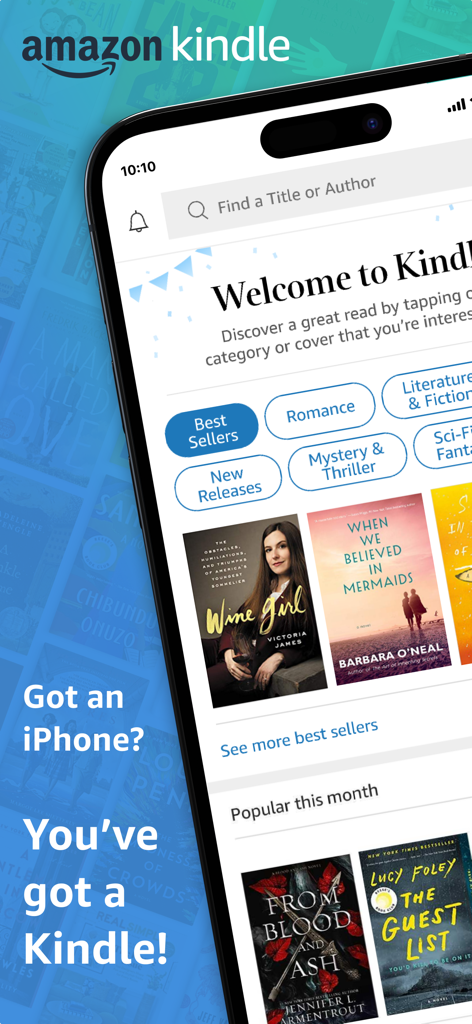
Amazon Kindle app home screen on iPhone showing featured books and genres

Amazon Kindle app home screen on iPhone showing featured books and genres

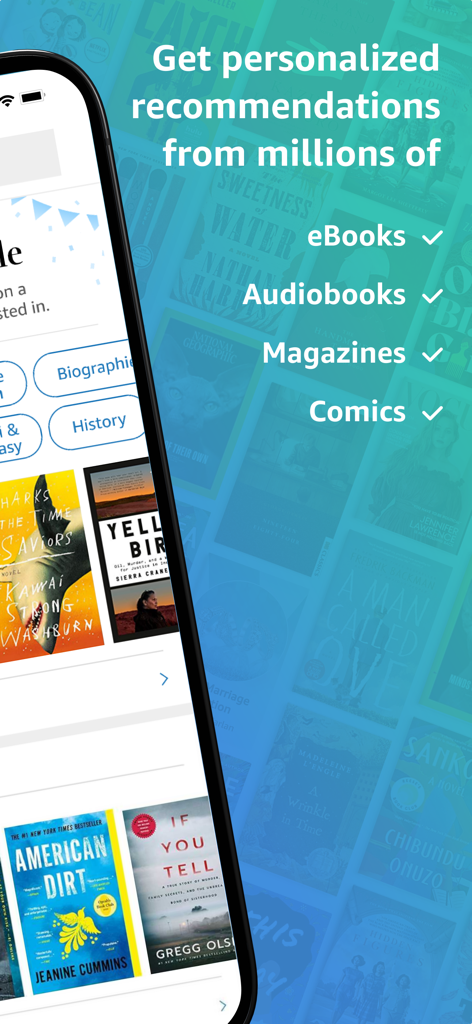
Amazon Kindle app screen showing personalized recommendations for eBooks, audiobooks, magazines, and comics.

Amazon Kindle app screen showing personalized recommendations for eBooks, audiobooks, magazines, and comics.

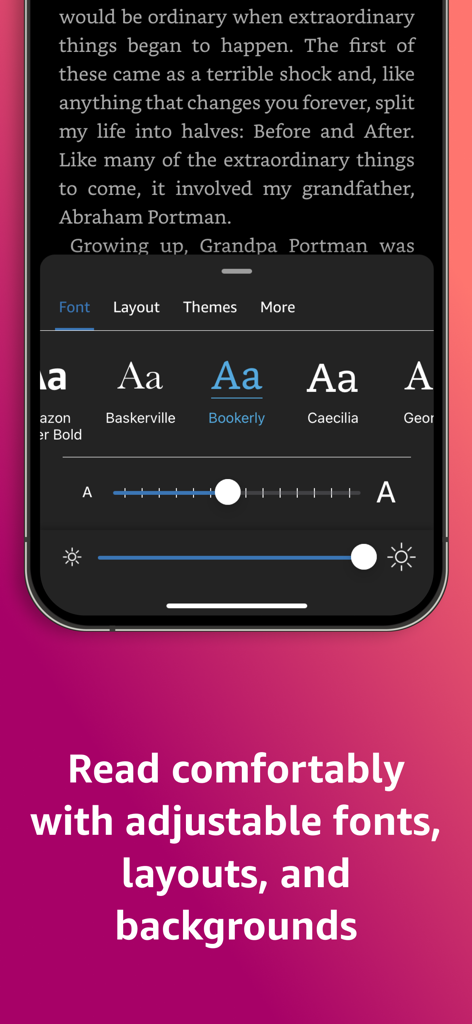
Amazon Kindle app showing adjustable font styles, text size, and brightness settings for personalized reading.

Amazon Kindle app showing adjustable font styles, text size, and brightness settings for personalized reading.

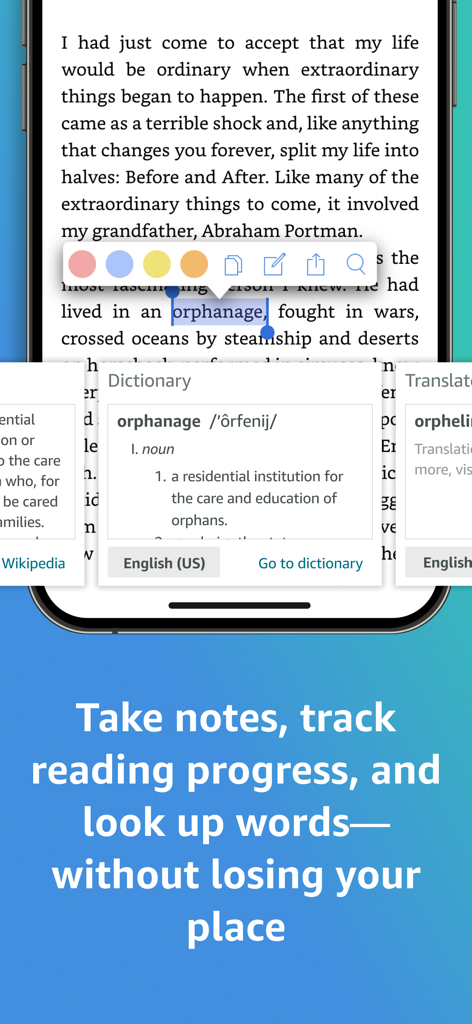
Amazon Kindle app showing the dictionary lookup and highlighting feature while reading a book

Amazon Kindle app showing the dictionary lookup and highlighting feature while reading a book

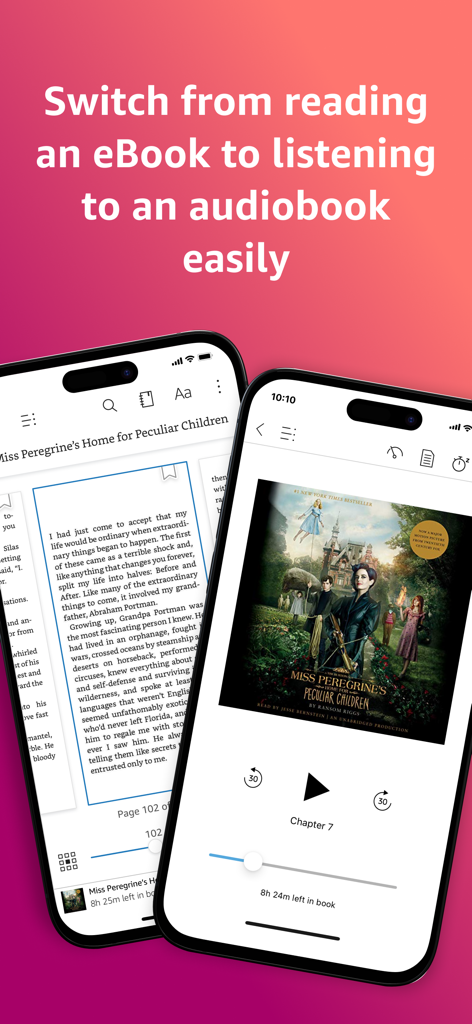
Amazon Kindle app demonstrating the switch from reading an ebook to listening to an audiobook.

Amazon Kindle app demonstrating the switch from reading an ebook to listening to an audiobook.

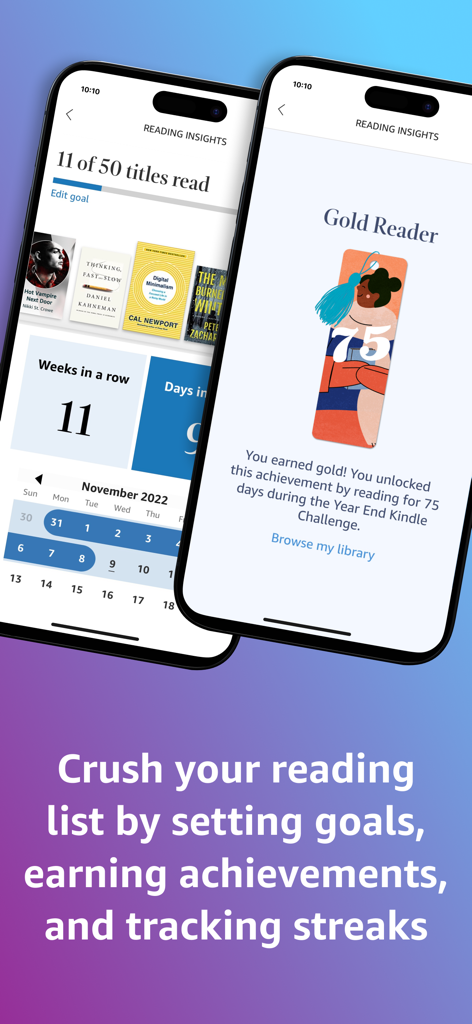
Amazon Kindle Reading Insights screen showing reading goals, streaks, and achievements.

Amazon Kindle Reading Insights screen showing reading goals, streaks, and achievements.

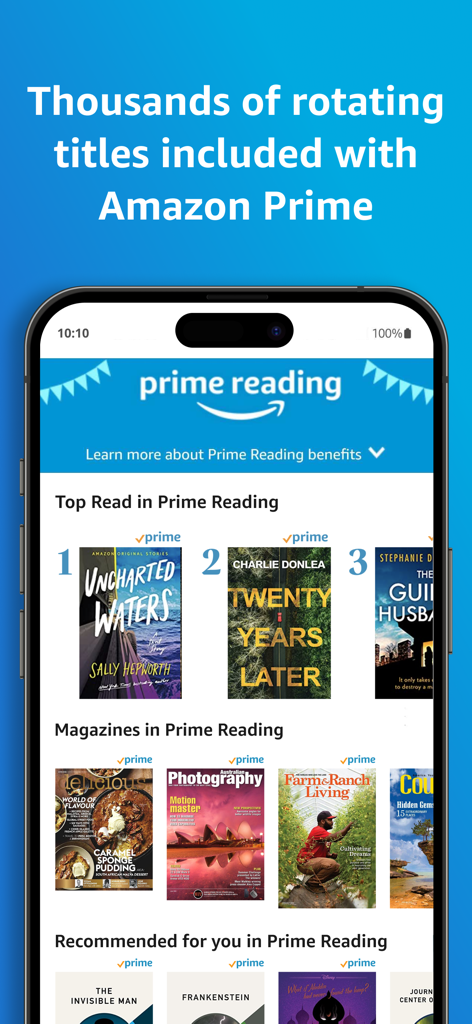
The Amazon Kindle app showcasing a variety of books and magazines included with an Amazon Prime membership

The Amazon Kindle app showcasing a variety of books and magazines included with an Amazon Prime membership

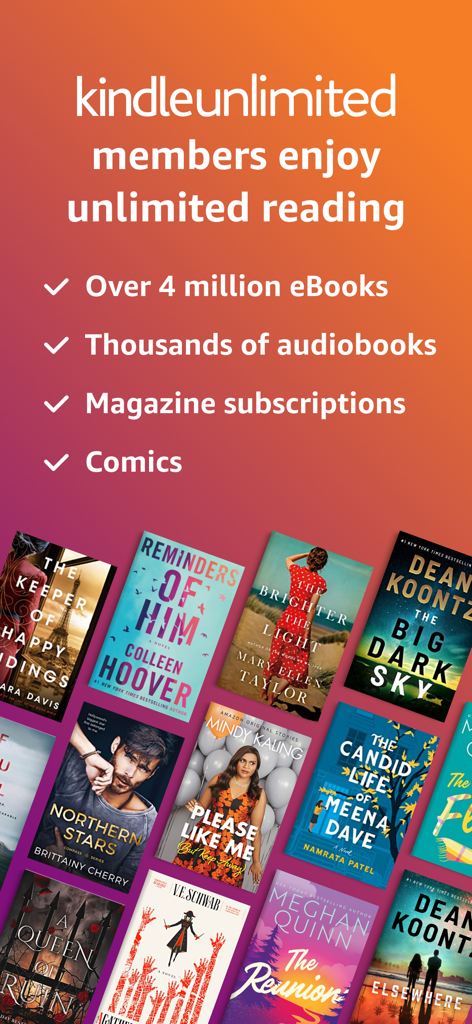
Promotional screen for Kindle Unlimited showing access to millions of eBooks audiobooks and magazines

Promotional screen for Kindle Unlimited showing access to millions of eBooks audiobooks and magazines

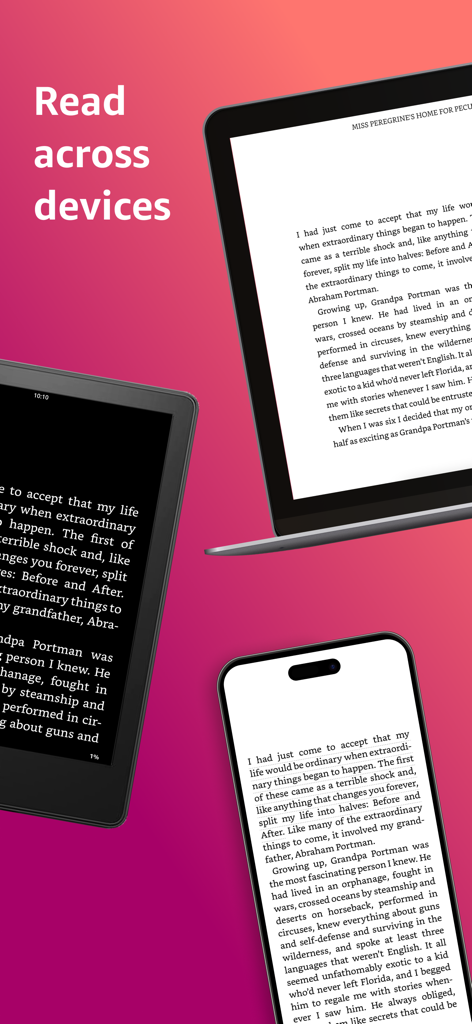
Amazon Kindle app showing a book synced across a laptop, tablet, and smartphone

Amazon Kindle app showing a book synced across a laptop, tablet, and smartphone

Your Personal Library, Perfected

The tools that make this app stand out, trusted by 106M+ users.

🔄

Read Without Interruption

Whispersync technology keeps your place, bookmarks, and notes updated across all your devices automatically.

🎨

Tailored to Your Comfort

Customize font sizes, background colors, and margins to enjoy a glare-free reading experience day or night.

🧠

Deepen Your Understanding

Explore character backstories with X-Ray and instantly look up definitions without ever leaving the page.

Loved by users worldwide

Trusted by 106M+ people who love this app.

"

"The Whispersync feature is a total lifesaver for my busy schedule. I can read a few chapters on my iPad during my lunch break and then immediately switch to the Audible narration in the app for my drive home without ever losing my place. It makes fitting reading into a professional lifestyle so easy."

Sarah M., Marketing Director
"

"As an avid reader who goes through several books a month, Kindle Unlimited is an incredible value. I especially love the customization options; being able to increase the font size and switch to dark mode for nighttime reading has made the experience so much more comfortable for my eyes than physical books."

David L., Lifelong Learner

About the app

Everything you need to know about Amazon Kindle.

Description

READ ANYTIME, ANYWHERE On the bus, on your break, in your bed—never be without a book. Kindle books you have purchased on Amazon will automatically appear in your app. Kindle Unlimited and Amazon Prime members can select and download Kindle books directly in the app. FIND YOUR NEXT GREAT READ • Read the books you buy on Amazon in the Kindle app. Choose from over six million Kindle books (including those with Audible narration), magazines, and comics and start reading in seconds. Explore Amazon Charts best sellers and titles across genres like romance, science fiction, children’s books, self-help, religion, nonfiction, and more—and try any book with a free sample straight from the Kindle app. • Kindle Unlimited members can enjoy unlimited reading and listening, with the freedom to explore over 1 million titles, thousands of audiobooks, and current magazines. • Over 1,000 books, magazines, comics, and more included with Amazon Prime. GO BEYOND PAPER Turn your iPhone or iPad into a book with the free Kindle app—so you can read anytime, anywhere. Explore these reading features in the Kindle app: • Read your way. Customize your text size, font type, margins, text alignment, and orientation (portrait or landscape)—and choose whether to turn pages from left to right or continuously scroll. Read comfortably day and night with adjustable brightness and background colors. Go to the Aa menu in your book to get started. • Look up words, people, and places while you read. Breeze through words you don’t know and characters you can’t remember with the built-in dictionary, X-Ray, Wikipedia lookup, instant translations, and search within your book. Simply tap and hold a word to view its definition, or use the Google and Wikipedia links to get more information. • Track your reading progress. See what percent of the book you’ve read, real page numbers (for most top titles), and how much time you have left in the chapter or book based on your actual reading speed. • Bookmark places you want to revisit, and make highlights and take notes throughout your book. Open My Notebook to see all your notes in the same place. • Hop, skim, and jump with Page Flip. Flip between pages or get a bird’s-eye view of your book with Page Flip—don’t worry, we’ll save your place. • Zoom in on high-definition color images in Kindle books, magazines, comics, and manga. • Sync your books across devices. When you’re reading a book, the Kindle app will automatically sync where you left off—along with any bookmarks, highlights, or notes—so you can start reading on one device and pick up where you left off on another. • When you can’t read, listen. Switch seamlessly from reading your Kindle book to listening to the Audible book, all within the Kindle app. • Get notified when authors you love have new releases. By using this app, you agree to Amazon’s Conditions of Use (www.amazon.com/conditionsofuse) and Privacy Notice (www.amazon.com/privacy).

Latest Version

7.48.1

Size

176.1 MB

First Released

Mar 4, 2009

Your next great read is just a tap away.

Join over 100 million readers and turn every spare moment into a reading adventure. Download the free Kindle app to carry your entire library wherever you go.

Download on App StoreDownload on Google Play
FAQ

Frequently Asked Questions

Everything you need to know about Amazon Kindle

What is the Amazon Kindle app?

The Amazon Kindle app transforms your iPhone or iPad into a portable reading device. It provides access to millions of eBooks, audiobooks, magazines, and comics, allowing you to read anytime, anywhere.

Does the Amazon Kindle app allow access to my Amazon-purchased books?

Yes, the Amazon Kindle app automatically displays all Kindle books you have purchased on Amazon. You can start reading them instantly within the app.

Can I listen to audiobooks in the Amazon Kindle app?

Yes, the Amazon Kindle app supports audiobooks. You can seamlessly switch between reading an eBook and listening to its Audible version directly within the app.

Are there free books for Amazon Prime members in the Kindle app?

Yes, Amazon Prime members have access to over 1,000 rotating books, magazines, and comics included with their membership through the Amazon Kindle app.

What content does Kindle Unlimited offer within the Amazon Kindle app?

Kindle Unlimited members get unlimited access to over 1 million eBooks, thousands of audiobooks, and current magazines in the Amazon Kindle app. This includes comics too.

How can I personalize my reading in the Amazon Kindle app?

The Amazon Kindle app offers extensive personalization. You can adjust text size, font type, margins, alignment, orientation, brightness, and background colors for a comfortable reading experience.

Can I look up definitions or information while reading in the Amazon Kindle app?

Yes, the Amazon Kindle app includes a built-in dictionary. You can tap and hold any word for its definition, or use integrated links for Wikipedia and Google for more details.

Does the Amazon Kindle app synchronize my reading progress across devices?

Yes, the Amazon Kindle app automatically synchronizes your reading progress, bookmarks, highlights, and notes across all your devices. This ensures a seamless reading experience.

Can I track reading achievements and progress in the Amazon Kindle app?

Yes, the Amazon Kindle app allows you to track your reading progress, monitor time left in chapters, and earn achievements. You can also set reading goals.

Is the Amazon Kindle app a free download?

Yes, the Amazon Kindle app is free to download on iPhone and iPad. Access to content may require purchases or a Kindle Unlimited/Amazon Prime membership.