
企业微信 - 私有部署



Take full control of your data sovereignty with a private deployment of the world-class WeCom ecosystem. Integrated meetings, document collaboration, and instant messaging—all behind your own firewall.
Publisher
Category
UtilitiesDownloads
1M+User Rating
Total Ratings
1K+Locales
3Discover the interface used by 1M+ users.
The tools that make this app stand out, trusted by 1M+ users.
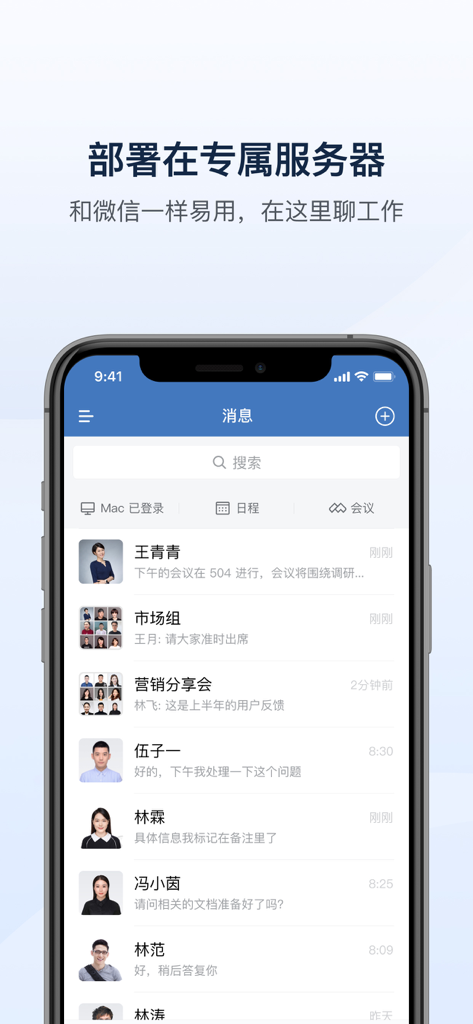
Deploy on your own internal servers with multi-layer encryption to keep your corporate intelligence secure, compliant, and behind your firewall.
Bridge the gap between US and international offices with a familiar, intuitive interface that streamlines communication across time zones.
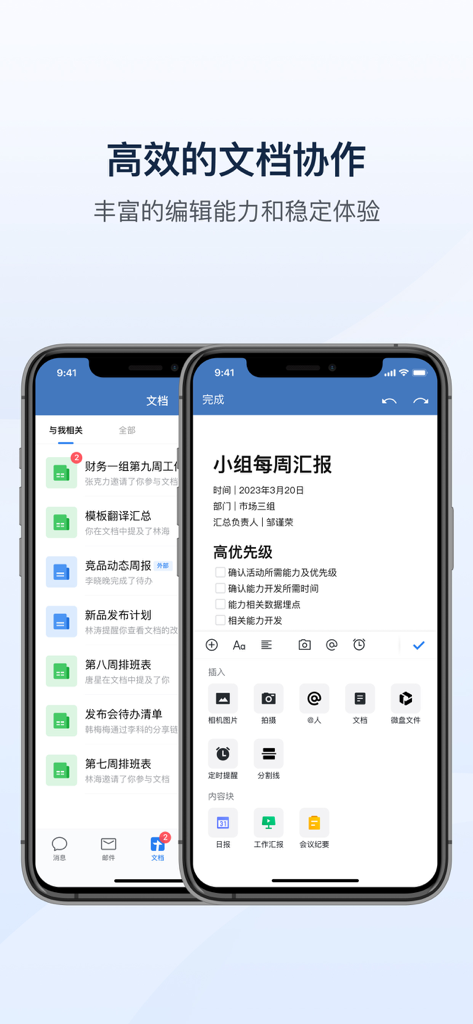
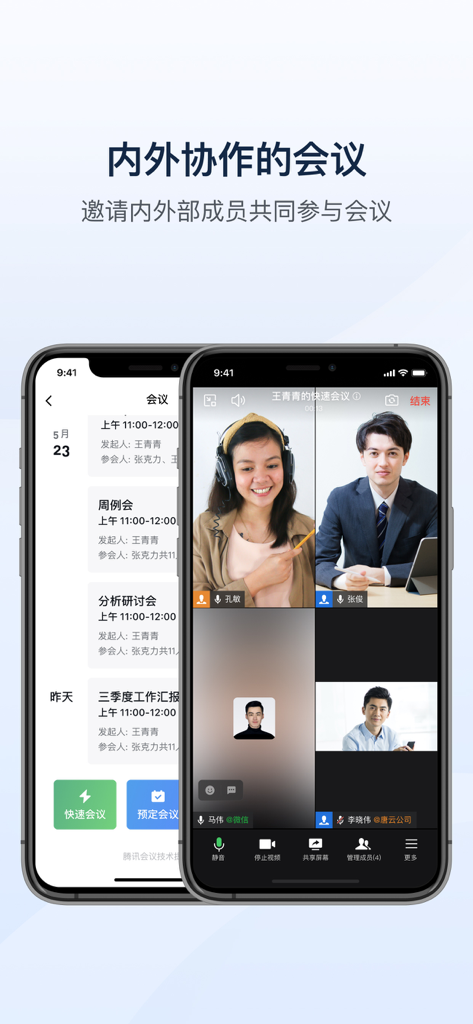
Access HD video meetings, collaborative documents, and shared storage directly within your chat ecosystem to maximize operational efficiency.
Trusted by 1M+ people who love this app.
"Transitioning our enterprise communications to a private server was a mandatory security requirement for our legal department. This platform delivered exactly what we needed: total control over our data without sacrificing the user-friendly experience our employees expect. The integration of high-definition meetings and collaborative docs in one app is a game-changer for our internal efficiency."
"For a multinational team operating across different time zones, the stability of this app is unmatched. I love that I can manage my schedule, join video calls, and co-edit documents all within the same secure ecosystem. It has completely streamlined our cross-border collaboration between the US and China, simplifying our daily workflow and ensuring everyone stays on the same page."
Everything you need to know about 企业微信 - 私有部署.
Description
Latest Version
3.3.0
Size
692.6 MB
First Released
Jun 19, 2019
Deploy the WeCom ecosystem on your private servers today to ensure secure, compliant, and seamless communication for your global workforce.
Everything you need to know about 企业微信 - 私有部署
企业微信 - 私有部署 is Tencent's WeChat Work private deployment solution for large enterprises. It provides smart office tools like mobile office, instant messaging, and remote video conferencing, enhancing operational efficiency.
Yes, 企业微信 - 私有部署 ensures data security through internal network storage of chat records and contacts. It also employs multi-layer encryption on both server and client sides to protect sensitive information.
Yes, 企业微信 - 私有部署 supports flexible deployment options. It is compatible with internal networks, external networks, and hybrid network environments to suit various enterprise infrastructures.
Yes, the communication experience in 企业微信 - 私有部署 is designed to be as easy to use as WeChat. It offers a consistent and familiar interface for instant messaging and collaboration.
Yes, 企业微信 - 私有部署 includes a Document tool that inherits Tencent Document's rich editing capabilities. It allows multiple colleagues to co-edit and review documents in real-time.
企业微信 - 私有部署 offers the Meeting tool with HD, stable video conferencing. Features include screen sharing, electronic whiteboard, host controls, and meeting recording and summaries.
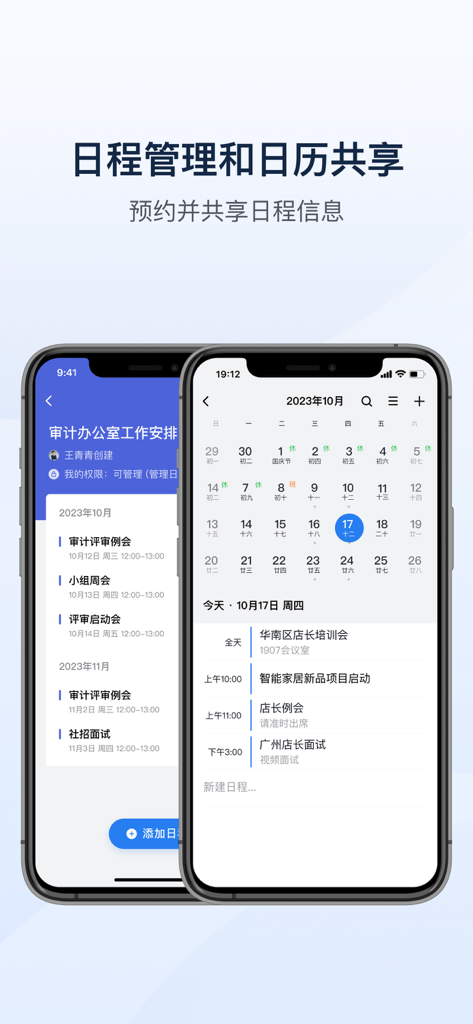
Yes, 企业微信 - 私有部署 provides a Calendar tool for efficient meeting organization and managing company-wide calendars. Users can also invite colleagues to participate in scheduled events.
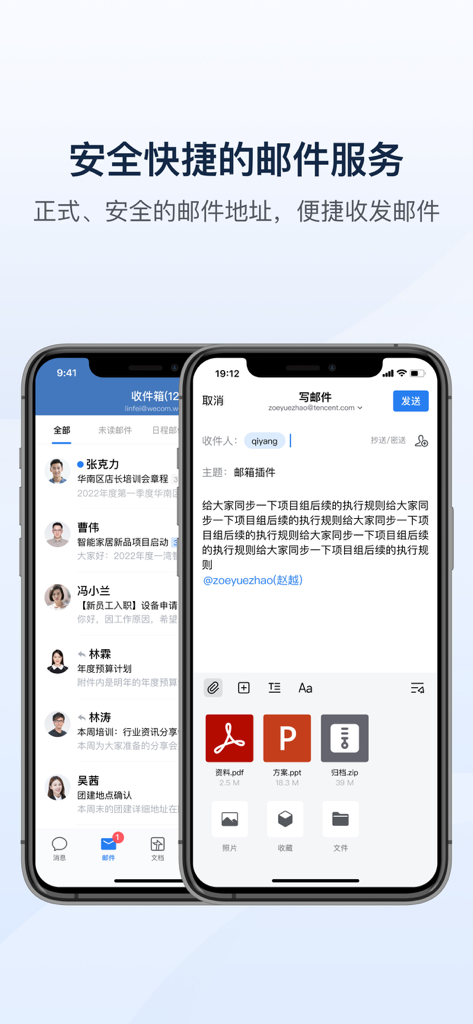
Yes, 企业微信 - 私有部署 integrates a secure and fast Email tool based on Tencent Enterprise Mail. It offers anti-spam capabilities, quick contact selection, and linkage with other features.
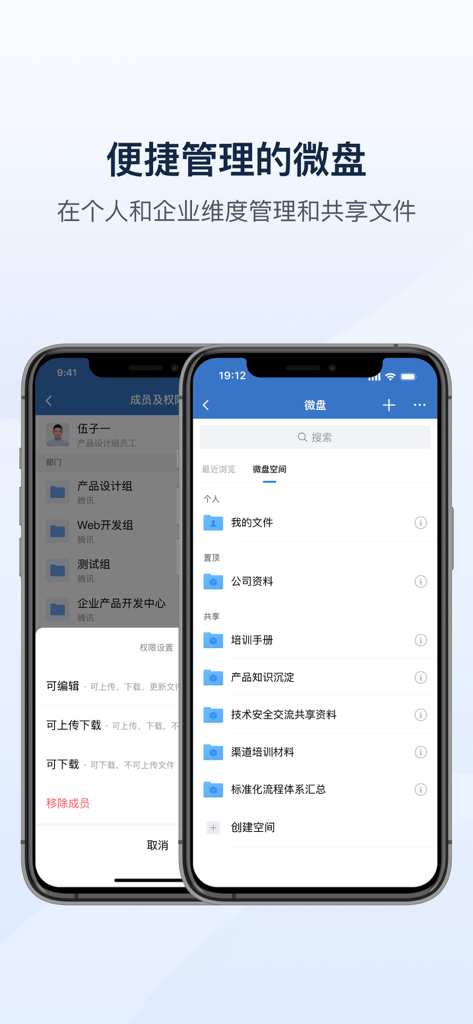
企业微信 - 私有部署 offers WeDrive (微盘), an enterprise-managed file sharing space. It allows real-time sharing of work materials with colleagues, convenient access, and multi-person collaboration.
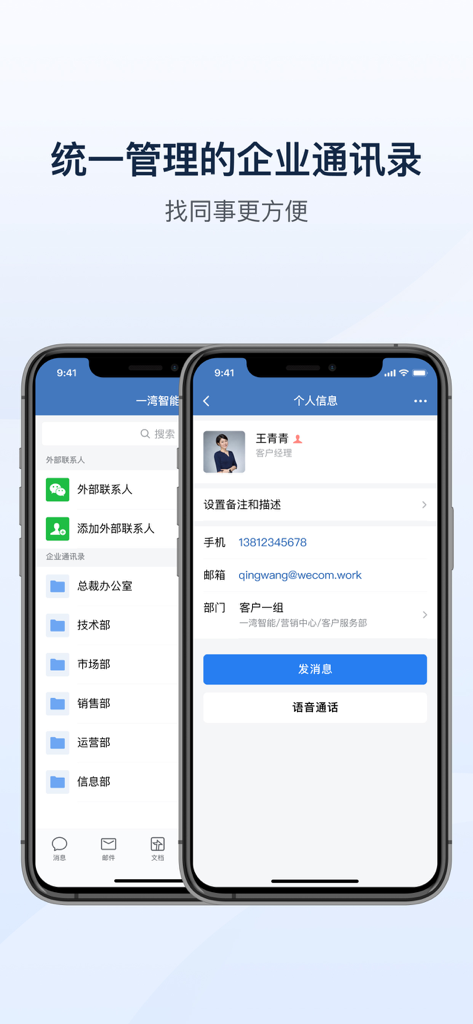
Yes, 企业微信 - 私有部署 includes an Enterprise Address Book. It supports batch import of employee information and unified management, making it easier to locate colleagues within the organization.
Yes, 企业微信 - 私有部署 provides rich open APIs. Developers can use these interfaces for app authorization, identity verification, contact management, message push, and developing personalized enterprise applications.
To get started with 企业微信 - 私有部署, you must deploy a server first to obtain an organizational domain. Register your organization's information on the official website for follow-up assistance.
Apps with similar features and user experience

Hong Kong CipherChat Tech Company Limited

Tailscale Inc.

Nextcloud GmbH

Nextcloud GmbH

Rocket.Chat Technologies Corp.

merlinux GmbH

NATIONAL INFORMATICS CENTRE

Shanghai best oray information s&t co.,ltd

TRAIDENT-DEFENS TOV

