AR AlpineGuide

AR AlpineGuide

Download on App Store
Spark by MWM logo
Logo of AR AlpineGuide

AR AlpineGuide: Identify Every Peak with Augmented Reality

Turn your smartphone into a professional mountain guide. Instantly discover names, altitudes, and distances for over one million summits worldwide with precision 3D terrain mapping.

Publisher

NYANKO SOFTWARE

Category

Navigation

Downloads

933K+

User Rating

4.6/5

Total Ratings

9K+

Locales

11

Peak Vision in Your Pocket

Discover the interface used by 933K+ users.
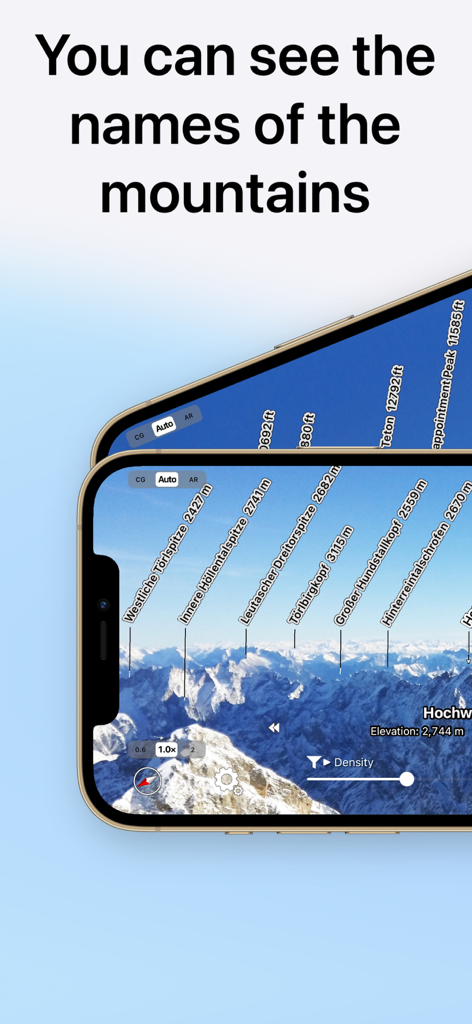
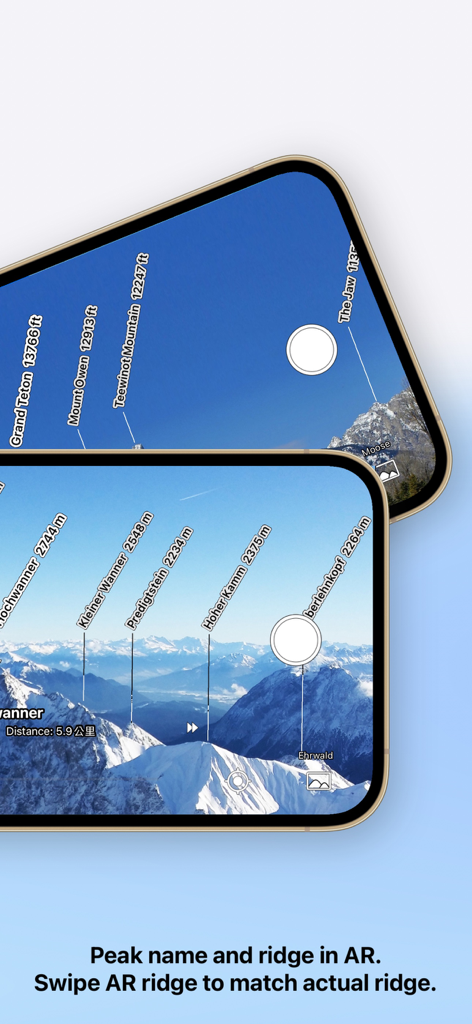
AR AlpineGuide app showing augmented reality mountain peak names and altitudes on a smartphone screen

AR AlpineGuide app showing augmented reality mountain peak names and altitudes on a smartphone screen

AR AlpineGuide app identifying mountain peaks and altitudes through an augmented reality camera view.

AR AlpineGuide app identifying mountain peaks and altitudes through an augmented reality camera view.

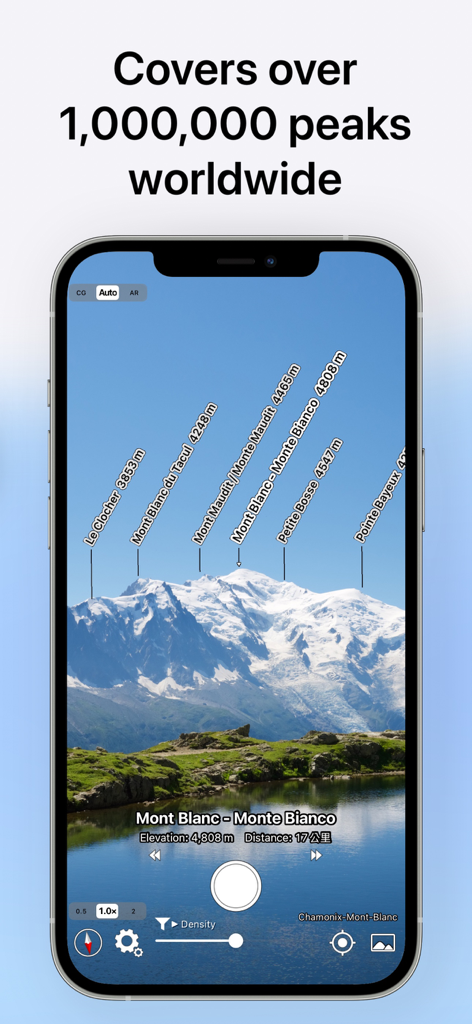
AR AlpineGuide app screen showing augmented reality peak labels over the Mont Blanc mountain range

AR AlpineGuide app screen showing augmented reality peak labels over the Mont Blanc mountain range

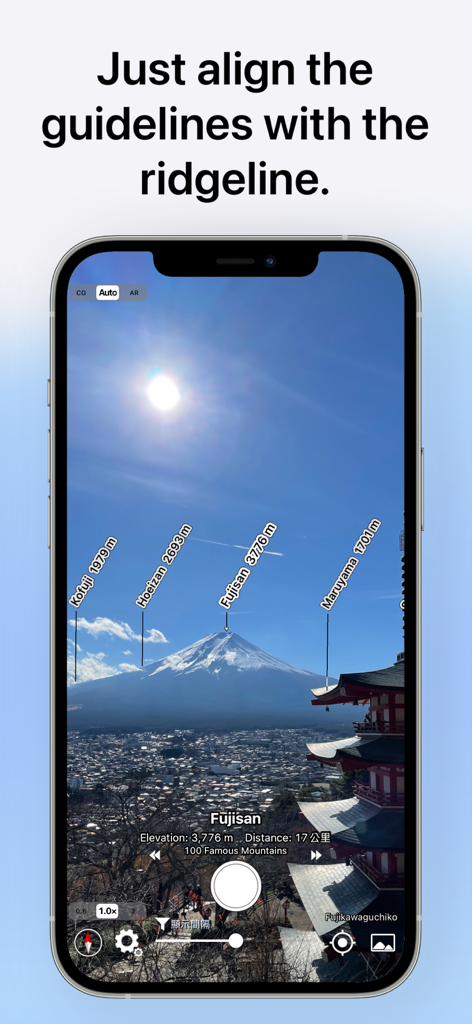
AR AlpineGuide app interface showing augmented reality labels for mountain peaks and altitudes on Mount Fuji

AR AlpineGuide app interface showing augmented reality labels for mountain peaks and altitudes on Mount Fuji

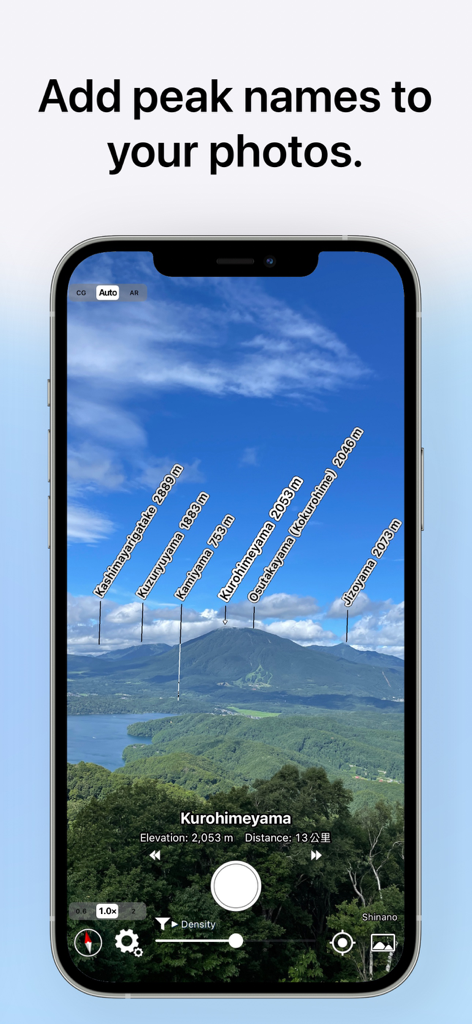
AR AlpineGuide app identifying mountain peaks with names and altitudes on a photo

AR AlpineGuide app identifying mountain peaks with names and altitudes on a photo

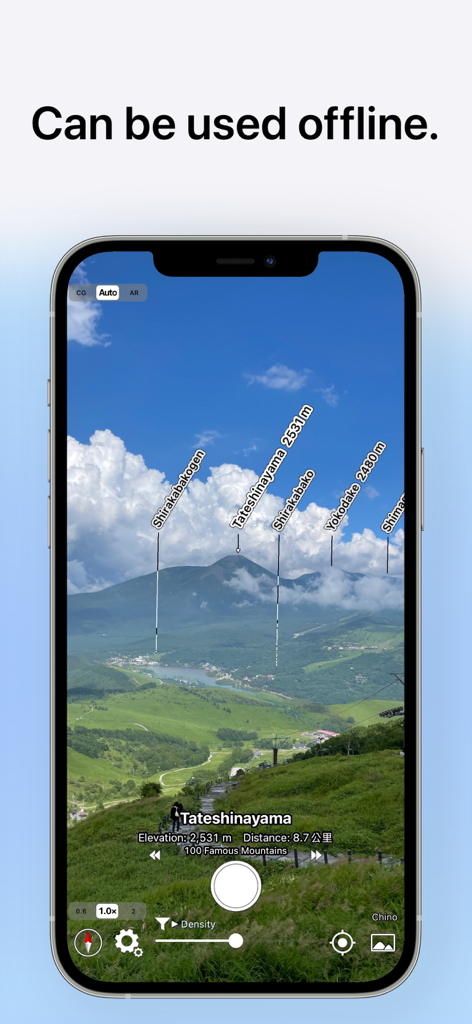
AR AlpineGuide app interface showing mountain peaks labeled with names and elevations in an augmented reality view with an offline mode caption.

AR AlpineGuide app interface showing mountain peaks labeled with names and elevations in an augmented reality view with an offline mode caption.

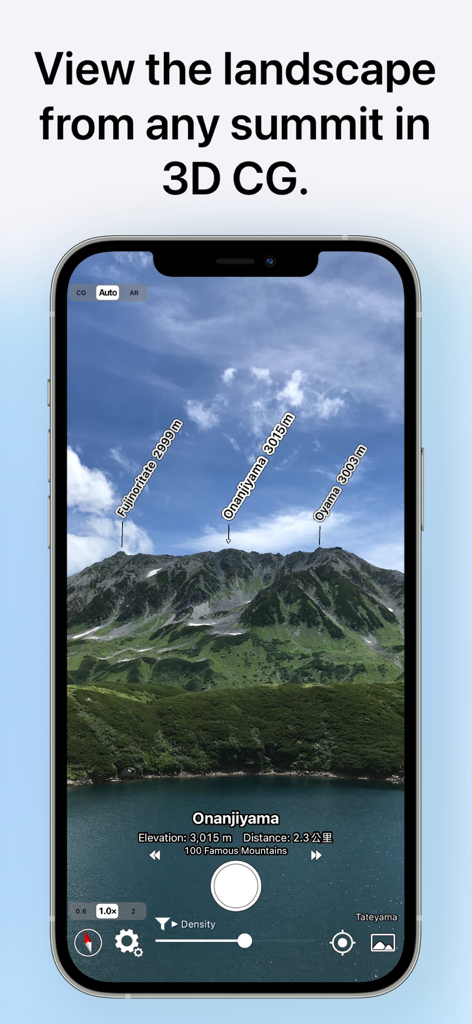
AR AlpineGuide app screenshot showing labeled mountain peaks with their names and altitudes in a 3D view

AR AlpineGuide app screenshot showing labeled mountain peaks with their names and altitudes in a 3D view

Unlock the Secrets of the Skyline

The tools that make this app stand out, trusted by 933K+ users.

🏔️

Instant Peak Recognition

Simply point your device to see the names, altitudes, and distances of every mountain peak in a stunning AR panoramic view.

🗺️

3D Terrain Intelligence

Match the horizon perfectly with semi-transparent 3D overlays or tilt down for a satellite-style bird’s-eye perspective.

🤳

Social-Ready Adventure Photos

Snap photos with professional peak labels or import your favorites later to share your outdoor achievements with friends.

Loved by users worldwide

Trusted by 933K+ people who love this app.

"

"I love taking this app on my hikes through the Sierras. It's like having a local guide in my pocket at all times. The AR is incredibly smooth, and being able to tag peak names directly onto my photos makes sharing my adventures so much more fun. It’s easily the most useful tool in my hiking kit."

Mark Henderson
"

"Finally, an app that makes identifying mountains effortless! The 3D terrain overlay is a total life-saver for orientation, and I appreciate that I can even label my old vacation photos after I get home. It’s intuitive, fast, and remarkably detailed for a free app. Every outdoor enthusiast needs this."

Elena Rodriguez

About the app

Everything you need to know about AR AlpineGuide.

Description

Point your iOS device at the mountain and you'll see the name, altitude, and distance of the mountaintop. You can identify the names of all the mountain peaks in the 360-degree panoramic AR view. All features are free to use. Thanks to your support, we have reached 2.5 million downloads across all platforms, both domestic and international. Features - It has data from nearly one million peaks around the world. - It uses three-dimensional coordinates and a gyroscope to display the name at the peak, even if you tilt the camera. The display makes it easy to check. - The three-dimensional terrain is displayed semi-transparently, so it is easy to compare it with the actual shape of the mountain and check the location of the peak. - When you point your iOS device downward, the view switches to a 3D view looking down from the sky. - You can check the names of the terrain and mountains that can be seen from any location specified on the map. - You can take a photo with the name of the peak and share it via SNS or email. - Swiping the AR display up, down, left, or right allows you to adjust the position of the peak name display. - It is possible to adjust the position of the peak name display after the picture is taken. - You can import photos taken with another app and add the peak name. ※ If the direction is not correct (e.g. it always shows North), if your iOS device has a cover on it If there is a sensor in the case, please remove it. The metal or magnet on the cover may interfere with the sensor and cause it to malfunction. Terms of Service https://www.apple.com/legal/internet-services/itunes/dev/stdeula/

Latest Version

4.60.0

Size

140.2 MB

First Released

Mar 10, 2016

Ready to Identify Every Peak on Your Next Adventure?

Join over 2.5 million explorers using the world's most powerful AR mountain guide. Download now and turn every vista into a discovery—completely for free.

Download on App Store
FAQ

Frequently Asked Questions

Everything you need to know about AR AlpineGuide

What is AR AlpineGuide?

AR AlpineGuide is an iOS app that identifies mountain names, altitudes, and distances by pointing your device camera at mountains. It offers a 360-degree panoramic augmented reality view of peaks.

Is AR AlpineGuide free to use?

Yes, AR AlpineGuide is free to use. All its features are available without charge.

How many mountain peaks does AR AlpineGuide include?

AR AlpineGuide includes data for nearly one million peaks from around the world. This extensive database allows for widespread mountain identification.

Can AR AlpineGuide identify mountains in a 360-degree view?

Yes, AR AlpineGuide identifies the names of all mountain peaks in a 360-degree panoramic augmented reality (AR) view.

Does AR AlpineGuide work if the iOS device camera is tilted?

Yes, AR AlpineGuide uses three-dimensional coordinates and a gyroscope to display peak names accurately even if the iOS device camera is tilted.

Can users add peak names to existing photos using AR AlpineGuide?

Yes, AR AlpineGuide allows users to import photos taken with another app and add the peak names to them.

Can AR AlpineGuide be used offline?

Yes, AR AlpineGuide can be used offline. This feature allows mountain identification without an internet connection.

How does AR AlpineGuide handle incorrect direction display?

If AR AlpineGuide displays an incorrect direction, users should remove any iOS device cover. Metal or magnets in the cover can interfere with the sensor, causing malfunctions.

Can I adjust the peak name display position in AR AlpineGuide?

Yes, AR AlpineGuide allows users to adjust the position of the peak name display by swiping the AR display. This adjustment is also possible after taking a picture.

Does AR AlpineGuide display 3D terrain?

Yes, AR AlpineGuide displays the three-dimensional terrain semi-transparently. This feature aids in comparing it with the actual mountain shape and confirming peak locations.

Can AR AlpineGuide view landscapes from a specified map location?

Yes, AR AlpineGuide allows users to check the names of terrain and mountains visible from any location specified on the map.