
Bambu Handy




Remotely manage your printer with high-res live views, receive instant AI-powered alerts, and discover thousands of ready-to-print models from MakerWorld with just one tap.
Publisher
Category
UtilitiesDownloads
2M+User Rating
Total Ratings
37K+Locales
8Discover the interface used by 2M+ users.
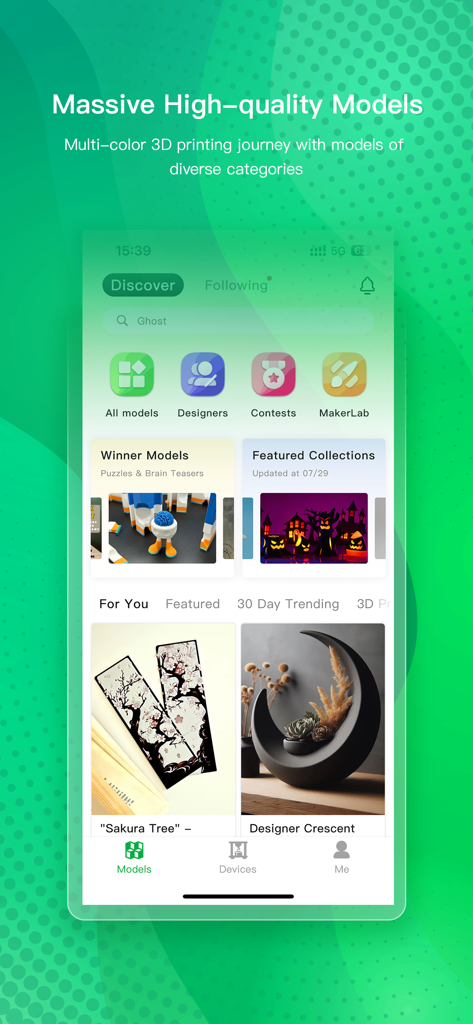
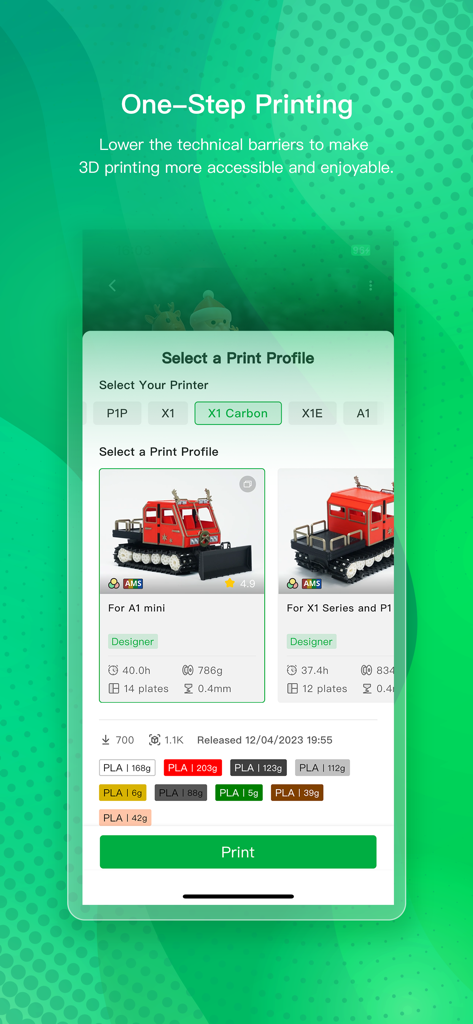
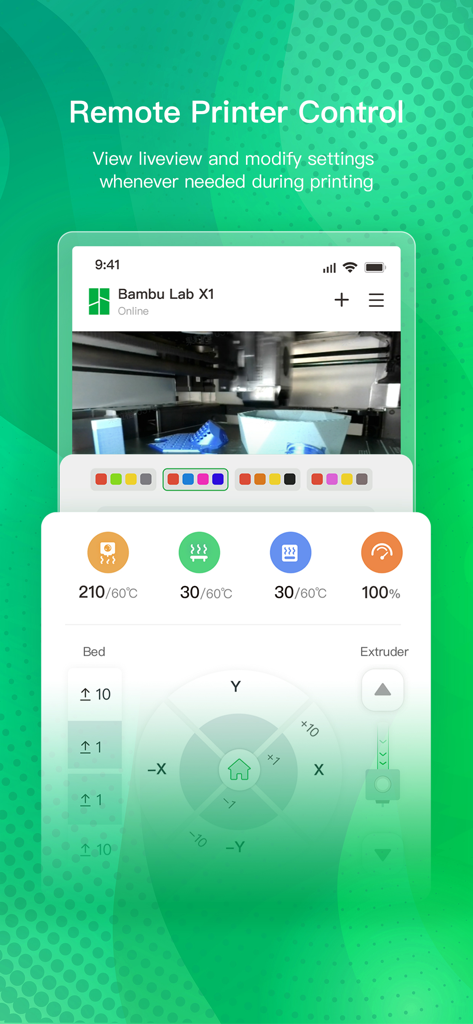
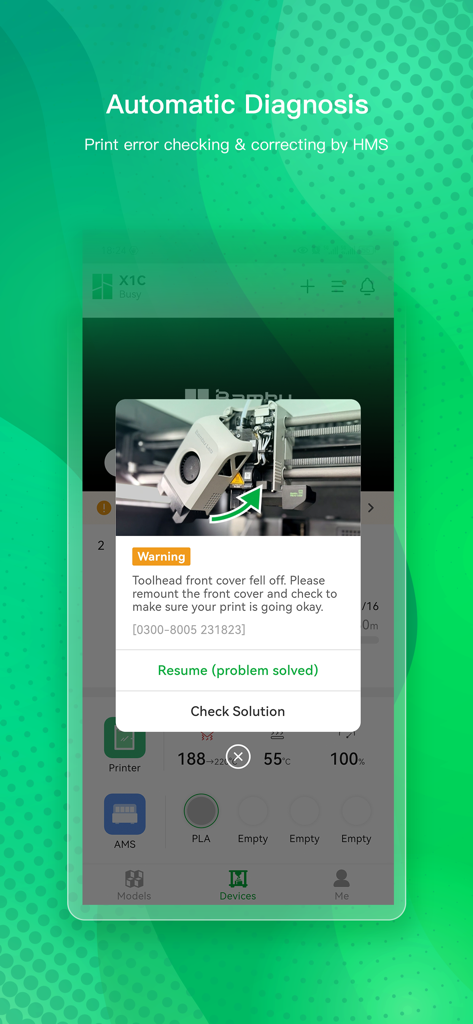
The tools that make this app stand out, trusted by 2M+ users.
Keep a close eye on your progress with high-resolution live feeds and receive instant AI alerts for total peace of mind while away.
Browse thousands of curated models on MakerWorld and start your next print instantly from your phone without ever opening a slicer.
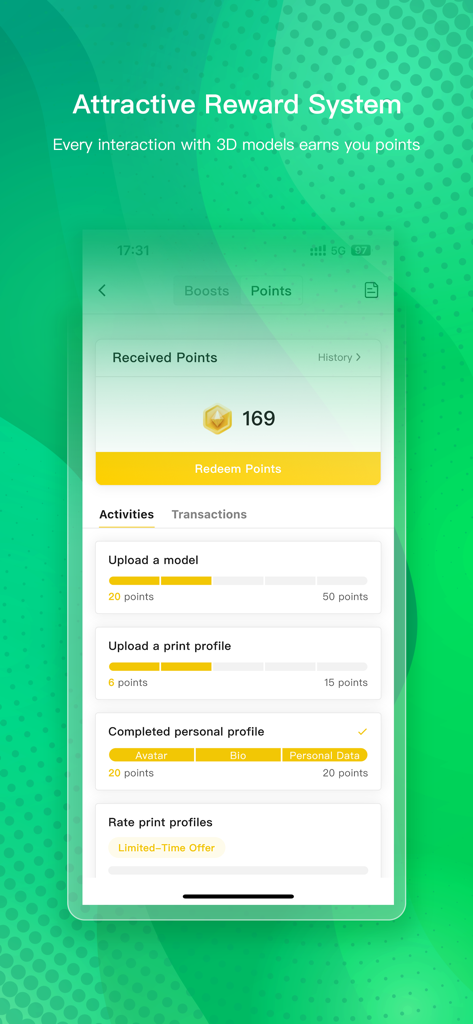
Join a thriving community of makers, share your successful prints, and earn exclusive rewards redeemable for Bambu Lab products.
Trusted by 2M+ people who love this app.
"Being able to check my print's progress from my office is a total game-changer. I love getting real-time alerts if something goes wrong, and the one-step printing from MakerWorld makes starting a project as easy as ordering a pizza. It has turned a technical hobby into a seamless part of my daily routine."
"I spend my lunch breaks browsing MakerWorld for new home organization ideas. The high-resolution live view is crystal clear, and the automatic timelapses are perfect for sharing my latest creations on social media. This app makes the entire 3D printing process feel like magic."
Everything you need to know about Bambu Handy.
Description
Latest Version
3.13.0
Size
278.8 MB
First Released
Jul 14, 2022
Join 2M+ creators and experience the ultimate remote 3D printing control. Discover thousands of models on MakerWorld and start your next print with a single tap. Download Bambu Handy today and make something amazing.
Everything you need to know about Bambu Handy
Bambu Handy is a free 3D printing platform that allows users to remotely control their Bambu 3D printer and discover new 3D models to print from MakerWorld.
Yes, Bambu Handy enables users to remotely set and manage their Bambu 3D printer. It provides a high-resolution live view of the printing process and allows for setting adjustments.
Bambu Handy assists with 3D printing errors by providing real-time alerts and reports. It also offers step-by-step instructions for troubleshooting and automatic diagnosis of printing problems.
Yes, Bambu Handy automatically records the printing process to help diagnose failures. It also generates automatic timelapse videos of the printing process for sharing.
MakerWorld is an integrated feature within Bambu Handy, providing a vast library of high-quality 3D models. Users can explore and search for models by category, keyword, or creator.
Yes, Bambu Handy facilitates one-step printing directly from the app. Users can select a print profile for their specific printer and initiate the printing process immediately.
Yes, Bambu Handy is a free 3D printing platform. All its features for remote printer control and 3D model discovery are available without charge.
Users earn rewards in Bambu Handy by contributing to the MakerWorld community. Activities such as uploading models, sharing print profiles, and completing a personal profile generate points redeemable for Bambu Lab products.
Apps with similar features and user experience

Beijing Xiaomi Co., Ltd

Space Exploration Technologies Corp.

HESUNG INNOVATION LIMITED

Securitas Direct

Automated Pet Care Products Inc.

Merkury Innovations LLC

ADT LLC

X-Sense USA LLC.

Autel Digital Power Co., Ltd.
