Bill Bear

Bill Bear

Download on App Store
Spark by MWM logo
Logo of Bill Bear

Bill Bear: Split Bills Without the Stress or the Sign-Ups

Effortlessly manage group expenses, trips, and shared households with real-time sync and total privacy. The smartest way to settle up without sharing your personal data.

Download on App Store

Publisher

XING YU SU

Category

Lifestyle

Downloads

209K+

User Rating

4.9/5

Total Ratings

1K+

Locales

3

A Glimpse Inside

Discover the interface used by 209K+ users.
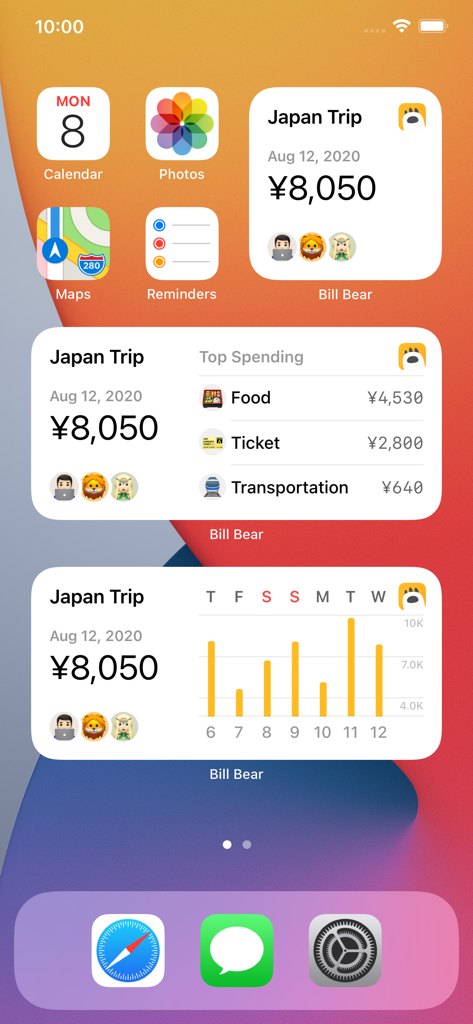
Bill Bear iOS home screen widgets showing travel expenses and spending analysis for a Japan trip.

Bill Bear iOS home screen widgets showing travel expenses and spending analysis for a Japan trip.

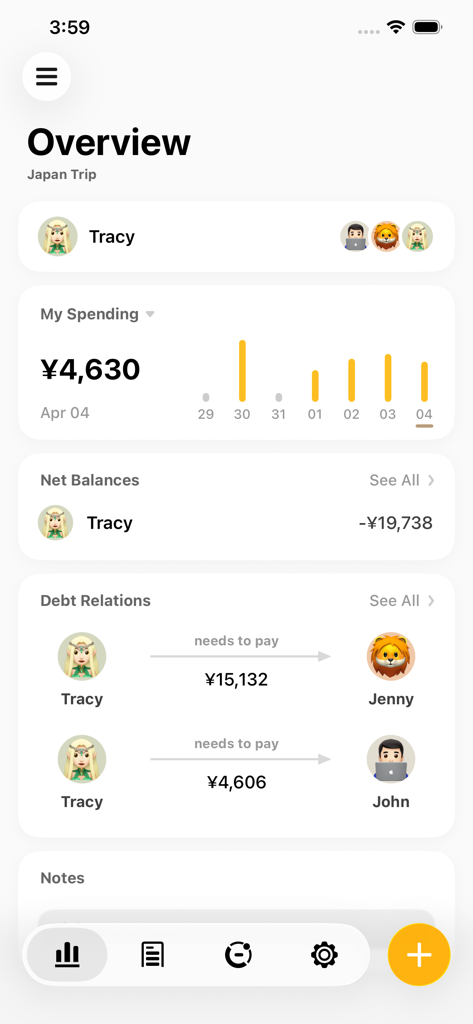
Mobile app overview screen showing shared group expenses and member debt relations in Yen for a Japan trip

Mobile app overview screen showing shared group expenses and member debt relations in Yen for a Japan trip

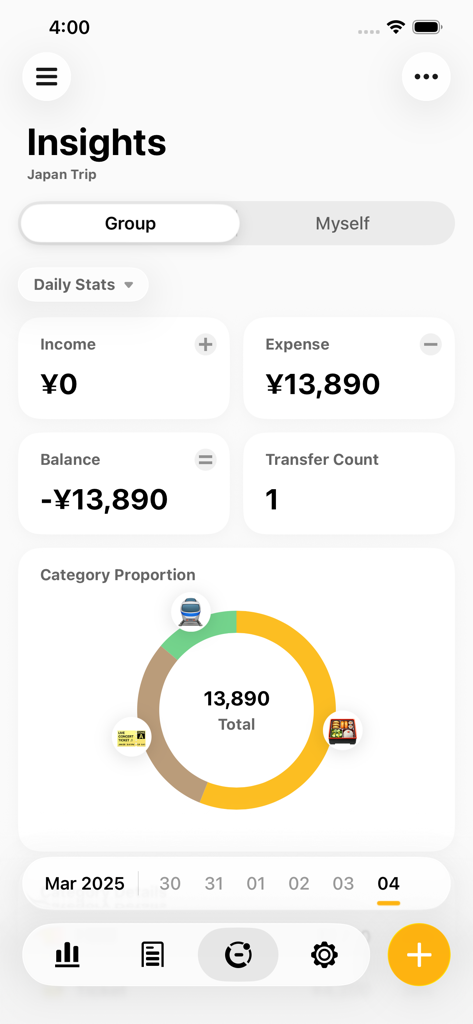
Bill Bear app insights screen showing group expenses and category breakdown for a Japan trip in Yen

Bill Bear app insights screen showing group expenses and category breakdown for a Japan trip in Yen

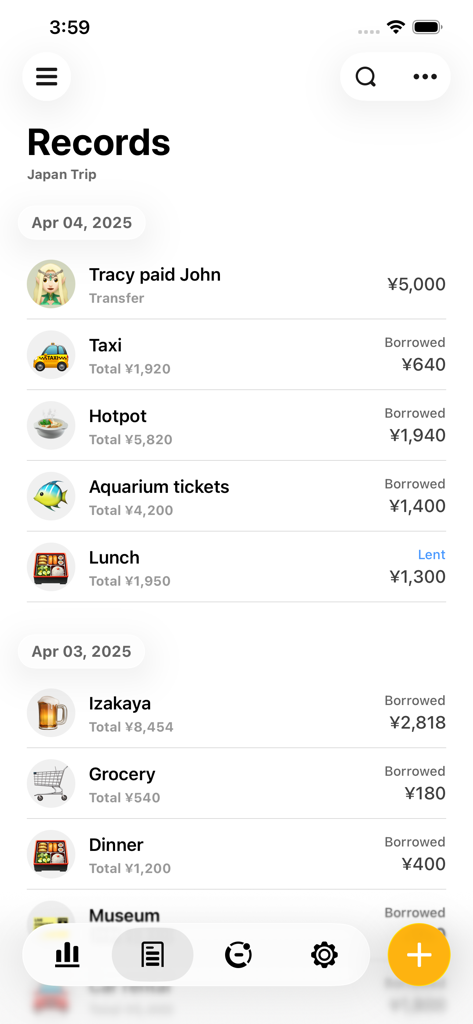
Bill Bear app screen showing a list of shared expenses for a trip to Japan with total amounts in yen

Bill Bear app screen showing a list of shared expenses for a trip to Japan with total amounts in yen

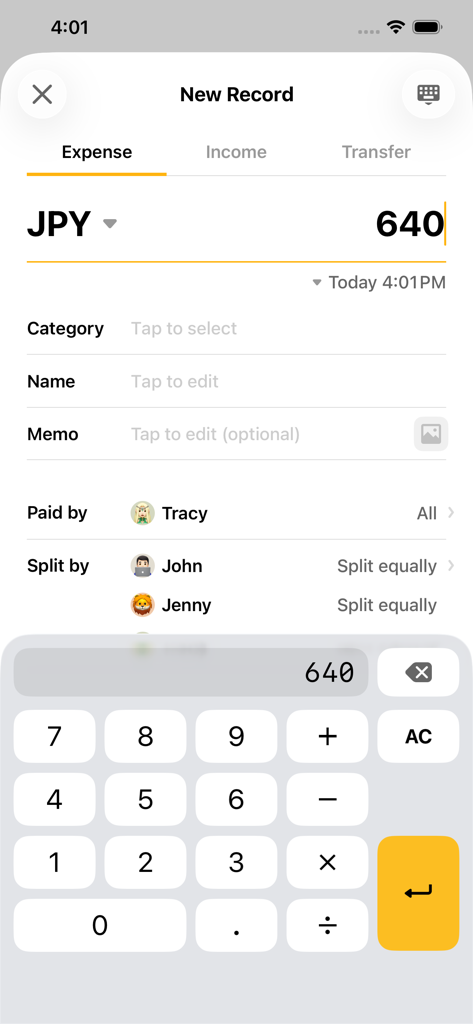
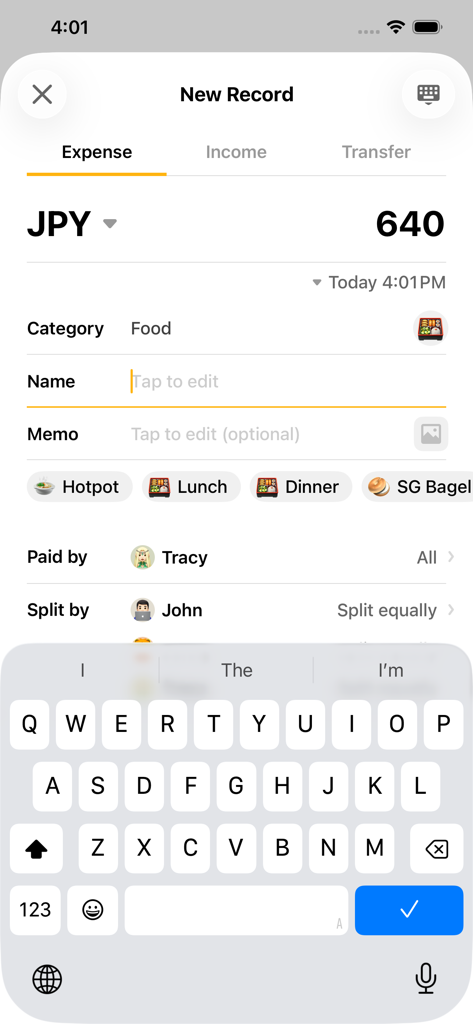
A screenshot of the Bill Bear app showing a new expense entry in Japanese Yen to be split equally between friends

A screenshot of the Bill Bear app showing a new expense entry in Japanese Yen to be split equally between friends

Bill Bear app interface for recording a new shared expense in Japanese Yen

Bill Bear app interface for recording a new shared expense in Japanese Yen

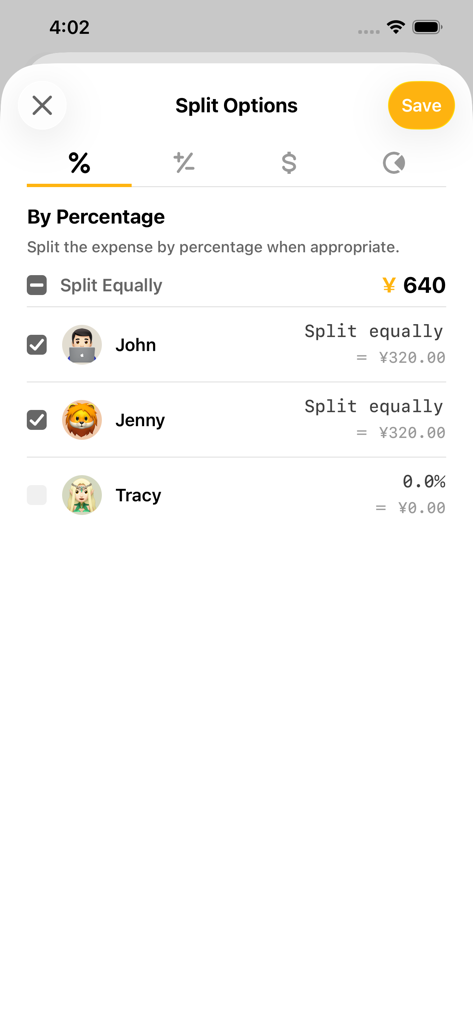
Interface of the Bill Bear app showing options to split an expense by percentage between friends.

Interface of the Bill Bear app showing options to split an expense by percentage between friends.

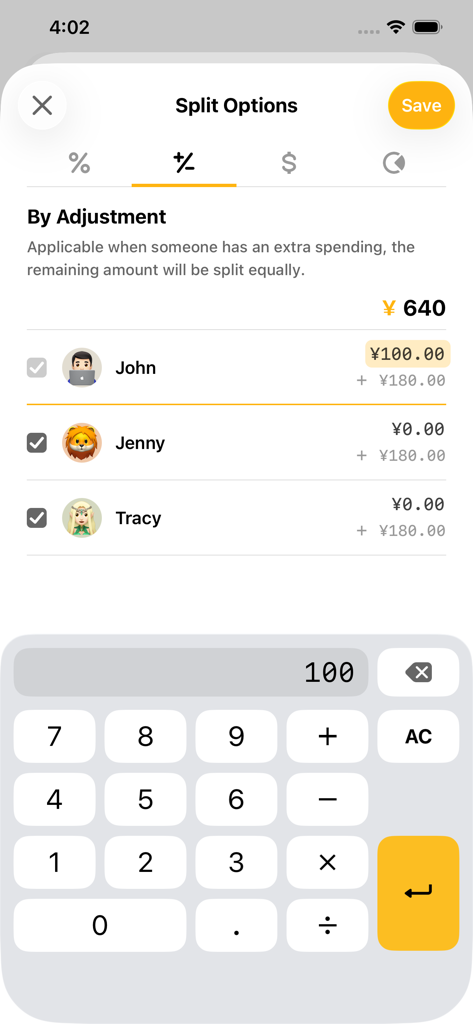
Bill Bear app interface showing expense splitting by individual adjustment with a built-in calculator

Bill Bear app interface showing expense splitting by individual adjustment with a built-in calculator

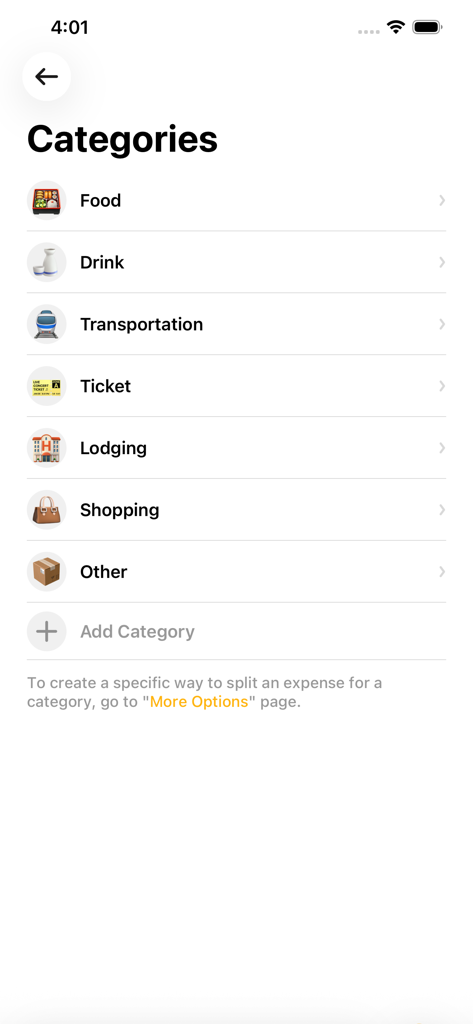
Interface of the Bill Bear app showing various expense categories like food, drink, and transportation for splitting bills.

Interface of the Bill Bear app showing various expense categories like food, drink, and transportation for splitting bills.

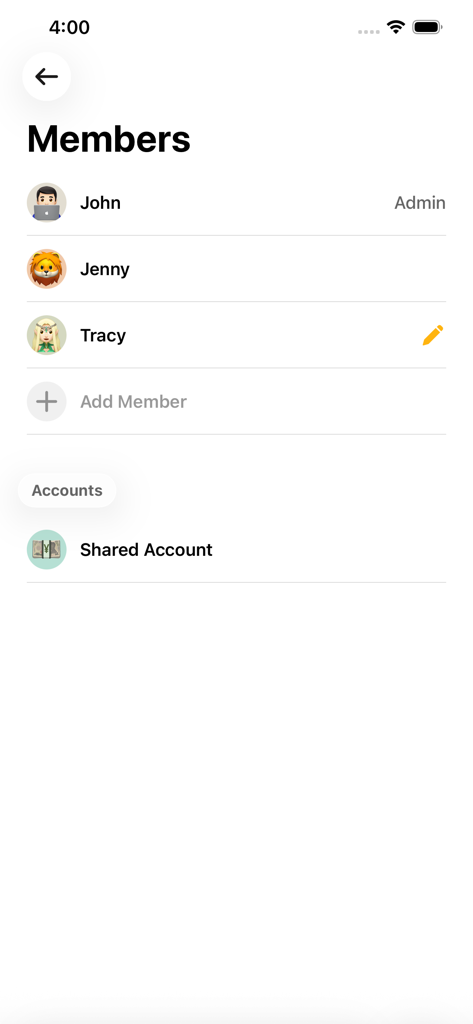
Interface showing a list of group members and shared account settings in the Bill Bear app

Interface showing a list of group members and shared account settings in the Bill Bear app

Share Expenses Without the Stress

The tools that make this app stand out, trusted by 209K+ users.

🛡️

Privacy-First Experience

No registration, no emails, and no tracking. Start a group and invite friends in seconds without ever compromising your personal data.

👥

Real-Time Group Sync

Keep everyone in the loop effortlessly. Shared expenses update across all devices instantly, making awkward mental math a thing of the past.

🌍

Global & Offline Ready

Track costs in any currency, even without an internet connection. The perfect companion for international trips and off-the-grid adventures.

Loved by users worldwide

Trusted by 209K+ people who love this app.

"

"Bill Bear was a lifesaver for our group trip to Japan! We loved that no one had to create an account or share personal info to get started. The multi-currency support and offline mode made splitting dinner bills so stress-free even without roaming data."

Sarah J., Travel Enthusiast
"

"Finally, an expense tracker that does not sell my data! I use it with my roommates for rent and groceries. The real-time sync is flawless, and the built-in calculator saves so much time. It is the cleanest, most efficient way to keep things fair at home."

Marcus T., Digital Professional

About the app

Everything you need to know about Bill Bear.

Description

Bill Bear is the best app to help you share expenses with friends. Whether it’s group bills, family households, or a trip with friends, all shared expenses can be split by Bill Bear effortlessly. # Features - Allows multiple users to collaborate in a group. - Syncs data in realtime - Works offline - No registration necessary and no personal data is collected. - Provides auto-complete suggestions based on history. - Customize categories. - Built-in calculator. - Supports all global currencies. - Great user experience. # In App Purchase Bill Bear Pro Version: Pro version is an optional paid subscription. Upgrade to the Pro version to support further development and get the following features: - No Advertisements - Unlimited Groups Payment will be charged to your Apple account at confirmation of purchase and will automatically renew (at the duration/price selected) unless auto-renew is turned off at least 24 hrs before the end of the current period. Account will be charged for renewal within 24-hours before the end of the current period. You can manage your subscription and/or turn off auto-renewal by visiting your Apple Account Settings after purchase. Terms of Use: https://billbear.app/premium-agreement.html Privacy Policy: https://billbear.app/privacy-policy.html

Latest Version

1.34.6

Size

57.5 MB

First Released

Dec 7, 2020

Start Splitting in Seconds. No Sign-up Required.

Join 200,000+ users managing shared expenses with total privacy. No accounts, no tracking—just simple, real-time bill splitting for your next group trip or household expense.

Download on App Store
FAQ

Frequently Asked Questions

Everything you need to know about Bill Bear

What is Bill Bear?

Bill Bear is an app designed to simplify sharing expenses with friends, family, or groups. It helps users effortlessly split costs for group bills, households, or trips.

Can Bill Bear be used to collaborate on expenses with multiple users?

Yes, Bill Bear allows multiple users to collaborate within a group, making expense sharing straightforward. Data syncs in real-time for all participants.

Does Bill Bear work offline?

Yes, Bill Bear functions offline. It also syncs data in real-time once an internet connection is re-established.

Is registration required to use Bill Bear?

No, registration is not necessary to use Bill Bear. The app also states that it does not collect any personal data.

What are the benefits of the Bill Bear Pro version?

The Bill Bear Pro version offers an ad-free experience and allows for unlimited groups. Upgrading to Pro also supports further app development.

How do I manage my Bill Bear Pro subscription?

You can manage your Bill Bear Pro subscription and turn off auto-renewal by visiting your Apple Account Settings after purchase.

Does Bill Bear support different currencies for expense tracking?

Yes, Bill Bear supports all global currencies for tracking and splitting expenses. Users can input costs in their local currency.

How does Bill Bear handle splitting expenses?

Bill Bear offers flexible options to split expenses, including equally, by percentage, or by adjustment for individual contributions.

Can users customize categories in Bill Bear?

Yes, Bill Bear allows users to customize categories for their expenses. The app provides a default list, and users can add new categories as needed.

Does Bill Bear provide an overview of who owes whom?

Yes, Bill Bear provides a clear overview of net balances and debt relations, showing exactly who needs to pay whom within a group.