
BoardNotes: Notes&PDF&Mindmap


Master your studies and creative projects with the all-in-one suite for handwriting, PDF annotation, mind mapping, and flashcards. Capture, connect, and remember everything in one powerful iPad-first workspace.
Publisher
Category
ProductivityDownloads
171K+User Rating
Total Ratings
7K+Locales
3Discover the interface used by 171K+ users.
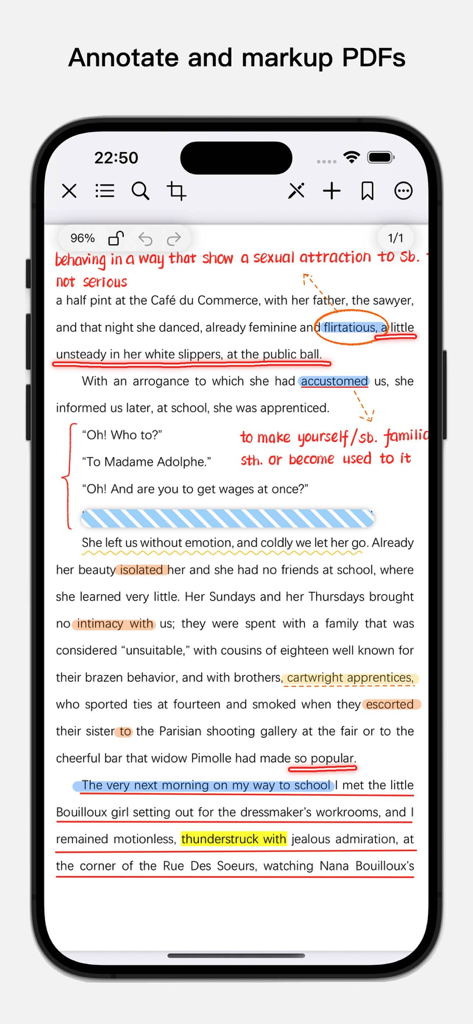
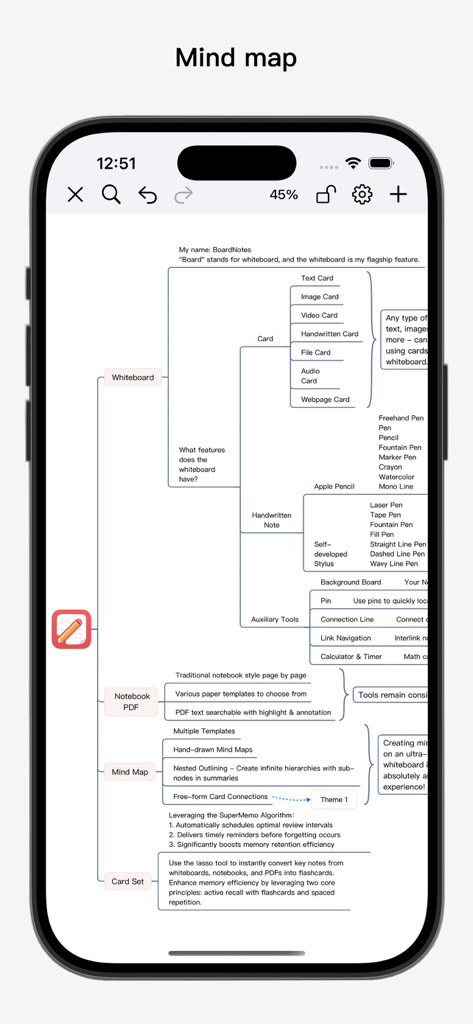
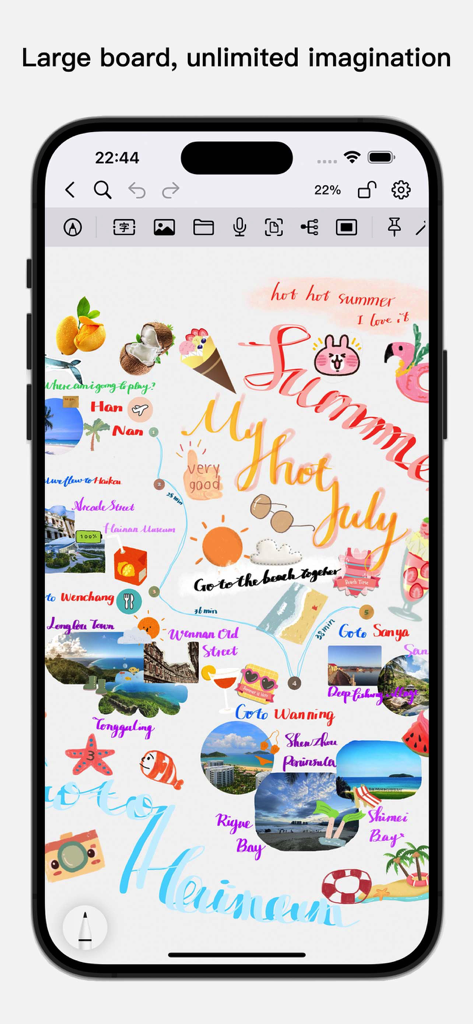
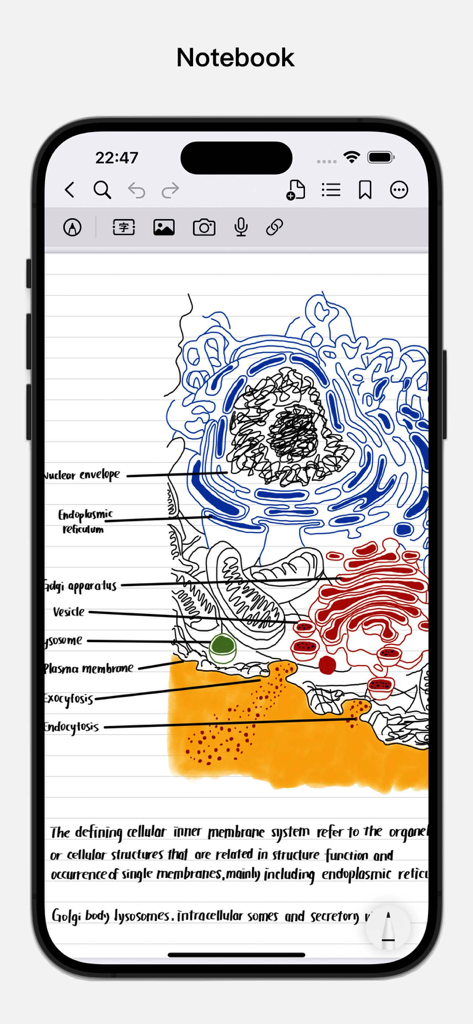
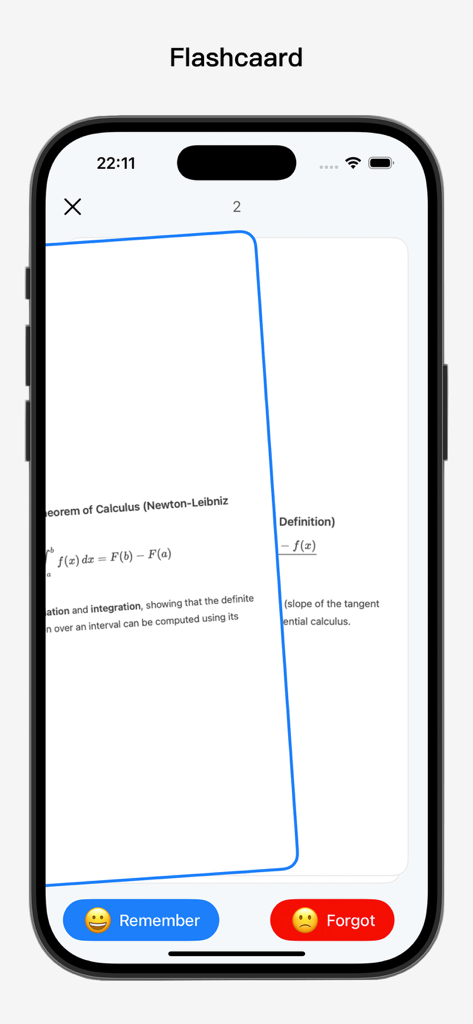
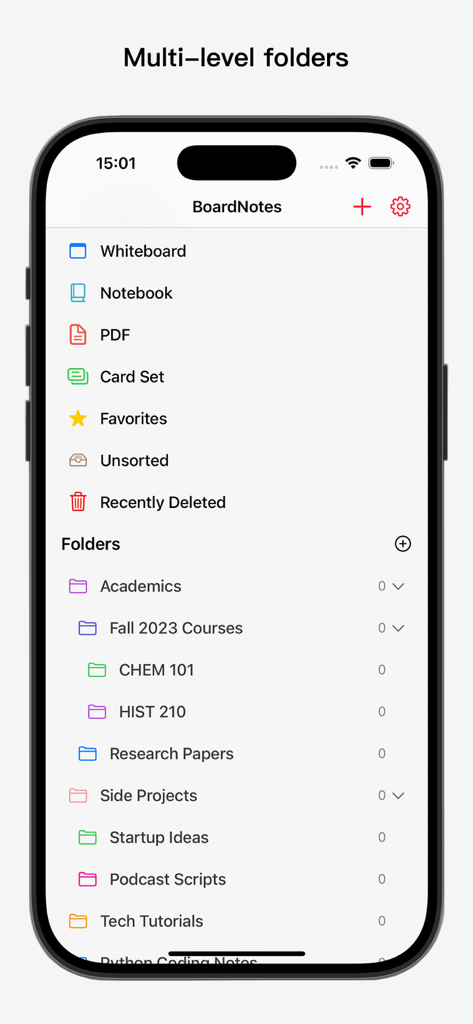
The tools that make this app stand out, trusted by 171K+ users.
Break free from linear notes. Use the whiteboard to connect videos, web snapshots, and handwriting, creating a visual map of your ideas without boundaries.
Annotate complex documents with Apple-native pen tech and build a network of knowledge using bidirectional links that connect your notes across folders.
Maximize your memory efficiency. Instantly convert notes into flashcards powered by the SuperMemo algorithm to master subjects through scientifically-timed reviews.
Trusted by 171K+ people who love this app.
"As a medical resident, I used to waste hours transferring my lecture notes into separate flashcard apps. BoardNotes changed everything. I can annotate my textbooks and immediately turn my handwritten notes into flashcards using the SuperMemo algorithm. It is the most efficient system for long-term retention I have ever used."
"BoardNotes is the 'Second Brain' I’ve been waiting for on the iPad. The combination of an infinite whiteboard and bidirectional linking allows me to connect disparate ideas and brainstorm complex projects visually. It has completely replaced my stack of separate mapping and note-taking apps."
Everything you need to know about BoardNotes: Notes&PDF&Mindmap.
Description
Latest Version
1.2.1
Size
190.4 MB
First Released
May 18, 2023
Join over 170,000 visual thinkers. Experience the ultimate fusion of handwriting, mind mapping, and spaced repetition. Download BoardNotes for free on iPad, iPhone, and Mac.
Everything you need to know about BoardNotes: Notes&PDF&Mindmap
BoardNotes is an all-in-one handwriting note-taking app that integrates whiteboard, notebook, PDF, mind map, and flashcard functions, covering most note-taking scenarios.
Yes, BoardNotes is available for free download on iPad, iPhone, and Mac devices. Users can access its features without charge.
BoardNotes is compatible with Apple devices, including iPad, iPhone, and Mac. Users can download and utilize the app across these platforms.
BoardNotes offers various pens including fountain, laser pointer, tape pen, ballpoint, pencil, marker, watercolor, and crayon, alongside Apple's native pen technology.
Yes, BoardNotes's whiteboard feature allows users to customize background colors and grid templates. This helps organize fragmented knowledge and brainstorm effectively.
Yes, BoardNotes allows users to annotate and mark up PDFs within the app. Users can also create outlines and add bookmarks to imported PDFs.
BoardNotes integrates mind mapping as a key whiteboard feature. It offers three structures, 18 color schemes, node formats, and supports handwritten mind maps.
BoardNotes flashcards use the SuperMemo algorithm to automatically schedule optimal review intervals, maximizing memory efficiency. They support text, images, and handwriting.
Yes, users can reorder pages by long-pressing and dragging in thumbnail view. BoardNotes also allows duplicating, rotating, and deleting pages within notebooks.
Yes, BoardNotes offers a search function to quickly locate notes within the whiteboard, notebooks, and PDFs, supporting both text and handwritten notes.
Apps with similar features and user experience

Beijing Yunsi Software Technology Co., Ltd

Guangzhou Weia Information Technology Co., Ltd.

Xmind Ltd.

Bilingify LLC

LiquidText, Inc.

Readwise, Inc

Essayist Software Inc.

Flexcil Inc.

Wangxu Technology Co., Ltd