
Bose QC Earbuds




Dial in your perfect audio with custom 5-band EQ, manage noise cancellation modes, and stay seamlessly connected to all your devices.
Publisher
Category
UtilitiesDownloads
1M+User Rating
Total Ratings
44K+Locales
7Discover the interface used by 1M+ users.
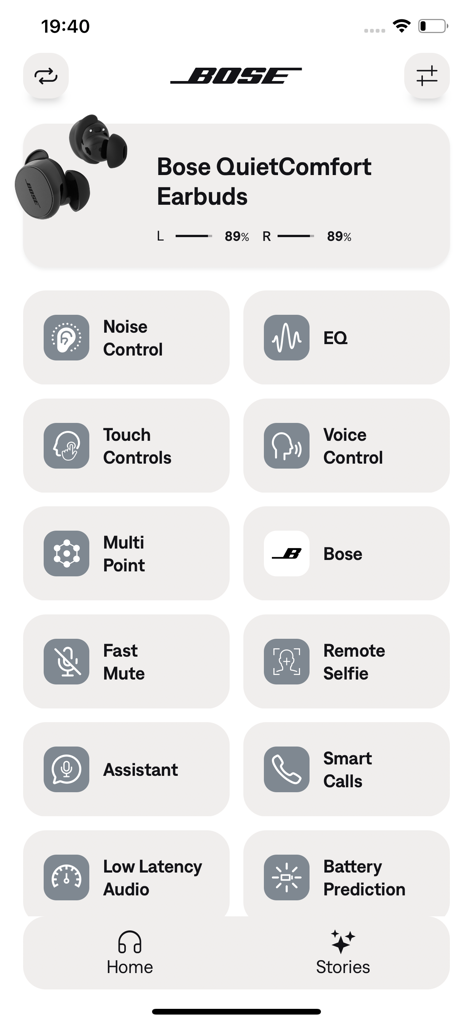
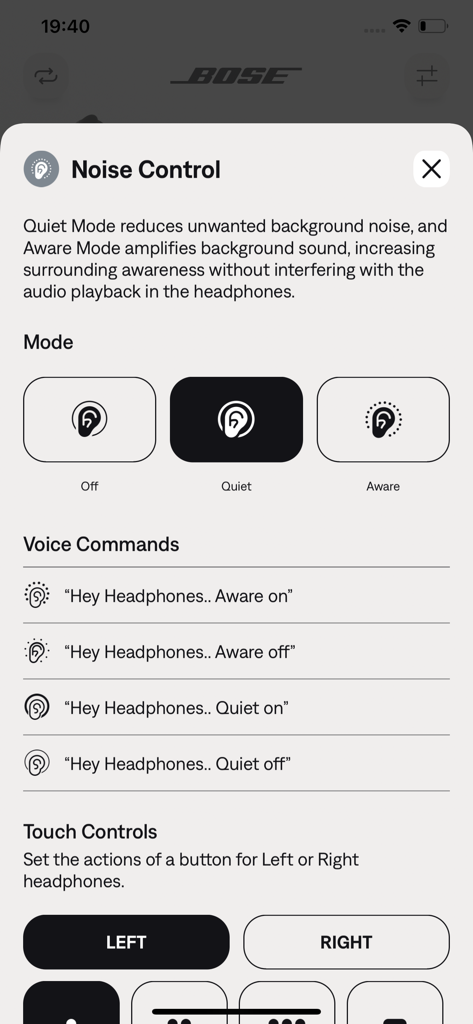
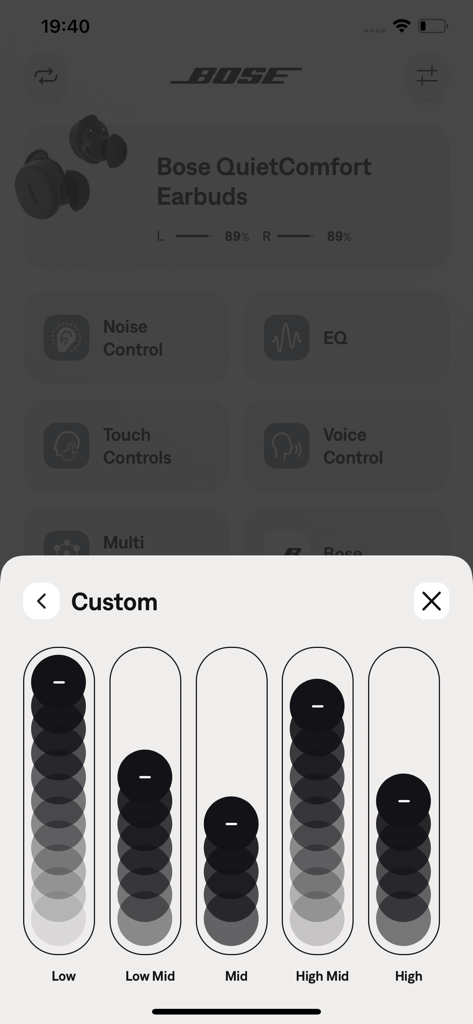
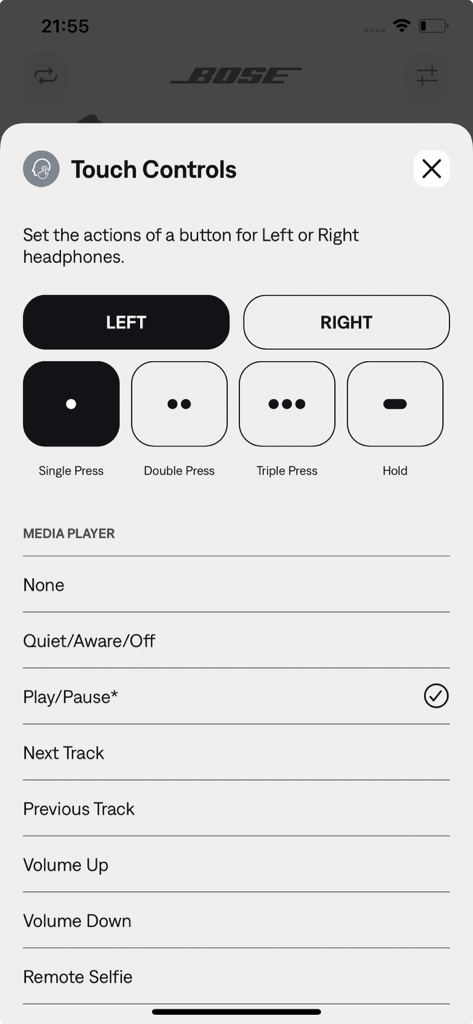
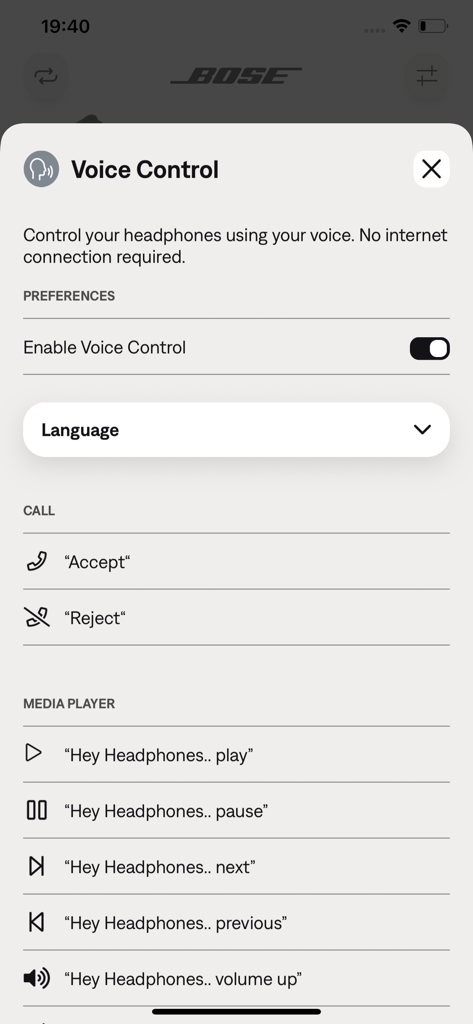
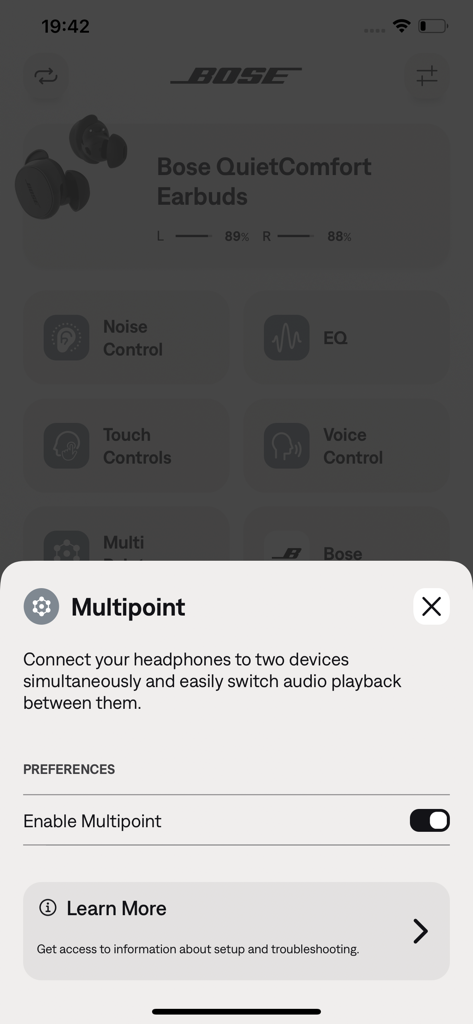
The tools that make this app stand out, trusted by 1M+ users.
Seamlessly toggle between Quiet Mode for deep focus and Aware Mode to stay connected to your surroundings during your commute.
Take command of your audio with a 5-band adjustable EQ, ensuring every business call and playlist is tuned to your exact preference.
Effortlessly switch between your work laptop and phone while tracking battery life to ensure you never miss a beat in your busy schedule.
Trusted by 1M+ people who love this app.
"As a frequent traveler, the Bose QC app is essential. Being able to see the exact battery percentage and seamlessly switch between my work laptop and phone makes my commute so much smoother. The noise cancellation controls are a total game-changer for staying focused in busy airports."
"I love the level of customization this app offers. The 5-band EQ allowed me to dial in the perfect sound profile for my podcasts and gym playlists. Plus, setting up custom shortcuts for my voice assistant means I never have to fumble with my phone during a run."
Everything you need to know about Bose QC Earbuds.
Description
Latest Version
2.1.0
Size
244.8 MB
First Released
Sep 14, 2024
Unlock the full potential of your Bose QC Earbuds. Personalize your noise cancellation, dial in the perfect EQ, and manage your devices with total precision.
Everything you need to know about Bose QC Earbuds
The Bose QC Earbuds app offers a five-band adjustable EQ. Users control bass, mid-range, and treble levels to personalize their sound.
Yes, Bose QC Earbuds users adjust ANC settings through the app. They can switch between Quiet Mode, Aware Mode, or turn ANC off.
Users check the battery life of their Bose QC Earbuds directly within the Bose QC Earbuds app. The main dashboard displays individual battery percentages for each earbud.
Yes, the Bose QC Earbuds app allows users to customize touch controls. Users assign actions like Play/Pause, Next Track, or Remote Selfie to single, double, triple press, or hold gestures for each earbud.
Yes, Bose QC Earbuds support multipoint connection via the app. This feature enables simultaneous connection to two devices and seamless switching of audio playback between them.
Yes, users control their Bose QC Earbuds with voice commands through the app, without an internet connection. Commands manage calls and media playback.
The Bose QC Earbuds app personalizes the earbud experience. It controls sound EQ, manages noise cancellation, monitors battery life, and customizes touch and voice commands.
Apps with similar features and user experience

Bose Corporation

Marshall Group AB (publ)

Harman International Industries

Bose Corporation

Harman International Industries

Power Mobile Life LLC

Harman International Industries

Beijing Xiaomi Co., Ltd

Shenzhen Shokz Co., Ltd.
