
Budget Planner App - Fleur



Experience the most elegant and simple way to track your daily expenses and income. Join over 3 million users who enjoy a cute, private, and minimal financial tool designed to make money management feel like self-care.
Publisher
Category
FinanceDownloads
3M+User Rating
Total Ratings
30K+Locales
28Discover the interface used by 3M+ users.
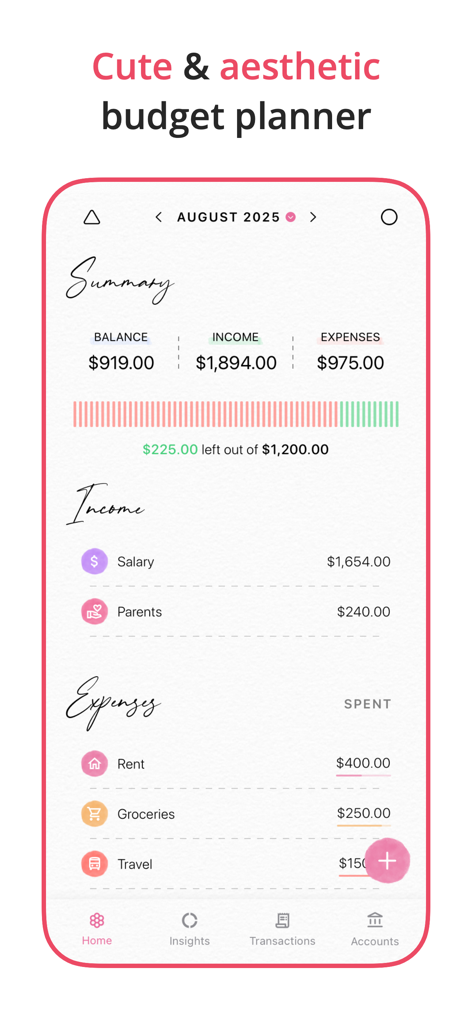
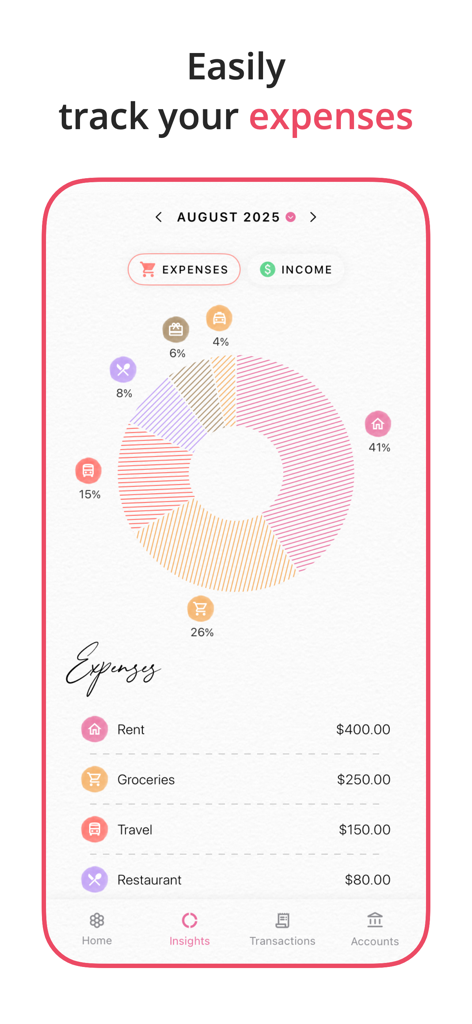
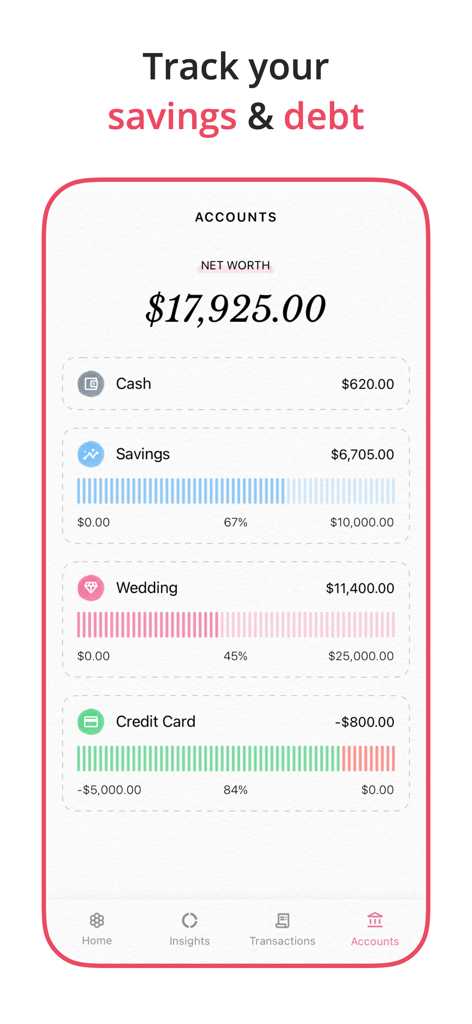
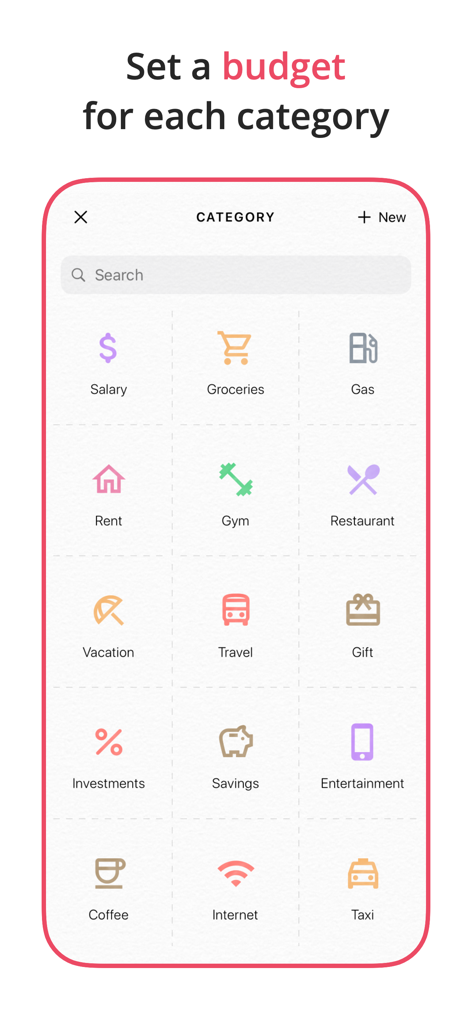
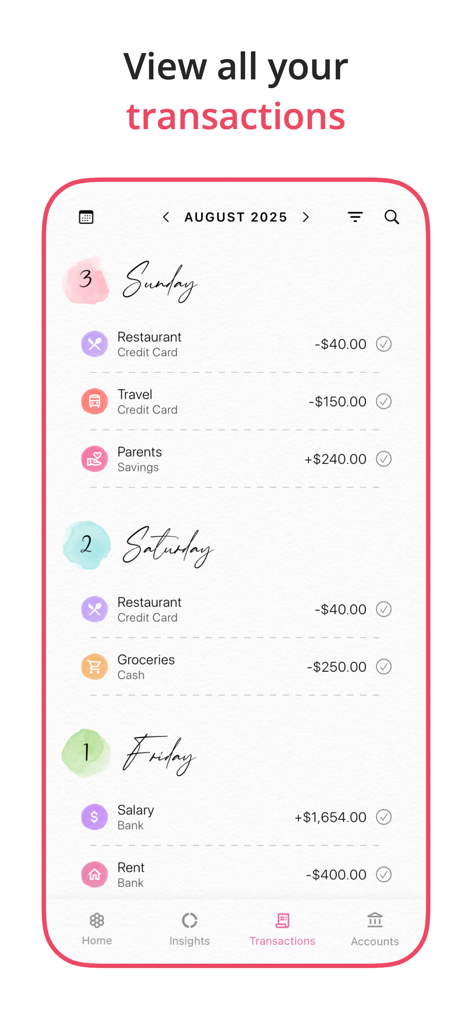
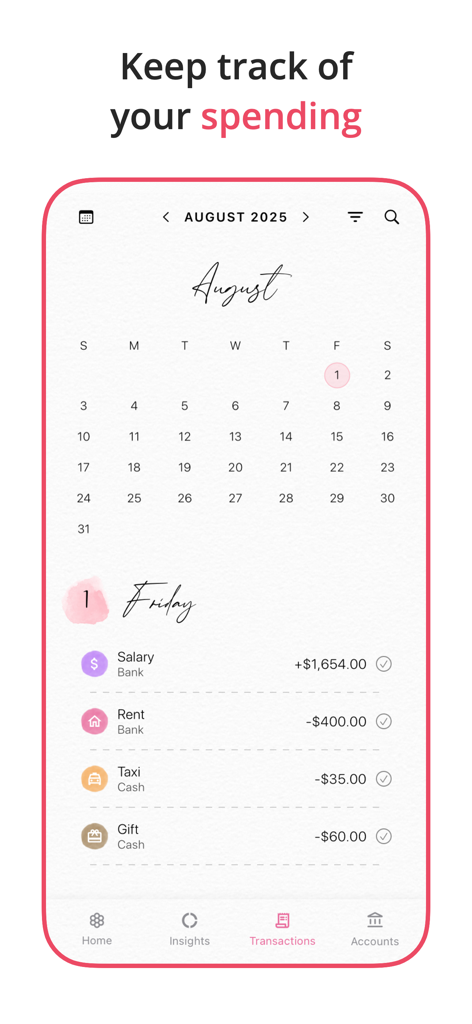
The tools that make this app stand out, trusted by 3M+ users.
Turn budgeting from a chore into a delightful experience with a clean, clutter-free interface that matches your digital style.
Your data stays yours. Start tracking in seconds without linking bank accounts or creating yet another password.
Understand your habits with easy-to-read charts and daily logs that help you make more intentional financial choices.
Trusted by 3M+ people who love this app.
"I've always struggled with budgeting because most apps feel so clinical and stressful. Fleur is a breath of fresh air! The design is absolutely beautiful and it fits perfectly with my digital planning aesthetic. It’s the first time I’ve actually enjoyed logging my expenses."
"What I love most about Fleur is the privacy. Not having to link my bank account or create yet another login is a game-changer. It’s simple, fast, and the iCloud sync keeps everything updated on my iPad and iPhone seamlessly."
Everything you need to know about Budget Planner App - Fleur.
Description
Latest Version
2.9.8
Size
85.7 MB
First Released
May 22, 2022
Join over 3 million users who have turned financial tracking into a moment of zen. Download Fleur today for an elegant, private, and stress-free way to manage your money—no sign-up required.
Everything you need to know about Budget Planner App - Fleur
Yes, Fleur allows you to set a monthly budget. The app's core description and UI confirm this feature for managing your finances.
Yes, the Budget Planner App - Fleur supports iCloud sync. This feature is listed among its key functionalities for data management.
Yes, Budget Planner App - Fleur allows users to track their debt. The app description and accounts view explicitly state this capability.
No, sign-in is not required to use the Fleur app. The app description explicitly states this as a key feature, promoting immediate use.
Yes, you can view insights to understand your spending habits in Fleur. The app includes an 'Insights' tab for detailed financial analysis.
Key features of Fleur include logging expenses/income, monthly budgeting, viewing insights, transaction history, repeating transactions, category creation, and iCloud sync. It also requires no sign-in.
Yes, Fleur allows you to create new categories for your transactions. This customization feature helps organize your financial records.
Yes, Fleur supports adding repeating transactions. This feature is explicitly mentioned to simplify the management of recurring financial events.
The Privacy Policy for Fleur is available online. You can find it at the direct link provided within the app's description: https://fleurbudget.com/privacy_terms.html.
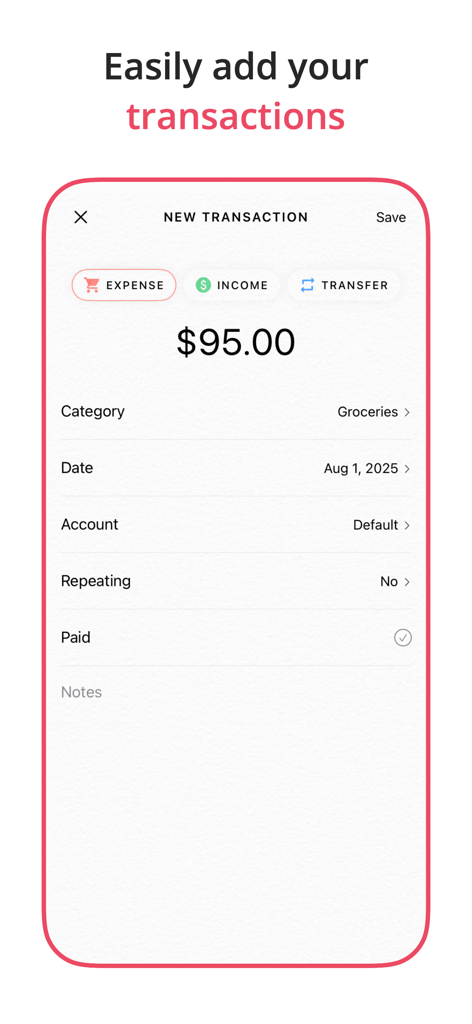
You can easily log expenses and income in Fleur using the 'NEW TRANSACTION' screen. This interface allows you to input details like category, date, and amount.
Apps with similar features and user experience

Beijing Shark Pioneer Network Technology Co.,Ltd

Shanghai Yuhuan Technology Co., Ltd.

Orange dog d.o.o.

Realbyte Inc.

Guangzhou Quji Technology Co., Ltd.

You Need A Budget LLC

Copilot Money, Inc.

YouQian

Taizhou Mutong Network Technology Co., Ltd.