Camelot Pro

Camelot Pro

Download on App Store
Spark by MWM logo
Logo of Camelot Pro

Camelot Pro: The Ultimate Live Performance Workstation for Modern Musicians

Take total control of your stage setup with the all-in-one Setlist Manager, AUv3 Host, and MIDI Router. Designed for professional reliability, Camelot Pro ensures gapless scene switching and seamless integration of your hardware and software gear.

Download on App Store

Publisher

Audio Modeling Srl

Category

Music

Downloads

24K+

User Rating

4.4/5

Total Ratings

100

Locales

-

Command Your Show

Discover the interface used by 24K+ users.
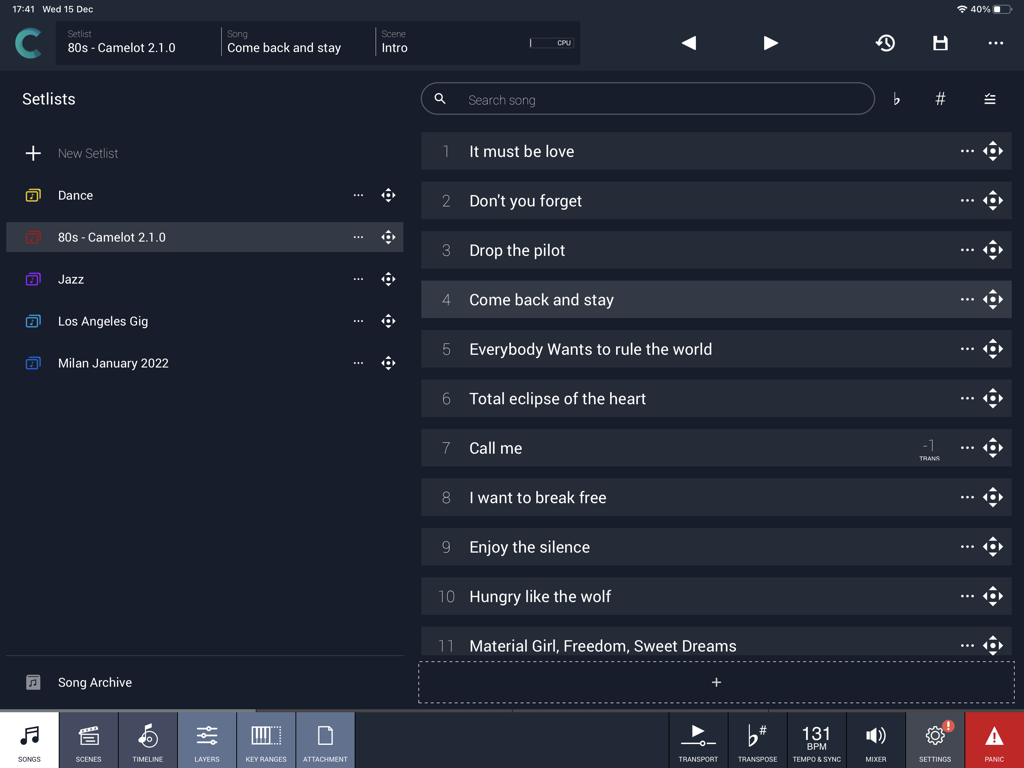
Camelot Pro app interface showing song setlists and performance management for musicians.

Camelot Pro app interface showing song setlists and performance management for musicians.

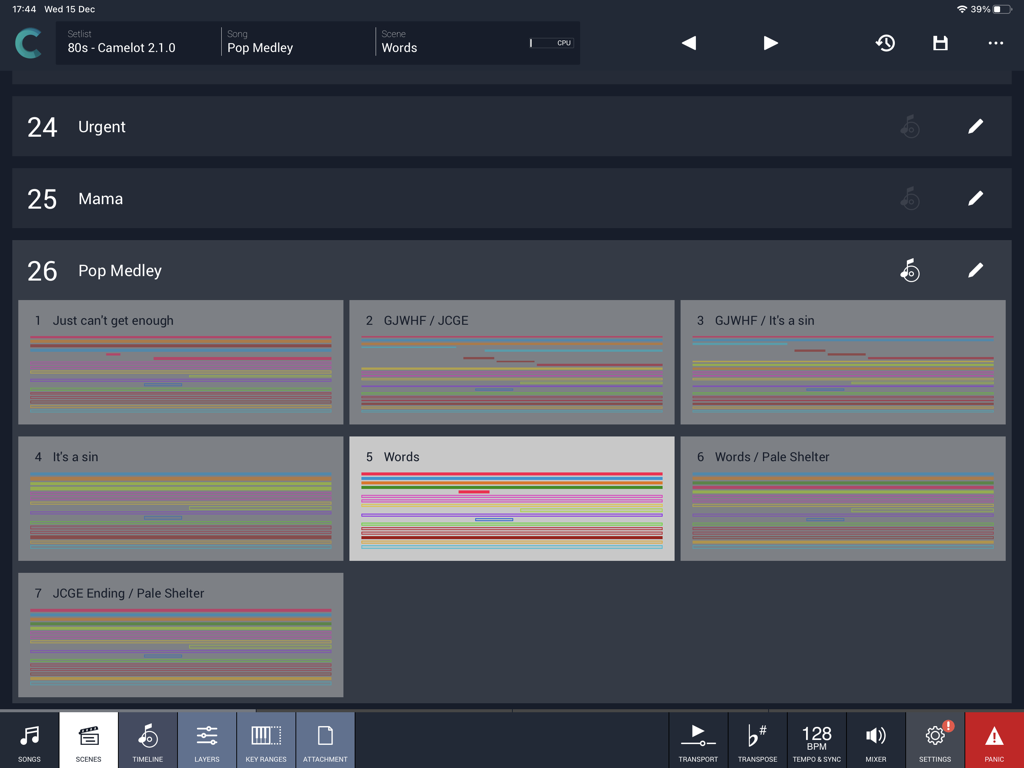
Camelot Pro iPad app interface showing the scenes view for a pop medley setlist

Camelot Pro iPad app interface showing the scenes view for a pop medley setlist

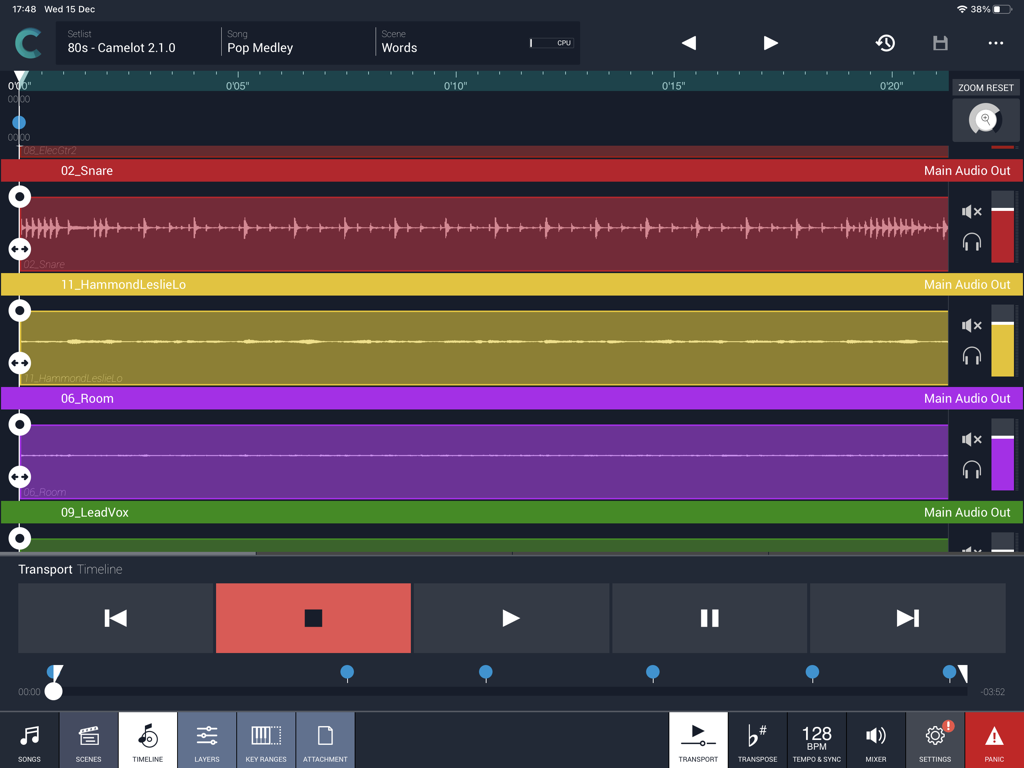
Camelot Pro multitrack audio timeline view on iPad for live music performance

Camelot Pro multitrack audio timeline view on iPad for live music performance

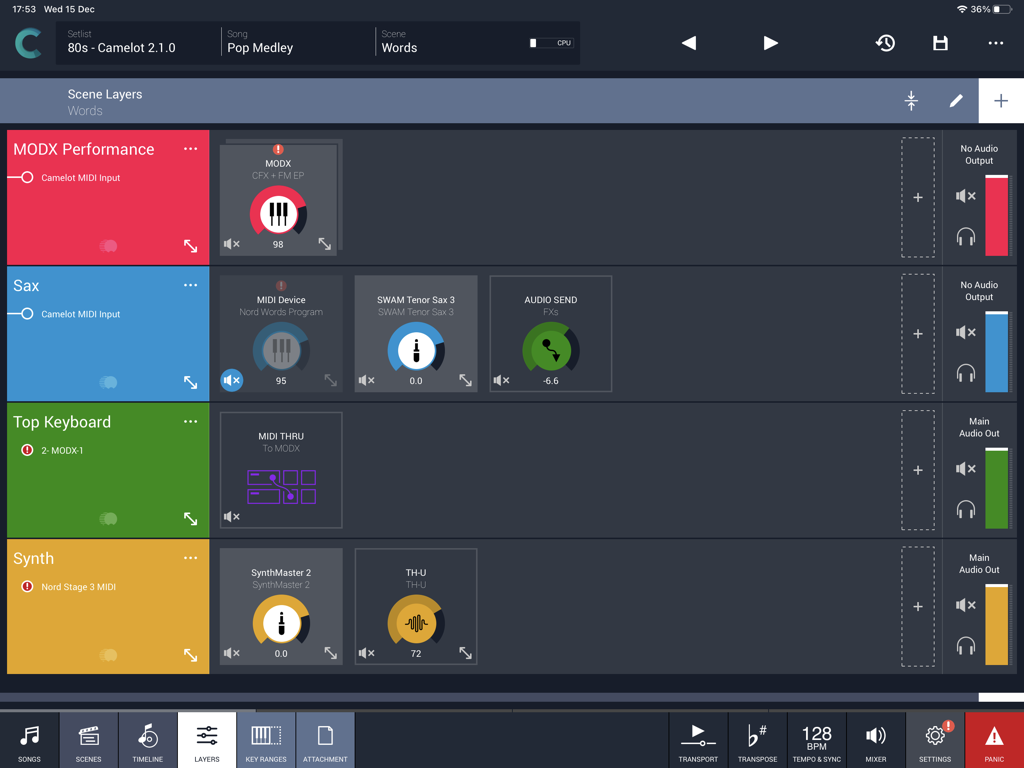
Camelot Pro app interface showing scene layers for live musical performance

Camelot Pro app interface showing scene layers for live musical performance

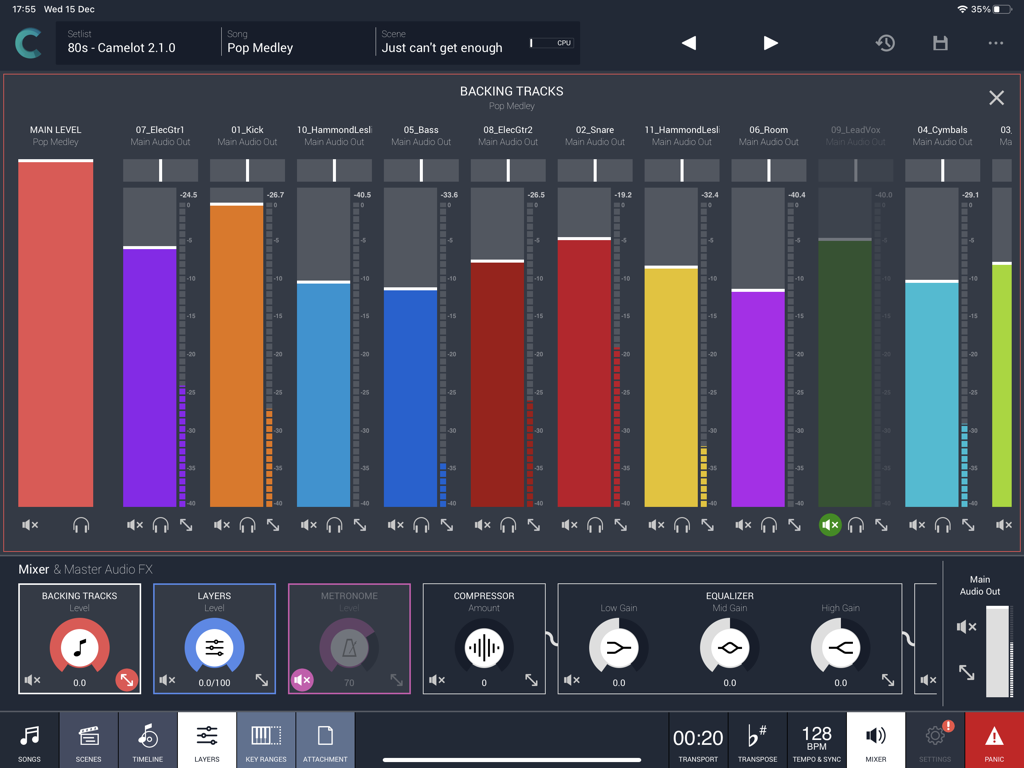
Camelot Pro app interface showing a multi-track audio mixer for live performance backing tracks

Camelot Pro app interface showing a multi-track audio mixer for live performance backing tracks

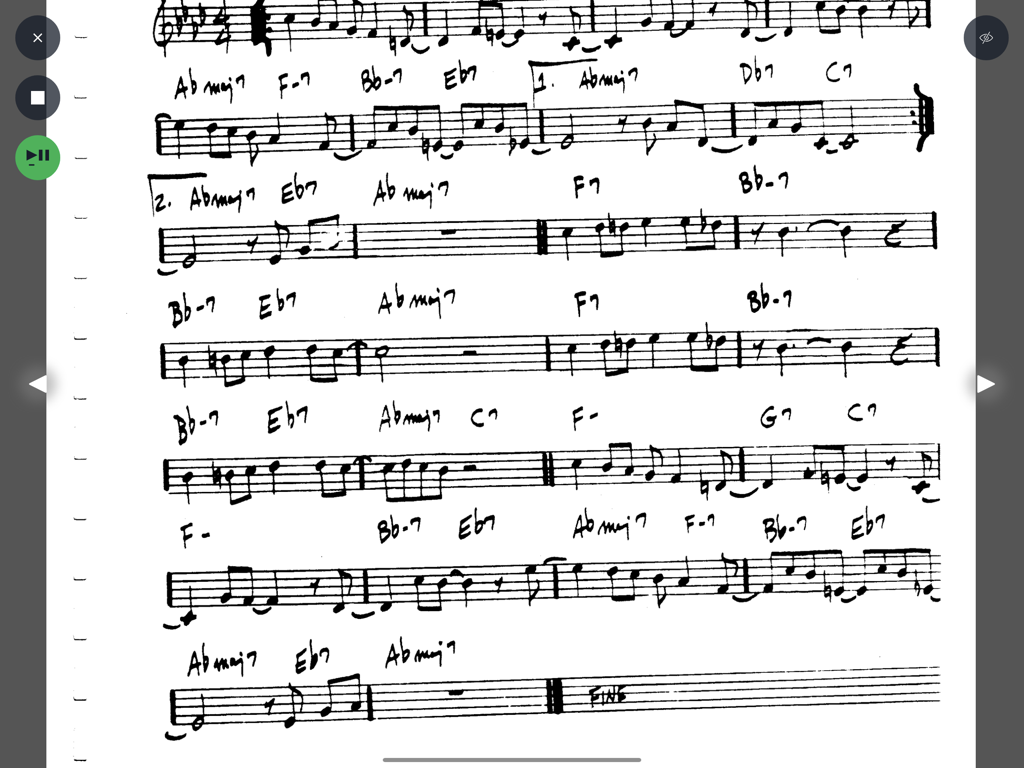
Handwritten musical lead sheet with chords and notes displayed in the Camelot Pro score reader interface.

Handwritten musical lead sheet with chords and notes displayed in the Camelot Pro score reader interface.

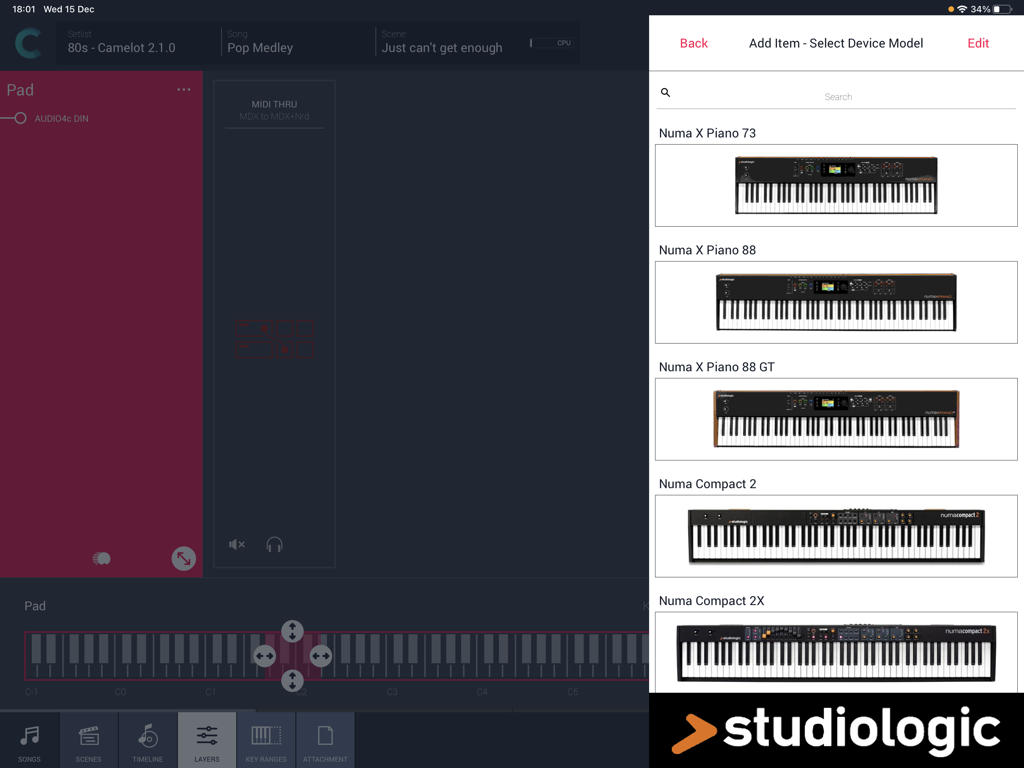
Selecting a Studiologic digital piano model in the Camelot Pro iPad app hardware setup menu.

Selecting a Studiologic digital piano model in the Camelot Pro iPad app hardware setup menu.

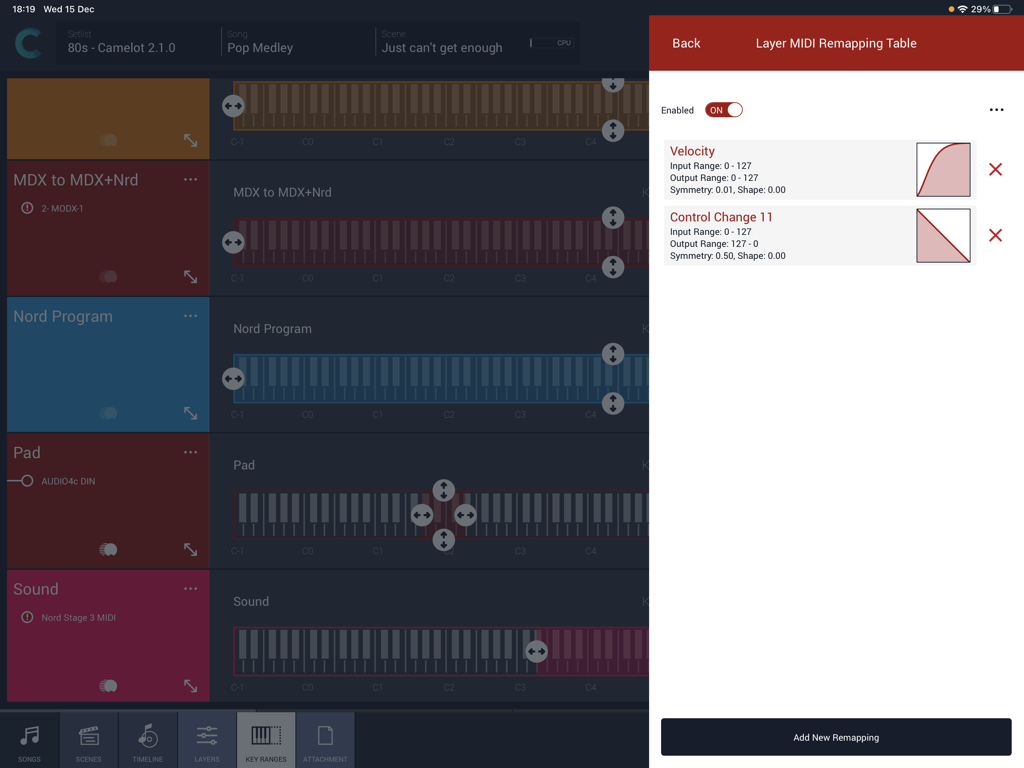
Interface of Camelot Pro app showing MIDI velocity and control change remapping curves with keyboard layer ranges.

Interface of Camelot Pro app showing MIDI velocity and control change remapping curves with keyboard layer ranges.

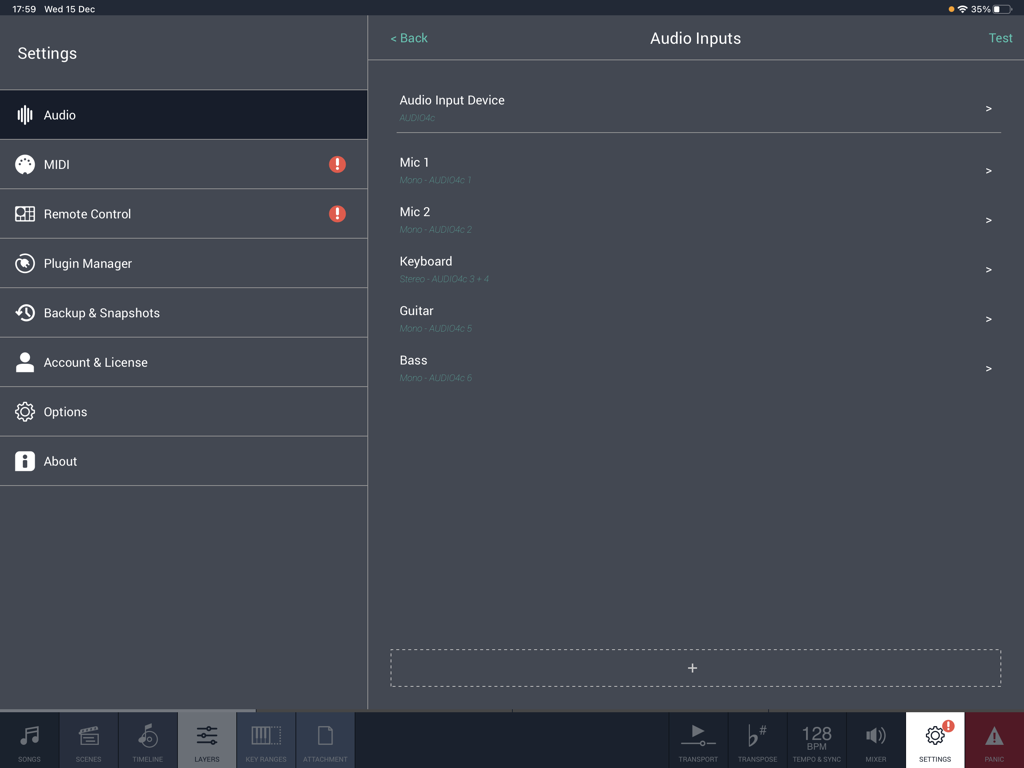
Audio inputs configuration screen in the Camelot Pro app for iPad showing mic, keyboard, guitar, and bass settings.

Audio inputs configuration screen in the Camelot Pro app for iPad showing mic, keyboard, guitar, and bass settings.

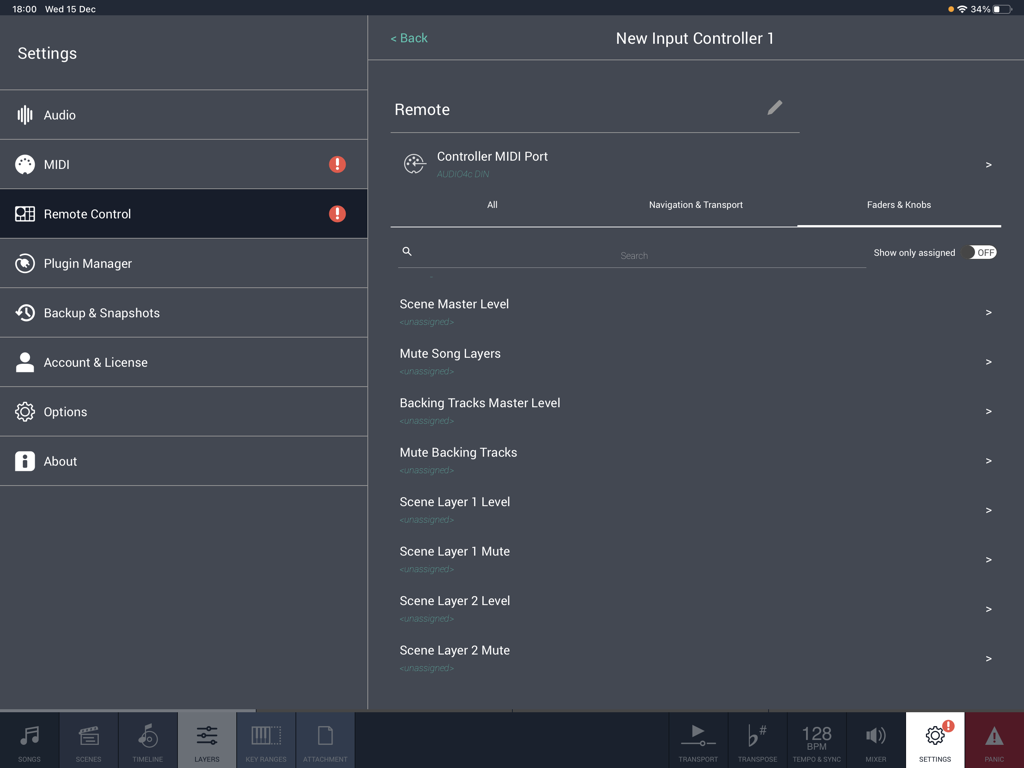
Camelot Pro app interface showing the remote control settings for mapping MIDI faders and knobs

Camelot Pro app interface showing the remote control settings for mapping MIDI faders and knobs

The Ultimate Command Center for Your Live Show

The tools that make this app stand out, trusted by 24K+ users.

Gapless Scene Switching

Switch between complex layers and sounds with zero audio interruption—no pops, no silence, just pure performance.

🎹

Master Your Entire Rig

Effortlessly route MIDI and Audio between hardware synths and software plugins without needing advanced technical knowledge.

📋

Complete Performance Manager

Keep your setlists, PDF scores, and multi-track backing tracks synced and ready to go with simple drag-and-drop organization.

Loved by users worldwide

Trusted by 24K+ people who love this app.

"

"Camelot Pro is a total game-changer for my touring rig. I finally ditched my bulky laptop for an iPad-only setup. The Smart Scene Switching is flawless—I can switch from a heavy synth lead to a delicate piano with full reverb tails and zero audio dropouts. It is the most stable live host I have ever used."

Marcus Reed, Touring Keyboardist
"

"Running a complex Sunday set used to mean juggling four different apps. Now, Camelot handles everything: my AUv3 plugins, MIDI routing for my hardware, and my chord charts. Having the timeline automate my scene changes while playing backing tracks has simplified my workflow immensely. It is the brain of my entire stage setup."

Sarah Jenkins, Music Director

About the app

Everything you need to know about Camelot Pro.

Description

Camelot is an application created to address the most complex live performance needs with a simple and guided workflow. It combines in one app, a convenient and beautifully designed digital performance workstation that in the past could only be achieved with a complex setup made of connecting different applications and devices together. Camelot is a Setlist Manager, a Software Instrument & FX Host, a PDF Music Score reader, a Multitrack Audio Player, and the most advanced Audio/MIDI Patchbay and Router. All in one piece of software: ● Hardware Instrument presets: select your instrument Smart Map and go! With no MIDI knowledge! ● Software instruments and effects (AUv3) Play with your favorite software sounds & FX (Auv3 format) and enjoy switching from one scene to another WITHOUT SOUND INTERRUPTION! ● MIDI keyboards and MPE controllers: connect any MIDI controller directly or with a USB hub; ● Advanced MIDI routing: duplicate, filter, and route any MIDI messages with ease; ● Powerful MIDI Transformers: Message Transformers convert CC messages from one number to another. Trigger a chord by pressing one note Remap/rescale any CC or velocity curve. Easily play different scales or harmonize/shift parts; ● MIDI and Bluetooth remote controls: Remote scene switching, start/stop buttons, or assign track levels to external pedals, faders, or controllers; ● Smart Scene Switching: It’s a unique feature on iOS!!! There is no AUv3 host capable of switching sound with NO AUDIO INTERRUPTION and clever MIDI messages management, that does not truncate MIDI instances & routing. Stop using production tools for live performances! ● Tempo Sync with MIDI Clock and Ableton Link, with dedicated output for metronome (click) ● Lyrics and Chords attachments with custom annotations: each Scene recalls PDF or images that you can visualize during the performance. The attached file can be saved at the desired zoom level and scroll position. Stop using paper chord, lyrics, or music score books! ● Audio backing tracks, Timeline & Automations: attach Audio Tracks, add auto-play and auto-stop markers, and even add Scene automation. You can have multiple audio tracks with separate audio outputs and, at the same time, use the Timeline to automate Scene switches at specific points in the sequence; ● Audio Inputs and Routing: Manage any audio input source: mic, guitar, bass, or hardware synth. Add effects to any internal or external audio source in Camelot. Endless audio routing options with dedicated audio send connectors; ● Manage your Performance with ease: Forget about the complications of last-minute Setlist changes. Rearrange, move and duplicate Songs with simple Drag & Drop directly on each Setlist. How Camelot is organized: ● Setlists - a collection of Songs ● Songs - can have one or more Scenes that each include a Timeline. When you select a Song in Camelot, you load all the resources needed to play that Song (i.e., Virtual Instruments, FX, and Audio Tracks). ● Scenes - recall and organize Hardware instruments presets, MIDI connections, Software plugin presets, and Music Score Attachments. You can switch freely from one Scene to another with no interruption in the sound. ● Layers - the building blocks of each Scene. Layers allow the connection between MIDI Input Controllers and the Items. Layers manage the MIDI and Audio flow for all the Items that are loaded on them. ● Items - Individual Hardware or Software Instruments and FX.

Latest Version

2.4.0

Size

57.4 MB

First Released

Dec 13, 2018

Take Command of Your Live Performance

Ditch the complexity and play with total confidence. Join thousands of pro musicians using Camelot to power their entire show from a single iPad.

Download on App Store