
Car Play Connect Sync Autolink


Modernize any vehicle instantly with a sophisticated landscape interface. Access pro navigation, control your music, and stay connected safely without the cost of a hardware upgrade.
Publisher
Category
NavigationDownloads
14K+User Rating
Total Ratings
2K+Locales
9Discover the interface used by 14K+ users.
The tools that make this app stand out, trusted by 14K+ users.
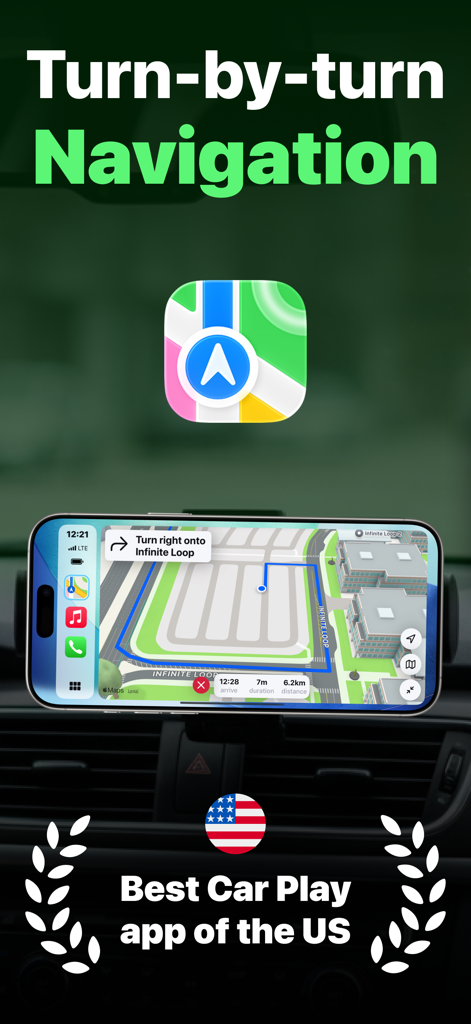
Navigate with confidence using real-time GPS, 3D camera angles, and live traffic updates to avoid delays on your daily commute.
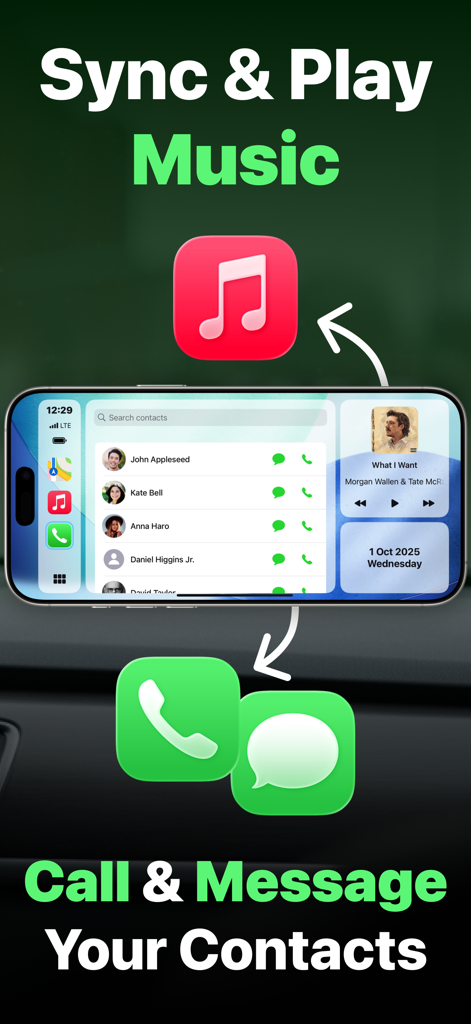
Large, easy-to-tap controls and glanceable info for music and calls help you keep your eyes on the road while staying connected.
Manage multiple vehicles and personalize your dashboard with stunning backgrounds and dark mode to match your car's interior.
Trusted by 14K+ people who love this app.
"I've been looking for a way to modernize my 2012 Honda without spending $500 on a new head unit. Car Play Connect is a game changer! The landscape dashboard looks incredibly sleek on my mount, and having navigation and music on one screen makes my daily commute so much smoother. It really feels like a high-end integrated system for the price of an app."
"As someone who spends hours driving for deliveries, safety and convenience are my top priorities. This app's large, easy-to-tap controls and clear text are perfect for quick glances while on the road. I love the Virtual Garage feature too—it allows me to switch settings between my personal car and my work vehicle instantly."
Everything you need to know about Car Play Connect Sync Autolink.
Description
Latest Version
1.0.5
Size
26.0 MB
First Released
Oct 2, 2025
Join 14,000+ drivers who turned their iPhone into a premium infotainment system. Get the smart CarPlay experience you deserve—no expensive hardware required.
Everything you need to know about Car Play Connect Sync Autolink
Car Play Connect Sync Autolink reimagines your iPhone as a sophisticated digital dashboard for your vehicle. It provides navigation, music, contacts, and smart features in a landscape interface.
Yes, Car Play Connect provides advanced turn-by-turn GPS navigation with precise step-by-step directions, real-time traffic updates, and dynamic route recalculation.
Yes, Car Play Connect Sync Autolink offers seamless music integration, providing full control over your music library including instant search, play, pause, and skip functions.
No, Car Play Connect Sync Autolink does not display ads. It offers a clean, ad-free experience while driving.
Car Play Connect ensures safe connectivity by offering quick access to contacts and one-tap calling and messaging directly from the dashboard. Users can search contacts easily while driving.
Yes, Car Play Connect includes a Virtual Garage feature, allowing users to add and manage multiple vehicles, select an active vehicle, and store its information and preferences.
Car Play Connect offers smart dashboard features like a real-time clock and date, battery level monitoring, and quick access to essential apps such as Calendar, Weather, and Messages.
To get started with Car Play Connect Sync Autolink, open the app, add your vehicle to the garage, tap "Open Dashboard," rotate your iPhone to landscape, and place it on your car mount.
Yes, Car Play Connect supports customization options including multiple dashboard backgrounds, choice between kilometers or miles, and Dark and Light mode support. It is optimized for landscape.
Yes, Car Play Connect's interface is specifically designed for in-car use. It features large, easy-to-tap controls and clear, readable text, optimized for quick glances and safe interaction.
Apps with similar features and user experience

Liquid Apps Bilgi ve Operasyonel Teknolojileri Limited Sirketi

Rostyslav Dudnyk

Tapwise LLC
SUPRAPPS SP Z O O

Emrullah Bas
5SKay VietNam Technology JSC
Abalta Technologies, Inc.
Oh My Software FZCO

HUDWAY LLC.