CASIO ClassPad

CASIO ClassPad

Download on App StoreDownload on Google Play
Spark by MWM logo
Logo of CASIO ClassPad

CASIO ClassPad: The Professional CAS Graphing Suite for STEM Success

Empower your academic journey with the full power of a Computer Algebra System. From AP Calculus to Engineering, master complex equations and visual geometry with the world-trusted tools used by high-achieving students.

Publisher

CASIO COMPUTER CO., LTD.

Category

Education

Downloads

133K+

User Rating

1.9/5

Total Ratings

100

Locales

5

The Power of CAS on Your Screen

Discover the interface used by 133K+ users.
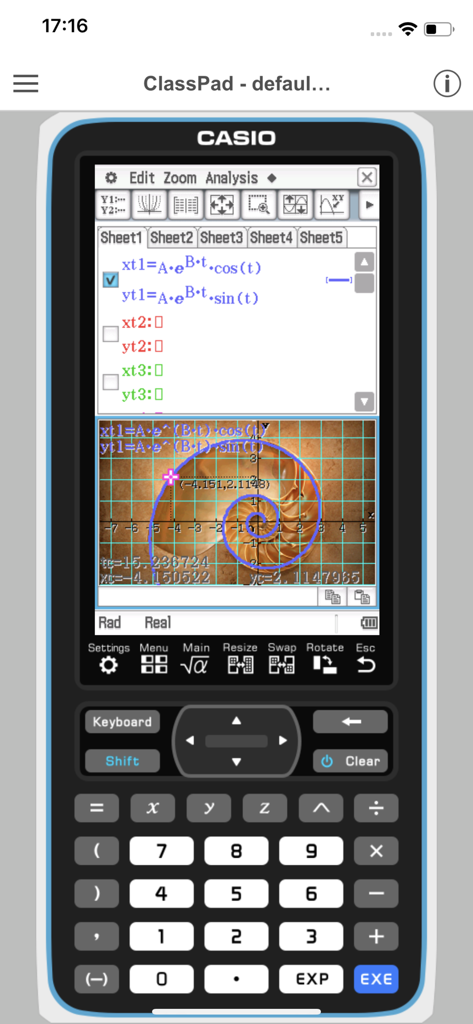
Smartphone screen showing the CASIO ClassPad app with complex equations and a logarithmic spiral graph.

Smartphone screen showing the CASIO ClassPad app with complex equations and a logarithmic spiral graph.

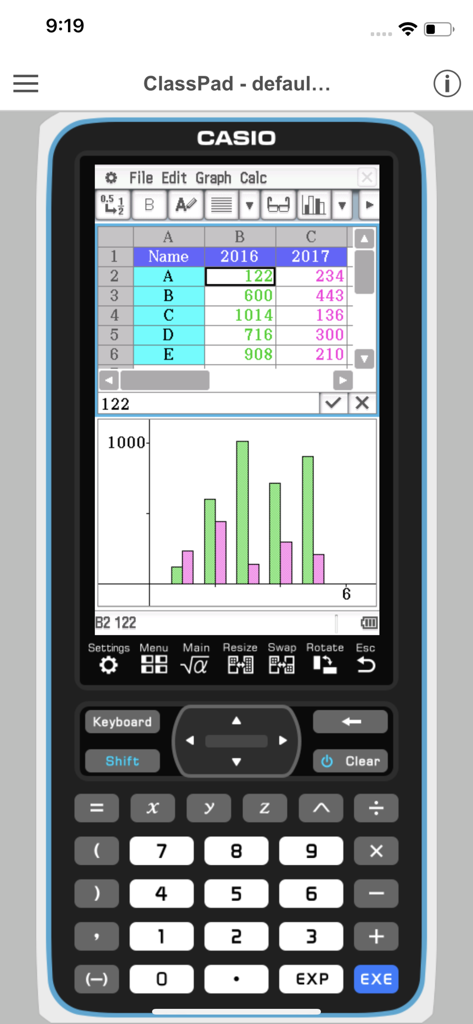
CASIO ClassPad app displaying spreadsheet data and a statistical bar chart on a virtual graphing calculator interface.

CASIO ClassPad app displaying spreadsheet data and a statistical bar chart on a virtual graphing calculator interface.

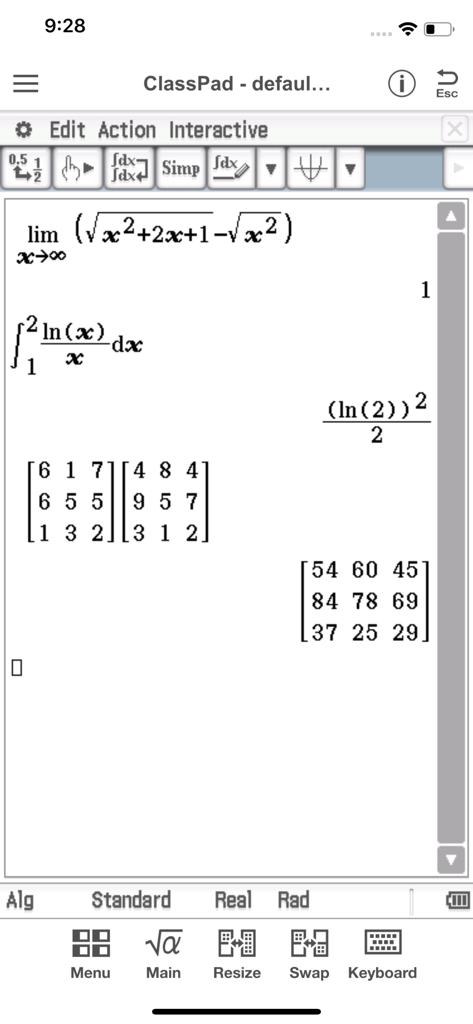
Casio ClassPad mobile application displaying advanced calculus integration and matrix multiplication

Casio ClassPad mobile application displaying advanced calculus integration and matrix multiplication

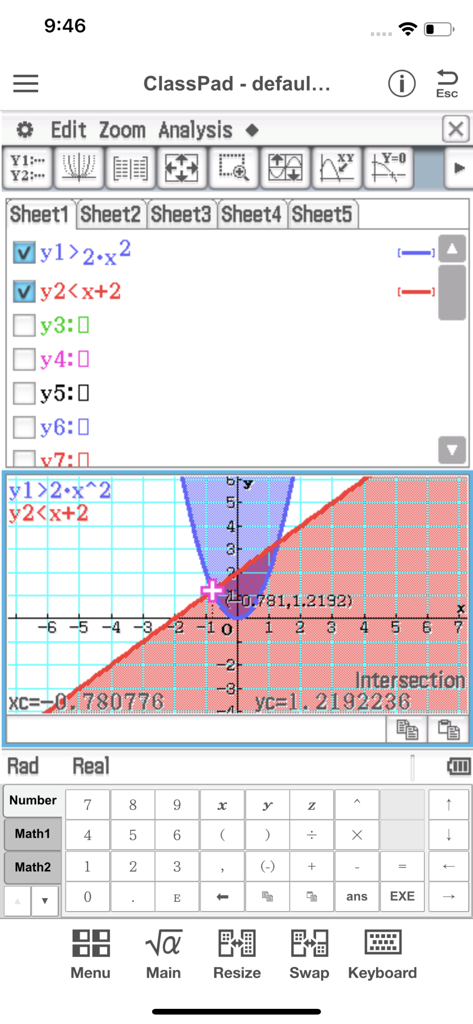
CASIO ClassPad app interface showing an inequality graph with shaded regions and an intersection point calculation.

CASIO ClassPad app interface showing an inequality graph with shaded regions and an intersection point calculation.

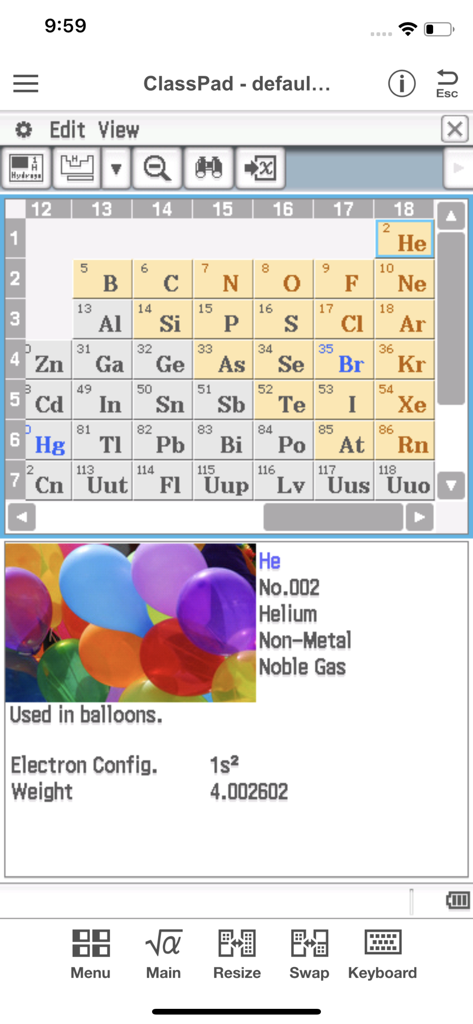
CASIO ClassPad app displaying a periodic table and detailed information for the element Helium

CASIO ClassPad app displaying a periodic table and detailed information for the element Helium

Professional-Grade Math in Your Pocket

The tools that make this app stand out, trusted by 133K+ users.

♾️

Symbolic CAS Intelligence

Solve, factor, and integrate complex algebraic equations effortlessly with a high-performance Computer Algebra System.

📉

Dynamic 3D Visualization

Turn abstract functions into interactive graphs and geometric animations to master difficult AP and Engineering concepts.

📝

Integrated Study Workflows

Use eActivity to combine math expressions with text, creating perfect digital lab reports and exam-ready study guides.

Loved by users worldwide

Trusted by 133K+ people who love this app.

"

"As a sophomore engineering student, carrying a bulky graphing calculator everywhere was a pain. This app is a game-changer for my iPad. The Computer Algebra System (CAS) works exactly like my physical ClassPad, making complex calculus and symbolic manipulation a breeze during my study sessions. It's the perfect companion for my digital lab reports."

Alex R., Engineering Undergraduate
"

"I needed a CAS-capable calculator for my AP Calculus and Chemistry classes, but I didn't want to drop $150 on hardware. For $1.99 a month, this app gives me everything I need. The Physium tool is incredibly helpful for periodic table constants, and the eActivity worksheets keep my study notes organized. It's an absolute steal for high-level STEM students."

Maya L., AP Honors Student

About the app

Everything you need to know about CASIO ClassPad.

Description

●App Overview ClassPad comes equipped to perform complex calculations, draw graphs, and to use a computer algebra system (CAS) to investigate mathematics and solve problems. It has a user interface in the style of the handheld ClassPad, a tool used in classrooms worldwide. This app will be beneficial for both new and experienced ClassPad users. ClassPad in combination with the free activities available from CASIO can help to take your study of mathematics to the next level. ●Trial Version vs Monthly Subscription Version After you register for a ClassPad Subscription, you will be provided access to a variety of different apps and functions that are essential for math and natural science learning and calculation. ・Applications You get access to a selection of more than 10 new apps that allow you to perform calculations using dynamic visual representations of math and natural science concepts. Four typical applications, each of which is essential for math and natural science learning and calculations, are described below. -eActivity eActivity lets you input math expressions and textual explanations in files that can then be used as worksheets. -Spreadsheet In addition to standard spreadsheet calculations, this app also provides statistical chart analysis and statistical calculation capabilities. -Geometry Geometry makes it possible for students to grasp relationships between figures using number tables and animations. -Physium Physium provides access to a periodic table and scientific constants for calculations. ・Functions You get additional access to more than 300 middle and higher grade math functions, including calculus, complex numbers, probability distribution, and more. ●Monthly Subscription ・Subscription Fee and Period A subscription costs $1.99 per month (calculated from your date of purchase), automatically renewed each month until you cancel your subscription. Billing is through your iTunes account. ・Automatic Renewal Details Subscriptions are renewed automatically as long as the subscriber does not cancel the subscription at least 24 hours before the end of the current subscription period. Billing for an automatically renewed subscription will be performed within 24 hours after the auto renewal. ・Checking Your Current Subscription Status and Canceling a Subscription (by Stopping Auto Renewal) You can check your current subscription status by navigating to the applicable page as shown below. [Settings > iTunes & App Store > Tap your Apple ID. > View Apple ID > Subscriptions] On the page that appears, you can check your next auto renewal date, and cancel or reconfigure your auto renewal. *You can also use iTunes to check your next auto renewal date, and cancel or reconfigure your auto renewal. ・Partial Month Cancellation Cancellation of a subscription partway through a month is not allowed. ●Terms of use http://edu.casio.com/software_app/app/termsofuse/en.html ●Privacy Policy http://world.casio.com/privacy/

Latest Version

1.0.14

Size

54.0 MB

First Released

Jul 3, 2017

Master Advanced Mathematics with the Power of CASIO

From AP Calculus to Engineering degrees—turn your device into a professional-grade Computer Algebra System. Get the precision and tools you need to excel in every lecture and lab.

Download on App StoreDownload on Google Play