
ClassLink LaunchPad



Eliminate password fatigue and get instant access to your learning resources. Connect to Google Drive, Office 365, and thousands of educational apps with a single sign-on designed for students and teachers.
Publisher
Category
EducationDownloads
3M+User Rating
Total Ratings
7K+Locales
1Discover the interface used by 3M+ users.
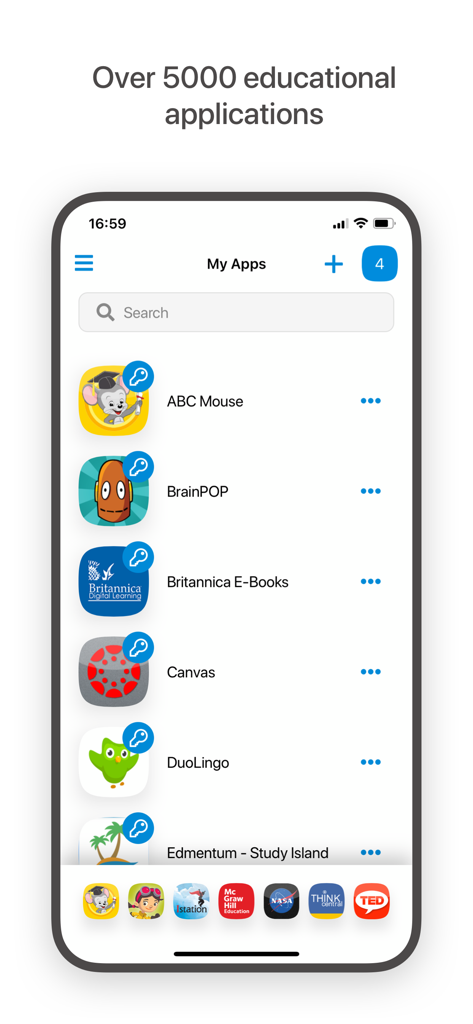
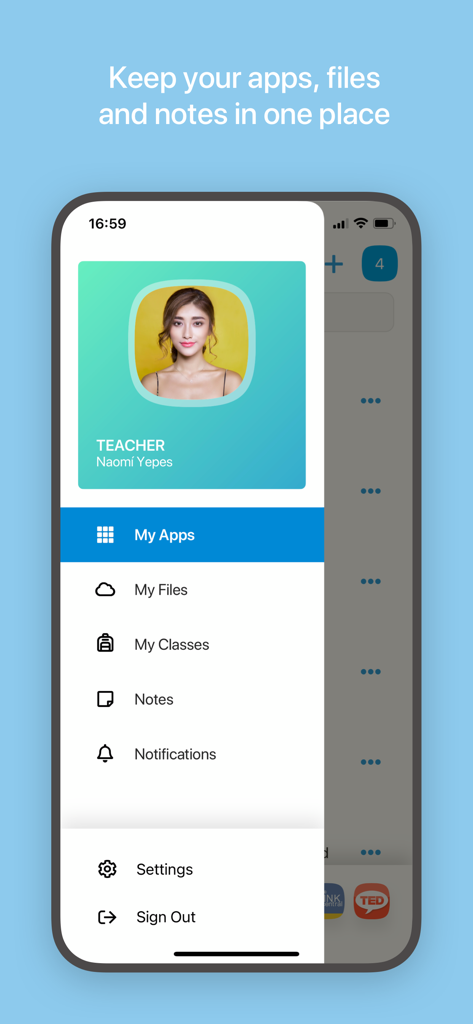
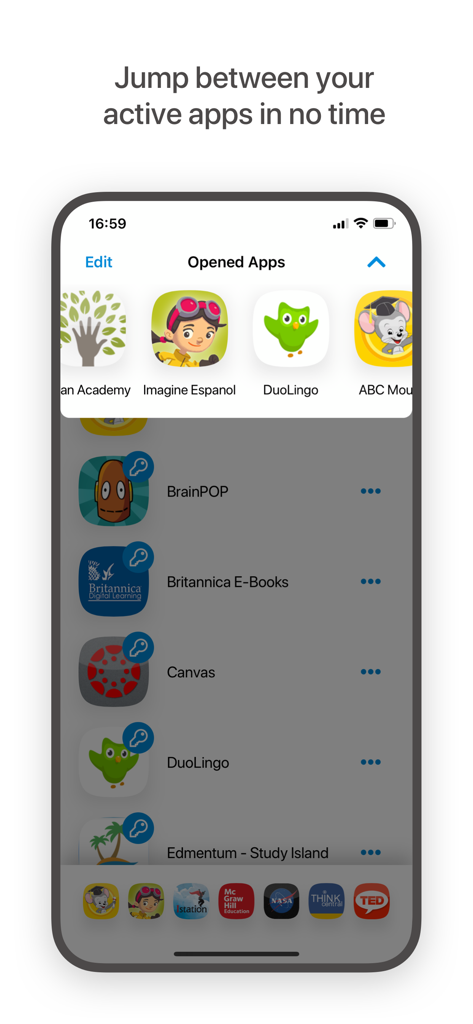
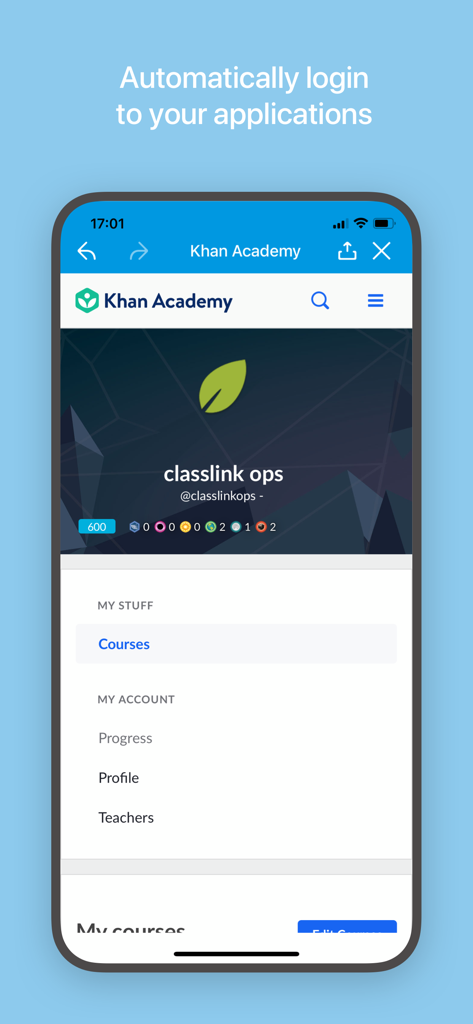
The tools that make this app stand out, trusted by 3M+ users.
Log in once to access thousands of educational tools and apps instantly. No more 'I forgot my password' interruptions.
Access Google Drive, OneDrive, and even school network folders from a single interface. Your work is always with you.
Designed for 1-to-1 and BYOD programs, providing a consistent experience across iPhones, iPads, and personal laptops.
Trusted by 3M+ people who love this app.
"ClassLink is a total lifesaver for my AP classes. I used to waste so much time trying to remember different logins for Canvas, Google Drive, and my math labs. Now I just tap once and I am in. It makes finishing my assignments on my phone between soccer practice so much easier."
"As a middle school teacher, I used to spend the first ten minutes of every period helping students recover forgotten passwords. Since our district started using LaunchPad, those technical headaches have vanished. My students are logged in and ready to learn in seconds."
Everything you need to know about ClassLink LaunchPad.
Description
Latest Version
40.3.8
Size
68.4 MB
First Released
May 16, 2012
Join millions of students and teachers who skip the login struggle. Download ClassLink LaunchPad today for instant, one-tap access to all your learning apps and school files.
Everything you need to know about ClassLink LaunchPad
ClassLink LaunchPad provides personalized single sign-on access to thousands of educational, productivity, and learning applications. It allows users to access school resources with one click, streamlining the login process.
Yes, your school or organization must have CLASSLINK LAUNCHPAD WEB EDITION for this app to function. The mobile app requires the existing web edition infrastructure.
Yes, ClassLink LaunchPad provides personalized single sign-on access to all school resources, enabling automatic logins to applications. This feature saves time by eliminating repeated login entries.
ClassLink LaunchPad provides real-time access to Google Drive, O365 and OneDrive, Dropbox, and Box. It also integrates with your school network folders and any mapped Active Directory folders.
ClassLink LaunchPad provides access to thousands of learning, productivity, and educational applications. The platform explicitly states it offers over 5000 educational applications for users.
Yes, ClassLink LaunchPad is accessible from any device. It is built specifically for education and is ideal for 1to1 and Bring Your Own Device (BYOD) initiatives in schools.
Yes, users can manage their apps, files, and notes in one place within ClassLink LaunchPad. The app's sidebar menu includes dedicated sections for 'My Files' and 'Notes'.
Yes, ClassLink LaunchPad enables users to jump between their active applications efficiently. The interface features an 'Opened Apps' section for swift navigation and multitasking.
Apps with similar features and user experience

Sociedade De Ensino Superior Estacio de Sa Ltda

Cesumar - Centro de Ensino Superior de Maringa Ltda

Qassim University

UNISTUDENTS P.C.

Yordam Mobil

Comcigan Co., Ltd.

Clever Inc.

Edupoint
Saudi Ministry of Education