Click SuperApp

Click SuperApp

Download on App Store
Spark by MWM logo
Logo of Click SuperApp

Click SuperApp: Your Financial Bridge to Uzbekistan

The essential wallet for the Uzbekistani diaspora in the USA. Transfer funds to UzCard and Humo instantly, pay for family utilities from abroad, and manage your home finances with total peace of mind.

Publisher

Click LLC

Category

Finance

Downloads

1M+

User Rating

4.8/5

Total Ratings

106K+

Locales

4

A Glimpse into Seamless Finance

Discover the interface used by 1M+ users.
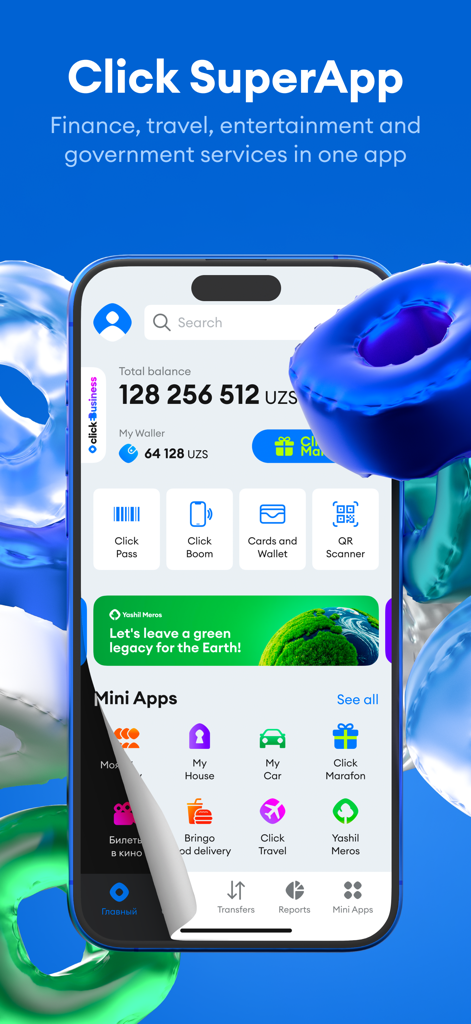
Click SuperApp main screen displaying balance and various financial and travel services

Click SuperApp main screen displaying balance and various financial and travel services

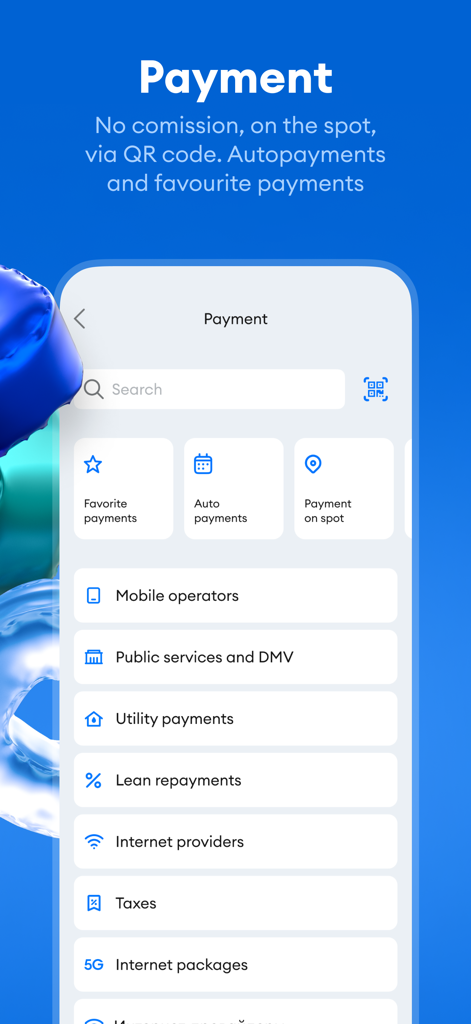
Mobile screen of Click SuperApp showing payment options for utilities taxes and loan repayments

Mobile screen of Click SuperApp showing payment options for utilities taxes and loan repayments

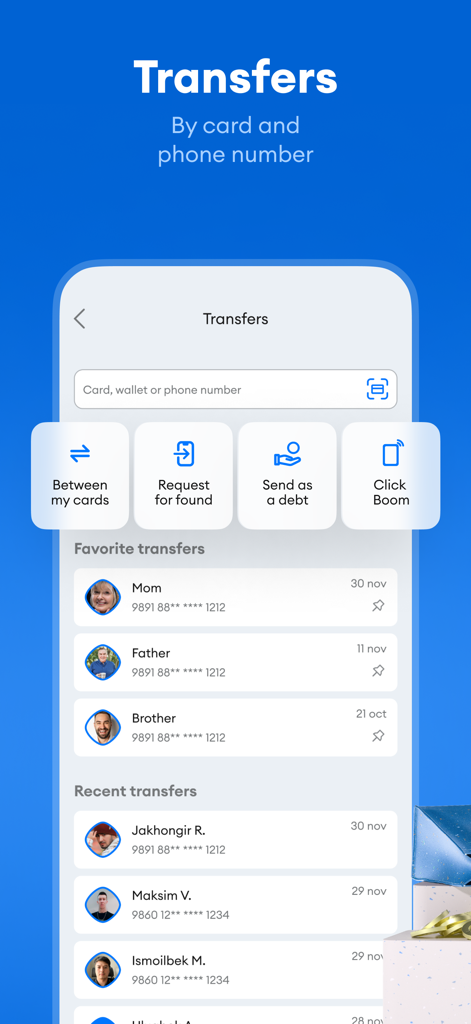
Click SuperApp money transfer interface showing card and phone number payment options with a list of favorite family contacts.

Click SuperApp money transfer interface showing card and phone number payment options with a list of favorite family contacts.

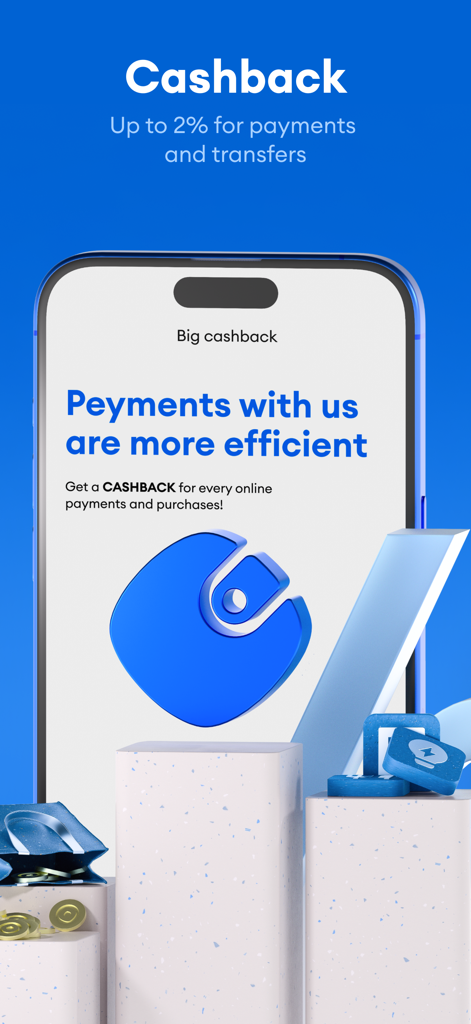
Click SuperApp mobile screen showing cashback offers for payments and transfers

Click SuperApp mobile screen showing cashback offers for payments and transfers

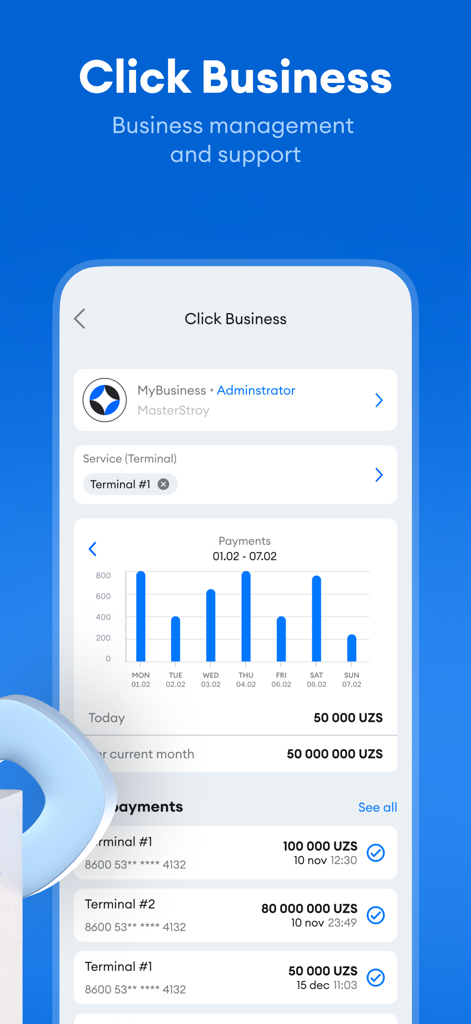
Dashboard of Click Business showing payment statistics and recent transaction history

Dashboard of Click Business showing payment statistics and recent transaction history

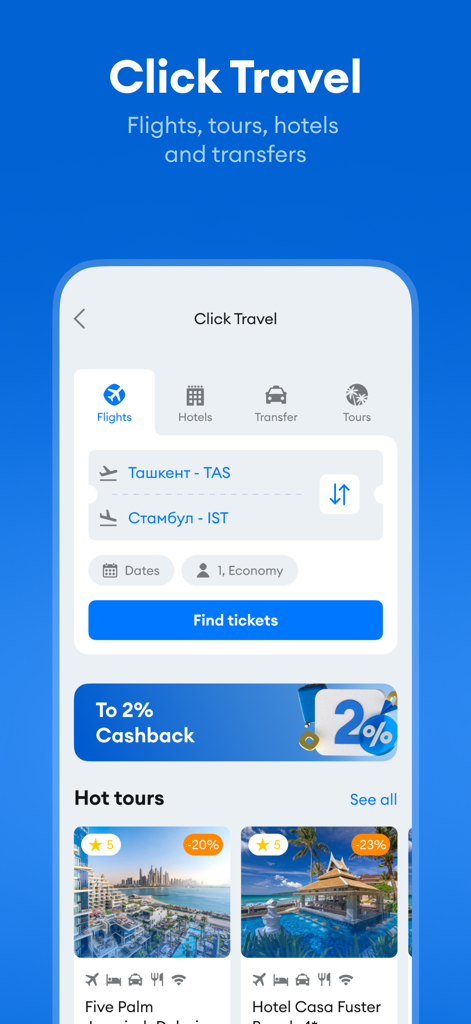
Click Travel screen for booking flights and hotels with cashback offers

Click Travel screen for booking flights and hotels with cashback offers

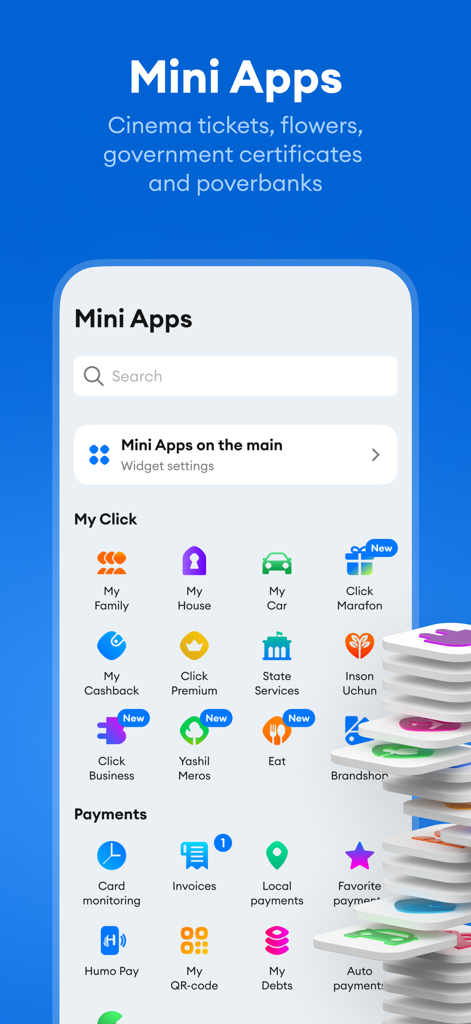
Interface of Click SuperApp showing the Mini Apps section with various lifestyle and payment services

Interface of Click SuperApp showing the Mini Apps section with various lifestyle and payment services

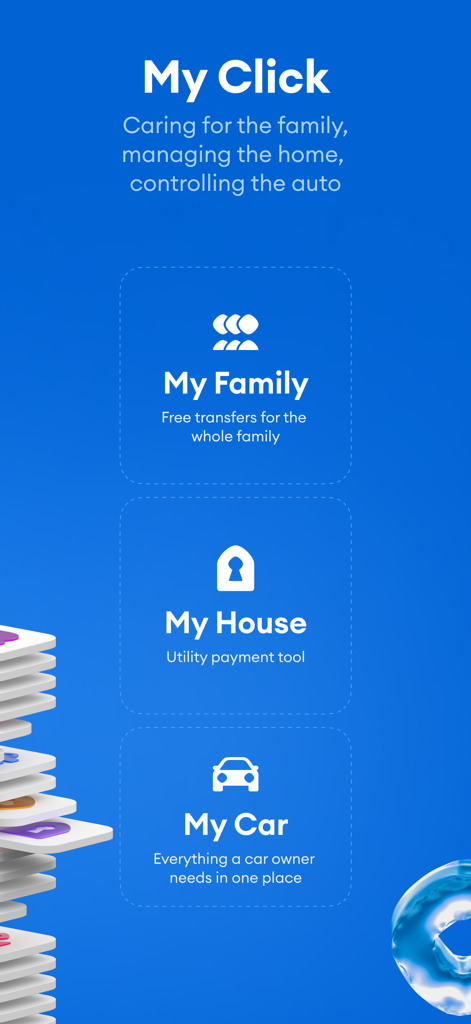
Click SuperApp dashboard showing family transfers, utility payments, and car owner services

Click SuperApp dashboard showing family transfers, utility payments, and car owner services

Your Financial Connection to Uzbekistan

The tools that make this app stand out, trusted by 1M+ users.

💸

Instant Cross-Border Transfers

Send money directly to UzCard and Humo plastic cards instantly. Whether it's for family support or personal savings, your funds arrive in Uzbekistan in seconds.

🏠

Remote Caretaker Tools

Pay utility bills, internet services, and bank loans for your loved ones back home. Manage scheduled auto-payments from the US to ensure your family’s home runs smoothly.

📶

Works Online and Offline

Access your wallet via the internet or USSD requests. Stay in control of your finances even when traveling home or dealing with limited connectivity.

Loved by users worldwide

Trusted by 1M+ people who love this app.

"

"Living in New York makes it hard to manage my parents' affairs back in Tashkent, but Click SuperApp changed everything. I can pay their utility bills and top up their UzCard instantly from my phone. It is the most reliable way to stay financially connected to my family in Uzbekistan."

Aziz Rahmonov
"

"As a frequent business traveler between Chicago and Samarkand, the HumoPay and QR scanner features are absolute lifesavers. I love the Click Premium benefits—the double cashback and the golden theme make the app feel truly elite. It is much more than a banking app; it is a true SuperApp."

Nigora T.

About the app

Everything you need to know about Click SuperApp.

Description

With the Click SuperApp mobile application, you have access to: - Card-to-Card Transfers Transfer funds from one plastic card to another. You can make transfers as well as request funds from a Click user by phone number, by card number, or transfer between your own cards. - Click Wallet This is a virtual account that you can top up, use to pay for various goods and services, and transfer funds to other wallets. Now you don’t have to visit a bank or wait for an account or card to be opened. - Widgets Enjoy quick access for paying for mobile communications, utilities, transfers, and much more with new widgets on your home screen. Keep only those you need and arrange them as you like. - Click Premium The Click Premium subscription lets you earn double cashback on payments, refund 100% of transfer commissions, make transfers via Click Boom, chat with premium support, and change the golden theme of the home screen for a fixed monthly fee. - Click Boom Fast and convenient transfers to nearby contacts in one click. - Card History View the history of all transactions (credits, payments at retail locations, cash withdrawals, etc.) on your UzCard and Humo cards. - HumoPay Pay directly with your mobile device using NFC technology at all terminals that accept Humo cards. - In-Person Payments Pay using a QR code scanner at retail locations in your city. - Scheduled Auto-Pay Use this for making payments to a supplier on a specified day each month or week for a set amount. - Event-Based Auto-Pay This is used for making a payment when a certain balance is reached on your supplier account. - Friend’s Help If you run out of funds, you can ask friends to pay for you by sending them a payment request. - Offline and Online Modes The app works via the internet or through USSD requests—even with a negative balance on your phone! - Loan Repayment Repay loans from the comfort of your home in one Click. The following banks are available for loan repayment: AloqaBank, Asia Alliance Bank, Agrobank, Madad Invest Bank, Xalq Bank, Mikrokredit Bank, SQB, Orient Finans Bank, Davr Bank, Kapitalbank, Infin Bank, Ziraat Bank, Universalbank, Ipak Yuli Bank, Qishloq Qurilish Bank, Ravnak Bank, Garant Bank, Hamkor Bank, Asaka Bank, Trast Bank, Poytaxt Bank, Texnomart, Uzavtosanoat, TheMall, Kredit 24, Tenge Bank. - Payment for Various Services Pay for mobile communications, internet, landline and telephony services, digital television, taxes and utility bills, transportation services, food ordering and delivery, services and goods from online stores in Uzbekistan, and much more. - Click Pass For quick cashier payments, simply scan your Click Pass and the amount will be deducted from your chosen plastic card, even without an internet connection. - My Bills Pay bills issued by suppliers or another Click user. - Reports View your Click payment history and receive reports in graphical form. - Favorite Payments Add recurring payments to "Favorites" for even faster and more convenient payments. - Overall Balance Check the balance of your registered plastic cards, and much more. Our website: http://click.uz/ Our Telegram channel: https://t.me/click_uz Service payments via Telegram Bot: https://t.me/clickuzOur Facebook page: https://www.facebook.com/click.uz/ Contact Center: +99871 2310880 Click SuperApp – Pay in a New Way! We are constantly working to improve our system and this application. Encounter any problems or have an interesting idea? Write to us at info@click.uz

Latest Version

8.37.0

Size

533.5 MB

First Released

Dec 20, 2013

Your Financial Link to Uzbekistan, Anywhere in the US

Join over 1 million users managing transfers, cards, and utility bills back home with ease. Download Click SuperApp and start paying in a new way today.

Download on App Store
FAQ

Frequently Asked Questions

Everything you need to know about Click SuperApp

What is the Click SuperApp?

The Click SuperApp is a mobile application combining finance, travel, entertainment, and government services. It provides various features like transfers, payments, wallets, and mini-apps within a single platform.

Does the Click SuperApp support card-to-card transfers?

Yes, the Click SuperApp supports card-to-card transfers. Users can move funds between plastic cards, request funds from other Click users, or transfer money between their own registered cards.

What is Click Wallet in the Click SuperApp?

Click Wallet is a virtual account within the Click SuperApp. Users can top it up, pay for various goods and services, and transfer funds to other wallets without needing a bank account or card.

Can I earn cashback with the Click SuperApp?

Yes, the Click SuperApp offers cashback. Users with a Click Premium subscription earn double cashback on payments. The application provides up to 2% cashback on payments and transfers.

How does Click Premium enhance the Click SuperApp experience?

Click Premium offers double cashback, 100% transfer commission refunds, Click Boom transfers, premium support, and a customizable golden home screen theme for a fixed monthly fee.

Does Click SuperApp allow loan repayments?

Yes, the Click SuperApp facilitates loan repayments. Users can repay loans from numerous listed banks, including AloqaBank, Agrobank, and Kapitalbank, conveniently from within the application.

Can Click SuperApp be used without an internet connection?

Yes, Click SuperApp operates without an internet connection via USSD requests. This offline mode ensures functionality even with a negative balance on the user's phone.

What payment methods does Click SuperApp support for in-person transactions?

Click SuperApp supports in-person payments via QR code scanner at retail locations. It also offers HumoPay, enabling direct mobile device payments using NFC technology at Humo card-accepting terminals.

What is Click Pass in the Click SuperApp?

Click Pass is a feature for quick cashier payments. Users simply scan their Click Pass, and the amount deducts from their chosen plastic card, even without an internet connection.

Can I schedule payments with the Click SuperApp?

Yes, Click SuperApp supports Scheduled Auto-Pay. Users can set up recurring payments to suppliers for a specified amount on a monthly or weekly basis.

How do I view my transaction history in Click SuperApp?

Users view transaction history through the Card History feature, displaying all UzCard and Humo card transactions. The Reports section also provides graphical payment history.

Does Click SuperApp have mini-applications?

Yes, Click SuperApp integrates mini-applications. These offer diverse services like cinema tickets, food delivery, travel booking, and dedicated tools for family, home, and car management.

Can I get support for Click SuperApp issues?

Yes, support for Click SuperApp is available. Users contact the center at +99871 2310880 or email info@click.uz. Click Premium subscribers also receive dedicated premium support.

What types of services can I pay for using Click SuperApp?

Click SuperApp facilitates payments for mobile communications, internet, utilities, taxes, digital television, transportation, food ordering, and services from various online stores in Uzbekistan.

Does Click SuperApp offer options for business management?

Yes, Click SuperApp includes "Click Business." This feature provides tools for business management and support, allowing administrators to manage payments and transactions.

Can I request money from friends using Click SuperApp?

Yes, Click SuperApp features "Friend's Help." Users facing insufficient funds can send payment requests to friends directly through the application.