CloudLibrary

CloudLibrary

Download on App StoreDownload on Google Play
Spark by MWM logo
Logo of CloudLibrary

CloudLibrary: Your All-in-One Digital and Physical Library Companion

Borrow eBooks and audiobooks for free, manage multiple family cards, and skip the lines with mobile checkout. Your local library, reimagined for your modern life.

Publisher

OCLC

Category

Books

Downloads

2M+

User Rating

4.7/5

Total Ratings

307K+

Locales

20

Your Library at a Glance

Discover the interface used by 2M+ users.
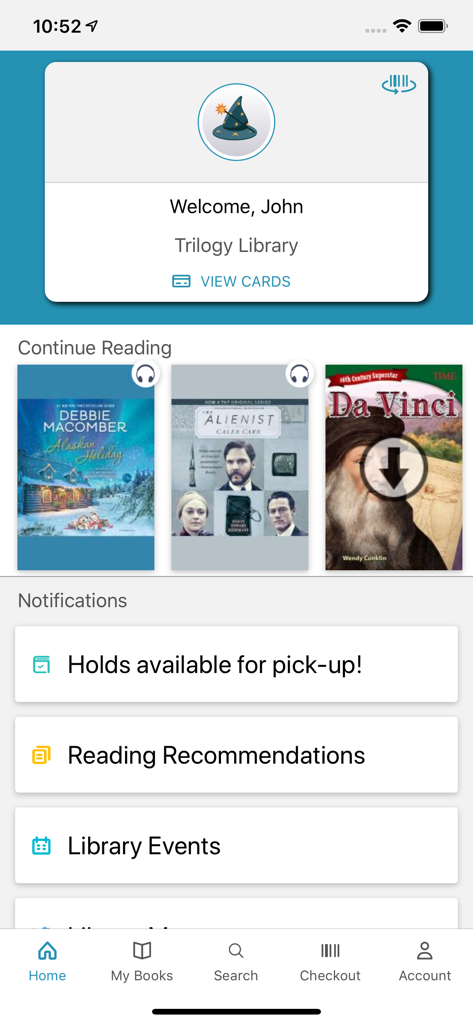
CloudLibrary mobile app home screen showing user welcome card current reading list and library notifications

CloudLibrary mobile app home screen showing user welcome card current reading list and library notifications

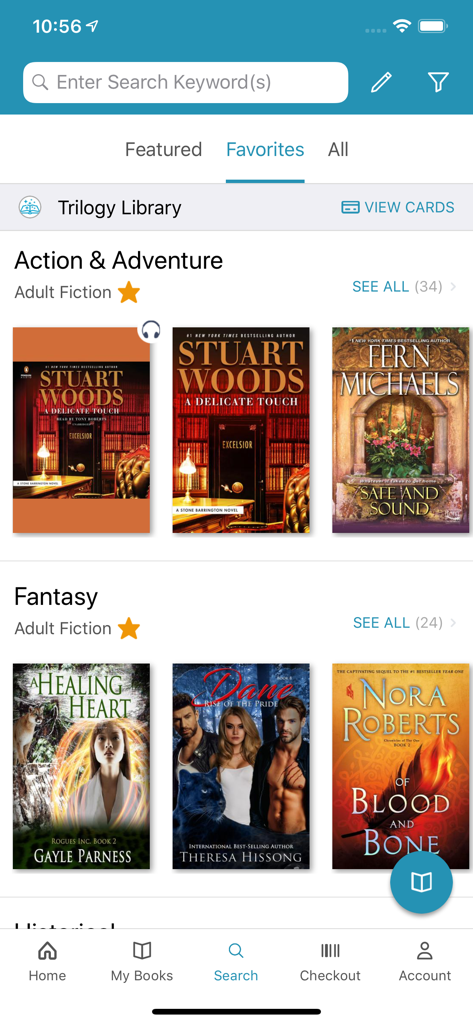
Search screen of the CloudLibrary app showing book recommendations and genre categories like fantasy and action adventure

Search screen of the CloudLibrary app showing book recommendations and genre categories like fantasy and action adventure

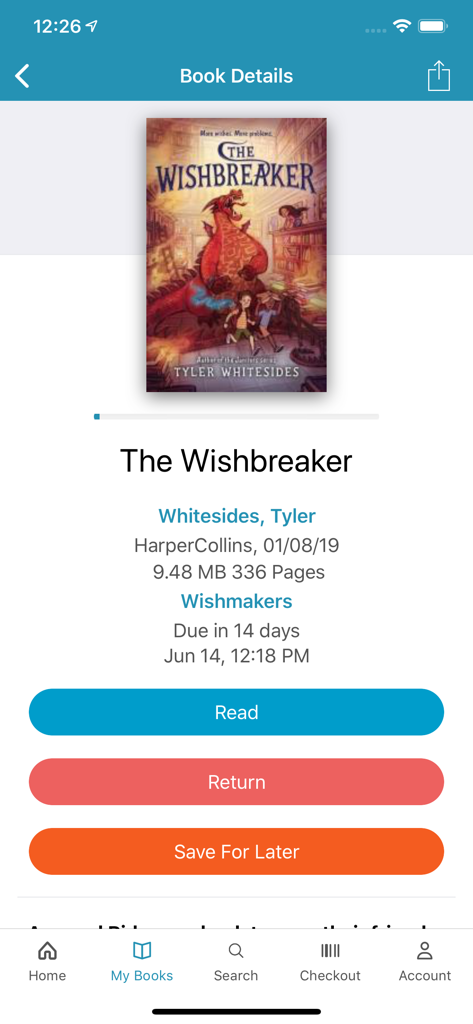
CloudLibrary app screen showing book details for The Wishbreaker with options to read return or save for later

CloudLibrary app screen showing book details for The Wishbreaker with options to read return or save for later

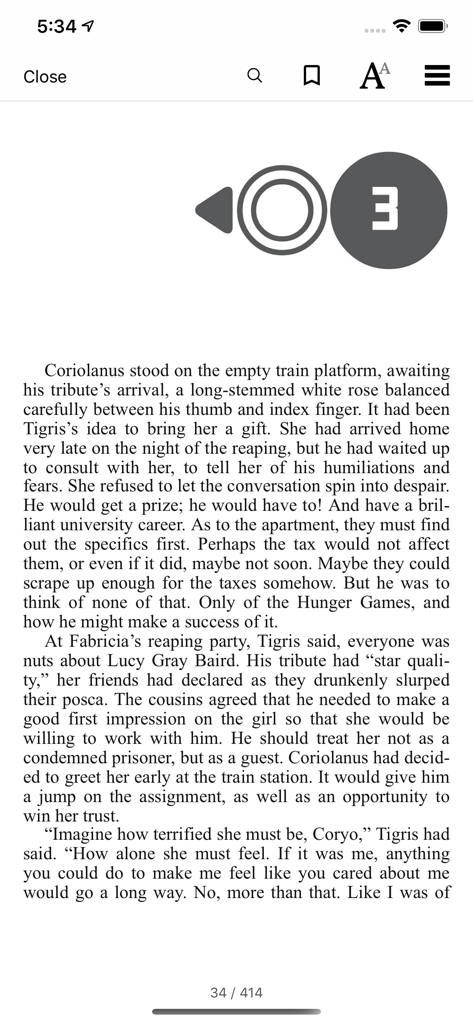
Mobile eBook reader interface in CloudLibrary app showing book text and reading controls

Mobile eBook reader interface in CloudLibrary app showing book text and reading controls

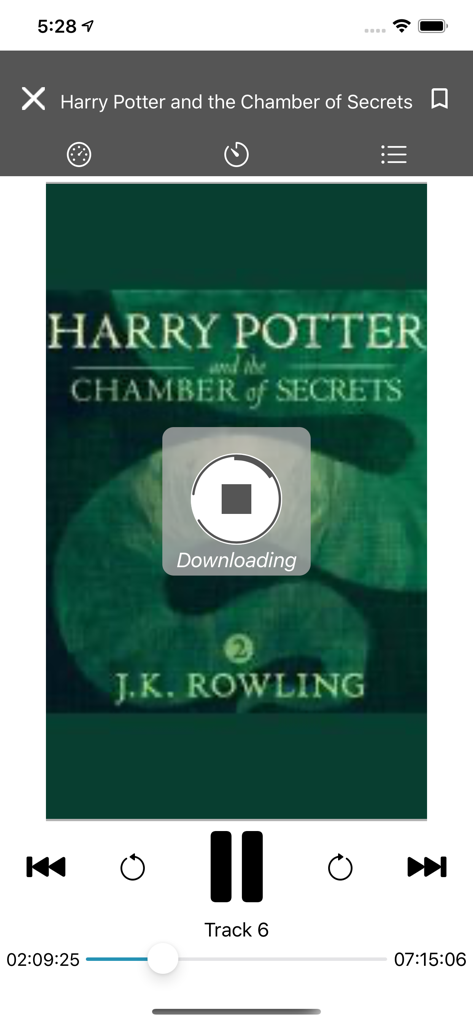
CloudLibrary app audiobook player showing a download for Harry Potter and the Chamber of Secrets

CloudLibrary app audiobook player showing a download for Harry Potter and the Chamber of Secrets

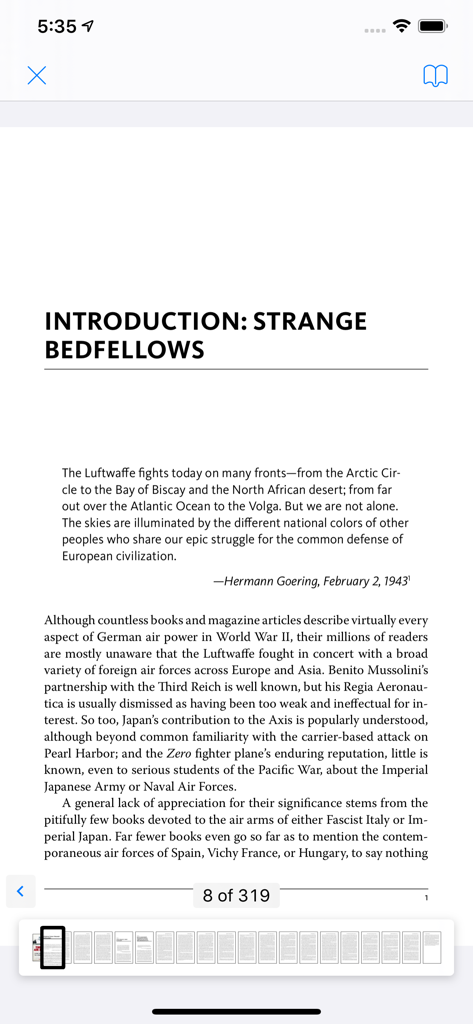
CloudLibrary app eBook reader view showing a page from a history book with navigation thumbnails

CloudLibrary app eBook reader view showing a page from a history book with navigation thumbnails

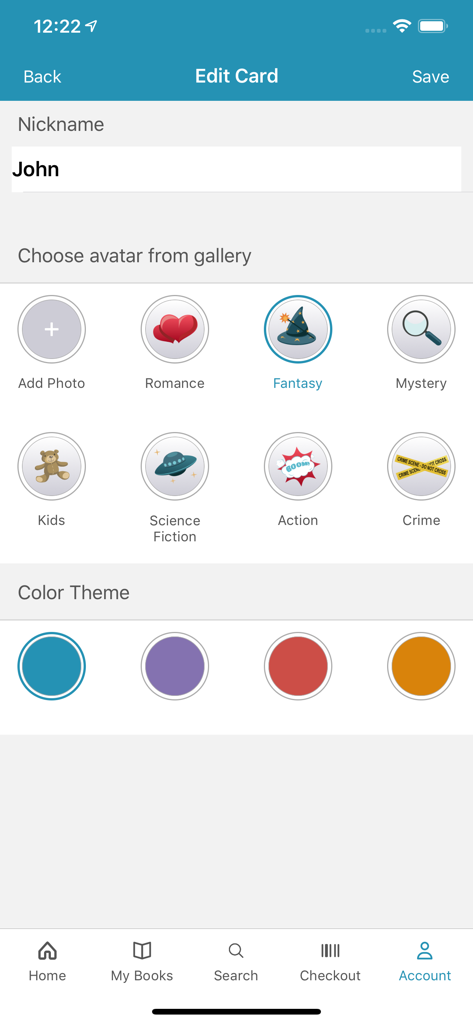
Personalizing a library card profile with custom nicknames and avatars in the CloudLibrary app.

Personalizing a library card profile with custom nicknames and avatars in the CloudLibrary app.

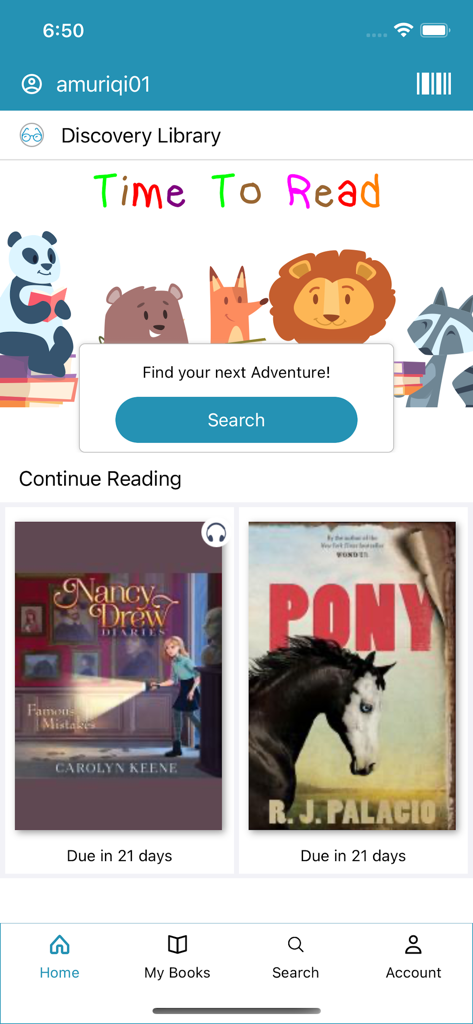
CloudLibrary mobile app home screen showing a Discovery Library section with kids books and current reading due dates

CloudLibrary mobile app home screen showing a Discovery Library section with kids books and current reading due dates

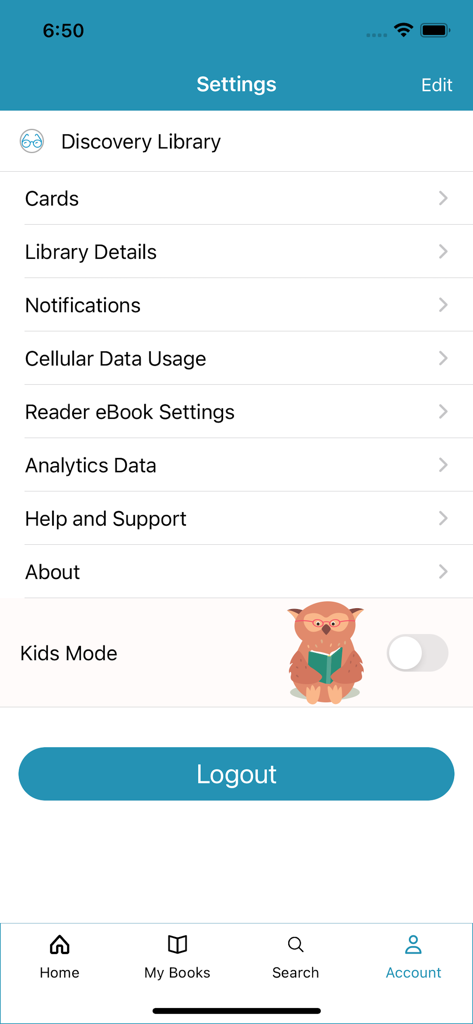
The settings screen of the CloudLibrary app featuring account management options and a Kids Mode toggle.

The settings screen of the CloudLibrary app featuring account management options and a Kids Mode toggle.

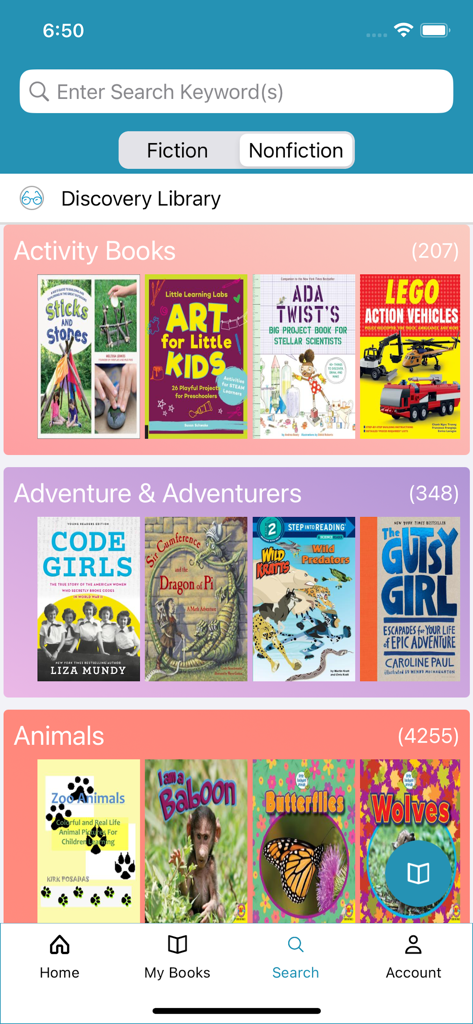
CloudLibrary app discovery screen showing activity and adventure book categories

CloudLibrary app discovery screen showing activity and adventure book categories

Your Library, Reimagined for Your Busy Life

The tools that make this app stand out, trusted by 2M+ users.

💳

Digital Card & Family Management

Stop carrying plastic cards. Store multiple library accounts for yourself and your kids, and switch between them with a single tap.

📲

Instant Mobile Checkout

Skip the kiosk lines. Scan physical books in the library using your phone and walk right out—it is the ultimate grab-and-go experience.

🎧

Free eBooks and Audiobooks

Ditch the expensive subscriptions. Access thousands of premium digital titles and audiobooks that sync perfectly across all your devices.

Loved by users worldwide

Trusted by 2M+ people who love this app.

"

"As a parent managing three different library cards, this app is a lifesaver. I can switch between accounts instantly and the due-date reminders have saved us a fortune in late fees. Checking out physical books with just my phone is the convenience I didn't know I needed!"

Sarah Miller
"

"I've replaced my expensive audiobook subscriptions with CloudLibrary. The interface is incredibly intuitive, and I love how I can sync my progress between my phone and tablet seamlessly. It's the perfect way to support my local library while enjoying a premium digital experience."

David Chen

About the app

Everything you need to know about CloudLibrary.

Description

A must-have app for library users! Easily borrow physical items using your mobile device, receive reminders, manage receipts and discover new digital content all within the CloudLibrary app! Extremely intuitive, all it takes is a library card to login and get started! Designed for an enjoyable experience, users can benefit from many new features, depending on their library’s subscription. - Easily accessible library card, which conveniently displays when you’re near the library - Switch accounts with ease and manage multiple library cards from one mobile device - Download and enjoy free eBooks and Audiobooks - Keep track of your physical and digital library activity in one place - Receive helpful receipts, due-date reminders and packable checklists - Visible push notifications alert when hold items are available - View upcoming library events and programs - Checkout print items at your library using your mobile device - Fun and loveable customizations include Themes, Avatars and Nicknames For libraries that have a subscription to offer eBooks and Audiobooks: - Customize your homepage bookshelves to display your preferred genres - Simple interface makes browsing and saving titles a breeze - Filter content by format, availability and language to display exactly what you are looking for - Mark titles as favorites or read to help with literary conversations with friends - Sync digital content across multiple devices to easily pick up where you left off - View current books, full reading history, items on hold and saved titles in one place - Sort titles by name or author to easily find what you’re looking for - Receive reading recommendations or view additional titles by author or series - Select font size, margins and background colors to create your preferred reading experience - Search eBooks for a particular phrase to get back to that one spot you wanted to reference - Bookmark pages and add notes if needed - Return titles early when you’re finished and make available for other readers Elevate your library experience today with the CloudLibrary app!

Latest Version

5.13.1

Size

158.9 MB

First Released

Oct 3, 2011

Your Library, Perfectly Organized in Your Pocket

Join over 2 million readers saving on subscriptions. Borrow free eBooks and Audiobooks, manage family cards, and checkout physical books instantly with your phone.

Download on App StoreDownload on Google Play
FAQ

Frequently Asked Questions

Everything you need to know about CloudLibrary

How does the CloudLibrary app facilitate borrowing items?

The CloudLibrary app enables users to borrow physical library items using their mobile device. It also supports checking out print items directly at the library.

Does the CloudLibrary app provide access to eBooks and Audiobooks?

Yes, the CloudLibrary app offers free eBooks and Audiobooks for download. Users can browse, save, and sync this digital content across their devices.

Is it possible to manage multiple library cards within the CloudLibrary app?

Yes, the CloudLibrary app allows users to manage multiple library cards from a single mobile device. It provides an easy way to switch between different accounts.

What types of notifications does the CloudLibrary app send to users?

The CloudLibrary app delivers due-date reminders, helpful receipts, and visible push notifications. These alerts inform users when their held items are available for pick-up.

Does the CloudLibrary app allow for user experience customization?

Yes, the CloudLibrary app offers customizations including Themes, Avatars, and Nicknames. Users can also adjust font size, margins, and background colors for their preferred reading experience.

Does the CloudLibrary app offer reading recommendations?

Yes, the CloudLibrary app provides reading recommendations to users. It also enables viewing additional titles by author or series for content discovery.

How can users return borrowed titles within the CloudLibrary app?

Users can return titles early directly through the CloudLibrary app when they finish reading them. This action makes the titles immediately available for other readers.

Can users track their library activity in the CloudLibrary app?

Yes, the CloudLibrary app allows users to track both their physical and digital library activity in one centralized location. This includes current books, reading history, and held items.

Does the CloudLibrary app allow users to filter content?

Yes, users can filter digital content by format, availability, and language within the CloudLibrary app. This feature helps display specific titles based on their preferences.

Is a Kids Mode feature available in the CloudLibrary app?

Yes, the CloudLibrary app includes a "Kids Mode" feature. This option can be managed and toggled on or off from the app's settings menu.