
Clover Go - Dashboard & POS



Accept secure payments, track real-time sales, and manage your team directly from your phone. The professional, all-in-one POS built for the modern entrepreneur on the move.
Publisher
Category
FinanceDownloads
957K+User Rating
Total Ratings
63K+Locales
3Discover the interface used by 957K+ users.
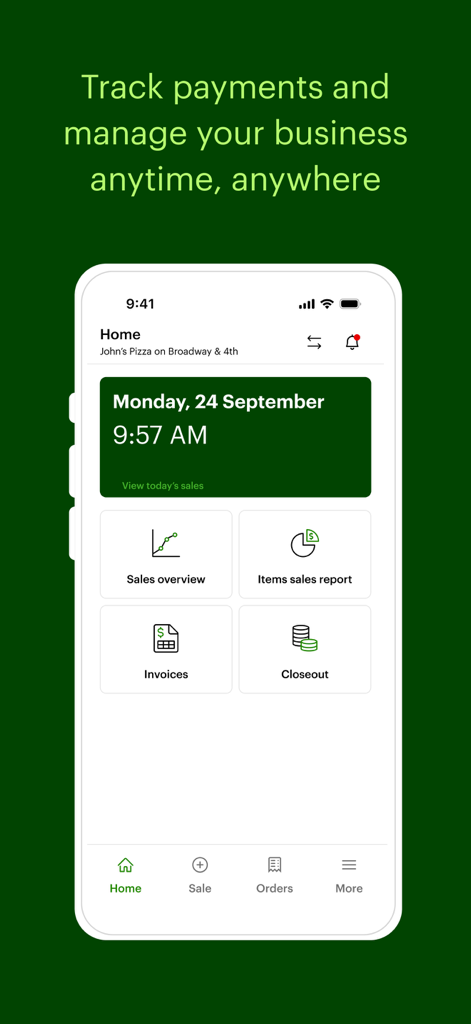
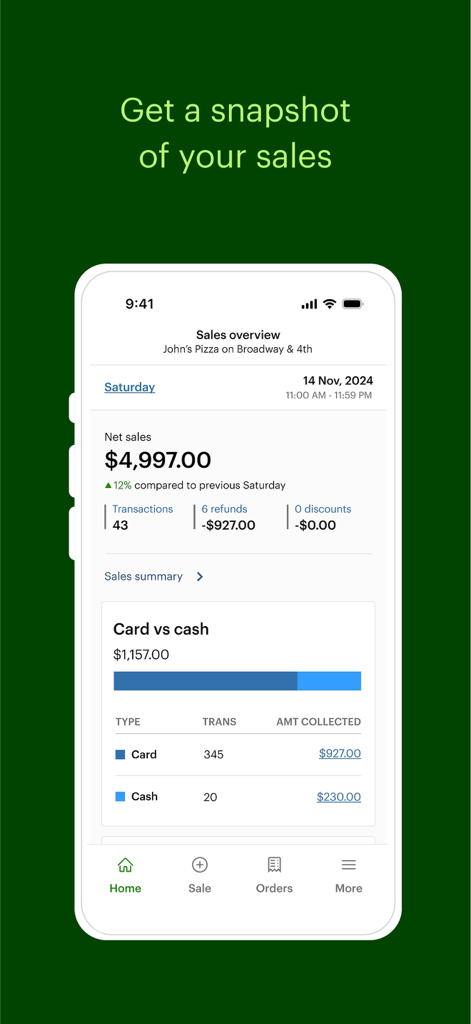
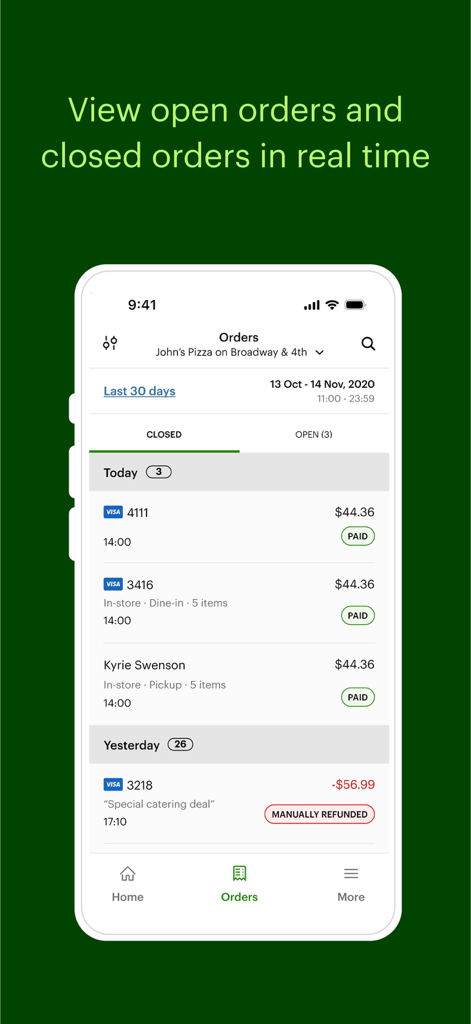
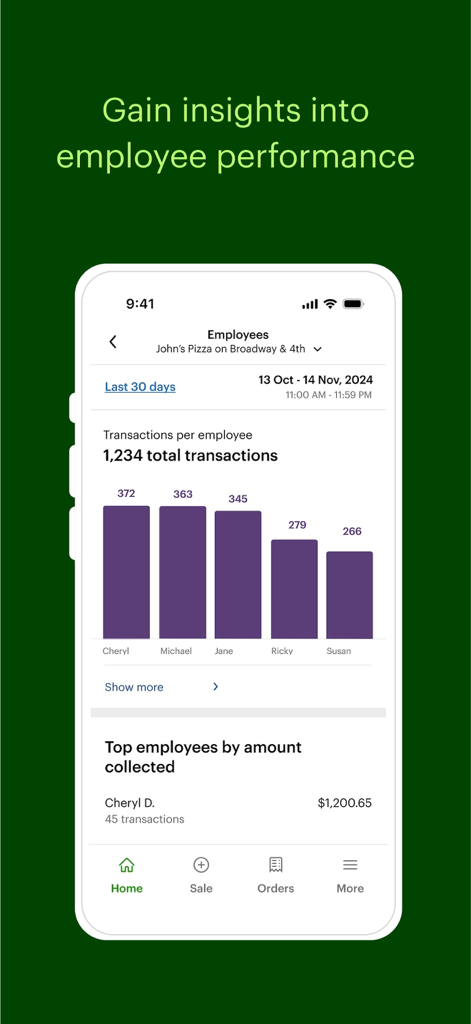
The tools that make this app stand out, trusted by 957K+ users.
Use Tap to Pay on iPhone to accept contactless payments instantly—no extra hardware or card reader required.
Get instant visibility into your top-selling items and employee performance to make smarter business decisions.
Protect your revenue with end-to-end encryption and get peace of mind with 24/7/365 expert support.
Trusted by 957K+ people who love this app.
"As a regular at weekend makers' markets, I needed a way to look professional without carrying a ton of gear. Clover Go changed everything for my jewelry brand. Using Tap to Pay on my iPhone is seamless, and being able to track my most popular items in real-time helps me decide exactly what to craft for the next show. It is the perfect tool for any mobile entrepreneur."
"Running a residential HVAC business means I am always on the move. Clover Go allows me to get paid instantly right at the job site, which has significantly improved my cash flow. The security features give my customers peace of mind, and the dashboard is incredibly intuitive for tracking my daily sales. It is like having my entire back office right in my pocket."
Everything you need to know about Clover Go - Dashboard & POS.
Description
Latest Version
5.8
Size
163.6 MB
First Released
Sep 24, 2015
Join over 950,000 entrepreneurs who use Clover Go to accept secure payments and track real-time growth. Download the app and turn your iPhone into a professional POS today.
Everything you need to know about Clover Go - Dashboard & POS
Clover Go extends the power of Clover by enabling merchants to accept payments, track sales, and manage their business directly from their mobile device from anywhere.
Yes, Clover Go allows you to accept contactless payments using Tap to Pay on iPhone without any additional hardware. You can also record cash payments directly through the app.
Yes, Clover Go ensures built-in security for transactions. Every transaction is encrypted end-to-end to protect customer data and the business.
You can contact Clover Go support by phone or email 24/7/365. The app also offers an option to request a call from within the app via More > Help > Call me.
Yes, a Clover merchant account is required to use the Clover Go app. If you do not have an account, you must sign up for Clover at www.clover.com.
Yes, Clover Go allows you to track sales in real-time, identify popular items, and view a sales overview. The app also provides sales reports and insights into net sales.
No, Clover Go does not support rooted or jailbroken devices. This restriction is in place due to potential security risks associated with such devices.
Clover Go helps manage your business by tracking sales, identifying popular items, viewing employee performance, and managing orders. It consolidates these functions on your mobile device for convenience.
Yes, the Clover Go app allows you to view employee performance. You can see transactions per employee and identify top employees by the amount collected, gaining insights into staff productivity.
Yes, Clover Go displays both open and closed orders in real time. Users can access a dedicated "Orders" section to monitor the status and details of all transactions.
Apps with similar features and user experience

Shanghai Shouqianba Internet Technology Co., Ltd.

Cielo S.A.

PagSeguro Internet S.A
Finan Pte. Ltd.

Anhui QiSeMi Information Technology Co., Ltd.

Logneks OOO

志国 成

Jarbas Software e Servicos LTDA

PromoTek, OSOO
