Compass 55. Map & GPS kit.

Compass 55. Map & GPS kit.

Download on App Store
Spark by MWM logo
Logo of Compass 55. Map & GPS kit.
Compass 55. Your Professional-Grade GPS, Mapping, and Navigation Kit.

Master every terrain with high-precision MGRS coordinates, offline maps, and technical tracking tools. A robust, privacy-first navigation suite built for adventurers and professionals who demand total control and zero data sharing.

Publisher

Kalimex-Consulting s.r.o.

Category

Navigation

Downloads

987K+

User Rating

4.7/5

Total Ratings

5K+

Locales

7

The Technical Edge

Discover the interface used by 987K+ users.
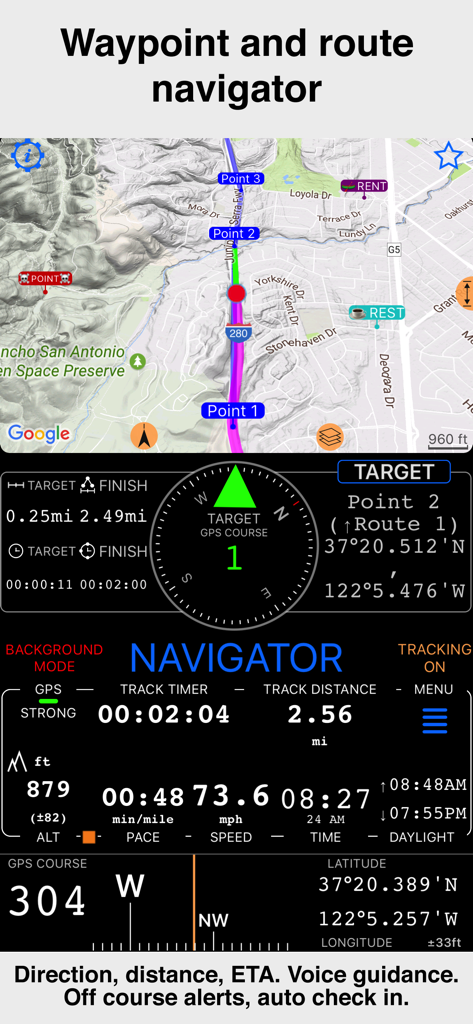
Compass 55 interface showing waypoint and route navigation with speed and altitude data

Compass 55 interface showing waypoint and route navigation with speed and altitude data

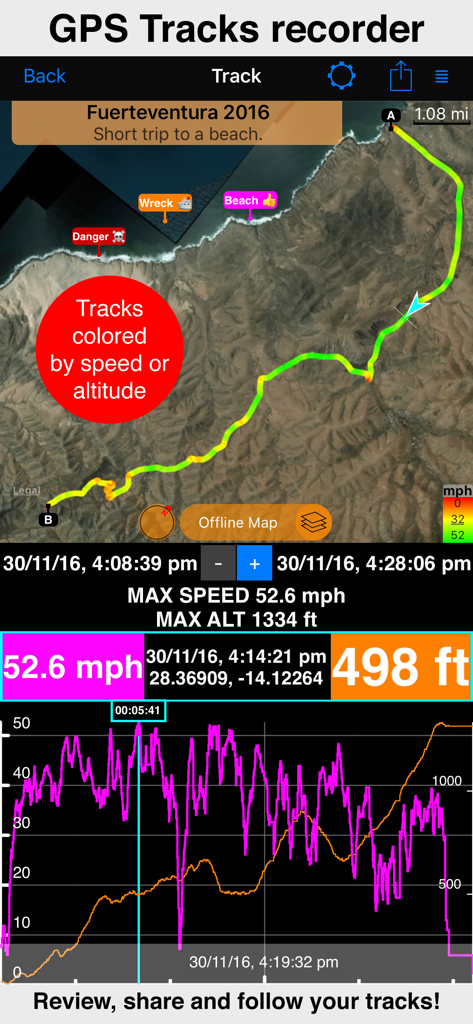
GPS track recording screen showing map speed and altitude stats

GPS track recording screen showing map speed and altitude stats

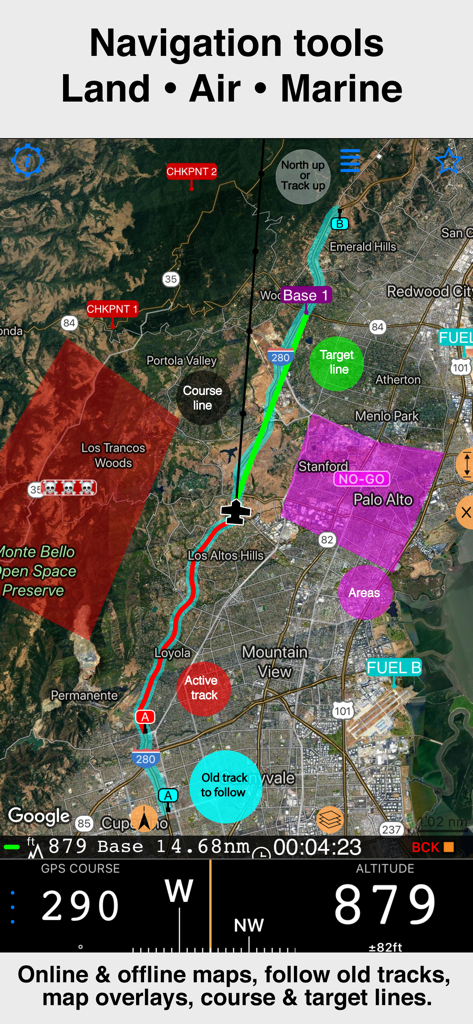
Compass 55 professional navigation interface showing satellite map with track overlays and altitude data

Compass 55 professional navigation interface showing satellite map with track overlays and altitude data

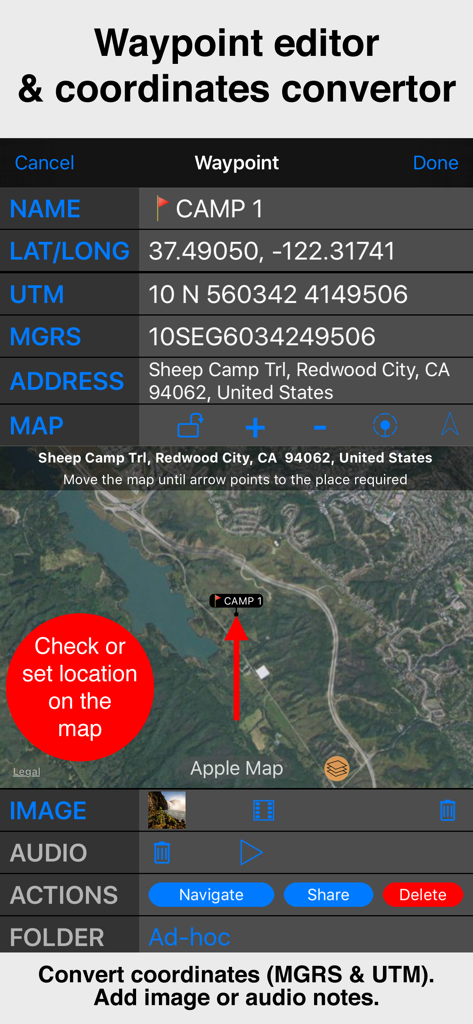
Interface of the Compass 55 waypoint editor showing MGRS and UTM coordinates with a satellite map view.

Interface of the Compass 55 waypoint editor showing MGRS and UTM coordinates with a satellite map view.

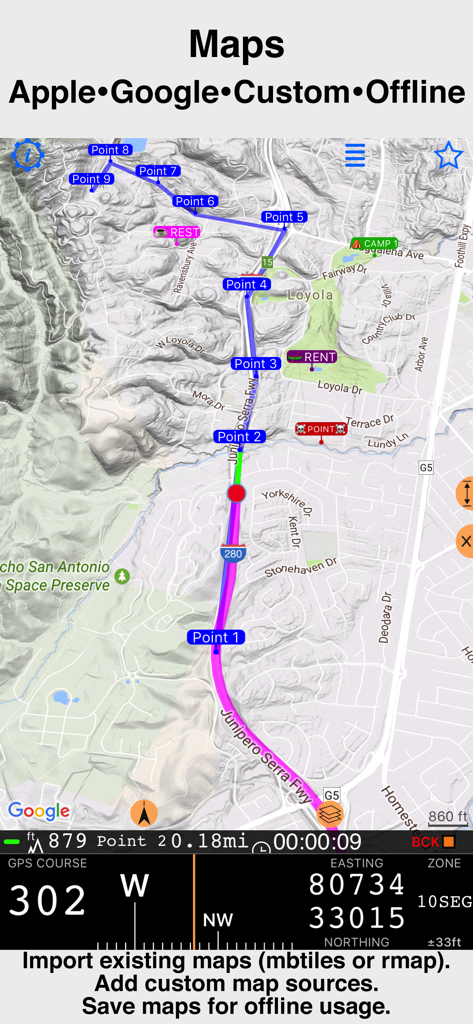
Compass 55 professional navigation map with technical GPS coordinates

Compass 55 professional navigation map with technical GPS coordinates

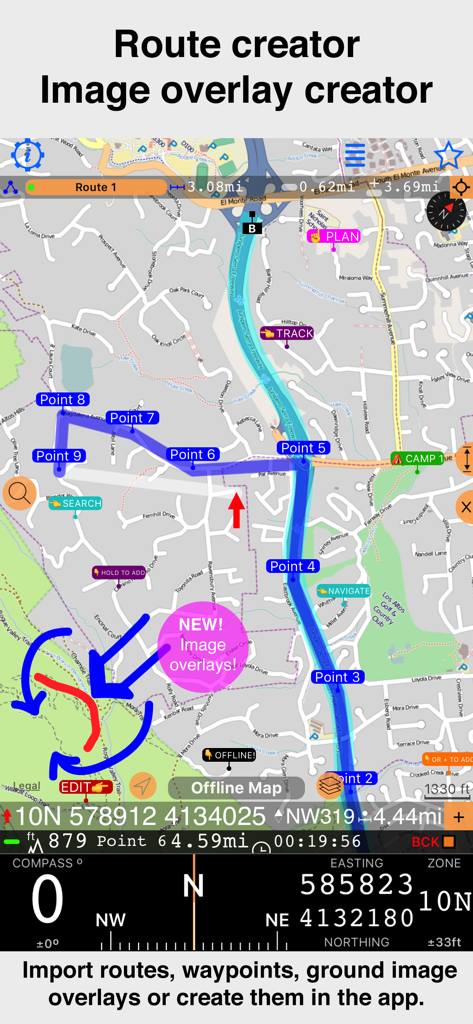
Compass 55 app interface showing route creation with waypoints and new image overlay feature on a topographical map.

Compass 55 app interface showing route creation with waypoints and new image overlay feature on a topographical map.

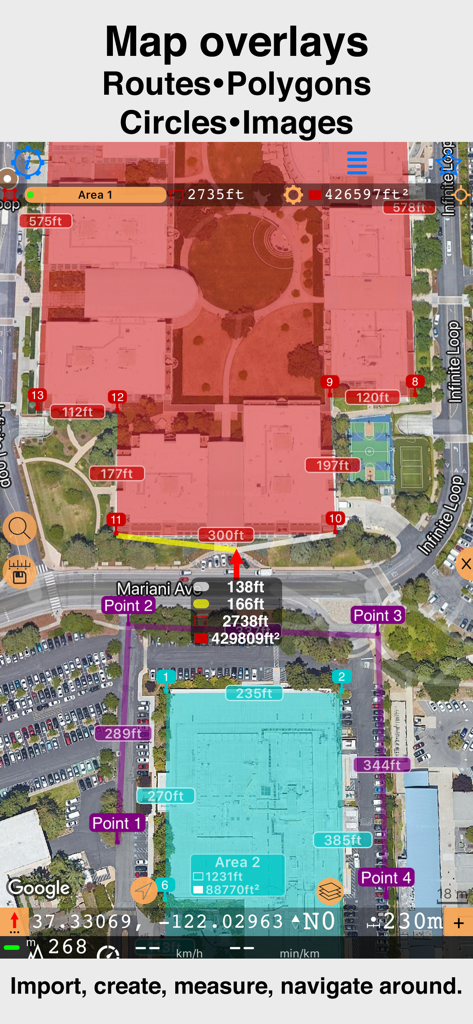
Satellite map interface showing custom polygons and distance measurements in Compass 55

Satellite map interface showing custom polygons and distance measurements in Compass 55

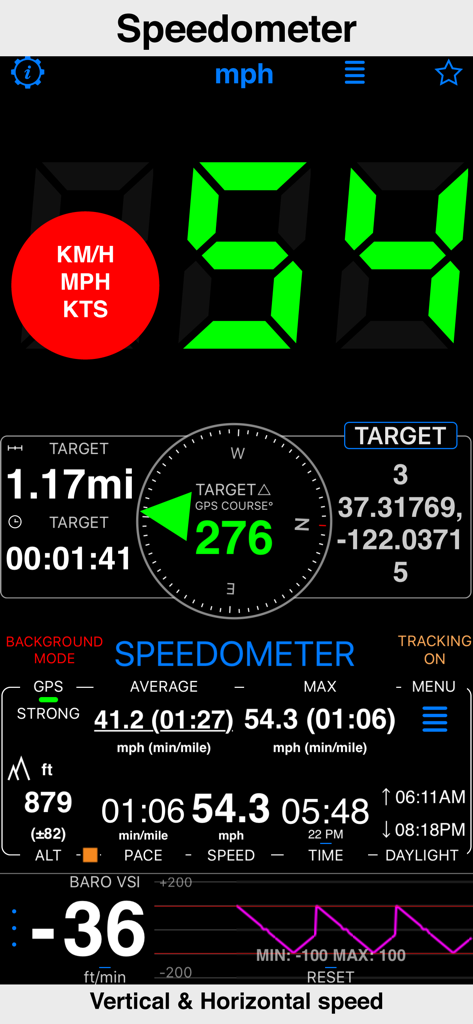
Compass 55 app speedometer interface showing horizontal and vertical speed with GPS data

Compass 55 app speedometer interface showing horizontal and vertical speed with GPS data

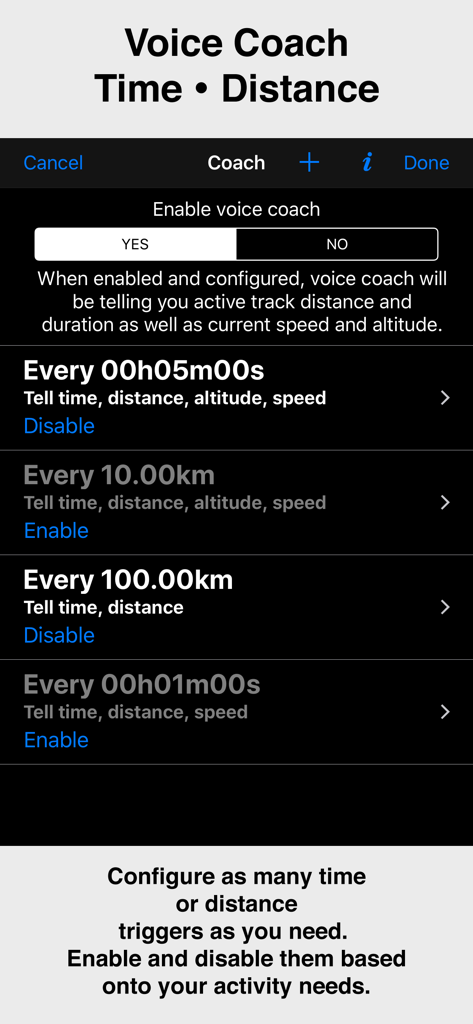
Configuration screen for the voice coach feature in the Compass 55 app showing time and distance triggers

Configuration screen for the voice coach feature in the Compass 55 app showing time and distance triggers

Compass 55 app GPS camera tool showing a photo with location coordinates altitude date and notes overlay

Compass 55 app GPS camera tool showing a photo with location coordinates altitude date and notes overlay

Built for the Technical Adventurer

The tools that make this app stand out, trusted by 987K+ users.

🧭

Professional-Grade Precision

Master your location with MGRS, UTM, and Latitude/Longitude coordinates. Convert, edit, and share waypoints with military-level accuracy.

🗺️

Go Beyond the Grid

Download offline maps and import custom tile servers. Navigate remote wilderness or high seas with zero cellular signal required.

🔒

Privacy You Can Trust

Your location data stays on your device. We never share your tracks or coordinates with third parties—just pure, secure navigation.

Loved by users worldwide

Trusted by 987K+ people who love this app.

"

"As an overlander who spends weeks in the backcountry, Compass 55 is my most trusted tool. The offline map support and MGRS coordinate precision are lifesavers when cellular service vanishes. It is rare to find an app this powerful that also respects your privacy."

Mark S., Technical Adventurer
"

"I use Compass 55 for search and rescue operations where accuracy is non-negotiable. The ability to export KML files and the barometric VSI are features usually reserved for expensive hardware. It is essentially a pro-grade GPS unit in my pocket."

Sarah J., SAR Volunteer

About the app

Everything you need to know about Compass 55. Map & GPS kit..

Description

All-in-one assistant with a map, compass, GPS coordinates to view and share in 6 formats, altitude, distance, sunset/sunrise, speedometer with top and average speed, navigator to your target or along the route and a whole lot more! + Advanced target/waypoint editor. Can be also used as a coordinates converter. You can use map to check or set waypoint location and add photo or audio note. + Share your location via email, text message, Facebook or Twitter. This includes UTM, MGRS and Latitude/Longitude (MENU>Share my location). + You can use UTM, MGRS or Lat/Long, just pick your preference in settings (Coordinate Format). + Speedometer. Shows you the speed and pace. Speedometer also gives you options to control average and max speed and pace counters (MENU > RESET and PAUSE/RESUME counters). + Compass. Instant reaction compass, no delays. Automatically pickups the direction based on magnetic or GPS course. If you mostly walk or drive, you can change this automatic mode in app settings > Compass or GPS course. NATO mils? Same place in settings to set. + Magnetic declination δ for the current location and any location on the map (via World Magnetic Model, WMM, no need for data/internet). + Sunset and sunrise. So you can plan your travel better. + Arrow pointing to your target waypoint. Distance and bearing to it. + Create/measure routes and areas. + Barometric Vertical Speed Indicator (VSI, IVSI) in both scale and graph forms. + Integration of bluetooth sensors: Cycling cadence, Heart rate, Cycling speed. All above belong to a basic version. PRO Pack upgrade will add following capabilities: + Recording and sharing GPS tracks. + Moving waypoints between folders. + Showing ETA to a target as this requires GPS tracking. + Native Google map with fantastic terrain map, amazing 3D and real night mode. + Adding own/custom tile map servers. + Downloading offline maps. Offline maps import in .sqlitedb, rmaps, mbtiles formats. Support for overzoom and underzoom - offline map is shown even for zoom levels that are not downloaded. + GPX import and export for waypoints, tracks and routes. + Google Earth KML support for waypoints and tracks import/export. KMZ support for waypoints and tracks export, waypoints import. + Ground overlays. Import KMZ ground overlay or draw your own on the map in the app and share as kmz files! + CSV import/export for waypoints. + Voice coach to tell you active track distance and duration, current speed and altitude without need to open the app. + Support for Siri shortcuts in IOS 12 for starting and stopping GPS tracks. + From version 4.2 - support for OSGB (including grid shifts) and SK 42 in the coordinates converter. + BACKGROUND MODE. App will work in background automatically when tracking. You can use other apps while Compass 55 does its job in the background! + PRIVACY. Compass 55 never shares your location data with 3rd parties or ad agencies. Location data is used solely for telling you direction to a target and recording GPS tracks and never leave the app unless you decide to share by means of a track export. It always lets you know when background mode is on and never runs in background unless the track is being recorded. ! You can use this app on your iPhone as well as on any cellular iPad. **App will not work properly on iPods and wifi only iPads as they don't have GPS (external GPS module is required). As quite a lot of us are using external GPS modules, app is available for wifi only iPads and iPods. ! Please note that as with all GPS apps, continued use of GPS running in the background can dramatically decrease battery life. Terms of Use: https://www.apple.com/legal/internet-services/itunes/dev/stdeula/

Latest Version

5.2.3

Size

70.2 MB

First Released

Sep 23, 2016

Ready for Your Next Off-Grid Mission?

Join over 987,000 technical adventurers. Download the ultimate GPS toolkit for professional navigation, offline mapping, and total data privacy.

Download on App Store