Darkroom: Photo & Video Editor

Darkroom: Photo & Video Editor

Download on App Store
Spark by MWM logo
Logo of Darkroom: Photo & Video Editor
Darkroom: The Award-Winning Pro Suite for Mobile Creators

Elevate your ProRAW photos and 8K videos with desktop-grade AI tools and seamless iCloud integration. Experience professional-grade editing without the desktop friction.

Publisher

Bergen Co.

Category

Photo & Video

Downloads

9M+

User Rating

4.8/5

Total Ratings

43K+

Locales

16

Desktop Power, Mobile Flow

Discover the interface used by 9M+ users.
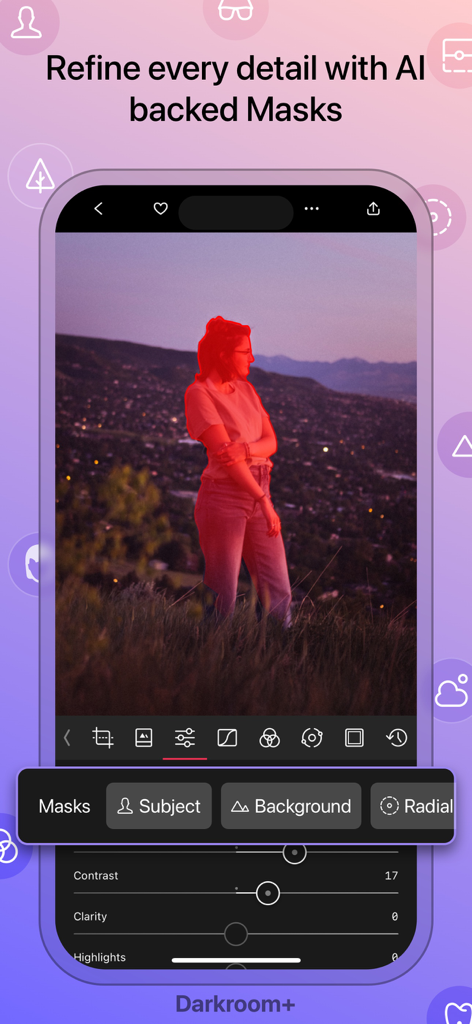
Darkroom app interface showing AI subject masking feature on a portrait photo

Darkroom app interface showing AI subject masking feature on a portrait photo

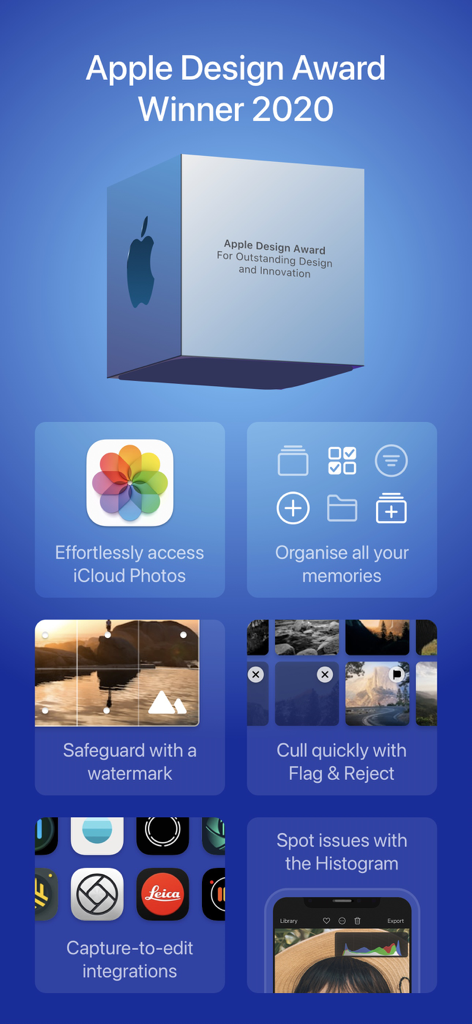
Darkroom app promotional screen showcasing its 2020 Apple Design Award and professional editing features like iCloud integration, watermarking, and photo organization.

Darkroom app promotional screen showcasing its 2020 Apple Design Award and professional editing features like iCloud integration, watermarking, and photo organization.

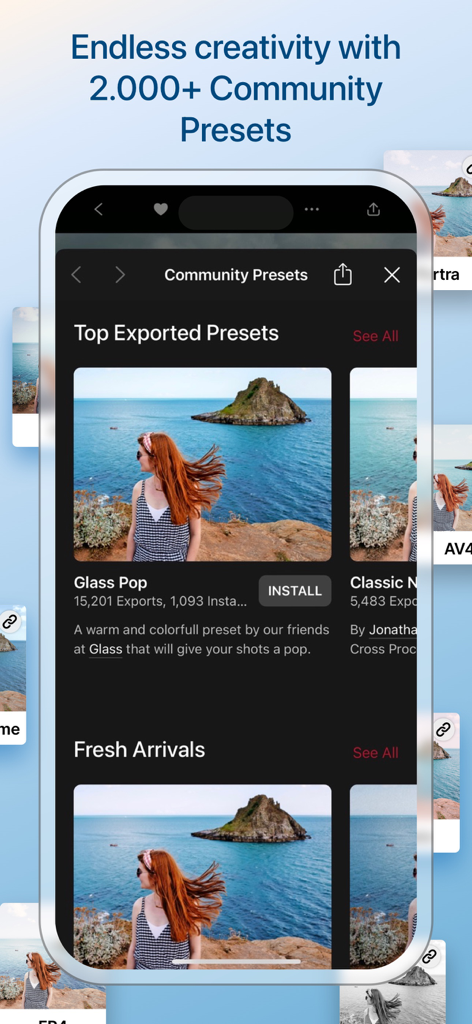
Darkroom app interface displaying a gallery of community presets and photo filters

Darkroom app interface displaying a gallery of community presets and photo filters

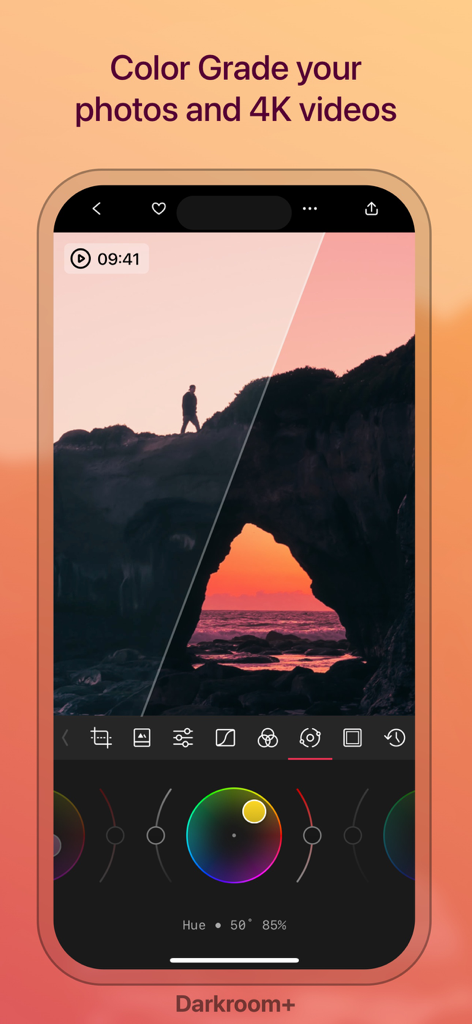
Professional color grading interface in the Darkroom app showing a sunset landscape with color wheels

Professional color grading interface in the Darkroom app showing a sunset landscape with color wheels

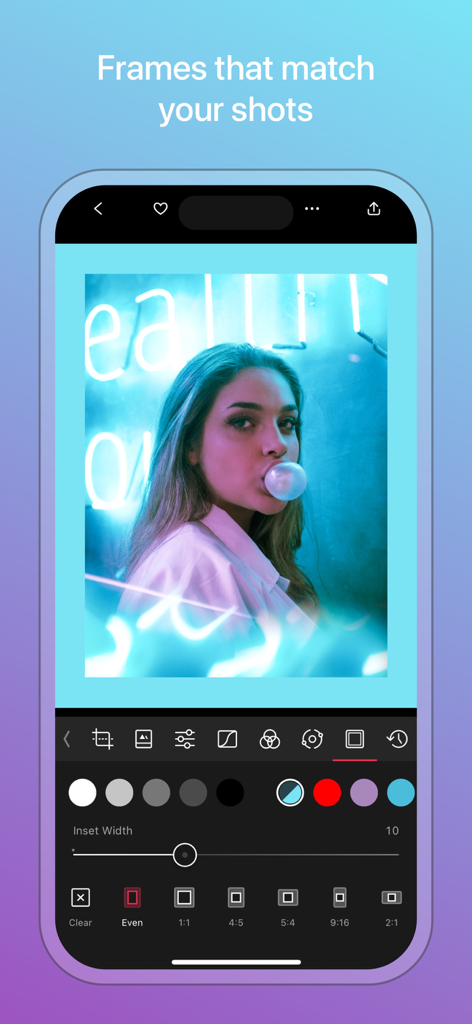
Darkroom app interface displaying the photo frame and border customization tool with a portrait photo.

Darkroom app interface displaying the photo frame and border customization tool with a portrait photo.

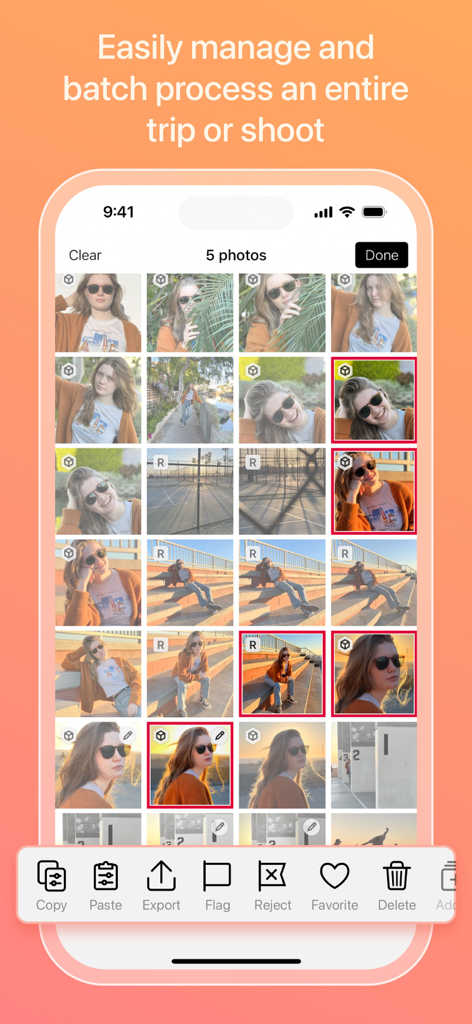
Darkroom app interface for batch processing and managing photos.

Darkroom app interface for batch processing and managing photos.

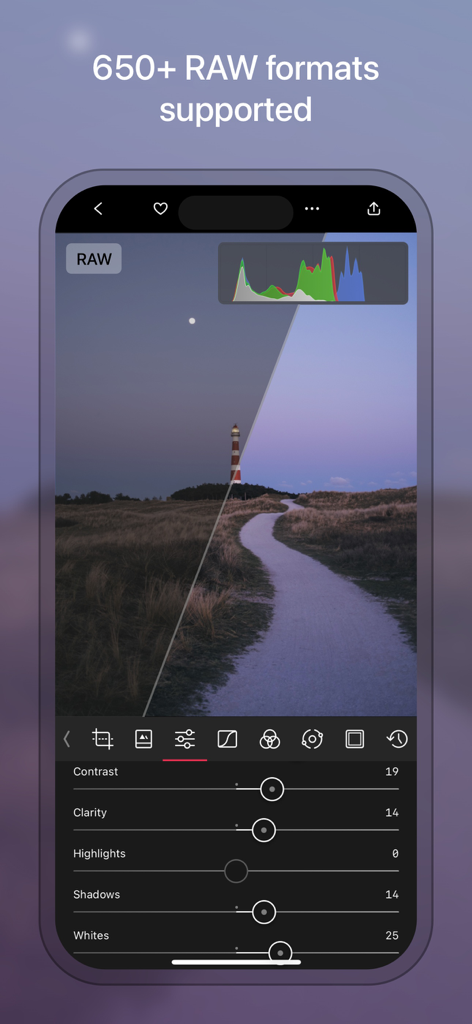
Professional RAW photo editing interface in the Darkroom app on iPhone

Professional RAW photo editing interface in the Darkroom app on iPhone

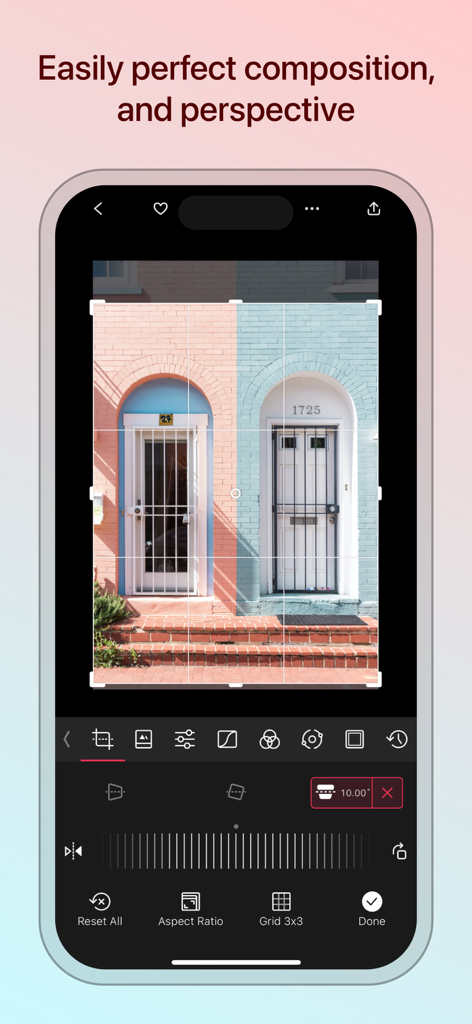
Interface of Darkroom app showing tools to adjust photo perspective and composition.

Interface of Darkroom app showing tools to adjust photo perspective and composition.

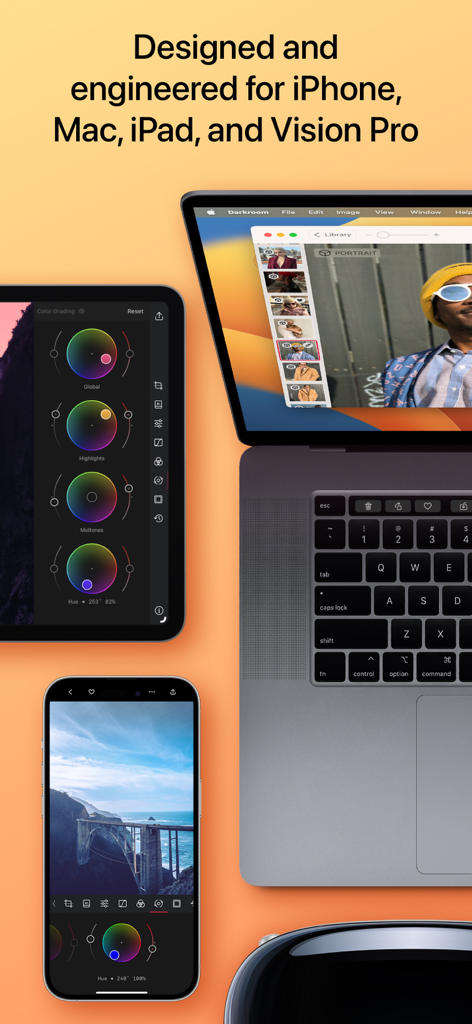
Darkroom editor interface across iPhone Mac iPad and Vision Pro devices

Darkroom editor interface across iPhone Mac iPad and Vision Pro devices

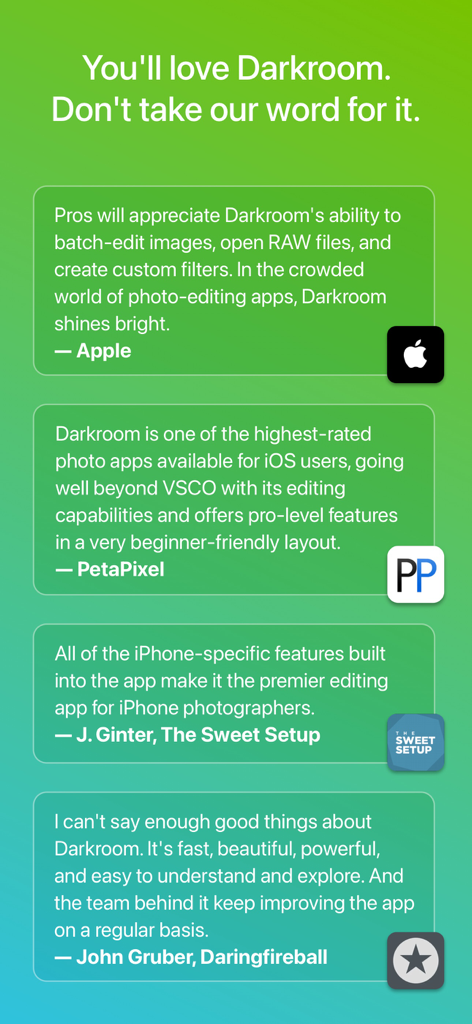
A collection of professional testimonials and reviews for the Darkroom app from Apple PetaPixel and The Sweet Setup on a green gradient background

A collection of professional testimonials and reviews for the Darkroom app from Apple PetaPixel and The Sweet Setup on a green gradient background

Professional Tools, Tailored for Your Workflow

The tools that make this app stand out, trusted by 9M+ users.

Zero-Import Efficiency

Skip the upload. Access your entire iCloud library instantly and apply professional edits to dozens of RAW photos at once with our industry-leading batch processing.

🪄

AI-Powered Precision

Leverage advanced object detection to isolate skies, skin, and backgrounds automatically. Get surgical control over your edits with AI masks designed for mobile-first creators.

🎨

Cinema-Grade Color

Master your aesthetic with professional 8K video grading and ProRAW support. Use powerful curves and selective color tools to ensure your content stands out on any platform.

Loved by users worldwide

Trusted by 9M+ people who love this app.

"

"Darkroom has completely replaced my desktop workflow for social content. The way it handles RAW files directly from my library without a clunky import process is a total game-changer for my efficiency."

Elena Rossi, Content Strategist
"

"The AI-powered depth masks and 8K color grading are mind-blowing. It is rare to find an app that is this powerful yet so intuitive to use on an iPad with the Apple Pencil."

Marcus Chen, Visual Artist

Review Analysis

Insights from user reviews.

Sentiment Score

30%
Negative

Summary

User reviews for this mobile app are highly polarized, with many praising its powerful RAW editing capabilities, intuitive interface, and advanced features like masks and color grading for both photos and videos, especially for on-the-go workflow on iPad. However, a significant number of users express strong dissatisfaction with the subscription model, citing high costs, lack of free trial, and being forced to subscribe to export edited photos. Many reviews report persistent bugs and stability issues, including frequent app crashes, export problems (e.g., "double vision" after recent updates), and functionality breaking after updates (e.g., frames not working, app not functioning on OS 26.2, defects after editing).

Common Themes

Editing Capabilities(13)
Workflow & Interface(5)
Subscription Model(3)
RAW File Handling(3)
Bugs and Stability(1)
Updates Impact(1)
Customer Support(1)

About the app

Everything you need to know about Darkroom: Photo & Video Editor.

Description

Transform your iPhone and iPad into a sophisticated editing suite with Darkroom, the highly acclaimed photo and video editor designed to empower both amateur photographers and professional creators. With desktop-quality tools at your fingertips, Darkroom competes with industry giants such as Adobe Lightroom and Photoshop, delivering unparalleled editing experiences right on your mobile device. Award-Winning App Recognitions: Winner of the Apple Design Award in 2020 Apple’s Editor’s Choice since 2018 Best New App Winner in 2015 Why Choose Darkroom? Advanced AI-Powered Editing: Leverage cutting-edge AI tools for precise, depth-based edits and intelligent object detection. Enhance specific elements like skies, skin tones, and landscapes with unmatched accuracy. Versatile Editing Capabilities: From high-resolution video playback and professional 8K color grading to batch photo editing, Darkroom addresses all your creative needs with efficiency. Its comprehensive toolset includes support for RAW and ProRAW files, making it perfect for high-quality photo projects. Professional Tools for Every Creator: All-Inclusive Format Support: Whether managing RAW files or crafting the perfect JPEG, Darkroom provides powerful editing tools that ensure top-tier output for all photo formats. Tailored for iPhone Photographers: With iPhone-specific enhancements, Darkroom stands out as the premier editing tool for mobile photographers, offering intuitive interfaces and seamless integration with iOS features. Praise from Experts: "I can't say enough good things about Darkroom. It's fast, beautiful, powerful, and easy to understand and explore. And the team behind it keep improving the app on a regular basis." - John Gruber, Daringfireball "Darkroom is one of the best apps around, offering extensive support for RAW and ProRAW photos and capabilities to batch edit photos with ease." – The Verge "Its iPhone-specific features make Darkroom the leading editing app for iPhone photographers." – The Sweet Setup Seamless Organization and Sharing: Organize your photos and videos with Darkroom's advanced management tools. Create stunning collages, manage hashtags effortlessly, and share your creations with ease. Streamline your workflow and keep your collections meticulously organized, whether for personal enjoyment or professional display. Join Our Community and Enhance Your Creative Skills: Become a Darkroom member to access exclusive features and regular updates that keep your tools cutting-edge. Our community is a hub for sharing tips, inspiration, and creative techniques. Get Started with Darkroom Today: Download Darkroom and elevate your photo and video editing to professional levels. With ongoing enhancements and a focus on user-friendly design, Darkroom is dedicated to enriching your creative journey. Subscription and Membership Details: Manage your Darkroom+ membership in the iTunes & App Store settings. Remember, subscriptions automatically renew unless cancelled at least 24 hours before the end of the current period. Terms and Conditions: https://darkroom.co/legal/terms.html Privacy Policy: https://darkroom.co/legal/privacy-policy.html

Latest Version

7.0.17

Size

241.3 MB

First Released

Feb 12, 2015

Elevate your craft to pro levels.

Download the award-winning suite designed for the mobile-first creator. Professional power, simplified for your iPhone and iPad.

Download on App Store
FAQ

Frequently Asked Questions

Everything you need to know about Darkroom: Photo & Video Editor

What is Darkroom: Photo & Video Editor?

Darkroom is an award-winning photo and video editing application for iPhone, iPad, Mac, and Vision Pro. It offers professional-grade tools, AI-powered features, and comprehensive format support for creators.

What devices does Darkroom support?

Darkroom: Photo & Video Editor is designed and engineered for iPhone, iPad, Mac, and Vision Pro. It provides a sophisticated editing suite across Apple's mobile and desktop platforms.

Does Darkroom: Photo & Video Editor offer AI-powered editing features?

Yes, Darkroom features advanced AI-powered editing tools. These provide precise, depth-based edits and intelligent object detection to enhance specific elements like skies and skin tones.

Can Darkroom: Photo & Video Editor edit RAW and ProRAW files?

Yes, Darkroom provides comprehensive support for RAW and ProRAW files. It supports over 650+ RAW formats, ensuring high-quality editing for professional photo projects.

Does Darkroom: Photo & Video Editor support video editing?

Yes, Darkroom offers robust video editing capabilities. These include high-resolution video playback, professional 8K color grading, and comprehensive tools for video creators.

How do I manage my Darkroom+ membership subscription?

You manage your Darkroom+ membership directly in the iTunes & App Store settings. Subscriptions automatically renew unless cancelled at least 24 hours before the end of the current period.

Does Darkroom: Photo & Video Editor offer community features?

Yes, Darkroom offers a community with over 2,000+ community presets available. Members access exclusive features, regular updates, and can share tips and creative techniques.

Can Darkroom: Photo & Video Editor batch process multiple photos?

Yes, Darkroom enables users to easily manage and batch process entire photo collections. This streamlines workflows for efficiency in editing multiple images simultaneously.

Does Darkroom: Photo & Video Editor integrate with iCloud Photos?

Yes, Darkroom effortlessly accesses iCloud Photos. This allows for seamless organization and editing of your photo library directly within the application.

How does Darkroom: Photo & Video Editor help perfect photo composition?

Darkroom provides tools to perfect composition and perspective. Users adjust cropping, aspect ratios, and utilize grid lines for precise visual alignment within their images.