DigiD

DigiD

Download on App StoreDownload on Google Play
Spark by MWM logo
Logo of DigiD

DigiD: Your Secure Digital Gateway to the Netherlands

The essential digital key for Dutch expats in the USA to manage taxes, pensions, and government affairs with top-tier European security.

Publisher

Rijksoverheid

Category

Productivity

Downloads

8M+

User Rating

4.5/5

Total Ratings

738K+

Locales

1

Secure Access at Your Fingertips

Discover the interface used by 8M+ users.
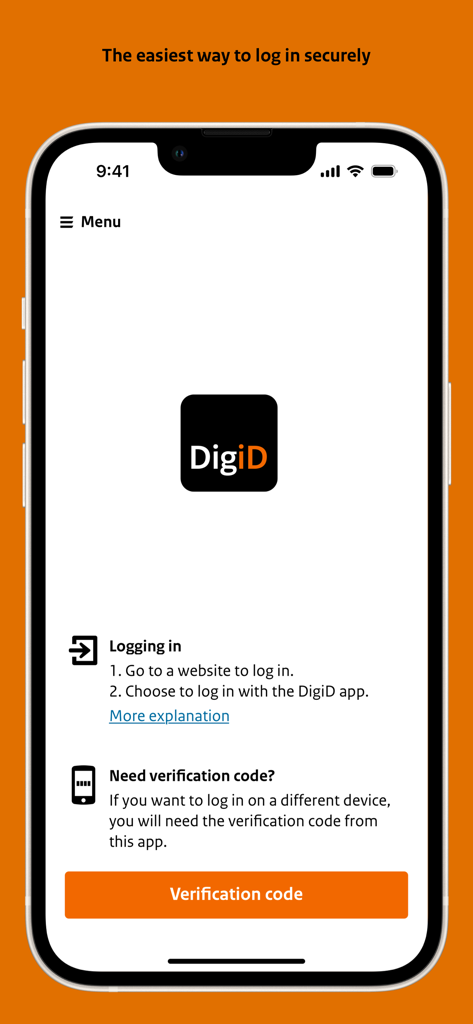
DigiD mobile app interface showing login instructions and a verification code button on an iPhone.

DigiD mobile app interface showing login instructions and a verification code button on an iPhone.

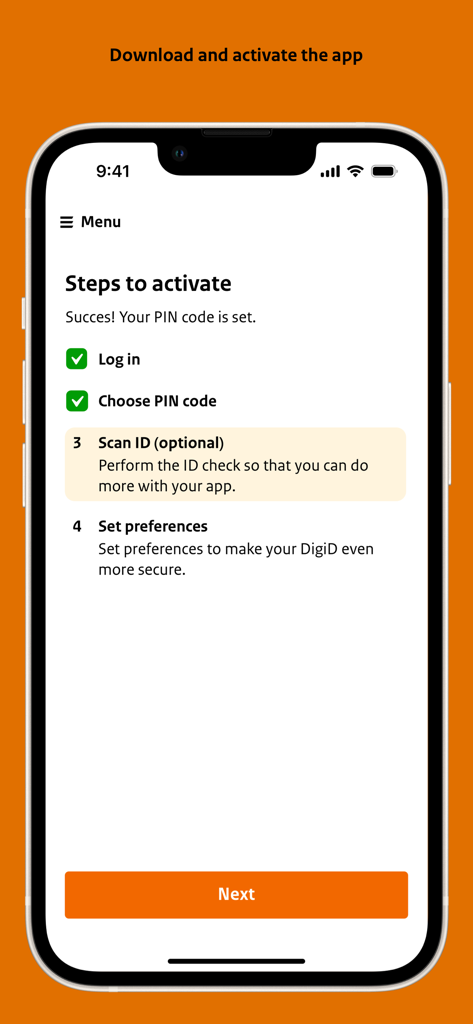
Smartphone screen displaying the four steps to activate the DigiD digital identity app.

Smartphone screen displaying the four steps to activate the DigiD digital identity app.

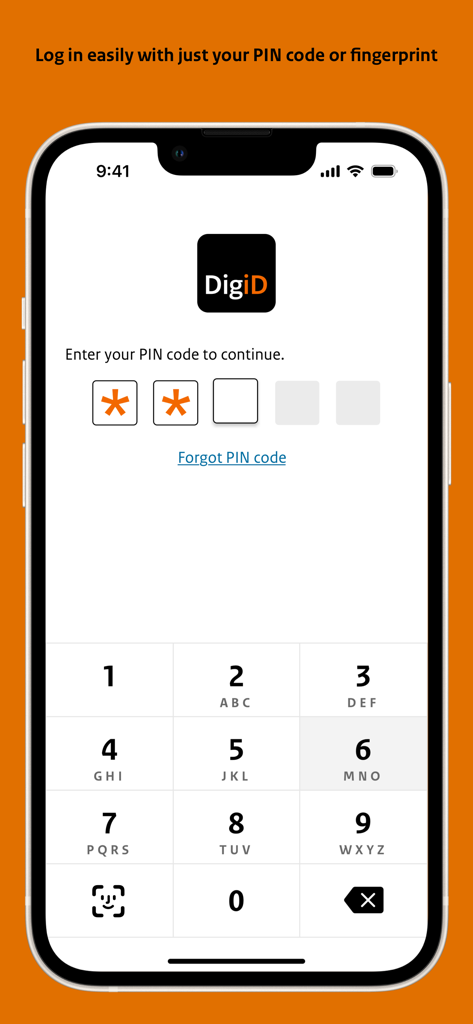
DigiD app login screen showing a 5-digit PIN entry and numeric keypad on an iPhone.

DigiD app login screen showing a 5-digit PIN entry and numeric keypad on an iPhone.

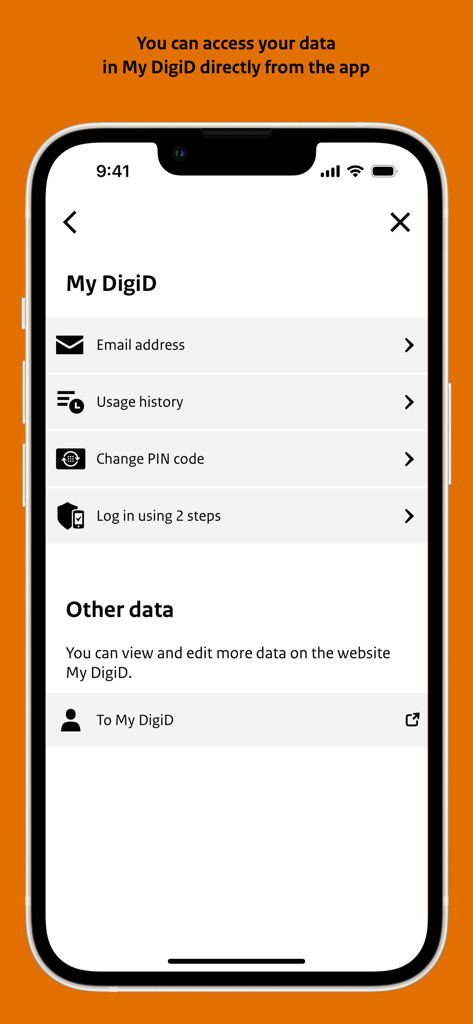
Screen of the DigiD app showing My DigiD account options and settings

Screen of the DigiD app showing My DigiD account options and settings

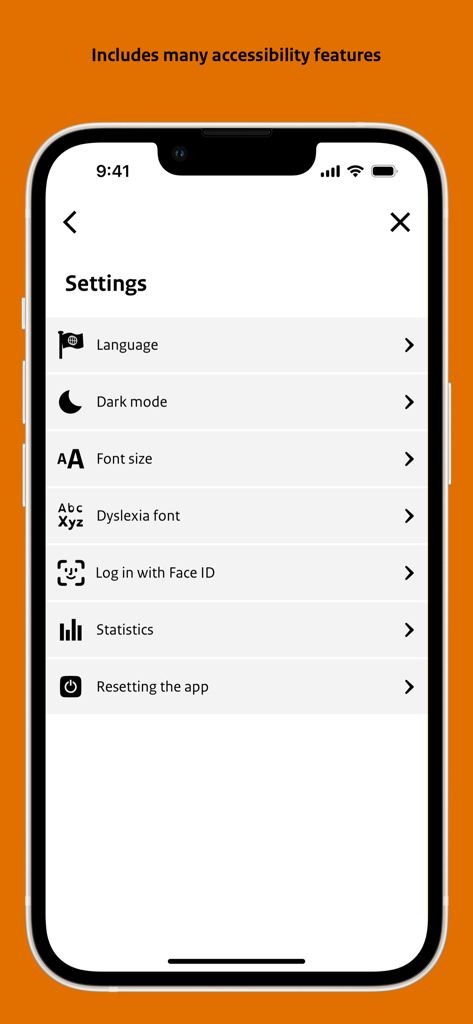
Settings screen of the DigiD app highlighting accessibility features like dyslexia font and font size.

Settings screen of the DigiD app highlighting accessibility features like dyslexia font and font size.

Your Dutch Digital Key in the USA

The tools that make this app stand out, trusted by 8M+ users.

🔐

Secure One-Tap Access

Skip the passwords. Log in to your Dutch accounts safely using just a 5-digit PIN or your phone's biometric security.

🌍

Bridge the Distance

Manage your AOW pension, DUO loans, or Belastingdienst filings from the US without physical mail or international calls.

🤳

Instant ID Verification

Use your smartphone's NFC reader to securely scan your Dutch passport or ID card for high-level authentication in seconds.

Loved by users worldwide

Trusted by 8M+ people who love this app.

"

"Living in Seattle and managing my Dutch taxes used to be a major headache. This app makes it incredibly simple to log in and handle everything from overseas. It is fast, secure, and saves me so much time."

Sander van den Berg
"

"As a retiree in Florida, keeping track of my Dutch pension is essential. The DigiD app is so easy to use, especially the QR code login. It gives me peace of mind knowing my data is protected by such high security standards."

Annelies de Wit

About the app

Everything you need to know about DigiD.

Description

Start using the app? Activate the DigiD app first. Open the DigiD app and follow the steps in the app. Need help with activation? Look at: www.digid.nl/digid-app How do I log in with the DigiD app? Logging in with the DigiD app can be done in two ways: 1. On your phone or tablet you log in with just a pin code. 2. Or log in on a computer using the app. You take over a verification code, scan a QR code and then enter your pin code. DATA PROCESSING & PRIVACY The DigiD app processes the IP address, the name and version of the operating system of your smartphone or tablet, the unique identifier of the mobile device, your mobile phone number and the 5-digit PIN code you select. When performing the ID check, DigiD processes the document number / driver's license number, date of birth and validity. By downloading and using the DigiD app you agree to this processing, which is also subject to the following provisions. 1. The user's personal data will be processed in accordance with applicable privacy legislation. In the privacy statement you will find who is responsible for the processing of personal data for DigiD, which personal data of the DigiD user is processed and for what purpose. The processing of personal data by DigiD and rules on the operation, security and reliability of DigiD are included in legislation and regulations. The privacy statement and legislation and regulations can be found at www.digid.nl. 2. Logius has taken appropriate technical and organizational security measures against loss or unlawful processing of the user's personal data. 3. The DigiD app complies with security measures that are comparable to the security measures of DigiD. DigiD also uses the security mechanisms of the operating system. 4. The user is responsible for the security of his mobile device. 5. For the DigiD app, updates can be automatically downloaded and installed every now and then via the app store. These updates are intended to improve, expand or further develop the DigiD app and may consist of solutions for program errors, advanced functions, new software modules or completely new versions. Without these updates the DigiD app will possibly not function or not function properly. 6. Logius reserves the right to (temporarily) stop offering the DigiD app in the app store or to (temporarily) stop the operation of the DigiD app without stating reasons.

Latest Version

6.16.6

Size

142.2 MB

First Released

Mar 28, 2017

Your Dutch Digital Identity, Anywhere in the World

Join 8 million users and manage your Dutch taxes, pension, and official affairs securely from the USA with just your smartphone.

Download on App StoreDownload on Google Play
FAQ

Frequently Asked Questions

Everything you need to know about DigiD

How do I activate the DigiD app?

To activate the DigiD app, open the app and follow the on-screen instructions. Further help is available on www.digid.nl/digid-app.

What are the ways to log in with the DigiD app?

You can log in with the DigiD app using a PIN code on your phone/tablet. For computer logins, use a verification code, scan a QR code, then enter your PIN code.

Does the DigiD app process personal data?

Yes, the DigiD app processes personal data including IP address, device identifier, OS information, mobile number, and your 5-digit PIN code. It also processes document numbers and date of birth during ID checks.

Is ID scanning optional in the DigiD app activation?

Yes, scanning your ID is an optional step during the activation process of the DigiD app. It is for performing the ID check to enable more functionalities.

Can I use Face ID to log in to the DigiD app?

Yes, the DigiD app supports logging in with Face ID. This feature can be enabled or managed within the app's settings menu.

What accessibility features does the DigiD app offer?

The DigiD app includes accessibility features such as language selection, dark mode, adjustable font size, and a dyslexia font to enhance user experience.

Where can I find the privacy statement for the DigiD app?

The privacy statement, along with relevant legislation and regulations regarding data processing for the DigiD app, is available on www.digid.nl.

Who is responsible for the security of the DigiD app?

Logius implements technical and organizational security measures against data loss. The DigiD app also complies with DigiD security measures and uses the operating system's security mechanisms.

Can I change my PIN code within the DigiD app?

Yes, users can change their PIN code directly within the DigiD app. This option is available in the "My DigiD" section.

Does the DigiD app offer two-step login?

Yes, the DigiD app offers the option to log in using two steps. This enhances the security of your account and can be managed through the "My DigiD" section.