DJM-REC: DJ live/recording app

DJM-REC: DJ live/recording app

Download on App Store
Spark by MWM logo
Logo of DJM-REC: DJ live/recording app
DJM-REC: Pro-Quality DJ Recording and Live Streaming Made Simple

Plug into your Pioneer DJ mixer with a single cable to capture high-fidelity sets. Automate your tracklists and share club-ready mixes directly to SoundCloud, Mixcloud, and Twitch.

Publisher

AlphaTheta Corporation

Category

Entertainment

Downloads

66K+

User Rating

3.2/5

Total Ratings

1000

Locales

12

The Pro Booth, Pocket-Sized

Discover the interface used by 66K+ users.
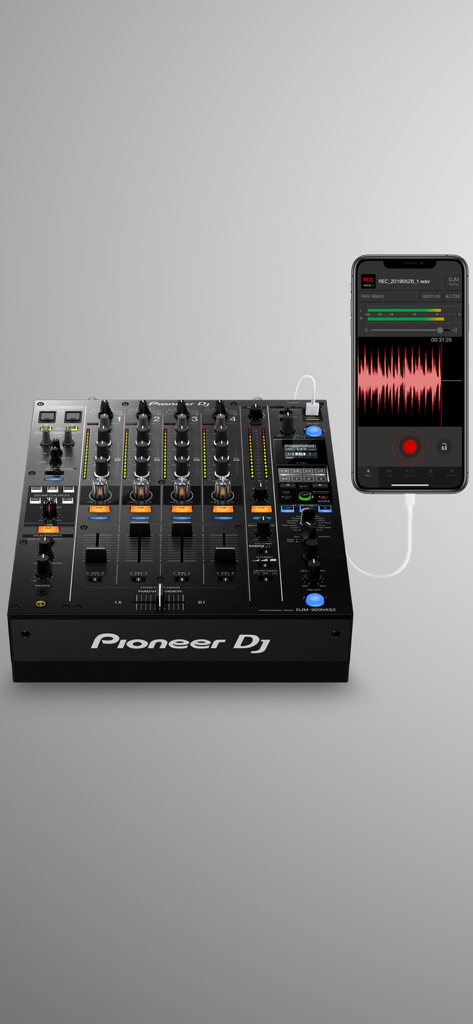
An iPhone connected to a Pioneer DJ mixer showing the DJM-REC app interface while recording audio

An iPhone connected to a Pioneer DJ mixer showing the DJM-REC app interface while recording audio

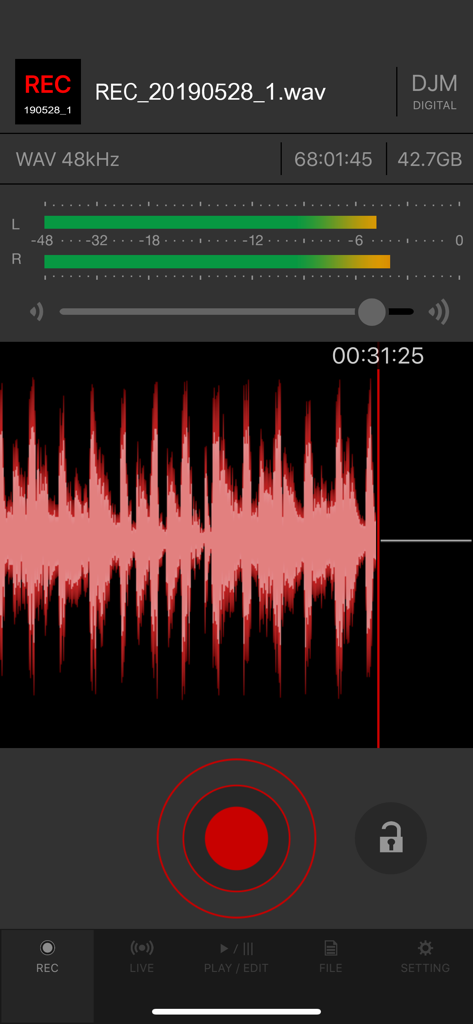
Recording screen of the DJM-REC app showing a red waveform and audio level meters

Recording screen of the DJM-REC app showing a red waveform and audio level meters

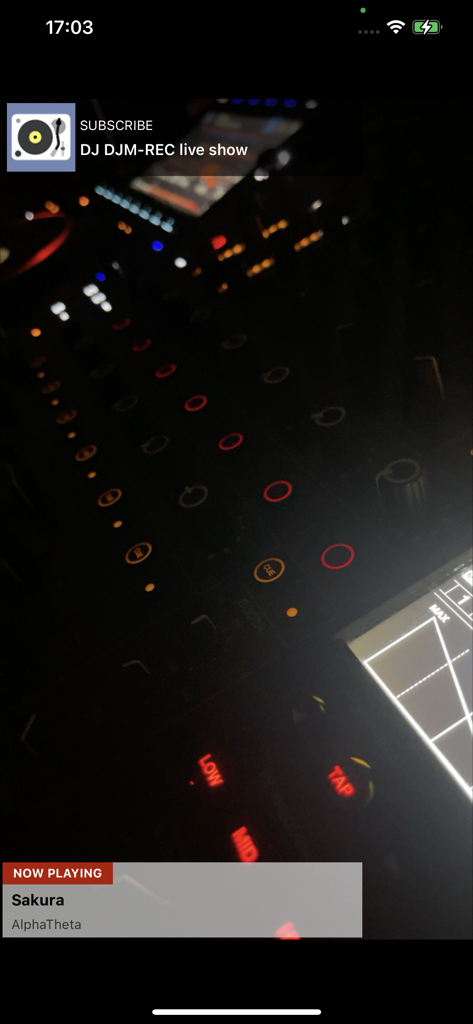
Live show interface of the DJM-REC app displaying track information and a professional DJ mixer

Live show interface of the DJM-REC app displaying track information and a professional DJ mixer

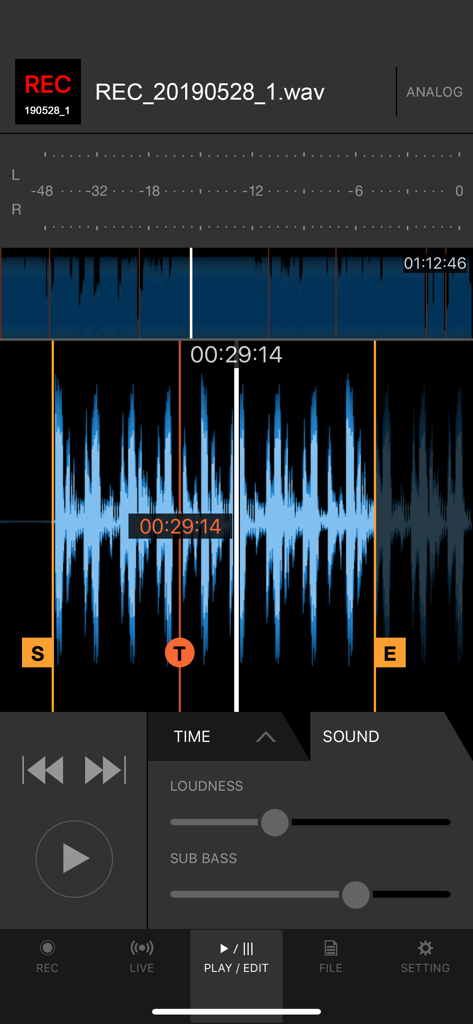
DJM-REC app interface displaying an audio waveform with loudness and sub bass sliders for editing a recording

DJM-REC app interface displaying an audio waveform with loudness and sub bass sliders for editing a recording

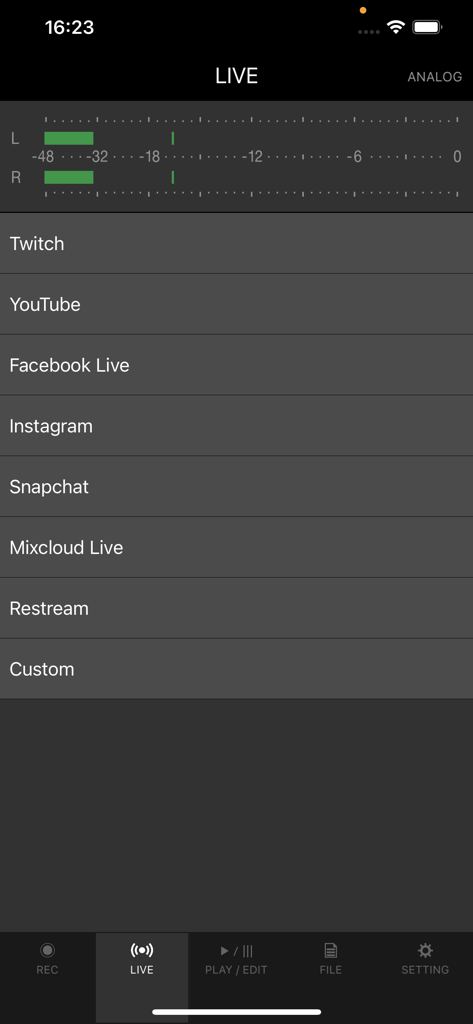
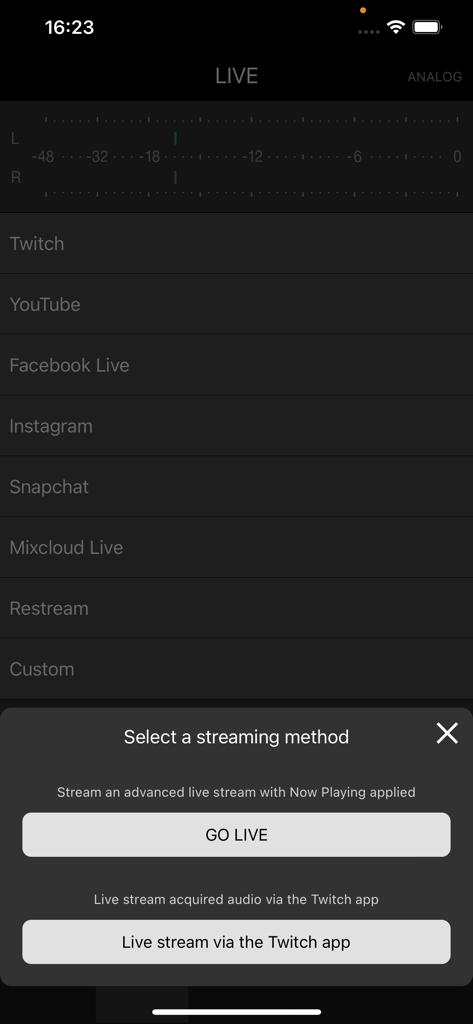
DJM-REC app interface showing live streaming platform options and audio level meters

DJM-REC app interface showing live streaming platform options and audio level meters

DJM-REC app screen for selecting a live streaming method to platforms like Twitch and YouTube

DJM-REC app screen for selecting a live streaming method to platforms like Twitch and YouTube

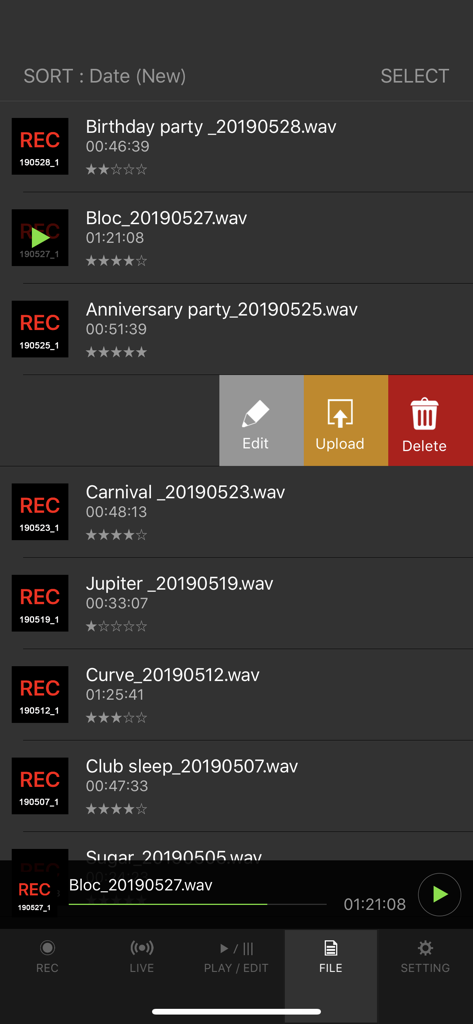
A list of recorded DJ sets in the DJM-REC app interface with options to edit upload or delete files.

A list of recorded DJ sets in the DJM-REC app interface with options to edit upload or delete files.

Capture Your Sound, Build Your Brand

The tools that make this app stand out, trusted by 66K+ users.

🎚️

Studio-Quality Recording

Get crystal-clear, digital-to-digital audio with a single USB cable. Built-in limiters and loudness processing ensure your sets sound professional on any speaker.

📝

Automated Tracklisting

Focus on the mix, not the paperwork. The app automatically detects track changes and generates time-stamped lists so your fans can identify every track.

🚀

Instant Global Distribution

Go live on Twitch and Instagram with perfect levels, or upload your finished set directly to SoundCloud and Mixcloud as soon as you hit stop.

Loved by users worldwide

Trusted by 66K+ people who love this app.

"

"As a bedroom DJ looking to grow my following, this app is a lifesaver. The one-cable setup is so simple, and the sound quality is miles ahead of any other mobile recording solution. Plus, the auto-tracklisting saves me hours of work after every session."

Alex Rivera
"

"Incredible tool for professionals. I use DJM-REC to stream my live sets directly to Twitch. The built-in limiter ensures my audio never peaks, and the direct connection to my DJM-V10 provides that pristine digital sound my audience expects."

Sarah Jenkins

Review Analysis

Insights from user reviews.

Sentiment Score

32%
Negative

Summary

The mobile app receives predominantly negative feedback from recent users, largely due to critical bugs following updates to iOS 26 (including versions like 26.1 and 26.2). Users frequently report issues with recordings being sped up, slowed down, distorted, or containing unwanted external noise, often rendering sets unusable; additional complaints include problems with SoundCloud uploads and file corruption. While the app is praised for its user-friendly interface and previously reliable recording functionality on older iOS versions (like iOS 17), many users express frustration over paying for an app that no longer works as intended and urgently request necessary updates and bug fixes.

Common Themes

Recording Quality(9)
User Interface(3)
App Stability(2)
Streaming & Uploads(2)
iOS Compatibility(2)
Value for Money(2)

About the app

Everything you need to know about DJM-REC: DJ live/recording app.

Description

Share your DJ sets in high quality with people around the world. DJM-REC makes live streaming and recording easy – simply download the app and connect your device to a DJ mixer via one cable to get started. All features are free for 30 days. ◇High-quality live streaming and DJ mix recording made simple ・Connect your iPhone/iPad and DJ mixer with a single USB cable. ・High-quality sound comes from the direct connection. ・Easily create great-sounding mixes with the limiter function, which prevents distortion, and a loudness processing function that improves sound pressure after you’ve finished recording. ◇Live streaming on various social networks ・Directly live stream to services such as Mixcloud Live and Restream from DJM-REC. ・Seamless integration with popular apps such as Twitch, YouTube, Facebook Live, Instagram and Snapchat. ・If you’re using supported DJ equipment, you can display track information (Artist/Title) on-screen in real time while you stream. ◇Share your mix right after recording it ・Just press the [Upload] button after you finish recording and your mix will be immediately uploaded to your chosen cloud service, such as Mixcloud, SoundCloud, or Dropbox. ・Make a tracklist effortlessly. DJM-REC automatically detects when you switch songs according to the fader position and records the timing of the track changeover in the description section. All you need to do then is enter the track names. ・If you’re using compatible DJ equipment that supports track info. DJM-REC can generate complete tracklists automatically timestamps and track names included, no manual input is required. ◇Try all features free now ・Use all the app’s features free for 30 days. ・You can buy the app anytime if you like it. ◇Other handy uses ・Use the recording function to convert analog records to digital files. ・Live stream and record with the built-in (or externally connected) microphone of an iPhone or iPad. ・Connect to an audio interface and live stream or record from a DJ controller. ◇Compatible with Pioneer DJ mixers The following DJ mixers are supported by DJM-REC. ・DJM-V10 ・DJM-V10-LF ・DJM-TOUR1 ・DJM-A9 ・DJM-900NXS2 ・DJM-750MK2 ・DJM-450 *Make sure the mixer’s firmware has been updated to the latest version before use. https://www.pioneerdj.com/support/software/ ◇Supported DJ equipment combinations for track info (Artist/Title): DJ Players: ・CDJ-3000X ・CDJ-3000 DJ Mixers: ・DJM-V10 ・DJM-V10-LF ・DJM-A9 ◇ Supported Audio Formats for Recording ・WAV 44.1kHz ・WAV 48kHz ・AAC 64kbps ・AAC 128kbps ・AAC 192kbps ・AAC 256kbps ・AAC 320kbps For WAV files, the maximum recording time is approximately 6 hours. Please use AAC for recordings longer than 6 hours. Pioneer DJ website [https://www.pioneerdj.com/]. DJM-REC web page [https://www.pioneerdj.com/product/software/djm-rec/dj-app/overview/].

Latest Version

1.5.8

Size

66.2 MB

First Released

Jan 11, 2018

Turn Your Best Set Into a Pro-Quality Release

Stop settling for distorted booth recordings. Connect your Pioneer DJ mixer, start your 30-day free trial, and share high-fidelity sound with the world instantly.

Download on App Store