Dr.Fone: Phone Unlock & Rescue

Dr.Fone: Phone Unlock & Rescue

Download on App Store
Spark by MWM logo
Logo of Dr.Fone: Phone Unlock & Rescue

Dr.Fone: The Ultimate Digital First-Aid Kit to Unlock, Repair, and Rescue Your Phone

Effortlessly transfer data to your new device, bypass lock screens, fix system glitches, and optimize storage. Your all-in-one professional toolkit to manage, protect, and restore your mobile life in just a few clicks.

Publisher

Shenzhen Wondershare Software Co., Ltd

Category

Business

Downloads

4M+

User Rating

3.4/5

Total Ratings

1K+

Locales

9

The Toolkit in Action

Discover the interface used by 4M+ users.
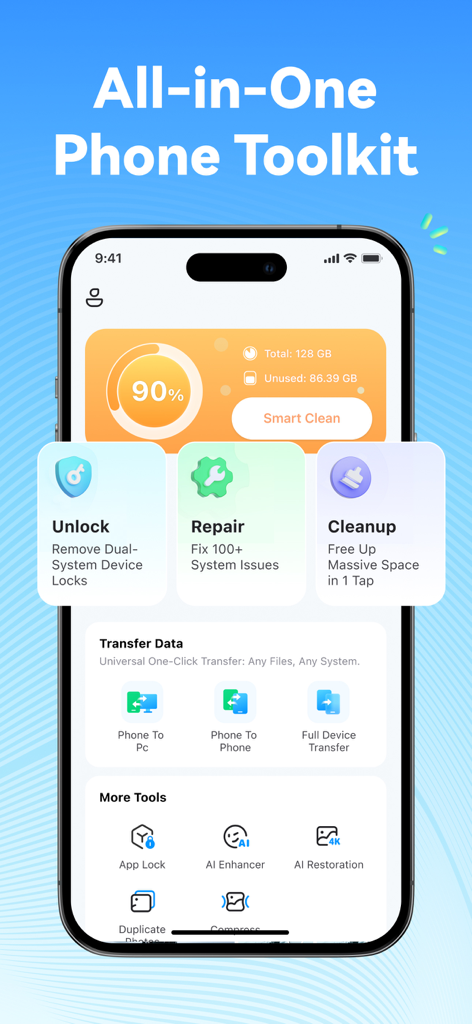
Dr.Fone app dashboard featuring phone unlock, system repair, cleanup, and data transfer tools

Dr.Fone app dashboard featuring phone unlock, system repair, cleanup, and data transfer tools

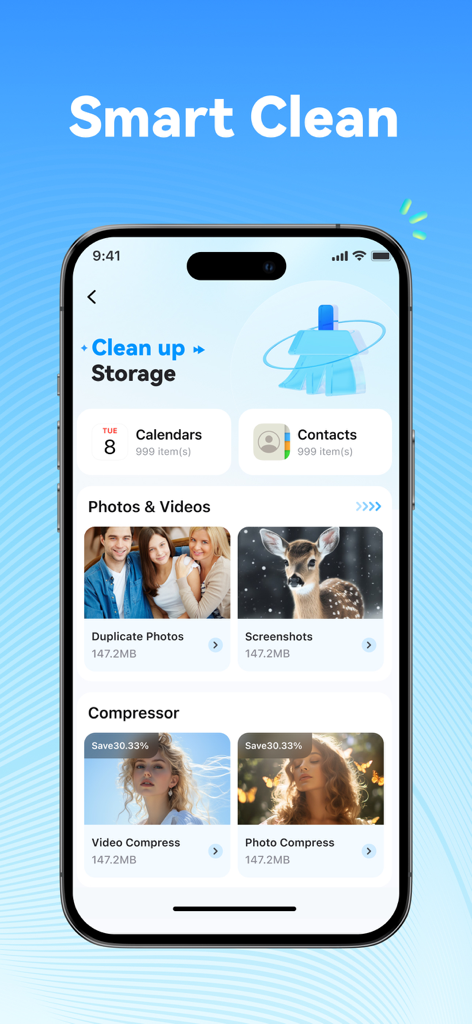
Dr.Fone app interface showing smart storage cleaning features for photos videos and contacts

Dr.Fone app interface showing smart storage cleaning features for photos videos and contacts

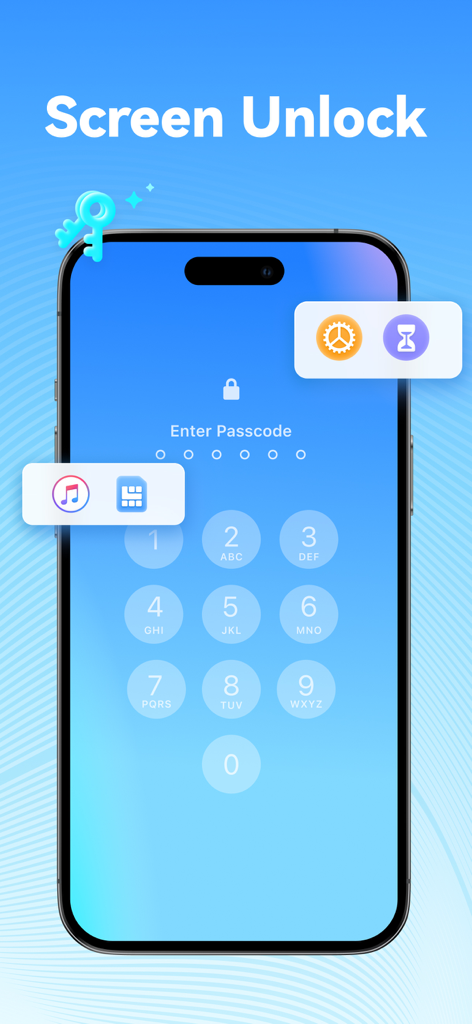
Screenshot of Dr.Fone app showing the Screen Unlock feature on a smartphone interface with icons for passcode, screen time, and SIM card unlock.

Screenshot of Dr.Fone app showing the Screen Unlock feature on a smartphone interface with icons for passcode, screen time, and SIM card unlock.

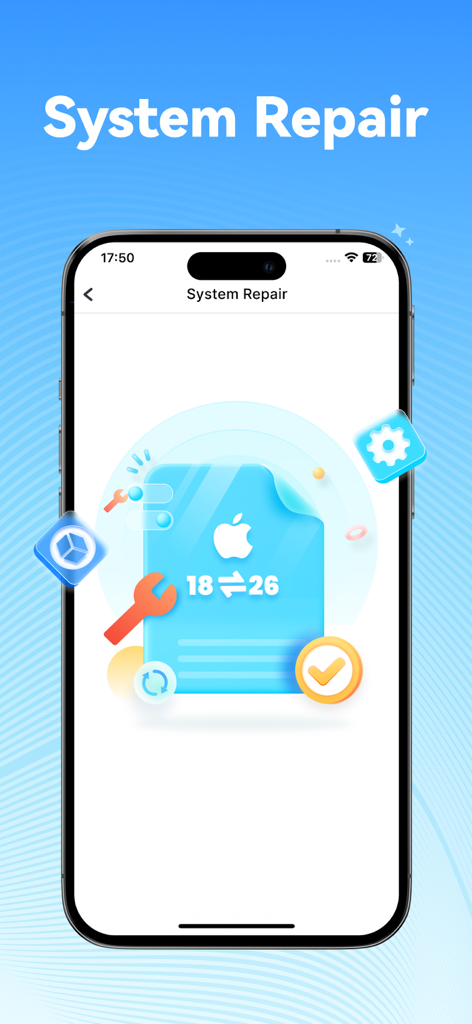
Screenshot of the Dr.Fone app showcasing the System Repair tool for fixing iOS software issues

Screenshot of the Dr.Fone app showcasing the System Repair tool for fixing iOS software issues

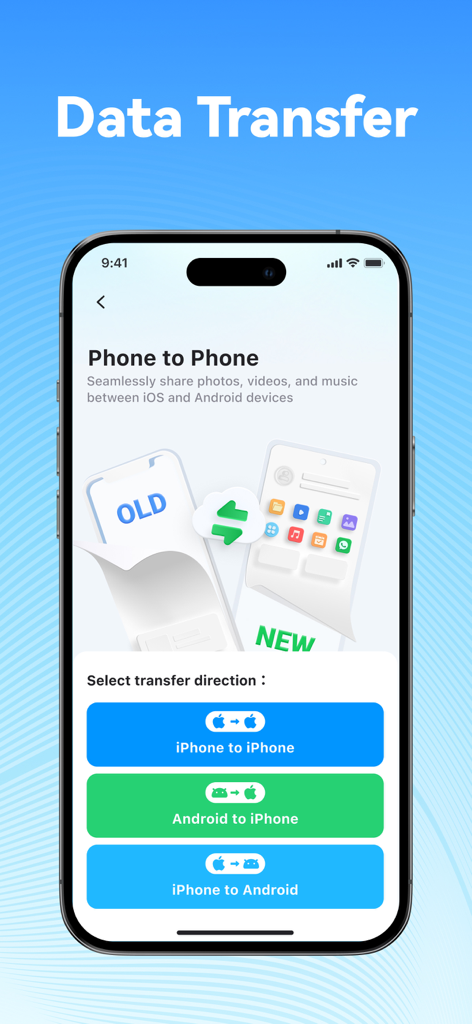
Dr.Fone app interface showing phone to phone data transfer options for iPhone and Android.

Dr.Fone app interface showing phone to phone data transfer options for iPhone and Android.

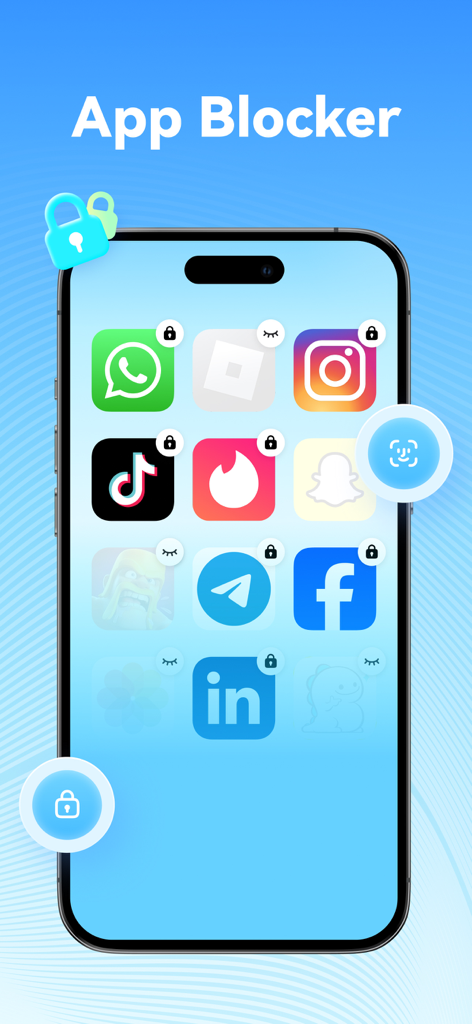
A smartphone screen displaying the Dr.Fone app blocker feature with locked app icons for privacy and security.

A smartphone screen displaying the Dr.Fone app blocker feature with locked app icons for privacy and security.

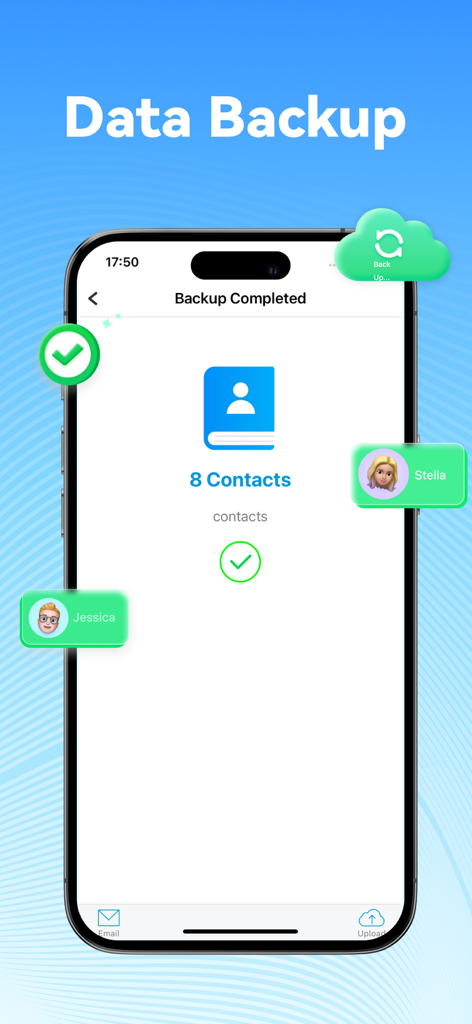
A smartphone interface showing a completed contacts backup screen with green checkmarks and a contact icon.

A smartphone interface showing a completed contacts backup screen with green checkmarks and a contact icon.

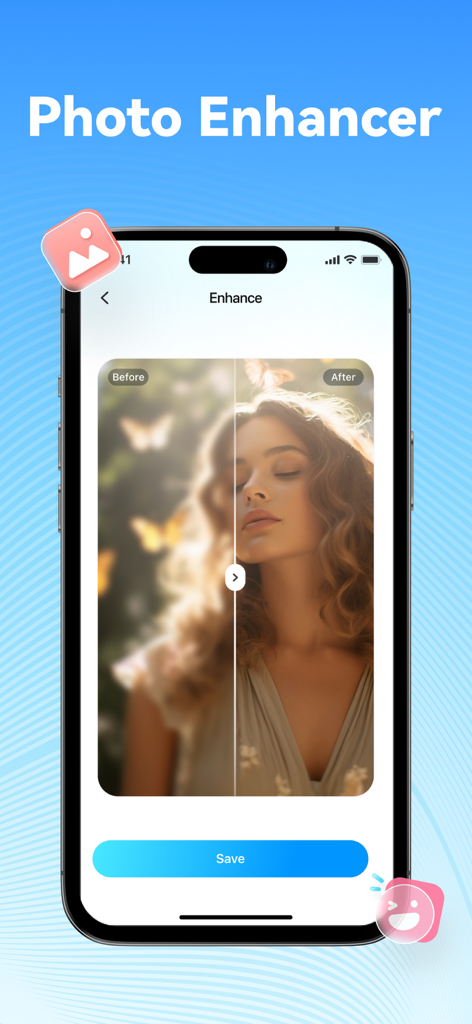
Dr.Fone app interface showing AI photo enhancer with before and after comparison

Dr.Fone app interface showing AI photo enhancer with before and after comparison

Your All-in-One Digital First-Aid Kit

The tools that make this app stand out, trusted by 4M+ users.

📲

Seamless Data Migration

Switch phones without the stress. Securely transfer photos, contacts, and files between different brands and systems in just a few taps.

🔓

Instant Rescue & Unlock

Regain access and fix glitches. Resolve black screens, boot loops, or forgotten passcodes with a simple, guided recovery process.

AI-Powered Optimization

Declutter your storage and enhance your memories. Smartly remove duplicate files and use AI to restore old or blurry photos to high definition.

Loved by users worldwide

Trusted by 4M+ people who love this app.

"

"Switching to my new iPhone was a breeze with Dr.Fone. I managed to move years of family photos and contacts wirelessly without any hassle. The AI Photo Enhancer even fixed some old, blurry holiday pictures of my parents—it is like having a tech expert in my pocket for every digital emergency."

Sarah Jenkins
"

"I thought my phone was toast when it got stuck on a black screen, but Dr.Fone saved me a costly trip to the repair shop. The step-by-step guide for unlocking my device was incredibly simple and required zero technical skills. It is the ultimate digital first-aid kit that every smartphone owner needs."

Michael Rivera

About the app

Everything you need to know about Dr.Fone: Phone Unlock & Rescue.

Description

Get a new phone for the holidays or share a lot of photos with family? Dr.Fone makes phone upgrades and daily phone management simple – from fast data transfer to device unlock, system repair, storage cleaning, app lock and more. [Data Transfer – Holiday & Everyday] · Move photos, videos, music, contacts, files and more to another phone in a few taps – perfect when you switch to a new device or give one as a gift. · Supports transfer between different brands and systems, so you can keep your memories together even if you change platforms. · No cables or complicated setup required – just connect both devices and follow the on-screen steps. [Wireless Transfer – Large Files, No Cables] · Transfer large files (up to 20GB) between mobile phones and between mobile phones and computers via WiFi without consuming mobile data. · Quickly move holiday photos and videos between your device and computers, including Windows and Mac, when they are on the same local network. · Works in the browser with Safari, Chrome, Edge, IE and Firefox. [Device Unlock] · Dr.Fone – Phone Unlocker provides powerful tools to help you unlock different types of locks on your device. · Forgot your screen passcode, need to remove Screen Time restrictions, remove iTunes backup encryption, or remove a SIM lock to use another carrier? Dr.Fone offers step-by-step guidance for these situations. · Compatible with the latest system versions. · Simple 3-step process, no technical knowledge required. [Phone System Repair] · System Repair helps you resolve common system issues such as black screen, white screen, endless restart and more. · The guided recovery flow makes it easier to fix many issues at home, with clear warnings when a selected mode may erase data so you can back up first. [AI Storage Cleaner] · Dr.Fone – AI Storage Cleaner smartly cleans duplicate or similar photos, videos, contacts, schedules and more. · Album Cleaner: Find and clean duplicate and similar images, videos and screen recordings to free up space for new holiday moments. · Contacts Cleaner: As an AI storage cleaner, Dr.Fone can merge duplicate contacts and delete incomplete contact information. · Calendar Cleaning: Extract schedule record lists and perform single or batch cleanup of overdue schedules. [App Lock] · Lock and hide selected apps with a passcode or biometric so only you can open them. · Prevent others from casually opening private, social or payment apps when they use your device. · Optionally apply restrictions based on location to better manage app usage and protect your privacy. [AI Photo Enhancer] · Enhance Image Quality: Improve the clarity of blurry photos, transforming them into sharp, vibrant images. · Restore Old Photos: Bring low-quality, damaged or scratched vintage photos back to life with better detail – ideal for refreshing family memories during the holidays. [Contacts Backup] · Dr.Fone – Contacts Backup lets you back up contacts to your computer as a vCard (VCF) file and restore them when needed. · Restore contact backups to your device or upload them to services like Dropbox, Google Drive and OneDrive. ABOUT THE DEVELOPER Wondershare is a global leader in creative software with offices around the world and 1000+ talented employees. Flagship products such as Filmora, Recoverit, MobileTrans and Dr.Fone are used in over 150 countries, with millions of active users. Terms of Use: https://www.wondershare.com/company/terms_conditions.html Terms of Use (EULA): https://www.wondershare.com/company/end-user-license-agreement.html Privacy Policy: https://www.wondershare.com/privacy.html Contact: customer_service@wondershare.com

Latest Version

1.6.13

Size

127.6 MB

First Released

Sep 11, 2015

The Ultimate Digital First-Aid Kit for Your Phone

Join over 4 million users who simplify their mobile life. Unlock, repair, and transfer data in minutes with our easy-to-use, all-in-one toolkit—no technical skills required.

Download on App Store
FAQ

Frequently Asked Questions

Everything you need to know about Dr.Fone: Phone Unlock & Rescue

Can Dr.Fone fix my iPhone if it is stuck on a boot loop?

Yes, Dr.Fone fixes common iOS issues like black/white screens, boot loops, and devices stuck on the logo. It provides a guided recovery flow to troubleshoot problems at home.

Does Dr.Fone provide screen repair for display issues?

Dr.Fone supports software-based screen repair for display-related issues such as black or white screens, without requiring complicated steps or hardware intervention.

Can Dr.Fone help unlock my device if I forgot the screen passcode?

Yes, Dr.Fone – Phone Unlocker removes forgotten screen passcodes, Screen Time restrictions, iTunes backup encryption, and SIM locks with a simple 3-step process.

Does Dr.Fone unlock SIM-locked phones?

Yes, Dr.Fone enables SIM lock removal, allowing users to use their device with different carriers. It supports the latest system versions.

How does Dr.Fone transfer data between different mobile devices?

Dr.Fone transfers photos, videos, music, contacts, and files between phones in a few taps. It supports transfer between different brands and operating systems.

Can Dr.Fone transfer large files wirelessly between devices?

Yes, Dr.Fone supports wireless transfer of large files, up to 20GB, between mobile phones and between phones and computers via WiFi, without consuming mobile data.

How does Dr.Fone clean up phone storage?

Dr.Fone's AI Storage Cleaner identifies and cleans duplicate or similar photos, videos, contacts, and scheduled items, helping to free up device space.

Can Dr.Fone merge duplicate contacts on my phone?

Yes, Dr.Fone's AI Storage Cleaner includes a Contacts Cleaner feature that merges duplicate contacts and deletes incomplete contact information.

Can I lock specific apps using Dr.Fone?

Yes, Dr.Fone allows users to lock and hide selected apps using a passcode or biometric authentication, preventing unauthorized access to private applications.

Does Dr.Fone offer features to enhance photo quality?

Yes, Dr.Fone's AI Photo Enhancer improves the clarity of blurry photos and restores low-quality, damaged, or scratched old photos with enhanced detail.

How does Dr.Fone back up and restore contacts?

Dr.Fone backs up contacts to a computer as a vCard (VCF) file. Users can also restore contacts to their device or upload them to cloud services like Dropbox, Google Drive, and OneDrive.