
eufy Clean (EufyHome)


Automate your daily chores, manage your smart devices from anywhere, and reclaim your time for a cleaner, smarter life.
Publisher
Category
LifestyleDownloads
4M+User Rating
Total Ratings
20K+Locales
17Discover the interface used by 4M+ users.
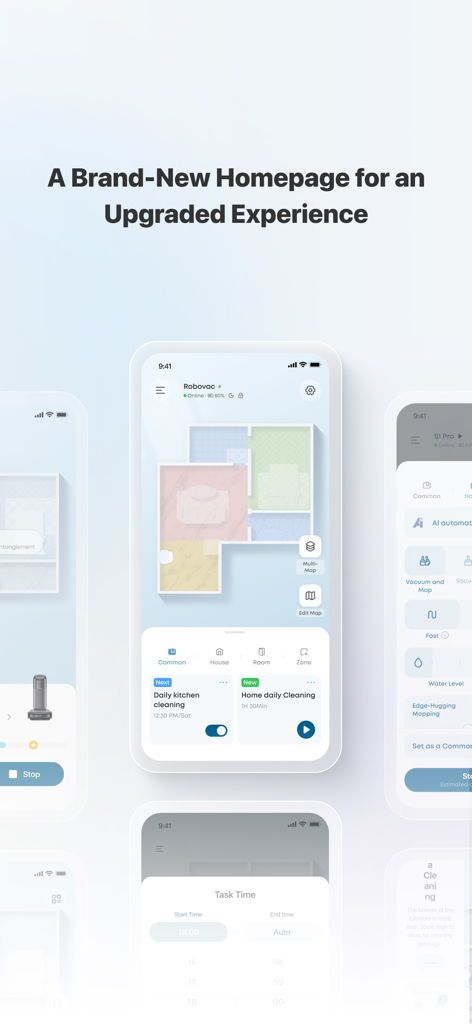
The tools that make this app stand out, trusted by 4M+ users.
Trigger a deep clean from anywhere. Walk into a perfectly vacuumed home after work or travel without lifting a finger.
Visualize cleaning paths and set custom boundaries. Ensure high-traffic areas and pet zones get the extra attention they need.
Easily share device control with your household. Let every family member set their own preferences for a customized experience.
Trusted by 4M+ people who love this app.
"As a busy professional with two labs, I used to spend my weekends vacuuming. Now, I just schedule daily cleanings through the eufy Clean app while I am at the office. I love coming home to those perfect vacuum lines and a hair-free floor. It is truly a set-it-and-forget-it experience that has given me my weekends back!"
"The mapping feature is a total game-changer for our smart home setup. I can send the vacuum to clean just the kitchen after dinner with a single tap. Setting up the app was incredibly fast, and sharing control with my partner was seamless. It is easily the most reliable and user-friendly smart home app we own."
Insights from user reviews.
Sentiment Score
Summary
User reviews for the app are overwhelmingly negative, with a common complaint being frequent app crashes and inability to open the application, particularly after recent updates like iOS 26.0.1. Many users also experience significant frustration with map management, reporting issues such as lost or deleted maps and difficulties dividing rooms. Additionally, the presence of in-app advertisements and consistent device connectivity failures detract significantly from the user experience, despite some positive mentions of a clean and user-friendly interface.
Common Themes
Everything you need to know about eufy Clean (EufyHome).
Description
Latest Version
3.17.1
Size
613.5 MB
First Released
May 29, 2017
Join over 4 million users who have mastered the art of effortless living. Download the eufy Clean app now to automate your chores and walk into a pristine home every single day.
Everything you need to know about eufy Clean (EufyHome)
The eufy Clean app allows users to control their eufy smart home devices remotely. It also enables sharing devices with family members and setting personal preferences for each device.
Users register an account by creating one with their email address after downloading the app. Alternatively, they can log in directly using an existing EufyLife account.
Yes, eufy Clean users can share their eufy smart home devices with family members. This allows each family member to set their own personal preferences for every device.
To add devices, open the eufy Clean app and follow the intuitive setup procedure to pair new devices with a smartphone. Control access can be requested if a device is already set up.
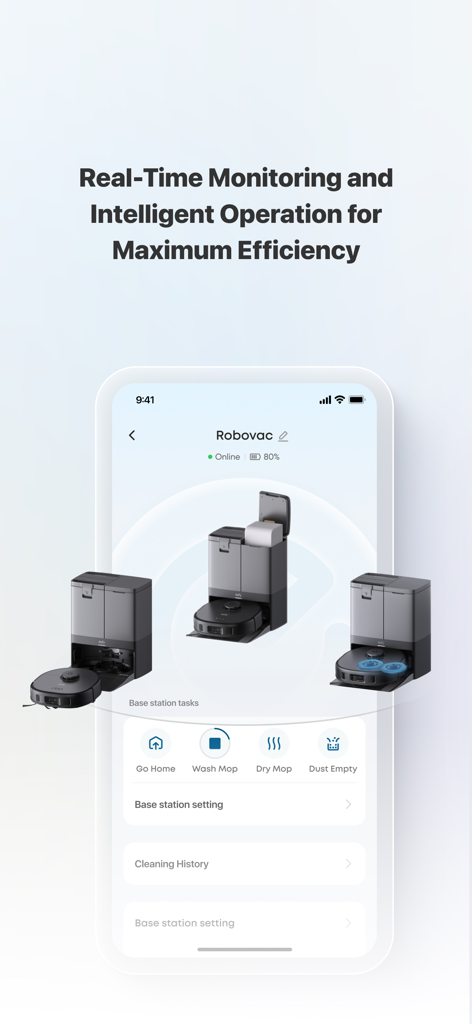
Yes, the eufy Clean app offers real-time monitoring and intelligent operation. This is visible with devices like Robovac showing "Online" status and battery percentage.
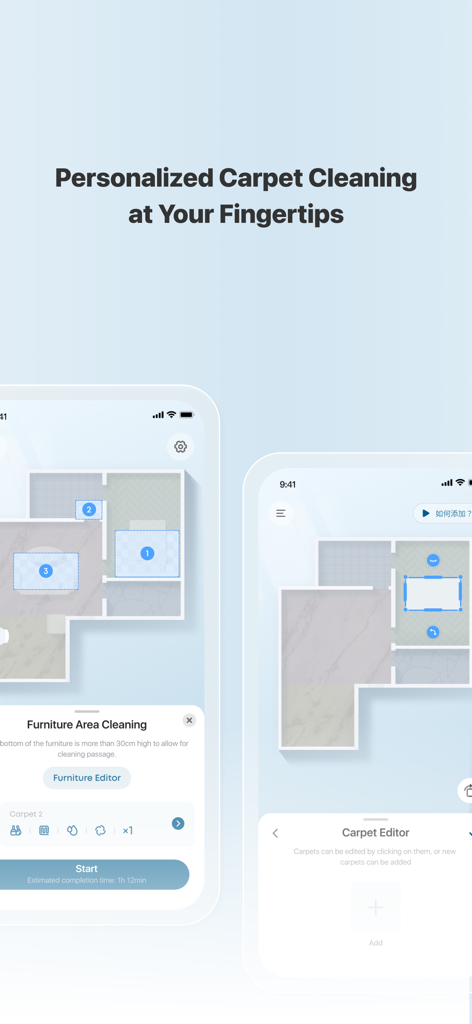
Yes, eufy Clean supports personalized carpet cleaning. The app features a "Carpet Editor" and "Furniture Area Cleaning" for customized cleaning based on specific areas and furniture.
Yes, users can schedule cleaning tasks. Screenshot #1 shows options like "Daily kitchen cleaning" and "Home daily Cleaning" with associated task times.
The eufy Clean app provides base station tasks for Robovac including "Go Home", "Wash Mop", "Dry Mop", and "Dust Empty" for comprehensive maintenance.
Users can contact support for the eufy Clean app via email at support@eufylife.com. Further resources are available on their website and Facebook page.
Apps with similar features and user experience

TP-Link Systems Inc.

DIRECT CURSUS COMPUTER SYSTEMS TRADING LLC

Vesync Technology Corporation

TP-Link Systems Inc.

ecobee Ltd.

Afero, Inc.

ADT LLC

Resideo Technologies, Inc.

Intelbras S.A. Ind. de Telecom. Elet. Brasileira