Final Cut Camera

Final Cut Camera

Download on App Store
Spark by MWM logo
Logo of Final Cut Camera

Final Cut Camera: Professional Video Production in the Palm of Your Hand

Take full manual control over every frame with pro-grade tools, Live Multicam syncing, and a seamless workflow designed for the world’s most demanding creators.

Download on App Store

Publisher

Apple Inc.

Category

Photo & Video

Downloads

9M+

User Rating

4.6/5

Total Ratings

11K+

Locales

7

Cinematic Control at a Glance

Discover the interface used by 9M+ users.
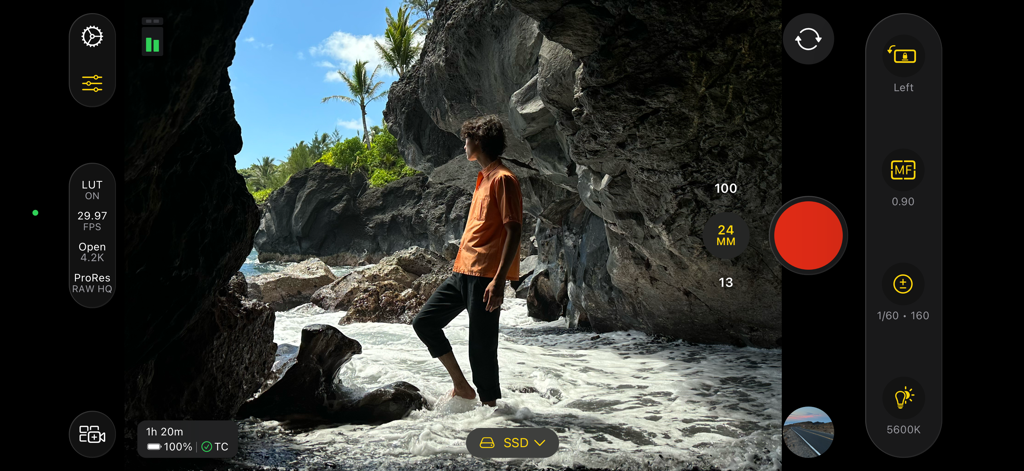
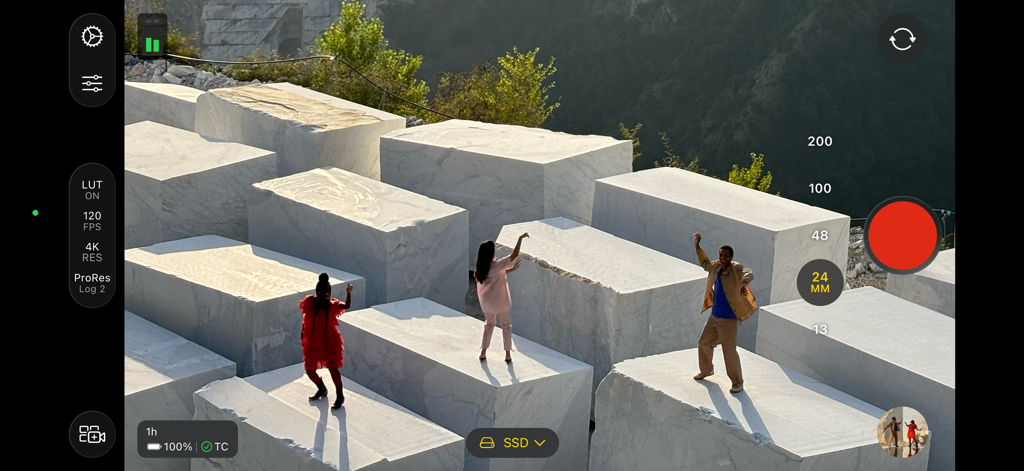
Professional video recording interface of the Final Cut Camera app on an iPhone showing manual cinematography controls and recording settings

Professional video recording interface of the Final Cut Camera app on an iPhone showing manual cinematography controls and recording settings

Final Cut Camera interface showing professional manual video settings including ISO and focus on a cinematic beach scene

Final Cut Camera interface showing professional manual video settings including ISO and focus on a cinematic beach scene

Final Cut Camera app interface featuring professional manual controls for exposure and focus during a cinematic night video shoot with a red car.

Final Cut Camera app interface featuring professional manual controls for exposure and focus during a cinematic night video shoot with a red car.

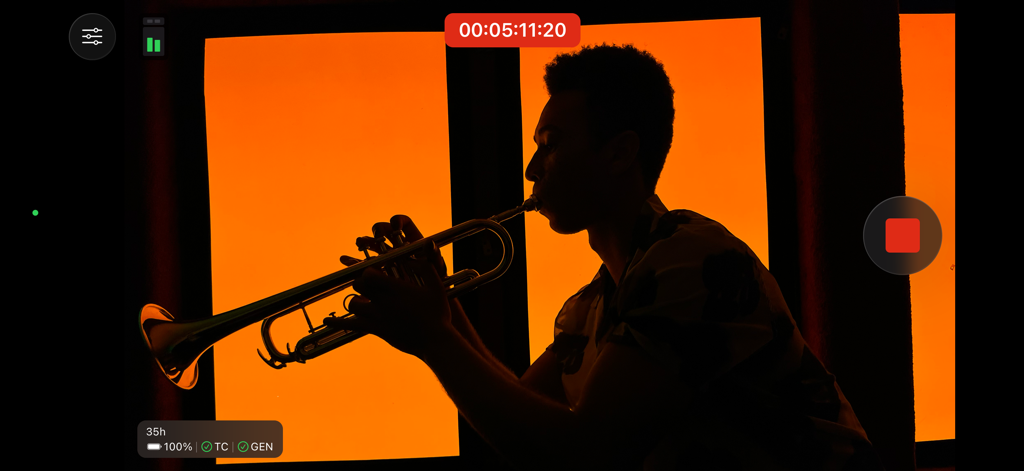
Cinematic silhouette of a trumpet player being recorded in the Final Cut Camera app interface

Cinematic silhouette of a trumpet player being recorded in the Final Cut Camera app interface

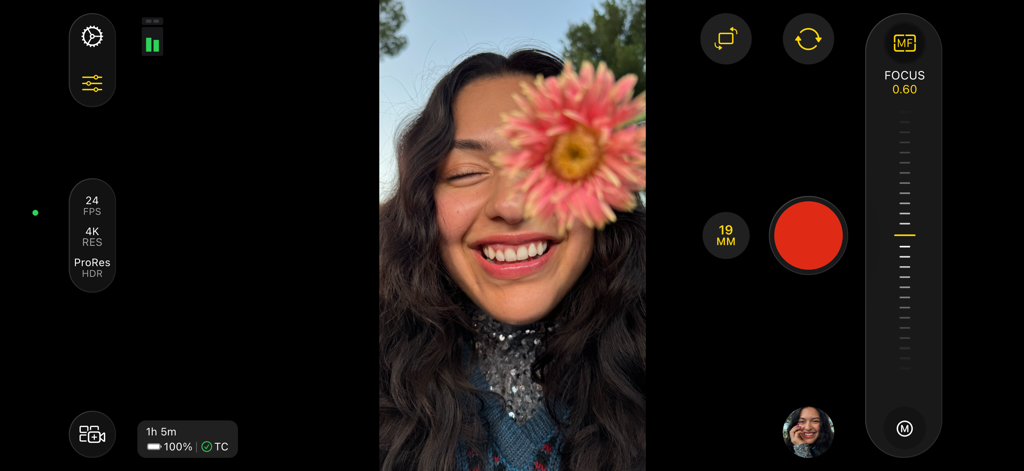
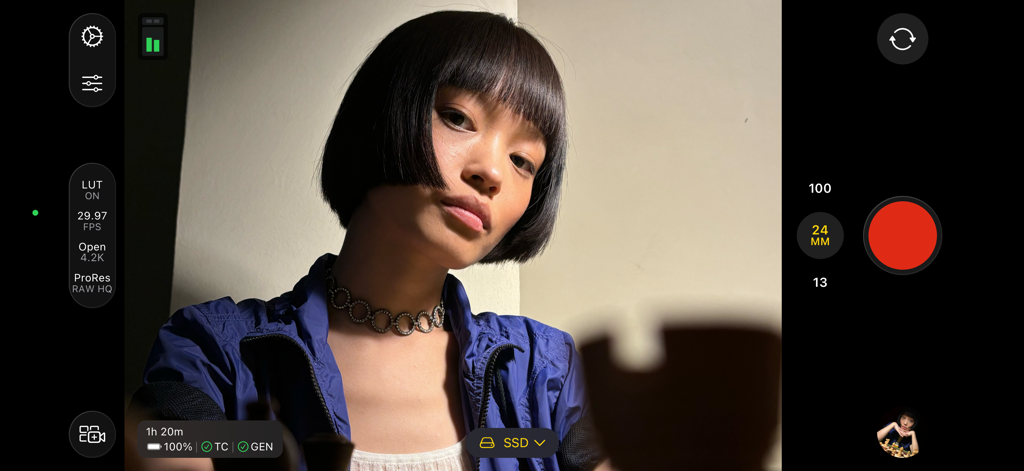
Interface of Final Cut Camera app showing professional manual focus slider and recording settings while filming a person

Interface of Final Cut Camera app showing professional manual focus slider and recording settings while filming a person

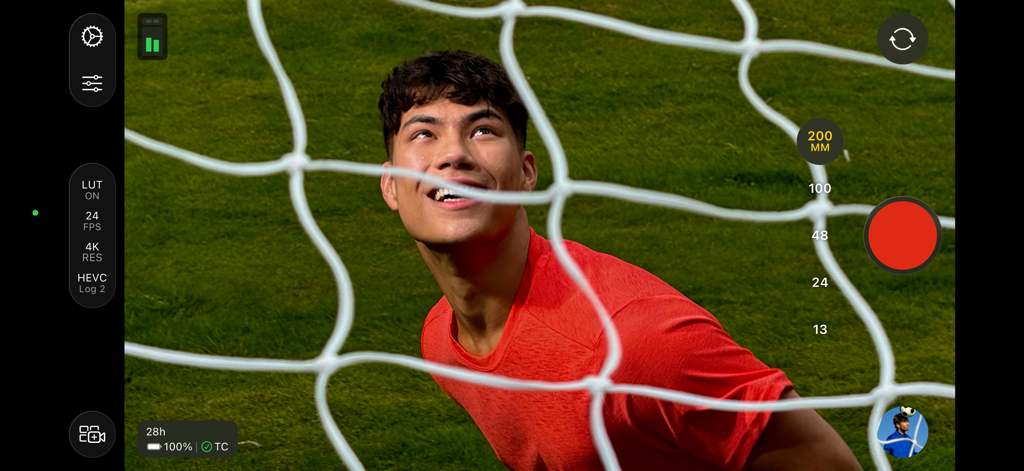
Final Cut Camera app interface showing professional manual controls for 4K video recording with log encoding and focal length settings

Final Cut Camera app interface showing professional manual controls for 4K video recording with log encoding and focal length settings

The Final Cut Camera app interface showing manual video controls and cinematic recording on an iPhone.

The Final Cut Camera app interface showing manual video controls and cinematic recording on an iPhone.

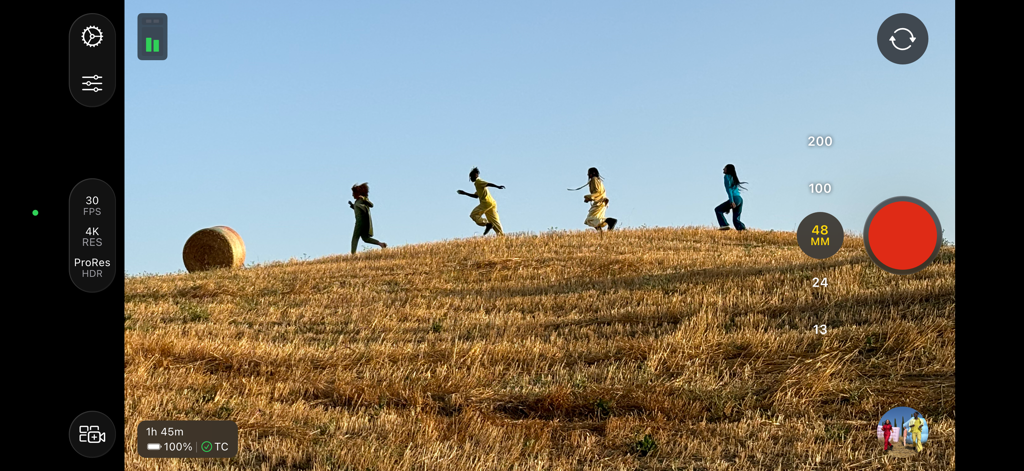
Final Cut Camera app interface showing professional video recording controls and ProRes 4K settings over a scene of people running on a hill

Final Cut Camera app interface showing professional video recording controls and ProRes 4K settings over a scene of people running on a hill

Professional Cinematography at Your Fingertips

The tools that make this app stand out, trusted by 9M+ users.

🕹️

Granular Manual Command

Break free from auto-settings with precise control over ISO, shutter speed, and manual focus pulling to capture your exact creative vision.

📽️

Wireless Live Multicam

Connect up to four devices to Final Cut Pro for iPad to preview, record, and sync multiple angles instantly without the cable clutter.

🎨

ProRes & Log Encoding

Maximize dynamic range and color grading flexibility by shooting in Apple Log and ProRes, supported by professional monitoring tools like focus peaking and zebras.

Loved by users worldwide

Trusted by 9M+ people who love this app.

"

"Final Cut Camera has completely transformed how I use my iPhone on set. Having full manual control over shutter speed and ISO, plus the ability to shoot in Apple Log, means I can finally match my mobile footage with my high-end cinema cameras seamlessly. It is the professional tool I have been waiting for."

Julian Vance, Independent Cinematographer
"

"The Live Multicam feature is a total game-changer for my studio setup. Syncing four angles directly to my iPad in real-time saves me hours of manual alignment and file management. It has literally cut my post-production workflow in half, letting me focus on the creative side."

Sarah Chen, Tech Content Creator

About the app

Everything you need to know about Final Cut Camera.

Description

Final Cut Camera puts you in the director’s chair with intuitive pro controls for your entire video production. Seamlessly start a Live Multicam session by connecting up to four devices running Final Cut Camera to preview, record, and sync your video angles in Final Cut Pro for iPad. Capture with powerful settings including shutter speed, ISO, white balance, and manual focus. Easily customize your resolution, frame rate, color space, and more. Quickly monitor your video with focus peaking and overexposure indicators. Dial in the perfect shot for your professional videos with Final Cut Camera. Capture professional footage with full manual control • Easily record in a range of resolutions, frame rates, and codecs including ProRes and Log color encoding* • Set your exposure with ISO and shutter speed controls • Adjust your white balance using presets or set a custom color temperature • Pull focus to follow the action and keep subjects sharp • Lock orientation to ensure your framing is consistent regardless of device position • Record with Spatial Audio for videos with even more immersive sound** • Reduce shakiness and movement during capture by enabling stabilization Preview, record, and sync up to four devices with Live Multicam in Final Cut Pro for iPad • Quickly start a Live Multicam session by connecting your device to Final Cut Pro for iPad*** • Remotely preview, adjust pro controls, and initiate recording on all your connected devices right in Final Cut Pro • Instantly edit your multicam clips with preview media that is automatically synced in the Final Cut Pro browser • Save time in post with background media transfer that seamlessly replaces preview media with originals as you work Confirm videos look and sound perfect with powerful monitoring tools • Level videos with tilt and roll indicators or crosshairs for overhead shots • Preview your Log video in SDR or HDR by applying the Apple Log LUT* • Enable focus peaking to ensure footage looks sharp* • Properly expose videos using zebra indicators* • Frame your shot with aspect ratio guides or grid overlays • Monitor available recording time and audio meters Easily review and transfer media right in the browser • Save videos to Files or record onto a connected external storage device* • Browse and review your footage directly in the Final Cut Camera browser • Quickly connect to Final Cut Pro for iPad and transfer media directly into a project • Conveniently pause and resume media transfers Upgrading to the latest iOS or iPadOS is recommended * Requires iPhone 15 Pro or later ** Requires iPhone 16 or later *** Requires Final Cut Pro for iPad subscription **** Focus peaking and overexposure indicators require iPhone or iPad models with A13 Bionic chip or later

Latest Version

2.0

Size

76.3 MB

First Released

Jun 20, 2024

Your iPhone, Now a Professional Cinema Camera

Unlock manual exposure, focus peaking, and seamless multicam sync. Step into the director's chair and start filming today.

Download on App Store
FAQ

Frequently Asked Questions

Everything you need to know about Final Cut Camera

What is Final Cut Camera?

Final Cut Camera provides professional controls for video production. It enables Live Multicam sessions with Final Cut Pro for iPad, allowing users to preview, record, and sync multiple video angles. It offers powerful manual settings like shutter speed, ISO, and white balance.

How does Live Multicam work in Final Cut Camera?

Live Multicam connects up to four devices running Final Cut Camera to Final Cut Pro for iPad. Users can remotely preview, adjust controls, initiate recording on all connected devices, and instantly edit synced multicam clips. Background media transfer replaces preview media with originals.

What recording formats does Final Cut Camera support?

Final Cut Camera supports recording in a range of resolutions, frame rates, and codecs, including ProRes and Apple Log. It also captures ProRes RAW in open gate for full-frame resolution and editing performance on compatible devices.

Does Final Cut Camera offer manual controls for video capture?

Yes, Final Cut Camera offers full manual control over video capture. Users can set exposure with ISO and shutter speed, adjust white balance, pull focus, and customize resolution, frame rate, and color space.

What monitoring tools are available in Final Cut Camera?

Final Cut Camera provides focus peaking, zebra indicators for exposure, tilt and roll indicators, crosshairs, and aspect ratio guides. Users can also preview Apple Log video in SDR or HDR with LUTs, and monitor recording time and audio meters.

How can users transfer and store media from Final Cut Camera?

Users can save videos directly to Files or record onto a connected external storage device. Final Cut Camera allows browsing and reviewing footage in its browser. Media can also be transferred directly into a Final Cut Pro for iPad project.

Which devices support ProRes RAW capture in Final Cut Camera?

ProRes RAW capture in open gate with Final Cut Camera requires an iPhone 17 Pro. Other advanced features like ProRes and Apple Log are available on iPhone 15 Pro or later.

Is a Final Cut Pro for iPad subscription required to use Final Cut Camera?

A Final Cut Pro for iPad subscription is required to utilize the Live Multicam feature with Final Cut Camera. The core camera app features do not explicitly state a subscription requirement.