Fitbit to Apple Health Sync

Fitbit to Apple Health Sync

Download on App Store
Spark by MWM logo
Logo of Fitbit to Apple Health Sync

Fitbit to Apple Health Sync: Your Complete Fitness History, Effortlessly Connected

Stop losing your data between devices. Join 1 million+ users who automatically sync steps, sleep stages, and 31+ health metrics to Apple Health. Own your data and keep your streaks alive with our rock-solid background sync technology.

Publisher

Bickster LLC

Category

Health & Fitness

Downloads

1M+

User Rating

4.3/5

Total Ratings

29K+

Locales

1

Your Data, Exactly Where You Want It

Discover the interface used by 1M+ users.
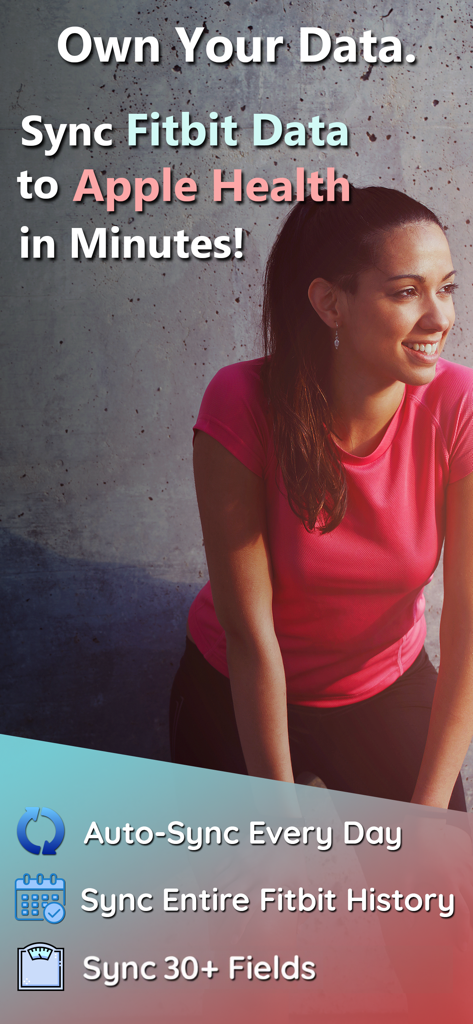
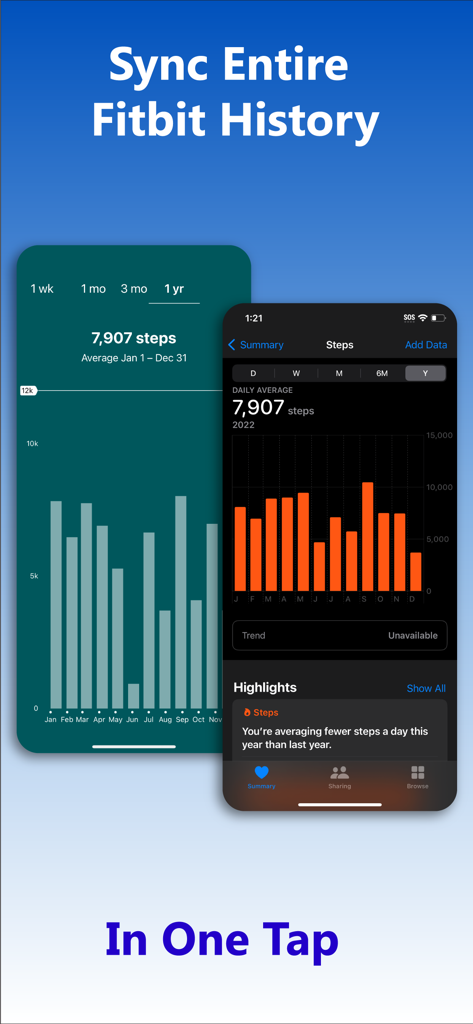
Promotional screenshot for Fitbit to Apple Health Sync app highlighting daily auto-sync and history migration features

Promotional screenshot for Fitbit to Apple Health Sync app highlighting daily auto-sync and history migration features

Interface showing Fitbit step history data synced to Apple Health in one tap

Interface showing Fitbit step history data synced to Apple Health in one tap

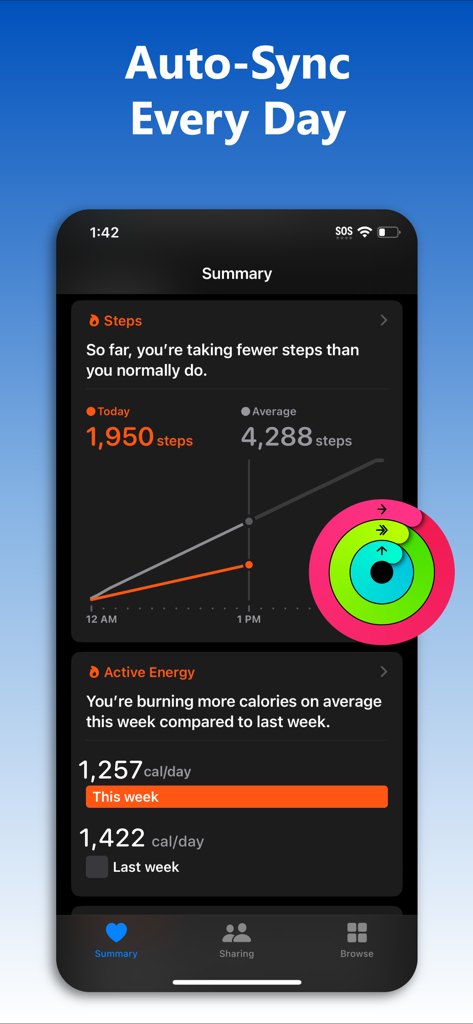
iPhone screen showing automated fitness data sync from Fitbit to Apple Health summary

iPhone screen showing automated fitness data sync from Fitbit to Apple Health summary

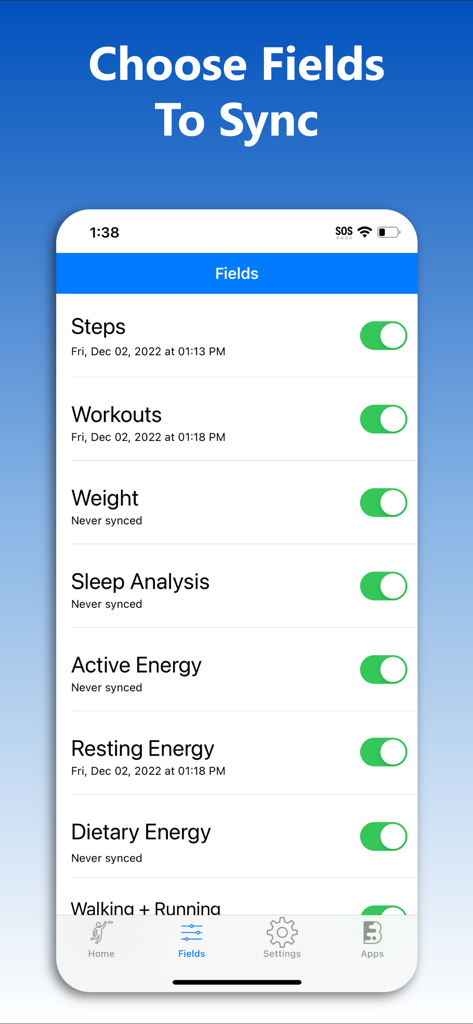
Interface showing the selection of health data fields like steps and workouts to sync from Fitbit to Apple Health

Interface showing the selection of health data fields like steps and workouts to sync from Fitbit to Apple Health

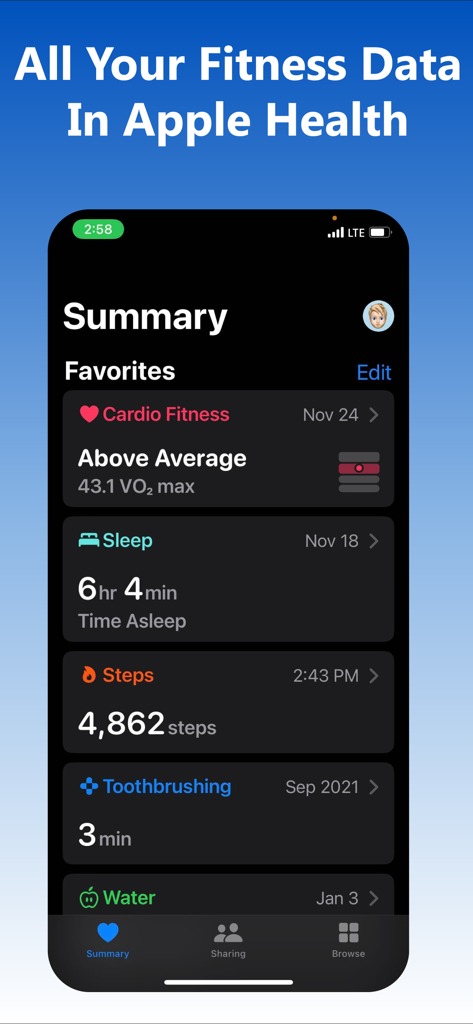
Apple Health summary screen showing synced fitness data including steps and sleep

Apple Health summary screen showing synced fitness data including steps and sleep

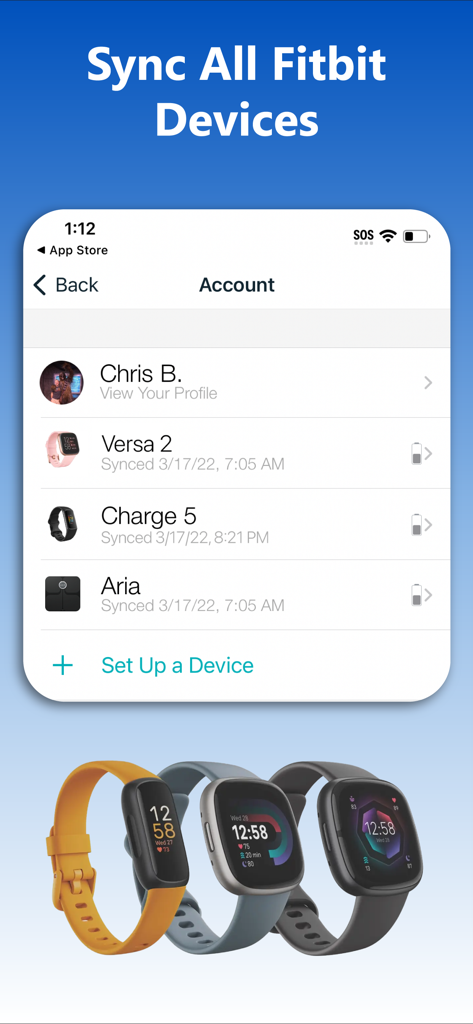
Interface of the Fitbit to Apple Health Sync app showing a list of connected Fitbit devices including Versa 2 and Charge 5

Interface of the Fitbit to Apple Health Sync app showing a list of connected Fitbit devices including Versa 2 and Charge 5

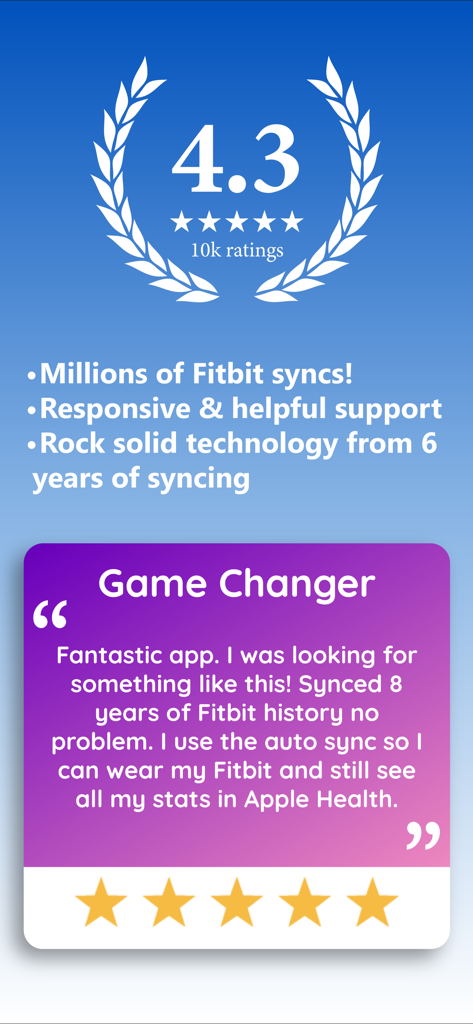
Fitbit to Apple Health Sync app rating and user testimonial about historical data syncing

Fitbit to Apple Health Sync app rating and user testimonial about historical data syncing

Master Your Health Data in One Place

The tools that make this app stand out, trusted by 1M+ users.

🕰️

Preserve Your Entire History

Don't leave years of progress behind. We are the only app capable of syncing your full Fitbit history, ensuring every milestone is saved securely in Apple Health.

🔄

Seamless Background Sync

Stop the manual exports. Our 'Set It and Forget It' technology updates your data automatically multiple times a day so your health dashboard is always current.

📊

31+ Deep Data Metrics

Go beyond basic steps. Sync detailed sleep stages (REM, Deep, Light), heart rate, and body composition to get a 360-degree view of your physical well-being.

Loved by users worldwide

Trusted by 1M+ people who love this app.

"

"I've been a Fitbit user since 2015 and was terrified of losing years of data when I switched to the Apple Watch. This app migrated my entire history—steps, sleep stages, and weight—in minutes. It’s worth every penny for the peace of mind alone!"

Jessica M.
"

"Finally, a solution that actually works! The background auto-sync is a game-changer for keeping my Apple Health dashboard accurate. I love that it even syncs my hydration and BMI from my Fitbit scale directly into my insurance rewards app."

David L.

Review Analysis

Insights from user reviews.

Sentiment Score

26%
Negative

Summary

This app receives predominantly negative feedback from users, primarily due to persistent issues with data syncing to Apple Health and overall app functionality, often hindering the core purpose. Users frequently express frustration with the aggressive subscription model, including high pricing, misleading advertisements for free features, and intrusive ads even in free or trial versions. While some customers reported success in syncing steps and historical data after troubleshooting, and a few praised customer support, the general sentiment points to a poor user experience and perceived lack of value for money.

Common Themes

Data Syncing Performance(6)
Free Features & Ads(3)
Subscription Model & Pricing(2)
App Functionality & Reliability(2)
Customer Support(2)
Ease of Use & Setup(2)

About the app

Everything you need to know about Fitbit to Apple Health Sync.

Description

Download your entire Fitbit history and store it on your iPhone in Apple Health with myFitnessSync. Auto-sync new data in the background multiple times a day. Own your data! Works with ALL Fitbit models and the Aria scale. myFitnessSync - Fitbit to Apple Health exports up to 31 fields. You can choose which fields to sync: * Steps * Weight * Workouts - Functional Strength Training; - Traditional Strength Training; - Yoga - Cycling - Mountain Bike - Aerobics - Run - Hiking - Walk - Elliptical - Swimming * Resting Heart Rate * Walking + Running Distance * Active Energy * Resting Energy * Dietary Energy (Food Calories) * Sleep Analysis & Sleep Stages - Time In Bed - Time Asleep - REM - Deep - Light - Wake * Body Fat Percentage * Body Mass Index (BMI) * Lean Body Mass * Flights Climbed * Water / Hydration If you have any issues please contact support. We will address your questions ASAP Fitbit to Apple Health Sync exports years of data - your entire Fitbit history. We are the only app that can sync your entire Fitbit history. Our app will not overwrite any Apple Health data. Any Apple Health data you might have will not change NOTE: Fitbit restricts access to intraday heart rate data Over 10,000 5 star reviews! Our rock-solid syncing technology has synced Fitbit data to Apple Health for over 100,000 people in the last 5 years Need to sync your Apple Health app data or Apple Watch data to your Fitbit app? Try our other myFitnessSync app: Sync For Apple Health > Fitbit - http://appsto.re/us/yJr7jb.i THOUSANDS OF REVIEWS ----------------------------------- 5/5 "This app is awesome! I have an iWatch but I love the Fitbit! Finally an app that puts all my info in the iPhone health and does it correctly! Thank you" -TTWalker57 5/5 "Hard to beat software that works well!" -icanthinkofanickname 5/5 "This is the Best app to Sync Fitbit data to Health and it works perfectly. Auto sync feature works great. This is the best sync app I ever used. Best Buy!" -Karthikeyan "Very easy to use with my fitbit app and health app" "The amount of money and time that have been wasted could have been saved if I had come across this app first. Thank you!" -Mo8858 --------------------------------- Syncs with rewards programs such as Go365 We cannot respond to your questions or comments in review posts. Instead of posting questions or comments as a review please send them to support@bickster.com or visit our support page - http://www.bickster.zendesk.com. Thank you HOW DOES IT WORK Data is synced using 3 easy steps. After your first sync you can use One Click Sync 1. In the app, sign into Fitbit.com using your account credentials 2. Pick the fitness fields (steps, sleep, etc..) you want to sync with Apple Health 3. Click the "Sync Now" button to start syncing your Fitbit data with Apple Health To avoid seeing duplicate activity data in the Apple Health app disable fitness tracking on your iPhone. Go to Settings->Privacy->Motion & Fitness and disable Fitness Tracking Subscriptions - The app is free to sync daily steps and sleep analysis. With Pro, you can sync historical data, 31 fields, and use auto sync - Subscribers pay the fixed price for your country. Prices listed in USD - Payment will be charged to your iTunes Account upon confirmation of purchase - Subscription automatically renews unless auto-renewal is turned off at least 24 hours before the end of the current period - Your Account will be charged for renewal within 24 hours prior to the end of the current subscription period - You can manage your subscriptions and turn off auto-renewal by going to your Account Settings after purchase - When canceling a subscription, your subscription will stay active until the end of the current period Terms of Use & Privacy Policy: https://www.bickster.com/terms-privacy This product is not a Fitbit product, and Fitbit does not service or warrant the functionality of this product

Latest Version

3.2.0

Size

63.0 MB

First Released

Jul 18, 2016

Ready to Own Your Fitness History?

Join over 1 million users who trust us to bridge the gap between Fitbit and Apple Health. Download now to sync your years of data and 31 health metrics automatically.

Download on App Store
FAQ

Frequently Asked Questions

Everything you need to know about Fitbit to Apple Health Sync

What is myFitnessSync and what does it do?

myFitnessSync syncs your entire Fitbit history to Apple Health, storing all your Fitbit data on your iPhone. It also auto-syncs new data multiple times a day.

Does myFitnessSync work with all Fitbit models and the Aria scale?

Yes, myFitnessSync works with all Fitbit models and the Aria scale. It supports comprehensive data synchronization from various Fitbit devices.

What specific data fields can myFitnessSync sync from Fitbit to Apple Health?

myFitnessSync can export up to 31 data fields, including Steps, Weight, various Workouts, Resting Heart Rate, Sleep Analysis, Body Fat Percentage, and Water/Hydration.

Can myFitnessSync sync my entire historical Fitbit data?

Yes, myFitnessSync exports years of data, including your entire Fitbit history. It is stated as the only app capable of syncing your complete Fitbit history.

Does myFitnessSync offer an auto-sync feature for new data?

Yes, myFitnessSync offers auto-sync functionality with the Pro subscription, which syncs new Fitbit data to Apple Health in the background multiple times daily.

Will myFitnessSync overwrite my existing Apple Health data?

No, myFitnessSync will not overwrite any existing Apple Health data. Any data already present in your Apple Health app remains unchanged.

What are the subscription options for myFitnessSync?

The app is free for daily steps and sleep analysis. A Pro subscription enables syncing historical data, all 31 fields, and auto-sync.

How can I get support for myFitnessSync if I have issues?

You can contact support for myFitnessSync by emailing support@bickster.com or by visiting their support page at http://www.bickster.zendesk.com.

Can myFitnessSync synchronize intraday heart rate data?

No, myFitnessSync cannot sync intraday heart rate data from Fitbit. Fitbit restricts access to this specific type of data.

What are the steps to set up myFitnessSync?

Setup involves signing into Fitbit.com in the app, selecting desired fitness fields, and clicking 'Sync Now'. Subsequent syncs can be done with one click.