
Go Viral: AI Creator Assistant




Stop wasting hours on videos that don't perform. Use AI to analyze your TikToks, Reels, and Shorts, predict your views, and get actionable tips to dominate the algorithm.
Publisher
Category
UtilitiesDownloads
102K+User Rating
Total Ratings
1K+Locales
5Discover the interface used by 102K+ users.
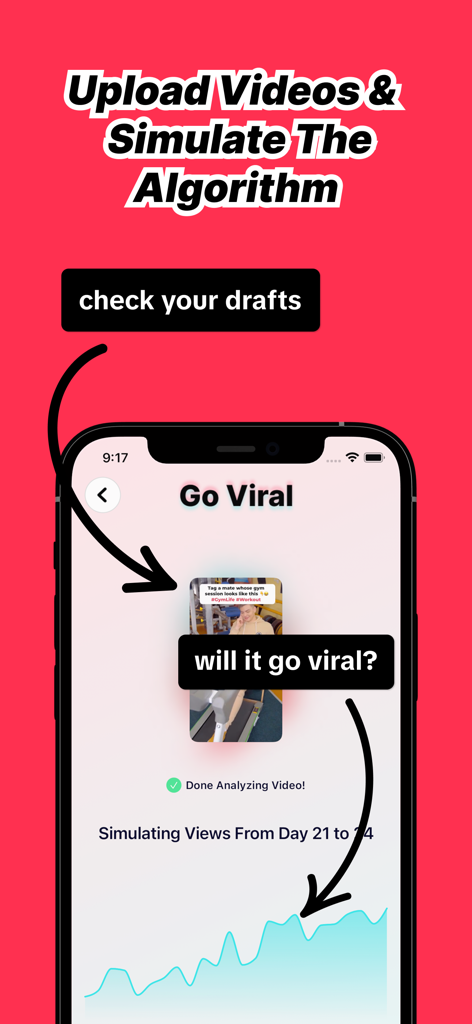
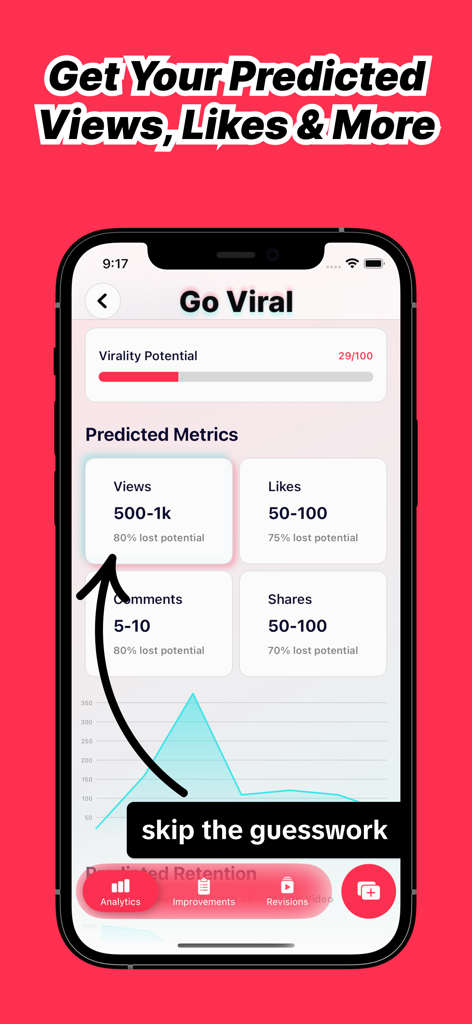
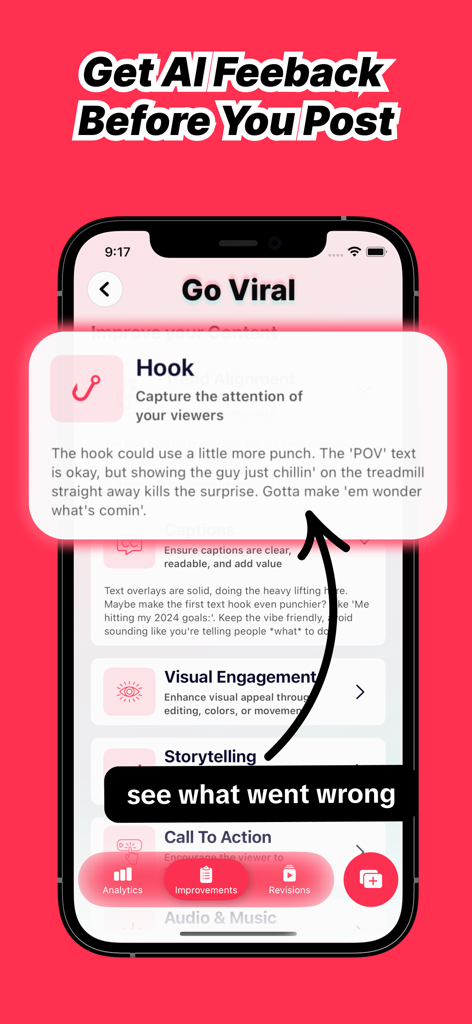
The tools that make this app stand out, trusted by 102K+ users.
Know your reach before you post. Our AI analyzes your video's potential to forecast performance on TikTok, Reels, and Shorts.
Get instant, actionable tips on your hooks, lighting, and pacing to ensure every video is optimized for maximum engagement.
Stay ahead of shifting trends. We identify the specific factors that trigger the algorithm so you can grow your brand consistently.
Trusted by 102K+ people who love this app.
"I used to spend hours editing only to get stuck in the 200-view jail on TikTok. Go Viral changed everything. The AI predicted my last Reel would perform well, and after following the specific tips to sharpen my hook, it actually hit 50k views! It is like having a professional social media strategist in my pocket 24/7."
"As a small business owner, I do not have time for the post and pray strategy. This app gives me the data-driven edge I need to make sure my content actually reaches my target audience. The subscription paid for itself in the first week through the massive increase in engagement on my YouTube Shorts."
Insights from user reviews.
Sentiment Score
Summary
The app receives overwhelmingly negative feedback from users, primarily due to numerous issues with its "free" trial, which frequently results in unexpected charges and difficulty canceling subscriptions. Users widely criticize the app's customer support, citing unresponsiveness to refund requests and cancellation inquiries. Furthermore, many found the core functionality, such as video analysis and virality predictions, to be inaccurate or generic, with some reviews calling the app a scam and its marketing deceptive. While a few users expressed initial hope or found some advice insightful, the prevailing sentiment points to significant dissatisfaction with the app's reliability and business practices.
Common Themes
Everything you need to know about Go Viral: AI Creator Assistant.
Description
Latest Version
2.5
Size
62.9 MB
First Released
Apr 8, 2025
Join 100,000+ creators using AI to predict their views and turn every video into a viral success. Your next breakout moment starts here.
Everything you need to know about Go Viral: AI Creator Assistant
Go Viral is an AI Creator Assistant that analyzes videos for platforms like TikTok, Reels, and Shorts. It predicts view potential and offers actionable tips to optimize content for virality.
Go Viral's AI analyzes engagement factors within an uploaded video. It then predicts potential views and provides insights to improve the content for platforms like TikTok, Reels, or Shorts.
Go Viral provides AI feedback before posting, identifying areas for improvement like "Hook," "Visual Engagement," "Storytelling," and "Call To Action" to help optimize video content.
Yes, Go Viral predicts various metrics including views, likes, comments, and shares for uploaded videos. It displays a "Virality Potential" score and predicted metric ranges.
No, Go Viral requires a paid subscription for use. Prices may vary by country and are subject to change, with clear display within the app.
Users can manage their Go Viral subscriptions and turn off auto-renewal by accessing their Account Settings within the iTunes Store.
The terms and conditions for Go Viral are available online at the provided URL: https://go-viral.solveware.de/terms.
Go Viral's privacy policy can be reviewed online. The official URL for the privacy policy is: https://go-viral.solveware.de/privacy.
Apps with similar features and user experience

TIKTOK PTE. LTD.

Nodes Tree

Mountains Studio LLC

WL Online Marketing LLC

William Bianco

广旭 刘
raza umar

Almanac Labs, Inc.
