
Google Drive



Access your files anywhere, on any device. From AI-powered insights to seamless team collaboration, keep your digital life and professional projects perfectly in sync.
Publisher
Category
ProductivityDownloads
389M+User Rating
Total Ratings
29M+Locales
67Discover the interface used by 389M+ users.
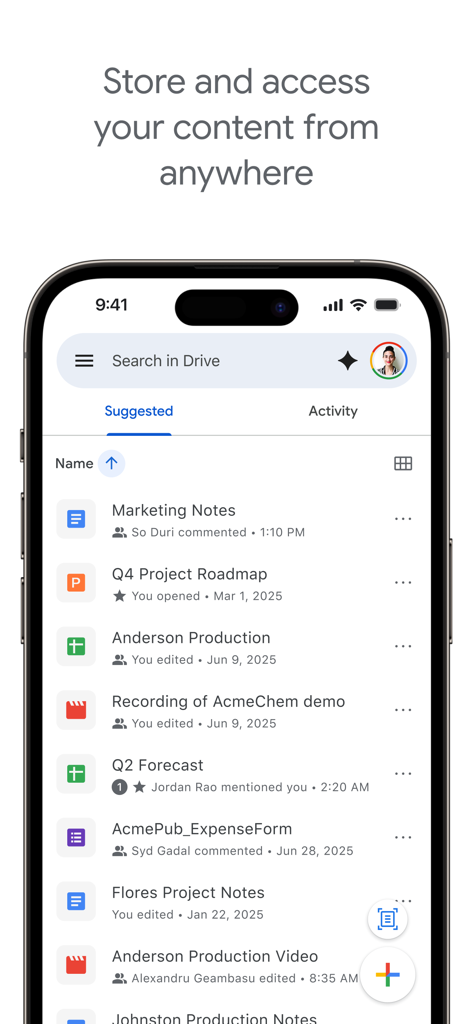
The tools that make this app stand out, trusted by 389M+ users.
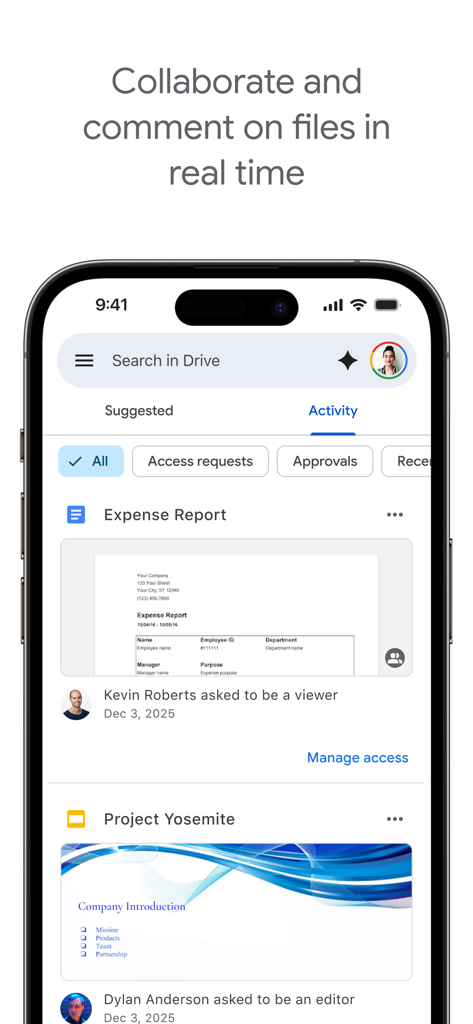
Work together seamlessly on Docs, Sheets, and Slides. Share folders with your team or classmates and manage permissions with ease.
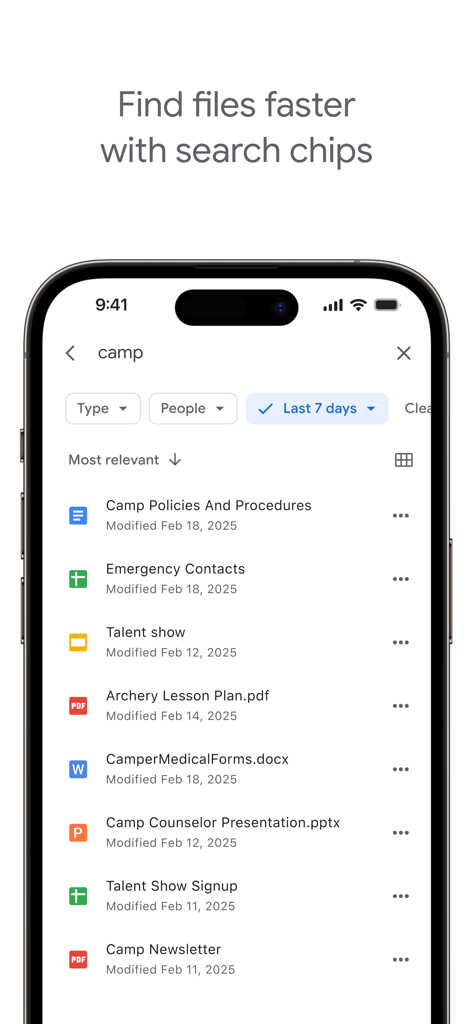
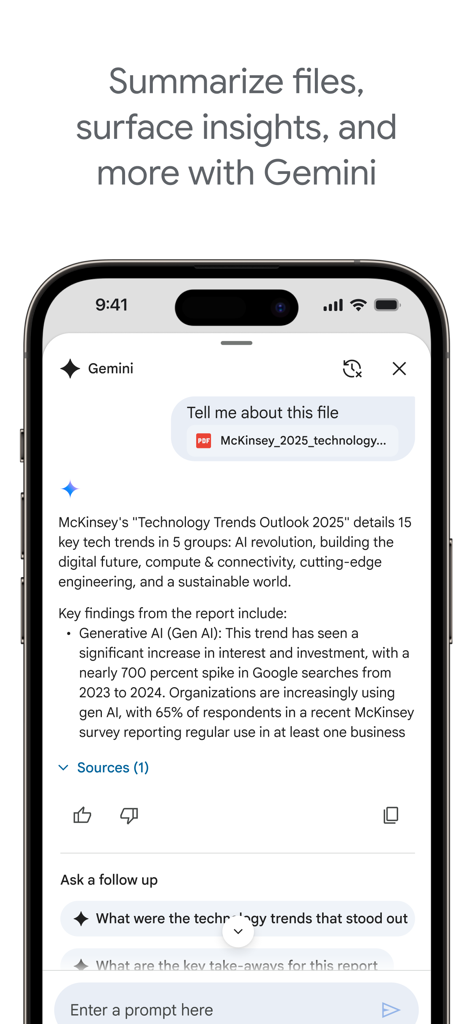
Find exactly what you need in seconds. Search for text inside images or PDFs and use AI to quickly summarize your most complex documents.
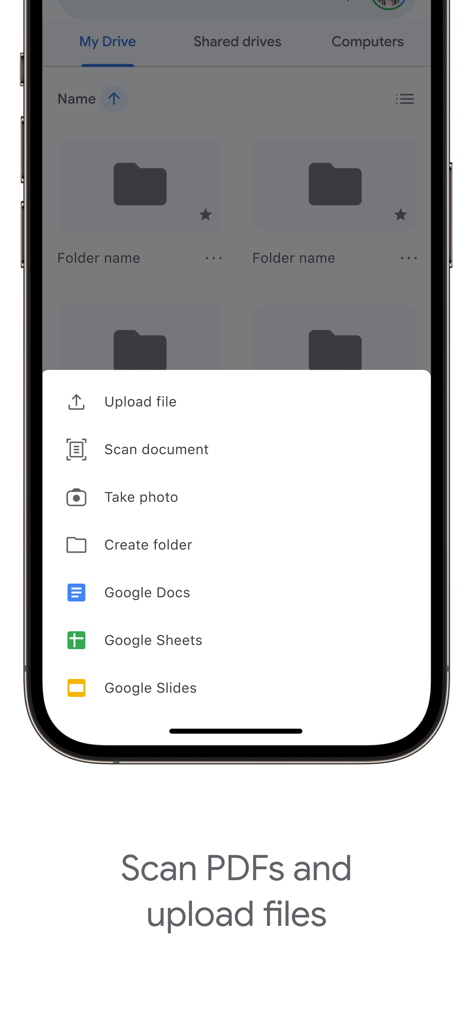
Turn your iPhone into a portable office. Scan paper documents into PDFs, edit 100+ file types, and access your files even when you're offline.
Trusted by 389M+ people who love this app.
"As a freelance consultant, I am constantly on the move. The mobile scanning feature is a lifesaver for my expenses, and the ability to search for text inside my PDFs saves me hours of digging through folders. It is truly my entire office in my pocket."
"Drive is my digital backpack for university. Collaborating on group projects in real-time from my iPhone is incredibly smooth, and the offline access ensures I can study my notes anywhere. It is the most reliable app I have for school."
Everything you need to know about Google Drive.
Description
Latest Version
4.2602.11600
Size
392.3 MB
First Released
Jun 28, 2012
Join 389M+ users and turn your iPhone or iPad into a secure, collaborative powerhouse. Get 15GB of free storage and start organizing your digital life today.
Everything you need to know about Google Drive
Google Drive is a cloud storage service that allows users to securely store, intelligently organize, and collaborate on files and folders from any device.
Google Drive supports editing and storing over 100 file types, including PDFs, Office files like documents and spreadsheets, and various video formats.
Yes, Google Drive allows users to scan and upload paper documents directly using their device's camera. This feature integrates physical documents into your digital storage.
Yes, Google Drive enables users to view their content on the go while offline. This ensures access to important files without an internet connection.
Google accounts receive 15GB of free storage. This storage is shared across Google Drive, Gmail, and Google Photos.
You can upgrade your storage for Google Drive by purchasing additional space through Google Workspace or Google One as an in-app purchase.
Storage subscriptions purchased from the Google Drive app are charged to your iTunes Account. They automatically renew unless auto-renewal is turned off 24 hours prior.
Google Workspace subscribers can use AI in Google Drive to summarize information, retrieve quick facts, and surface insights from their files.
Yes, Google Drive allows users to share files and folders, set permissions, and collaborate on content in real time. This includes commenting capabilities.
Users can search for files by name and content within Google Drive. You can also filter files by type, last modified date, and other criteria to locate them faster.
The Google Drive privacy policy is available at the provided link: https://www.google.com/intl/en_US/policies/privacy. This document outlines how user data is handled.
Apps with similar features and user experience

DIRECT CURSUS COMPUTER SYSTEMS TRADING LLC

V Kontakte OOO

Yicun Network Technology Co. Ltd.

Microsoft Corporation

Dropbox, Inc.

Google LLC

Fazcon PTY LTD

LIFECELL BULUT COZUMLERI ANONIM SIRKETI

JIO PLATFORMS LIMITED
