Granola - AI Meeting Notes

Granola - AI Meeting Notes

Download on App Store
Spark by MWM logo
Logo of Granola - AI Meeting Notes
Granola — AI Meeting Notes for the High-Velocity Professional

Stay present in every conversation. Granola transforms your back-to-back meetings and phone calls into polished summaries and clear action items with a single tap.

Publisher

Granola inc

Category

Productivity

Downloads

180K+

User Rating

5.0/5

Total Ratings

5K+

Locales

1

A Glimpse of Clarity

Discover the interface used by 180K+ users.
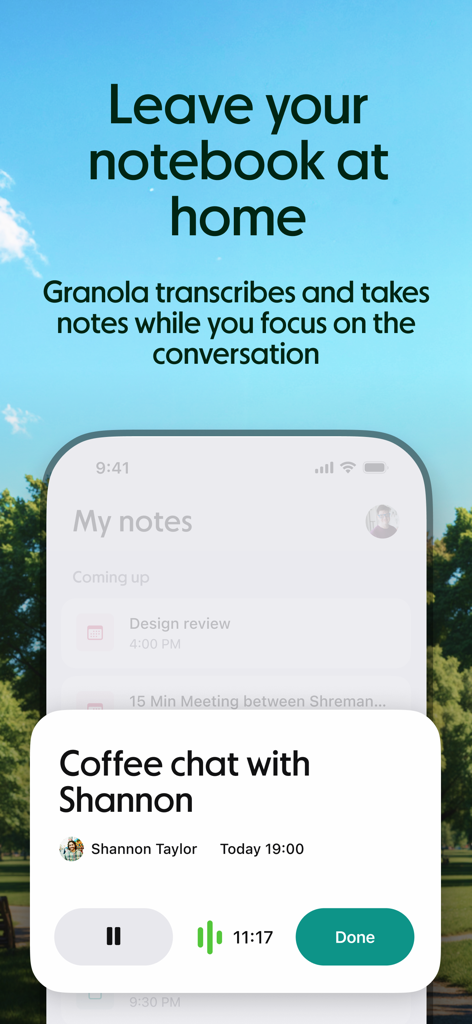
Granola AI app interface recording and transcribing a coffee chat meeting.

Granola AI app interface recording and transcribing a coffee chat meeting.

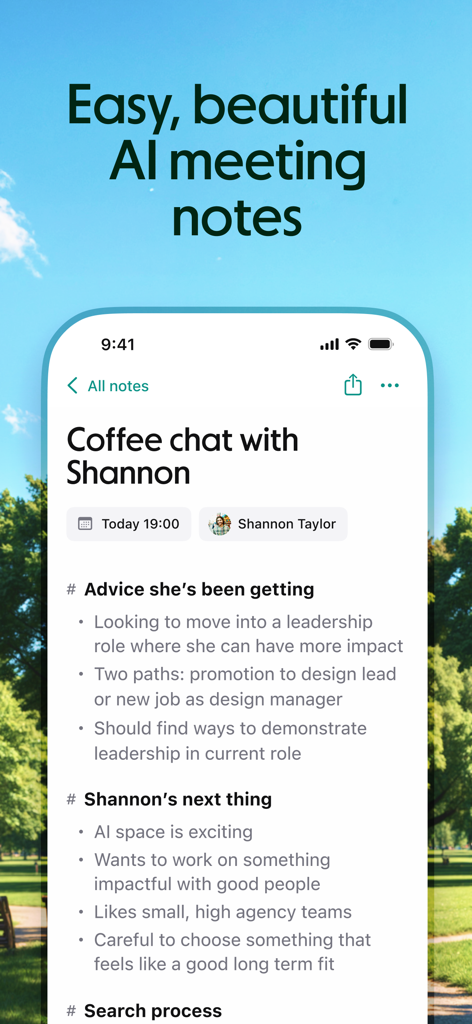
Granola app screenshot showing an AI generated summary of a coffee chat meeting with Shannon

Granola app screenshot showing an AI generated summary of a coffee chat meeting with Shannon

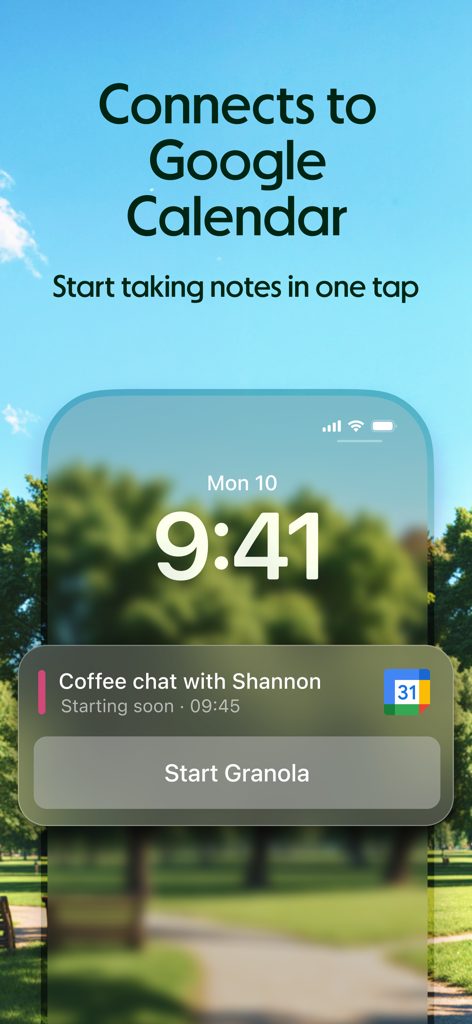
Granola AI meeting notes app integration with Google Calendar showing a one tap start button on the iPhone lock screen for a scheduled coffee chat

Granola AI meeting notes app integration with Google Calendar showing a one tap start button on the iPhone lock screen for a scheduled coffee chat

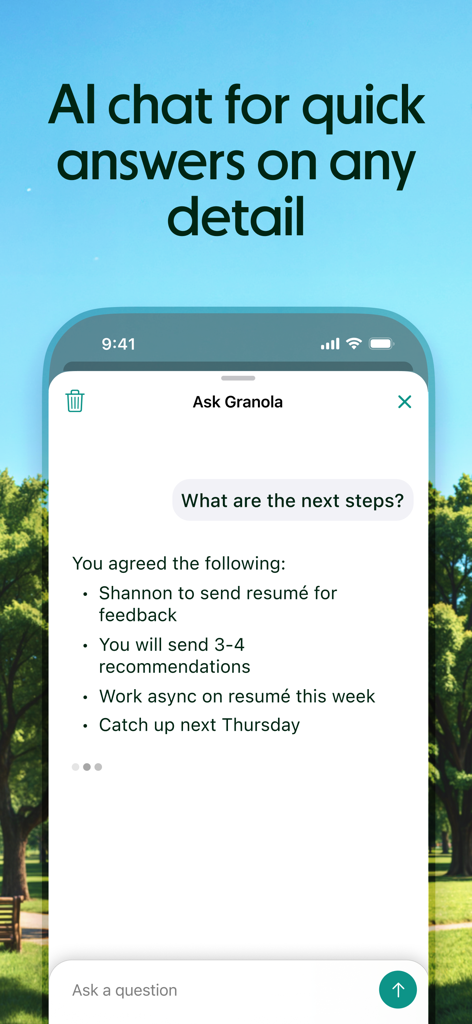
Granola AI meeting notes app showing a chat interface for quick answers on meeting details

Granola AI meeting notes app showing a chat interface for quick answers on meeting details

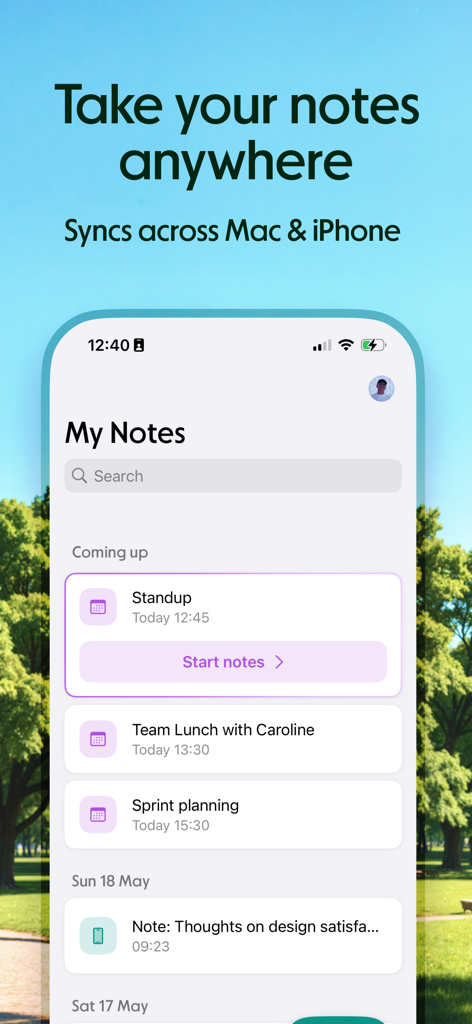
Granola AI meeting notes app on iPhone showing meeting schedule and cross device synchronization

Granola AI meeting notes app on iPhone showing meeting schedule and cross device synchronization

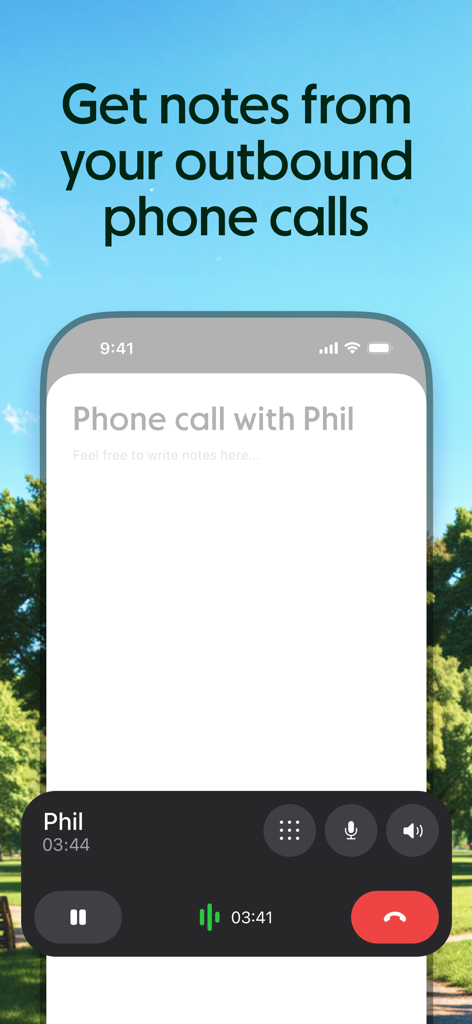
Granola mobile app interface showing automated AI note taking during an outbound phone call

Granola mobile app interface showing automated AI note taking during an outbound phone call

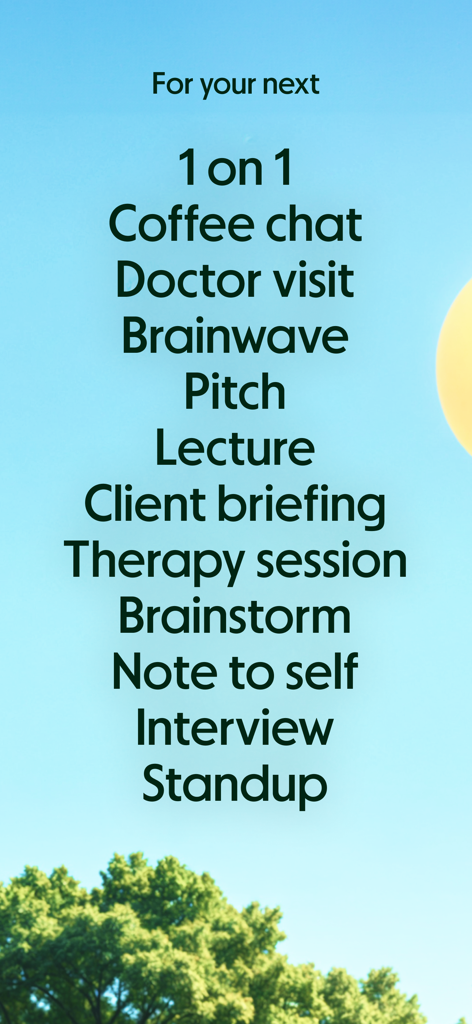
A list of professional and personal meeting types for AI note-taking on a blue sky background.

A list of professional and personal meeting types for AI note-taking on a blue sky background.

Focus on the Conversation, Not the Notes

The tools that make this app stand out, trusted by 180K+ users.

🔘

Instant One-Tap Capture

Launch recordings directly from your Lock Screen or widgets to capture every detail of coffee chats and calls on-the-go.

Executive-Level Summaries

Receive beautifully formatted highlights and action items ready to share with founders, partners, or clients in seconds.

💬

Deep Context Retrieval

Ask your notes anything to instantly extract key data points, verify candidate details, or draft high-impact follow-ups.

Loved by users worldwide

Trusted by 180K+ people who love this app.

"

"As a VC, I spend half my day in coffee shops. Granola lets me stay fully present with founders instead of burying my head in a notebook. The AI summaries are so sharp I can send follow-ups before I even leave the table. It is a total game-changer for my workflow."

James Chen, Principal at Peak Ventures
"

"With 10+ candidate calls a day, I used to dread the evening note-cleanup. Granola changed everything. I just tap my lock screen, and it captures everything perfectly—even in noisy transit. Being able to chat with my notes to find specific salary expectations is magic."

Sarah Miller, Senior Executive Recruiter

About the app

Everything you need to know about Granola - AI Meeting Notes.

Description

Granola is the AI notepad for people in back-to-back meetings, trusted by top founders, VCs, and recruiters. And now it's available on your iPhone. Stay present and capture every conversation on-the-go — perfect for coffee catch-ups, phone calls, conference days, or just distilling your thoughts. Just open the app, tap start or make a call, and Granola instantly begins transcribing. Granola creates a shareable summary with highlights, decisions, and action items. BEAUTIFUL NOTES, ZERO EFFORT • Accurately transcribes meetings and phone calls, even in noisy environments • Lets you stay focused on the conversation instead of taking notes • Gives you clarity on key moments, decisions, and action items ONE-TAP CAPTURE • Start and stop note-taking straight from your Lock Screen with a single tap • Take notes on outbound phone calls directly from the iPhone app • Create an ad-hoc note from within the app • Use the Lock Screen or Home Screen widgets for easy access CHAT WITH NOTES • Ask questions about your notes and meeting attendees • Extract new insights and refer back to important details • Get clarity on action items and help drafting follow-ups SHARE EFFORTLESSLY • Send polished summaries to attendees in seconds • Edit notes and formatting to fit your needs • View and manage your notes across both iPhone and Mac Here's how it works: • Start a new note from your Lock Screen, Home Page widget, or in the app • Sync with Google Calendar to launch notes for upcoming events • Stay present while Granola transcribes in the background • Afterward, share notes with attendees or keep them private • Chat with your notes to get answers and uncover new insights • Search, view, and manage all your notes in one place Try Granola for a few meetings or calls today. It's free to get started. Need support? Head to our Help Center: https://www.granola.ai/docs Terms of Use: https://www.granola.ai/docs/policies/terms/tos Privacy Policy: https://www.granola.ai/docs/policies/privacy/pp

Latest Version

1.9.0

Size

79.5 MB

First Released

Apr 29, 2025

Focus on the conversation. We’ll do the rest.

Join the top founders, VCs, and recruiters using Granola to automate their meeting notes and reclaim their mental bandwidth. Start for free today.

Download on App Store
FAQ

Frequently Asked Questions

Everything you need to know about Granola - AI Meeting Notes

What is Granola - AI Meeting Notes?

Granola is an AI notepad designed for transcribing meetings and phone calls. It automatically creates shareable summaries with highlights, decisions, and action items, allowing users to stay present during conversations.

How does Granola - AI Meeting Notes work?

Granola works by transcribing conversations in the background after you start a note from the app, Lock Screen, or Home Screen widget. It then generates a summary, which you can chat with, edit, and share.

Can Granola transcribe phone calls?

Yes, Granola accurately transcribes outbound phone calls directly from the iPhone app. This feature enables users to capture conversations and obtain notes without manual input.

Does Granola - AI Meeting Notes integrate with Google Calendar?

Yes, Granola connects to Google Calendar. This integration allows users to automatically launch note-taking for upcoming scheduled events with a single tap, streamlining the process.

Can I chat with my notes in Granola?

Yes, Granola features an AI chat function. Users can ask questions about their notes, meeting attendees, extract new insights, and get clarity on action items or help drafting follow-ups directly within the app.

Is Granola - AI Meeting Notes free to use?

Yes, Granola is free to get started. Users can try the app for several meetings or calls without any initial cost.

Can I use Granola on both iPhone and Mac?

Yes, Granola allows users to view and manage notes across both iPhone and Mac. The app syncs content, ensuring accessibility and continuity across devices.

What kind of summaries does Granola - AI Meeting Notes generate?

Granola generates polished summaries that include key moments, decisions, and action items. These summaries are designed to provide clarity and can be shared effortlessly with attendees.

How can I start note-taking with Granola quickly?

Users can quickly start note-taking with Granola using one-tap capture from the Lock Screen, Home Screen widgets, or by creating an ad-hoc note directly within the app.

Where can I find support for Granola - AI Meeting Notes?

For support regarding Granola - AI Meeting Notes, users can access the Help Center available at https://www.granola.ai/docs.