Guru Maps - Offline Navigation

Guru Maps - Offline Navigation

Download on App StoreDownload on Google Play
Spark by MWM logo
Logo of Guru Maps - Offline Navigation

Guru Maps: Professional Offline Navigation for the Self-Reliant Explorer

Master the backcountry with detailed OSM data, advanced GPS tracking, and specialized routing for overlanding and hiking. Plan on Mac, sync to your devices, and navigate the world's most remote locations—no signal required.

Download on App Store

Publisher

Evgen Bodunov

Category

Navigation

Downloads

1M+

User Rating

4.6/5

Total Ratings

34K+

Locales

20

Adventure in Focus

Discover the interface used by 1M+ users.

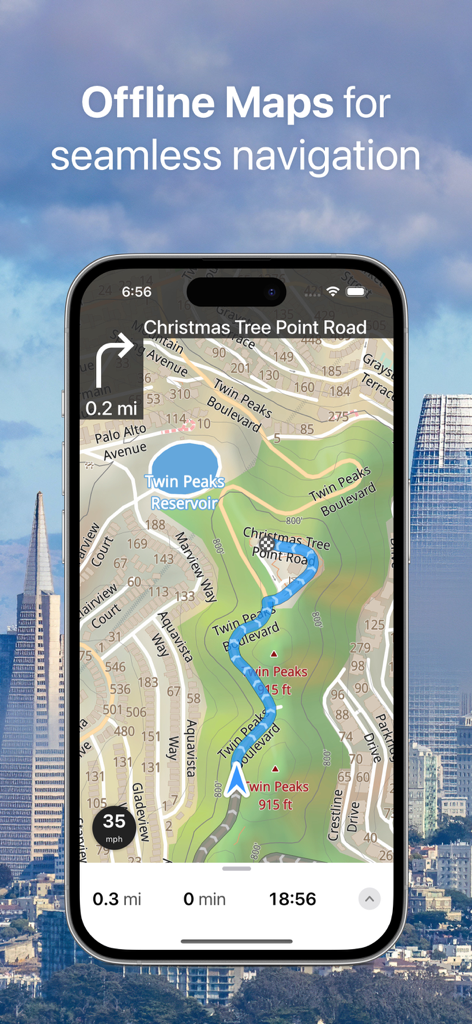
Guru Maps app interface showing offline navigation and detailed topographic map on a smartphone screen.

Guru Maps app interface showing offline navigation and detailed topographic map on a smartphone screen.

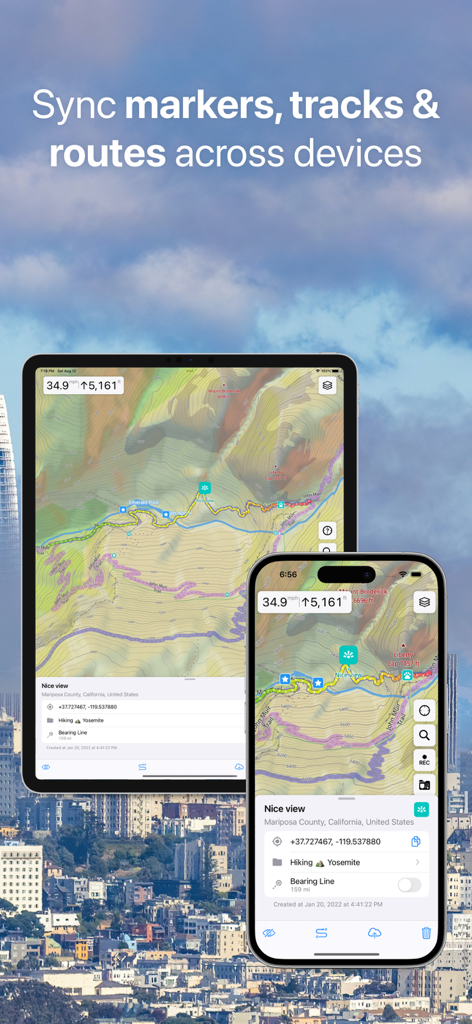
Guru Maps app syncing topographic maps and navigation markers between an iPhone and an iPad.

Guru Maps app syncing topographic maps and navigation markers between an iPhone and an iPad.

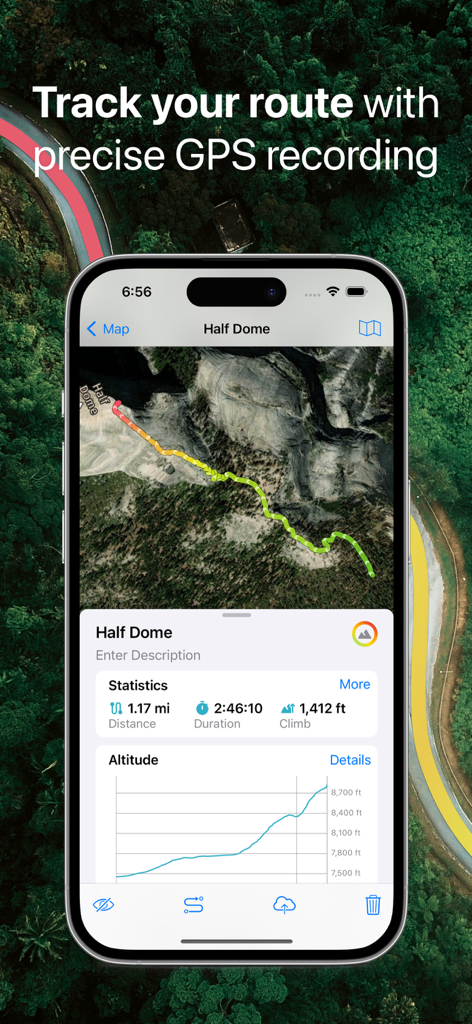
Guru Maps app screen showing GPS route tracking with altitude graph and statistics for a hike at Half Dome.

Guru Maps app screen showing GPS route tracking with altitude graph and statistics for a hike at Half Dome.

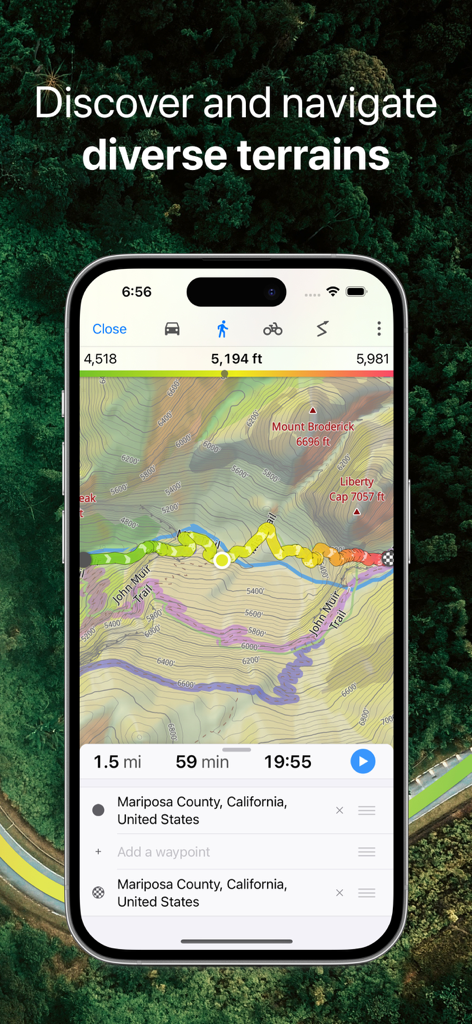
Guru Maps app interface showing a topographic hiking route on the John Muir Trail in California with elevation data

Guru Maps app interface showing a topographic hiking route on the John Muir Trail in California with elevation data

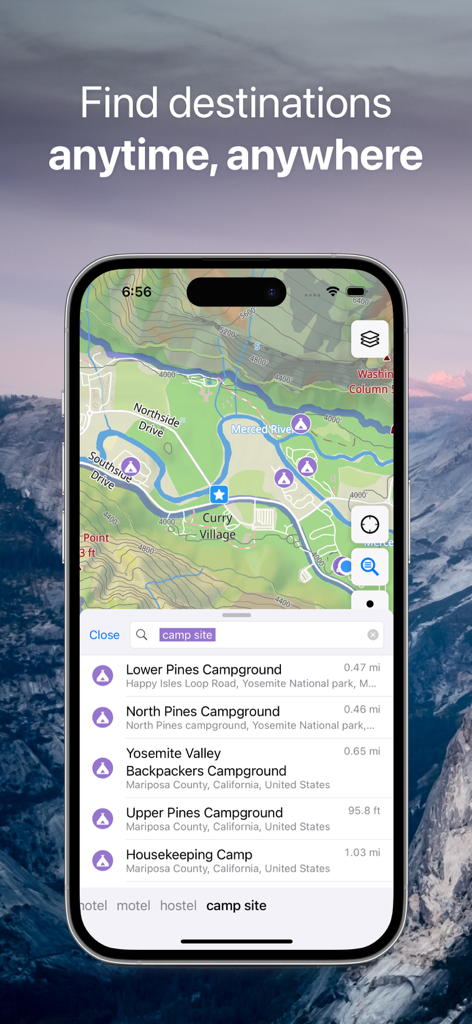
Guru Maps mobile app interface searching for campsites on a topographic map.

Guru Maps mobile app interface searching for campsites on a topographic map.

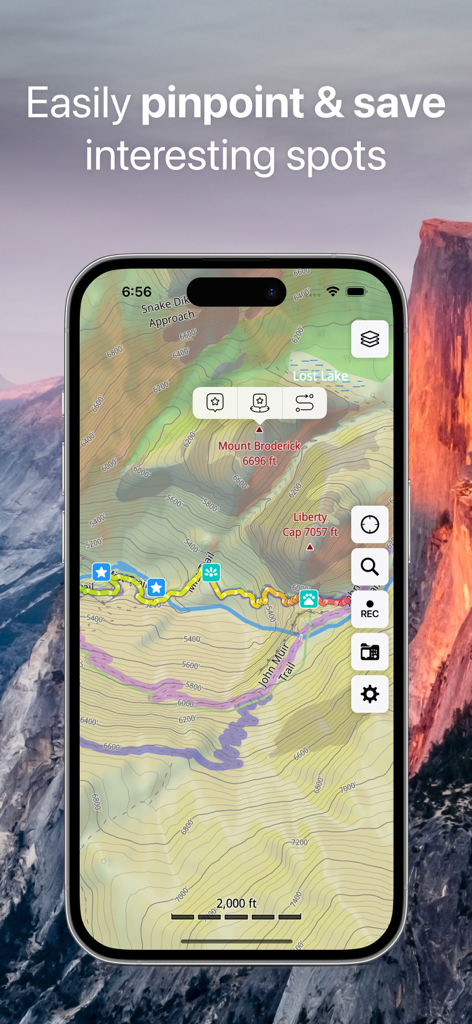
Detailed topographic map showing hiking trails and saved waypoints on a mobile device.

Detailed topographic map showing hiking trails and saved waypoints on a mobile device.

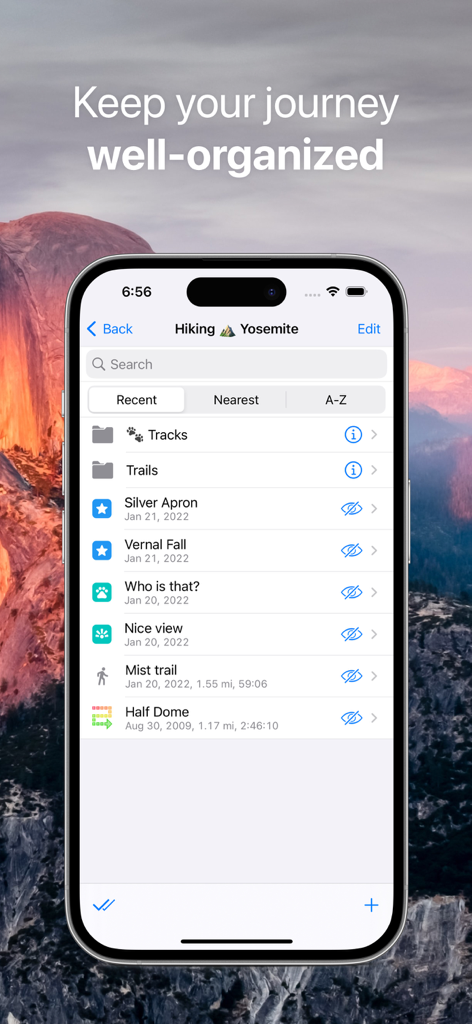
iPhone screen showing an organized list of hiking tracks and markers for Yosemite in the Guru Maps app

iPhone screen showing an organized list of hiking tracks and markers for Yosemite in the Guru Maps app

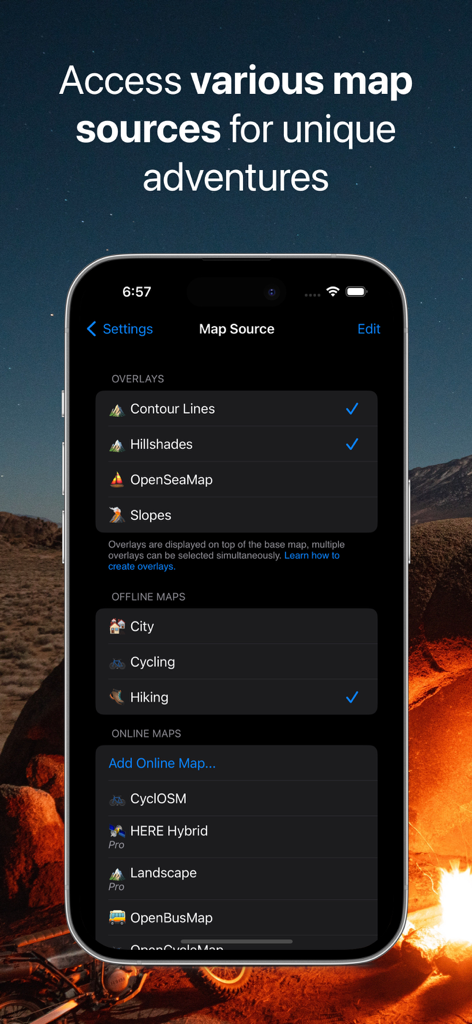
Guru Maps app interface showing customizable map sources and overlays like contour lines and hillshades

Guru Maps app interface showing customizable map sources and overlays like contour lines and hillshades

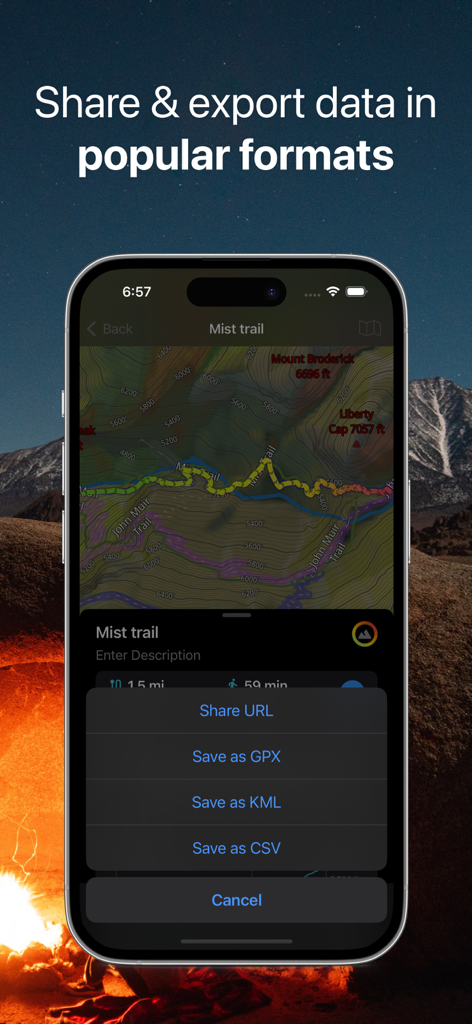
Interface showing GPS track export options in GPX KML and CSV formats for outdoor navigation.

Interface showing GPS track export options in GPX KML and CSV formats for outdoor navigation.

Master Every Journey with Precision Tools

The tools that make this app stand out, trusted by 1M+ users.

🗺️

Uncompromised Offline Freedom

Download incredibly detailed vector maps of entire regions and navigate 'dead zones' indefinitely without worrying about data roaming or cell signal.

🛰️

Professional GPS Tracking

Record your adventures with real-time altitude and speed data, then seamlessly import or export GPX and KML files to manage your custom routes.

🚵

Specialized Multi-Mode Routing

Get turn-by-turn voice directions optimized for your specific activity, whether you are 4x4 off-roading, cycling backcountry trails, or touring on a motorcycle.

Loved by users worldwide

Trusted by 1M+ people who love this app.

"

"As an overlander who spends weeks in the high deserts of Utah, cell signal is a luxury I never count on. Guru Maps is the only app I trust on my dashboard iPad. The offline vector maps are incredibly crisp, and the ability to import GPX tracks from off-road forums seamlessly has made it my essential piece of safety gear."

Marcus Thorne, Overlanding Enthusiast
"

"I've tried every hiking app out there, but the level of detail Guru Maps pulls from OpenStreetMap is unmatched. I love planning my backcountry routes on my Mac at home and having them instantly synced to my iPhone for the trail. It's fast, reliable, and doesn't drain my battery while recording my tracks in the wild."

Elena Rodriguez, Backcountry Hiker

About the app

Everything you need to know about Guru Maps - Offline Navigation.

Description

Detailed and easy-to-use offline maps. We have millions of points of interest (POI) on our maps. Record your GPS tracks and bookmark your favorite locations. OFFLINE MAPS • Explore every corner of the globe with our amazingly-detailed offline maps, ensuring you're never lost, even without an internet connection. • Powered by open data from the OpenStreetMap project, offering rich, community-driven map content. • Download your maps once and use them offline indefinitely – perfect for travel in areas with limited or no connectivity. • Stay up-to-date with monthly map updates, providing the latest fixes and new points of interest. OFFLINE NAVIGATION • Never miss a turn with clear, turn-by-turn driving directions. • Navigate with ease using voice instructions, available in 9 languages. • Choose the perfect route for your journey: Driving, Cycling, Walking, Trucking, Motorcycling, or the Shortest Distance. • Get back on track quickly with automatic rerouting if you take a wrong turn. • Plan complex trips effortlessly with support for intermediate waypoints. GPS TRACKS • Record your adventures, hikes, and road trips, even when the app is running in the background. • Monitor your real-time speed, distance, time, and altitude directly on the map during your trip. • Personalize your track appearance with seven solid color options, or dynamic altitude and speed gradients. OFFLINE SEARCH • Find what you need in an instant – our incredibly fast search delivers results as you type. • Search flexibly by address, place name, category, or precise GPS coordinates. • Break language barriers with simultaneous multi-language search capabilities. MARKERS • Save and organize your favorite spots, hidden gems, and important locations directly on your map. • Easily identify your saved places with a diverse selection of map icons. SYNCHRONIZATION • Keep your tracks, markers, and collections seamlessly synced across all your devices. • Your valuable map data is securely backed up to a server, so you never lose it. IMPORT AND EXPORT • Easily share your adventures or back up your data by exporting tracks, bookmarks, or entire collections as KML or GPX files. • Keep your travel data neatly organized in collections for quick and easy access. • Expand your map library by importing offline maps in sqlitedb or mbtiles format. ONLINE MAP SOURCES from thunderforest.com [Pro]: Access specialized online map layers like OpenCycleMap, Outdoors, Transport, and more with your Pro subscription. ADDITIONAL FEATURES • Display custom map overlays with .GeoJSON file support. • Effortlessly zoom with one finger. • Keep track of your journey with the built-in trip computer showing speed and altitude. • Stay oriented with the tracking mode. • View precise coordinates and map scale. • Customize map object visibility to declutter your view. • Choose from 11 different map display languages. • Adjust label sizes for optimal readability. PRO SUBSCRIPTION Unlock the full power of Guru Maps! While the free version lets you create up to 15 markers, record 15 tracks, and download 3 vector maps, a Pro subscription gives you: • Unlimited markers: Save every spot that matters. • Record unlimited GPS tracks • Download unlimited offline maps • Sync between devices • Use Pro map sources Guru Maps offers two payment options (prices may vary by location): • monthly or yearly subscription (with 7-day trial version), • one-time purchase for lifetime license. Terms of Service and Privacy Policy: https://gurumaps.app/terms_of_service Continued use of GPS running in the background can dramatically decrease battery life.

Latest Version

5.9.3

Size

108.2 MB

First Released

Jul 30, 2009

Map Your Next Adventure, No Signal Required

Join over 1 million explorers who trust Guru Maps for precise offline navigation. Download now and keep your maps, tracks, and waypoints in your pocket—wherever the road takes you.

Download on App StoreDownload on Google Play
FAQ

Frequently Asked Questions

Everything you need to know about Guru Maps - Offline Navigation

Does Guru Maps provide offline map functionality?

Yes, Guru Maps offers detailed offline maps for countries or regions. Users download maps once and use them anywhere, receiving monthly updates and rich detail.

Can Guru Maps provide navigation without an internet connection?

Yes, Guru Maps offers voice-guided, turn-by-turn navigation that works completely offline. It includes automatic rerouting and lane guidance for various transport modes.

What navigation modes are available in Guru Maps?

Guru Maps supports various navigation modes including car, bike, truck, and walk. It also provides straight-line navigation, suitable for activities like sailing or off-road use.

Does Guru Maps support multi-stop route planning?

Yes, Guru Maps enables users to build multi-stop routes using custom waypoints. Users can choose between the fastest or shortest routes and save their planned itineraries.

Can I record GPS tracks with Guru Maps?

Yes, Guru Maps records GPS tracks with a single tap, even in the background. It provides live statistics like speed, distance, time, and altitude for analysis.

Does Guru Maps offer offline search capabilities?

Yes, Guru Maps provides fast offline search. Users can search by name, address, category, or coordinates, receiving instant results as they type, with multi-language support.

Can I sync my Guru Maps data across multiple devices?

Yes, Guru Maps allows users to sync and back up markers, tracks, and collections across different platforms. This requires a single Guru account.

Is Guru Maps compatible with Apple CarPlay?

Yes, Guru Maps is compatible with Apple CarPlay. Users can utilize Guru Maps on CarPlay, including offline maps and voice directions, for an integrated in-car experience.

Does Guru Maps contain advertisements?

No, Guru Maps does not contain any advertisements. The app prioritizes user privacy, ensuring that location data remains on the user's device.

What are the pricing options for Guru Maps Pro?

Guru Maps Pro offers monthly or yearly subscriptions with a 7-day free trial. Users can also opt for a one-time lifetime purchase to access unlimited downloads, markers, tracks, and pro map sources.

What features are included with Guru Maps Pro?

Guru Maps Pro includes unlimited offline map downloads, unlimited markers and GPS tracks, and access to professional map sources like Satellite and specialist layers (cycling, outdoors, marine, ski).

What data export formats does Guru Maps support?

Guru Maps supports exporting data in multiple formats. Users can export routes and GPS tracks as GPX or KML files, and can also save data in CSV format.

Does using Guru Maps impact device battery life significantly?

Yes, continued use of GPS functionality in Guru Maps, especially when running in the background, can dramatically decrease the device's battery life.

Does Guru Maps display true 3D relief and terrain?

Yes, Guru Maps displays true 3D relief, allowing users to preview hills and valleys. It includes high-detail terrain features such as contour lines, hillshade, and topographic overlays.

How can I save and organize places in Guru Maps?

Guru Maps allows users to save places using custom pins and icons. Users can organize all saved locations, tracks, and collections into folders for better management.