Habit Tracker - HabitKit

Habit Tracker - HabitKit

Download on App StoreDownload on Google Play
Spark by MWM logo
Logo of Habit Tracker - HabitKit

HabitKit: Visualize Your Progress and Build Lasting Habits

Transform your daily routines into beautiful tile-based grids. Experience a privacy-first, minimalist habit tracker designed to help you stay consistent without ever leaving your device.

Download on App Store

Publisher

Sebastian Roehl

Category

Productivity

Downloads

239K+

User Rating

4.8/5

Total Ratings

4K+

Locales

1

The Art of Consistency

Discover the interface used by 239K+ users.

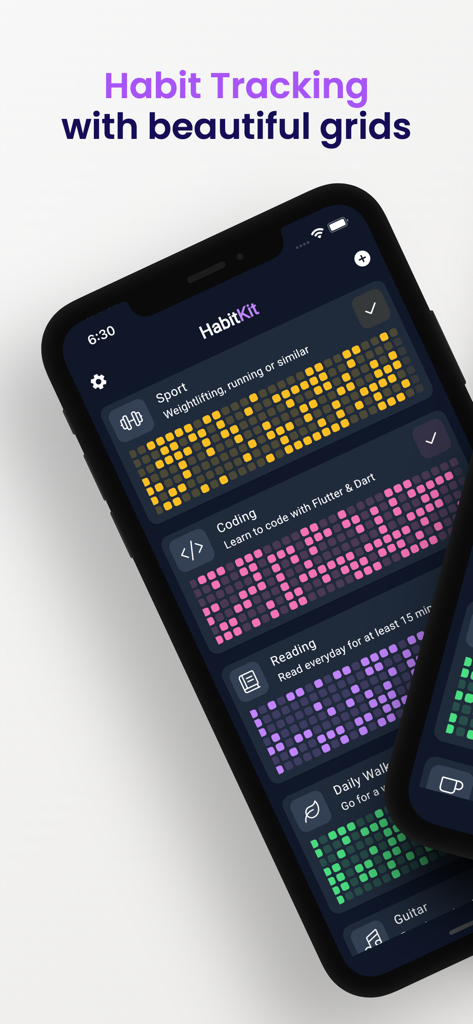
Mobile app interface of HabitKit displaying color coded tile grids for tracking various habits like sport coding and reading

Mobile app interface of HabitKit displaying color coded tile grids for tracking various habits like sport coding and reading

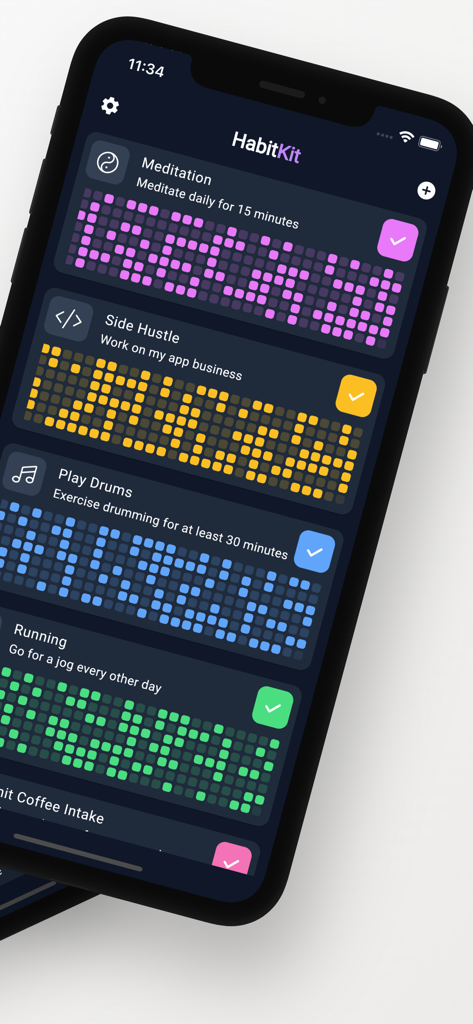
HabitKit app dashboard showing colorful grid charts for tracking multiple habits on an iPhone

HabitKit app dashboard showing colorful grid charts for tracking multiple habits on an iPhone

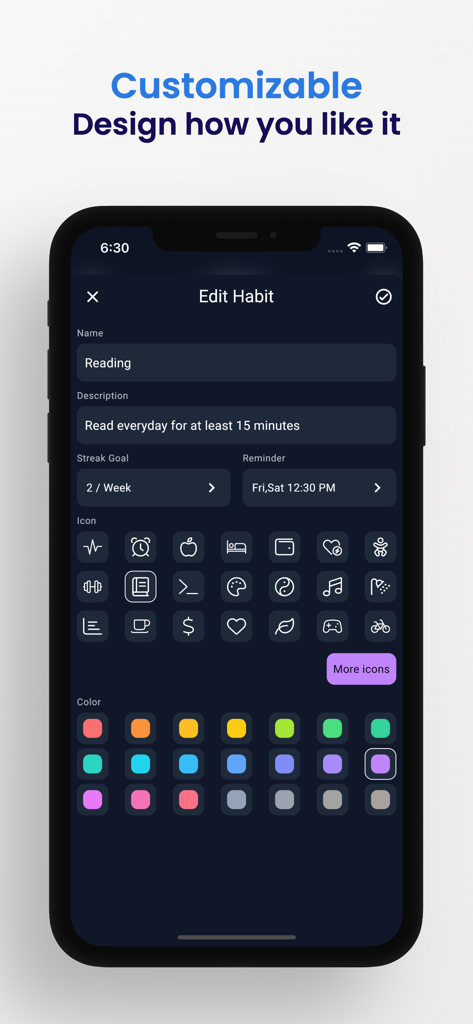
A mobile interface of the HabitKit app showing the edit habit screen with various icon and color customization options.

A mobile interface of the HabitKit app showing the edit habit screen with various icon and color customization options.

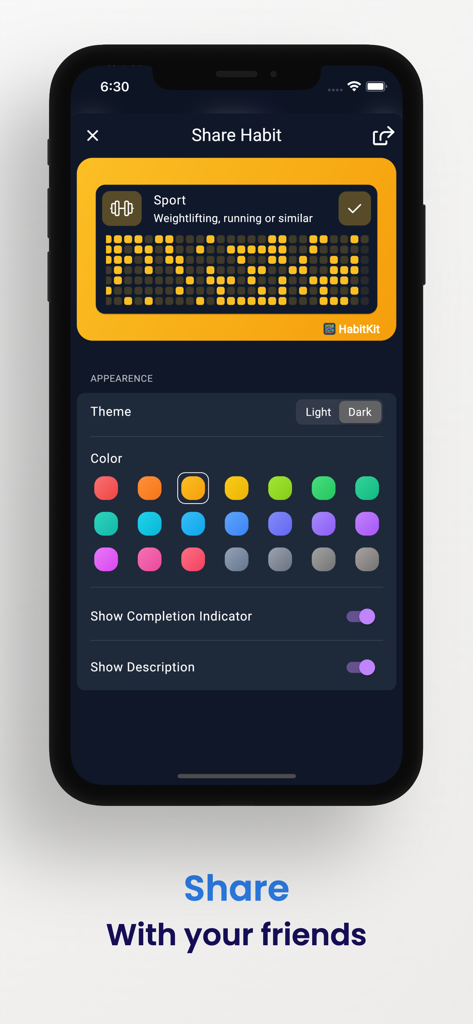
HabitKit app screen showing habit sharing options and appearance customization for tile based grid charts

HabitKit app screen showing habit sharing options and appearance customization for tile based grid charts

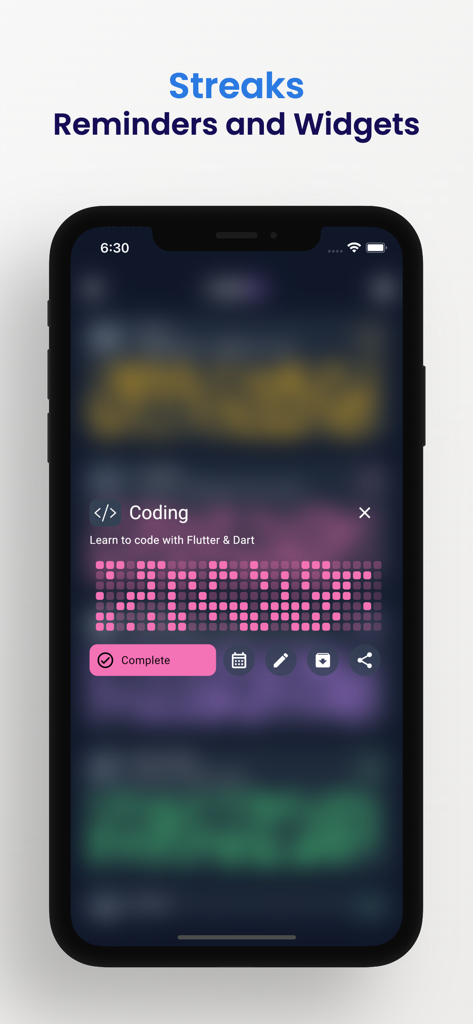
HabitKit mobile app interface showing a pink tile-based grid chart for tracking a coding habit streak.

HabitKit mobile app interface showing a pink tile-based grid chart for tracking a coding habit streak.

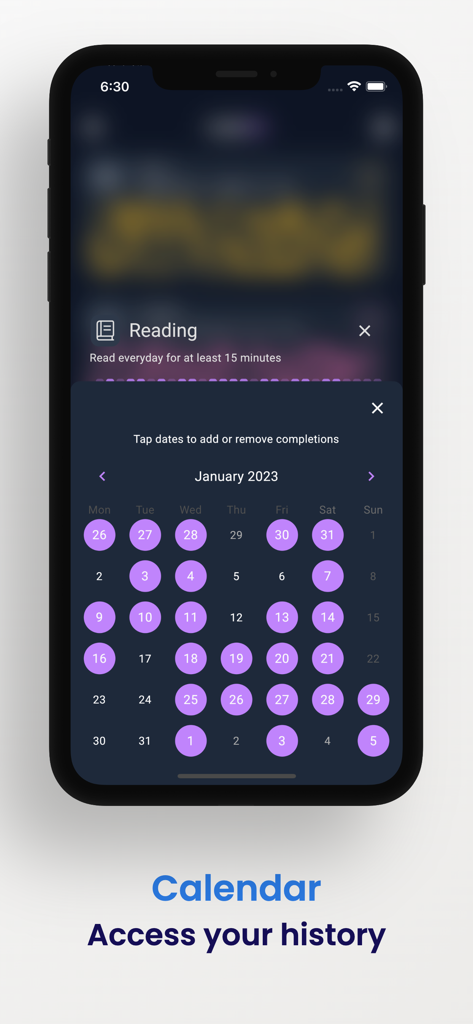
HabitKit app calendar interface displaying habit completion history with purple highlights

HabitKit app calendar interface displaying habit completion history with purple highlights

Master Your Consistency with Visual Precision

The tools that make this app stand out, trusted by 239K+ users.

🟦

Visual Progress Grids

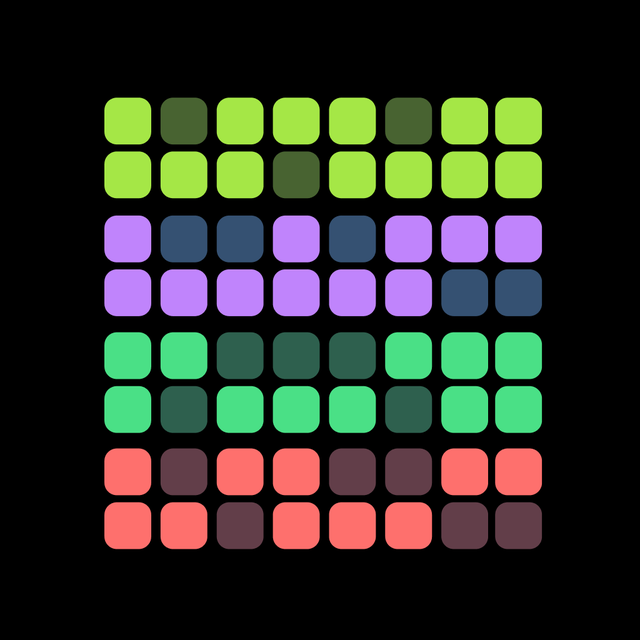
Stay motivated with beautiful tile-based charts that turn your daily consistency into a visual map of achievement.

🔒

Total Privacy by Design

Your habits are your business. Data stays on your device with no accounts, no cloud servers, and zero tracking.

🎨

Minimalist Customization

Adapt every habit to your personal aesthetic with custom colors and icons for a clean, distraction-free dashboard.

Loved by users worldwide

Trusted by 239K+ people who love this app.

"

"As a software developer, the grid-based layout feels incredibly intuitive. It’s like a GitHub contribution graph for my daily life. Watching those tiles fill up as I stick to my morning routine is the best visual motivation I've found in years."

Alex Rivera
"

"I love that HabitKit stays entirely on my phone with no accounts or cloud storage required. The customization options allow me to match it perfectly with my minimalist iOS aesthetic, and it’s become the only app I use daily to track my personal growth."

Sarah Chen

About the app

Everything you need to know about Habit Tracker - HabitKit.

Description

HabitKit is the perfect app for anyone looking to form new habits or break old ones. With HabitKit, you can track your progress with beautiful tile-based grid charts. Whether you're trying to quit smoking, eat healthier, or exercise more, HabitKit can help you achieve your goals. You can customize your dashboard by adjusting colors, icons and descriptions. Draw motivation from growing the amount of colored tiles on your habit dashboard. --- CREATE HABITS Add your habits you want to track in a fast and easy way. Provide a name, description, icon and color and you're good to go. DASHBOARD All your habits are displayed on your dashboard represented by a cool looking grid chart. Every filled out square show a day where you kept up with your habit. CALENDAR The calendar provides a fast and easy way to manage past completions. Simply tap a day to remove or add a completion. ARCHIVE Do you need a break from a habit and don't want to clutter your dashboard with it? Just archive it and restore it at a later point from the menu. IMPORT AND EXPORT Switching phones and don't want to lose your data? Export your data to a file, save it wherever you want and restore it at a later point of time. PRIVACY FOCUSED All your data belongs to you and stays on your phone. No sign-in. No servers. No cloud. --- Terms of Use: https://www.habitkit.app/tos/ Privacy Policy: https://www.habitkit.app/privacy/

Latest Version

1.14.4

Size

189.0 MB

First Released

Nov 26, 2022

Ready to Visualize Your Progress?

Join over 239,000 users building better habits with beautiful grid charts. Start filling your tiles today—no account, no cloud, and 100% private.

Download on App StoreDownload on Google Play
FAQ

Frequently Asked Questions

Everything you need to know about Habit Tracker - HabitKit
How does HabitKit help users track their habits?

HabitKit tracks habits with tile-based grid charts displayed on a dashboard. Each completed square represents a successful day. This visual progress overview helps users stay motivated towards their goals.

Can I customize the look and feel of my habits in HabitKit?

Yes, HabitKit offers extensive customization. Users can adjust colors, icons, and descriptions for each habit. The app also allows dashboard customization to match personal preferences.

Is my data private when using the HabitKit app?

Yes, HabitKit is privacy-focused. All user data remains exclusively on the user's phone. The app operates without sign-in, external servers, or cloud storage, ensuring complete data privacy.

How do I create and manage habits within HabitKit?

Users create habits in HabitKit by specifying a name, description, icon, and color. The app's dashboard displays all habits, and a calendar feature allows easy management of past completions.

Does HabitKit support backing up and restoring habit data?

Yes, HabitKit supports data backup and restoration. Users can export their habit data to a file for safekeeping and then import it to restore all information, such as when switching devices.

Can I temporarily remove a habit from my dashboard in HabitKit?

Yes, HabitKit provides an archiving feature. Users can archive habits to remove them from the active dashboard without deleting their progress. Archived habits are restorable later from the app menu.

Does HabitKit send reminders for habits?

Yes, HabitKit includes a reminder feature. Users can set specific reminder times for each habit through the 'Edit Habit' screen, helping them stay consistent and track progress effectively.