HandyRecorder

HandyRecorder

Download on App Store
Spark by MWM logo
Logo of HandyRecorder

HandyRecorder: Professional High-Fidelity Audio Recording & Mastering

Capture studio-grade sound with linear PCM precision. Transform your iOS device into a powerful field recorder with pro-level EQ, mastering effects, and seamless cloud integration.

Publisher

ZOOM CORPORATION

Category

Music

Downloads

161K+

User Rating

2.6/5

Total Ratings

500

Locales

6

Studio Precision, On the Go

Discover the interface used by 161K+ users.
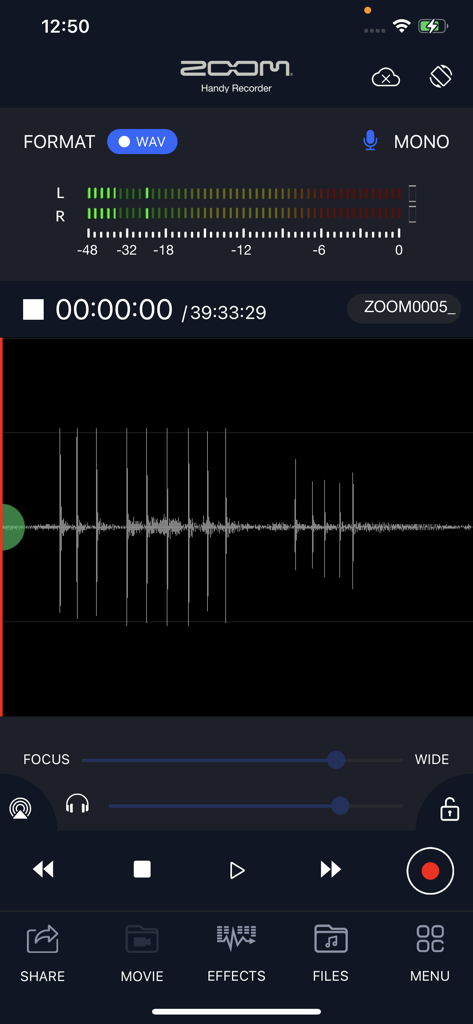
Zoom HandyRecorder app recording screen showing audio waveform and level meters

Zoom HandyRecorder app recording screen showing audio waveform and level meters

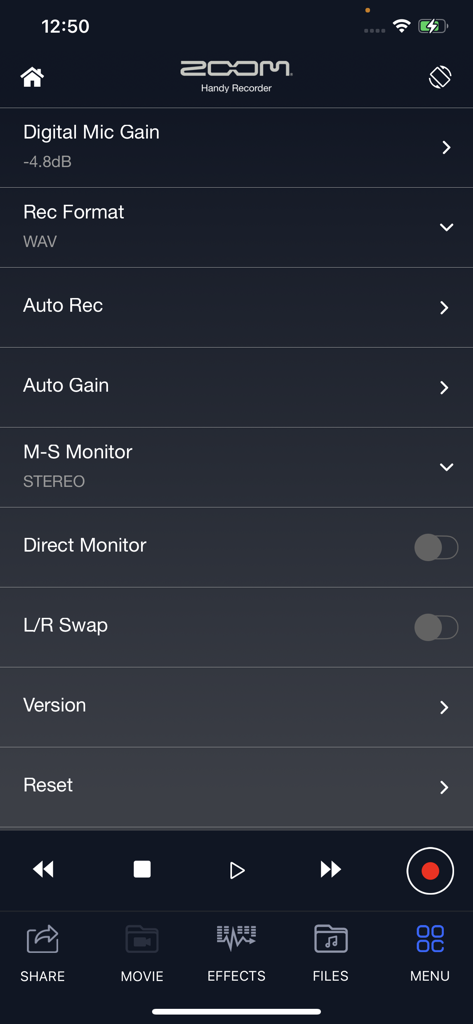
The settings menu of the HandyRecorder app showing advanced audio controls like digital mic gain, recording format, and auto gain

The settings menu of the HandyRecorder app showing advanced audio controls like digital mic gain, recording format, and auto gain

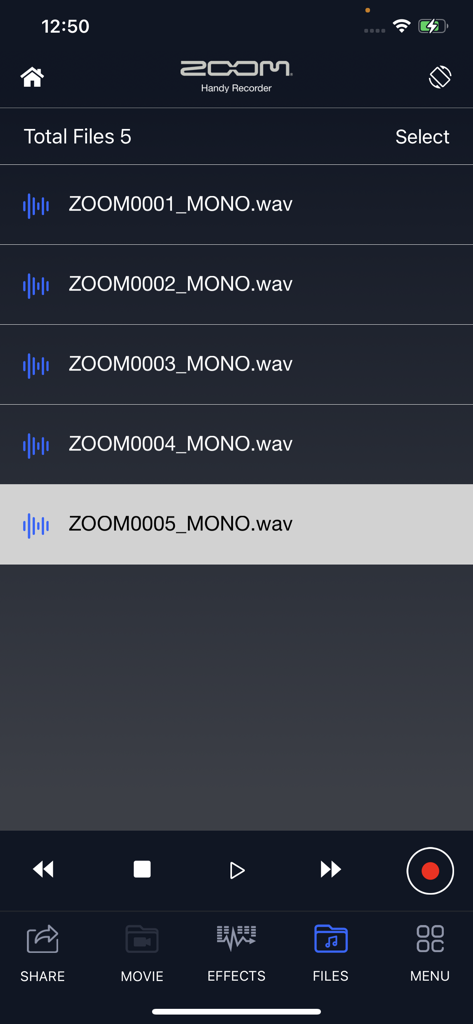
HandyRecorder app interface showing a list of recorded audio files and playback controls

HandyRecorder app interface showing a list of recorded audio files and playback controls

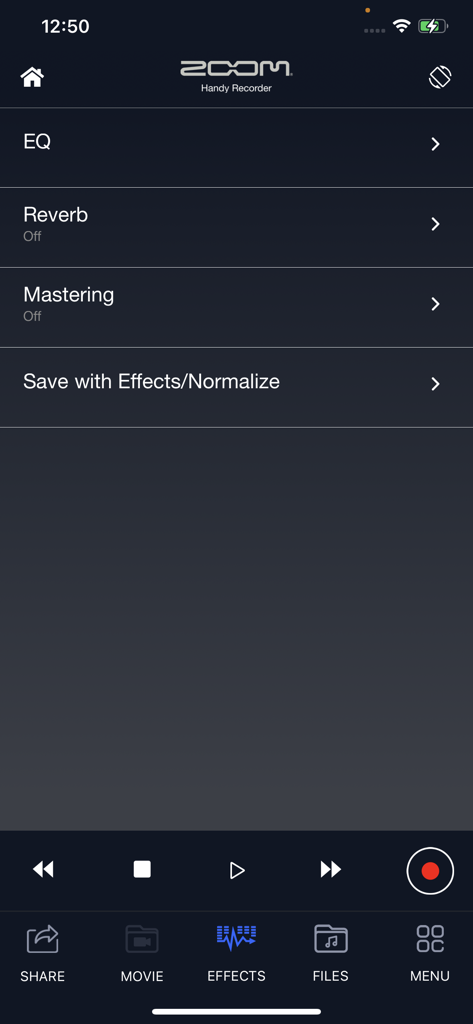
HandyRecorder app effects screen showing options for EQ reverb and mastering

HandyRecorder app effects screen showing options for EQ reverb and mastering

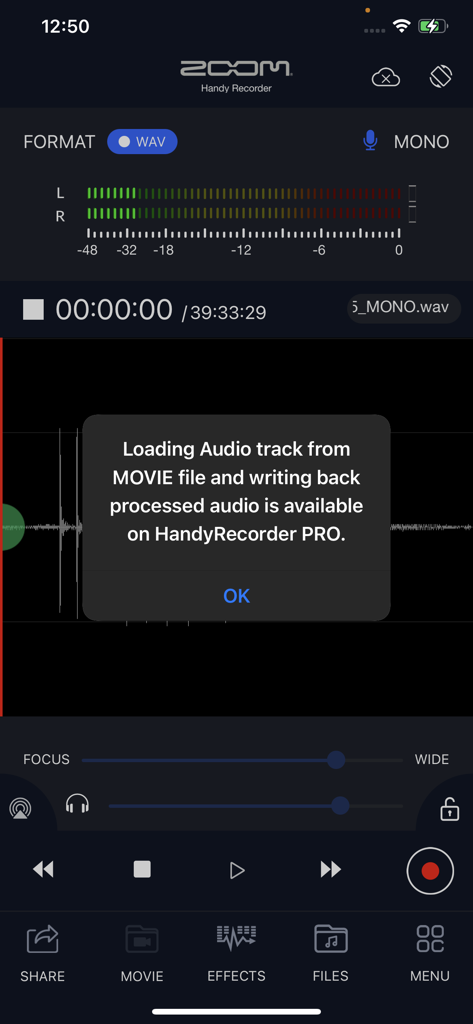
HandyRecorder app screenshot displaying a popup about movie audio processing features available in the pro version

HandyRecorder app screenshot displaying a popup about movie audio processing features available in the pro version

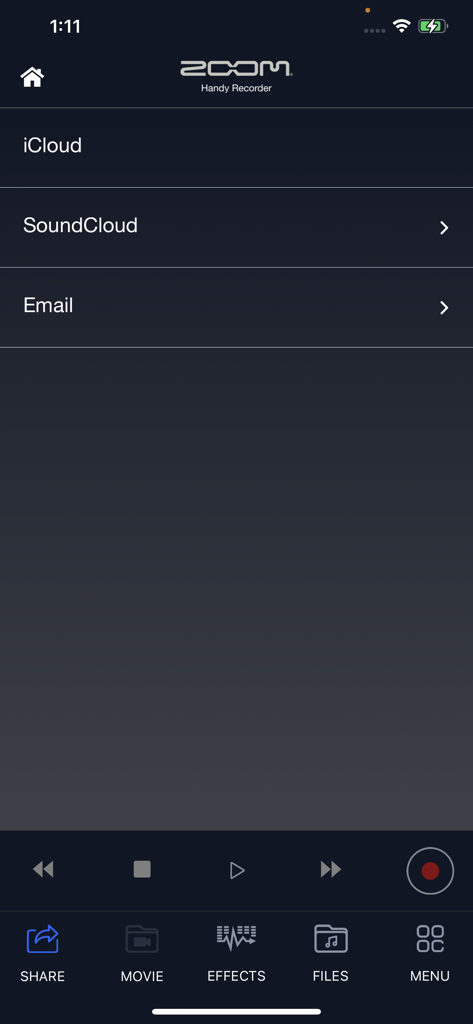
Zoom HandyRecorder app share menu featuring iCloud and SoundCloud options

Zoom HandyRecorder app share menu featuring iCloud and SoundCloud options

Professional Field Recording, Simplified

The tools that make this app stand out, trusted by 161K+ users.

🎙️

Studio-Grade Fidelity

Capture every detail with uncompressed Linear PCM and high-quality AAC formats that far exceed the quality of standard mobile voice memos.

🎛️

Integrated Mastering Suite

Polish your audio on the go with a 6-band EQ, professional reverb, and mastering tools like Maximize to get your tracks radio-ready instantly.

☁️

Creator-First Workflow

Experience zero-latency monitoring with iQ-series mics and keep your projects moving with direct SoundCloud uploads and iCloud auto-sync.

Loved by users worldwide

Trusted by 161K+ people who love this app.

"

"As an indie songwriter constantly moving between studios and rehearsals, this app is a revelation. When paired with my iQ7 mic, the audio fidelity is indistinguishable from my desktop setup. The 6-band EQ and mastering effects allow me to polish my song ideas on the train and sync them instantly to my DAW via iCloud. It truly brings that professional Zoom hardware experience to my iPhone."

Marcus J., Independent Musician
"

"I've replaced my bulky field recorders with HandyRecorder for all my on-the-go journalism. The Auto Rec function ensures I never miss a quote during fast-paced interviews, and the ability to normalize and edit files directly in the app is a massive time-saver. Being able to upload high-quality AAC files straight to SoundCloud while still in the field has completely streamlined my production workflow."

Elena S., Freelance Investigative Journalist

About the app

Everything you need to know about HandyRecorder.

Description

The HandyRecorder app allows you to record high-quality audio with your iOS device. Use it with a ZOOM iQ series mic, which are designed to capture audio of the best quality with iOS devices, and record using the high-fidelity linear PCM and space-saving AAC formats. This app includes normalize and divide functions that can be used on recorded files. In addition, it has compressor, EQ and reverb effects. Moreover, you can directly upload your recordings from Handy Recorder to the iCloud and SoundCloud file-sharing site, allowing you to bring your creations to the world over the Internet. Features ■ Stereo linear PCM and AAC recording -You can record files using either high-quality linear PCM format or AAC format at a bit rate of 64, 128 or 160 kbps. -The AUTO REC function can be used to start and stop recording automatically in response to the input signal level. ■ Works like a hardware recorder -The operation screen was designed to simulate a ZOOM hardware Handy Recorder, so this app is as easy to operate as these products. ■ Effects -Recorded files can be processed using the included effects. •6 BAND EQ •REVERB (ROOM, JAZZ CLUB, CONCERT HALL, ARENA, STADIUM) •MASTERING (MAXIMIZE, ULTRA MAXIMIZE, CLEAR & POWER, WIDE, MONO) -Pro+C8cessed recordings can also be saved as separate files. -Use the NORMALIZE function to optimize the volume. ■File editing -In addition to deleting files, you can use the divide function to split files at the point that you want. ■Uploading to Cloud Services -The app includes a function that allows you to upload your recordings directly to the SoundCloud audio-sharing site. You can name your recordings and make sharing settings in the Handy Recorder app. -iCloud drive is supported. Not only uploading selected file manually, but also “Auto Sync” function allows you to upload automatically soon after REC finished. ■Optimized for the iQ series -By using the iQ5/iQ7 in MS recording mode, you can adjust the stereo width. -Select from three iQ5's AUTO GAIN settings (CONCERT, SOLO, MEETING) according to the application.* -Use the DIRECT MONITOR function to monitor the input signal through the headphones jack on the iQ series without latency -The left and right channels of the iQ series input signal can be reversed.* *These setting are saved in the iQ series mic itself and will be applied when using it with other apps. For more information, please visit our website. www.zoomcorp.com

Latest Version

5.6.0

Size

25.2 MB

First Released

Sep 25, 2013

Ready to Capture Studio-Quality Audio?

Put the power of a Zoom hardware recorder in your pocket. Download HandyRecorder and start recording, editing, and mastering in high-fidelity today.

Download on App Store
FAQ

Frequently Asked Questions

Everything you need to know about HandyRecorder

What is the HandyRecorder app?

The HandyRecorder app enables high-quality audio recording on iOS devices. It supports linear PCM and AAC formats, offers editing, effects, and direct upload to cloud services.

What audio formats does HandyRecorder support for recording?

The HandyRecorder app supports high-quality linear PCM and AAC formats for recording. AAC bit rates include 64, 128, or 160 kbps.

Can HandyRecorder automatically start and stop recordings?

Yes, the HandyRecorder app includes an AUTO REC function. This feature automatically starts and stops recording based on the input signal level.

What audio effects are available in the HandyRecorder app?

The HandyRecorder app offers 6 BAND EQ, REVERB with various room types (ROOM, JAZZ CLUB), and MASTERING effects (MAXIMIZE, ULTRA MAXIMIZE). Processed recordings save as separate files.

Can I upload recordings directly from HandyRecorder to cloud services?

Yes, HandyRecorder allows direct uploads to iCloud and SoundCloud. It also supports "Auto Sync" for iCloud, automatically uploading recordings after completion.

Does HandyRecorder have editing functions for audio files?

Yes, the HandyRecorder app includes file editing functions. Users can delete recordings and use the divide function to split files at a specified point.

Is HandyRecorder optimized for ZOOM iQ series microphones?

Yes, HandyRecorder is optimized for ZOOM iQ series microphones. It allows adjusting stereo width in MS recording mode and offers specific AUTO GAIN settings for iQ5.

Can I monitor audio input without latency using HandyRecorder and an iQ series mic?

Yes, the HandyRecorder app's DIRECT MONITOR function allows monitoring the input signal through the headphones jack without latency when using an iQ series mic.

What is the purpose of the normalize function in HandyRecorder?

The normalize function in HandyRecorder optimizes the volume of recorded audio files. This ensures a consistent and appropriate loudness level for your recordings.

Does HandyRecorder support importing audio from movie files?

No, loading audio tracks from movie files and writing back processed audio is a feature exclusively available in the HandyRecorder PRO version.