
HOTWORX



The ultimate companion for studio members to track your 40-minute session and 60-minute after-burn for a complete 100-minute snapshot of your fitness results.
Publisher
Category
Health & FitnessDownloads
991K+User Rating
Total Ratings
31K+Locales
2Discover the interface used by 991K+ users.
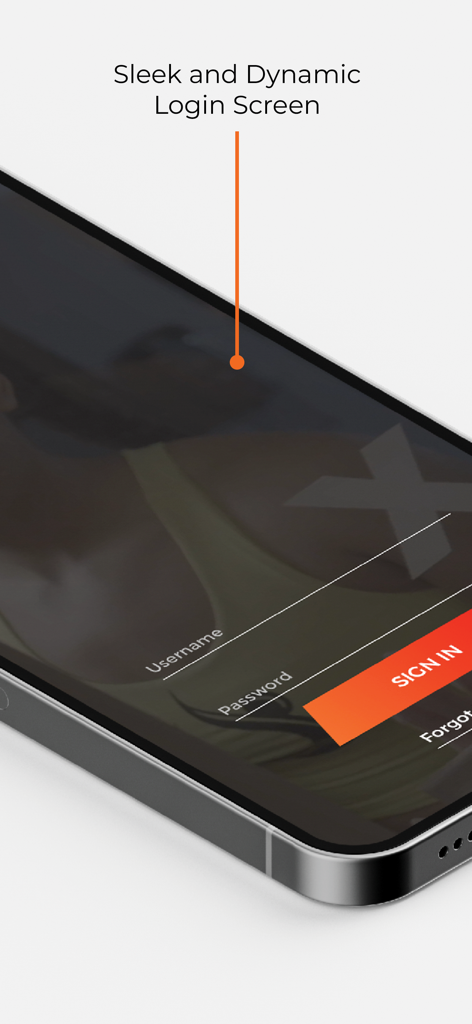
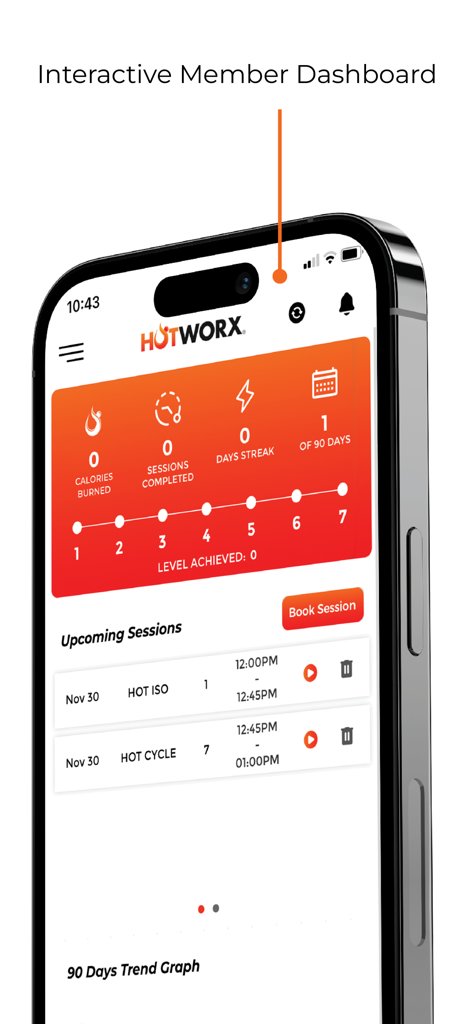
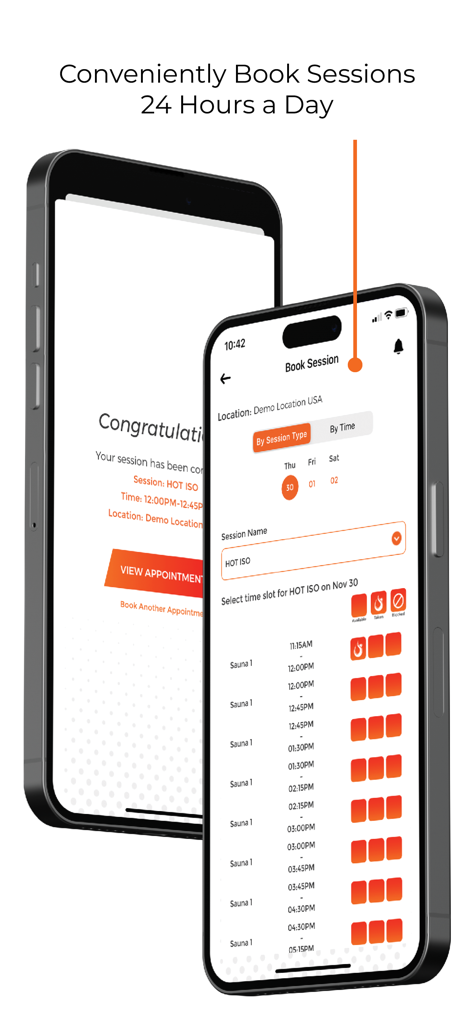
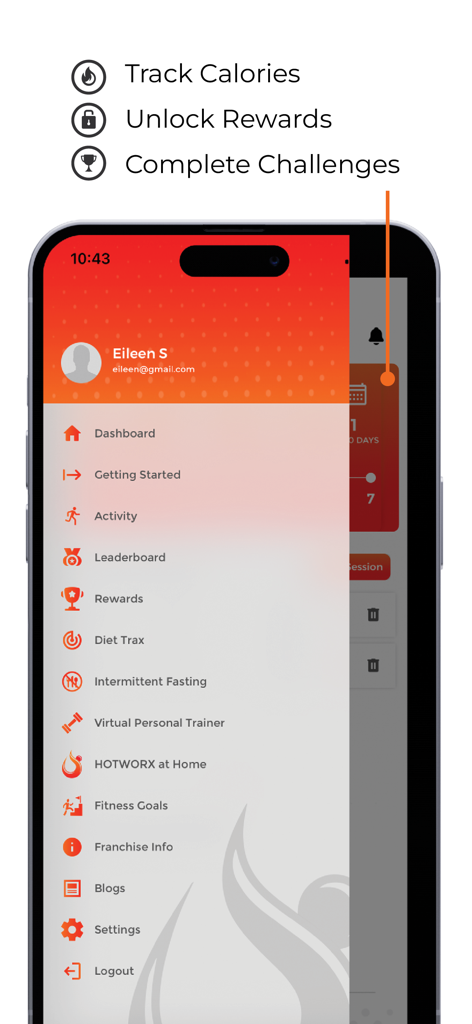
The tools that make this app stand out, trusted by 991K+ users.
Your metabolism stays elevated long after you leave the sauna. Quantify your post-workout calorie burn for a full 60 minutes.
Effortlessly sync your heart rate and activity data. We integrate directly with Apple Health to keep your fitness ecosystem updated.
Get the full picture of your effort by capturing the combined impact of your 40-minute workout and your recovery window.
Trusted by 991K+ people who love this app.
"As a busy professional, I love how this app validates my effort. Seeing the total calorie count including the 1-hour after-burn is incredibly motivating. It makes my 30-minute sessions feel even more effective when I see the data synced right to my Apple Health."
"The integration with my Apple Watch is flawless. I am a data-obsessed fitness enthusiast, and being able to track the full 100-minute window of my infrared workout gives me the digital receipt I need to stay on track with my weight loss goals."
Everything you need to know about HOTWORX.
Description
Latest Version
4.38.1
Size
150.8 MB
First Released
Jan 25, 2017
Join over 991,000 members and maximize your 100-minute session results. Download the HOTWORX app to sync your calories and infrared progress directly with Apple Health.
Everything you need to know about HOTWORX
The HOTWORX app is specifically designed for members of HOTWORX Studio facilities.
The HOTWORX app's primary purpose is to help users track total calories burned during a HOTWORX workout session and monitor their "1-hour after-burn."
A HOTWORX workout is 40 minutes, followed by a 1-hour after-burn. The app captures calories burned for a total session time of 100 minutes.
Yes, the HOTWORX app integrates with the Health app. This integration allows for comprehensive tracking and synchronization of user fitness data.
Users sign in to the HOTWORX app by entering their username and password on the designated login screen. A "Forgot password?" option is available for account recovery.
The HOTWORX app dashboard displays metrics such as calories burned, sessions completed, and daily streak. It also shows upcoming sessions and a 90-day trend graph.
Yes, the HOTWORX app allows members to book workout sessions directly. The dashboard features a dedicated "Book Session" button for convenient scheduling.
The HOTWORX app allows users to book sessions 24 hours a day. Users select a location, session type (e.g., HOT ISO), and an available time slot from the booking screen.
The HOTWORX app's core features include calorie tracking, rewards, challenges, activity logs, a leaderboard, Diet Trax, intermittent fasting, and a virtual personal trainer.
Yes, the HOTWORX app features a "Leaderboard" option within its side menu. This allows users to track and compare their progress with other members.
Yes, the HOTWORX app offers specific features for "Diet Trax" and "Intermittent Fasting" within its navigation menu to help users manage their nutrition.
Yes, the HOTWORX app provides access to a "Virtual Personal Trainer" feature. This is listed within the application's main navigation menu.
Apps with similar features and user experience

GoodShot Technology Co., Ltd

家浩 汪

Fitworks, Inc

Wahoo Fitness L.L.C.

Zwift, Inc

Intelligent Training Group ApS

DribbleUp Inc

Sig Sauer, Inc.
Strong Pilates Global Pty Ltd