iConv - Video & PDF Converter

iConv - Video & PDF Converter

Download on App Store
Spark by MWM logo
Logo of iConv - Video & PDF Converter

iConv - Video & PDF Converter: Your Ultimate All-in-One Mobile File Tool

Stop searching for desktop software. From batch video conversion and OCR to separating vocals and decompressing files, manage your entire professional workflow directly on your iPhone or iPad.

Publisher

琛 王

Category

Photo & Video

Downloads

3M+

User Rating

4.8/5

Total Ratings

73K+

Locales

33

A Glimpse Inside

Discover the interface used by 3M+ users.
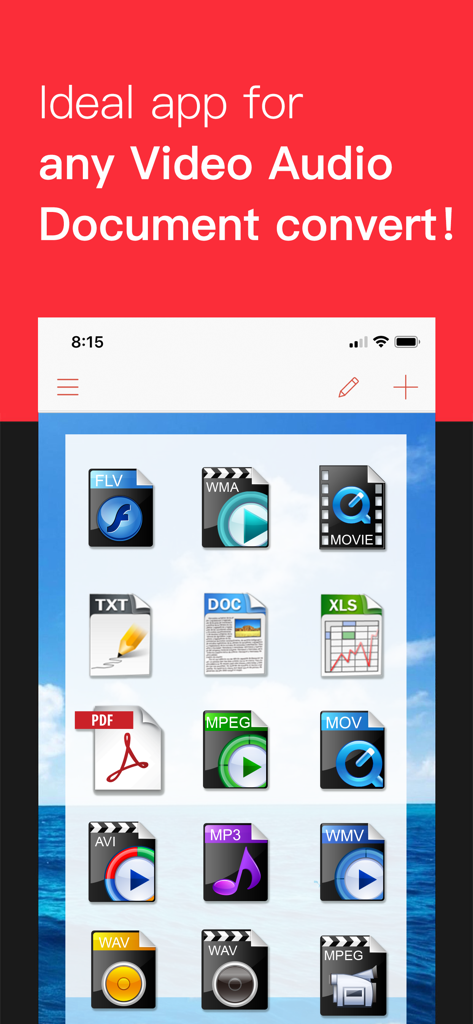
Interface of iConv app displaying icons for various video audio and document formats

Interface of iConv app displaying icons for various video audio and document formats

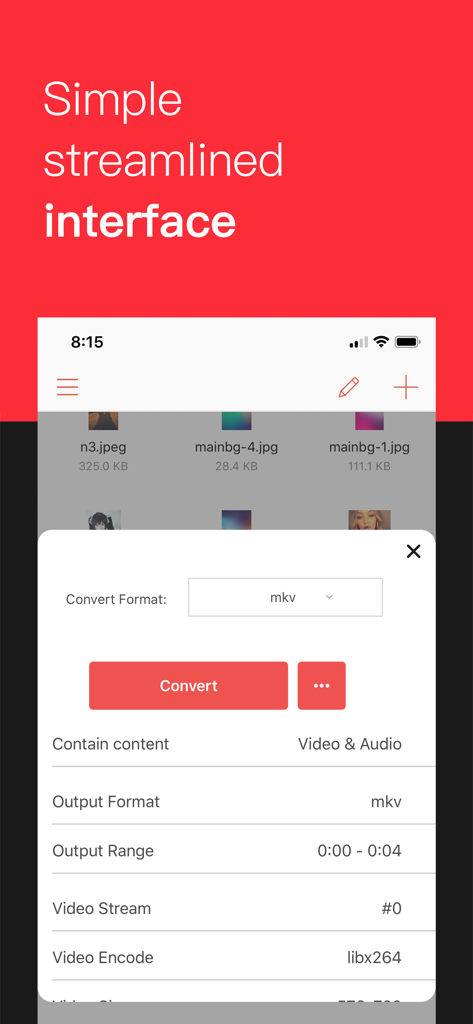
iConv mobile app interface showing video conversion settings for an MKV file

iConv mobile app interface showing video conversion settings for an MKV file

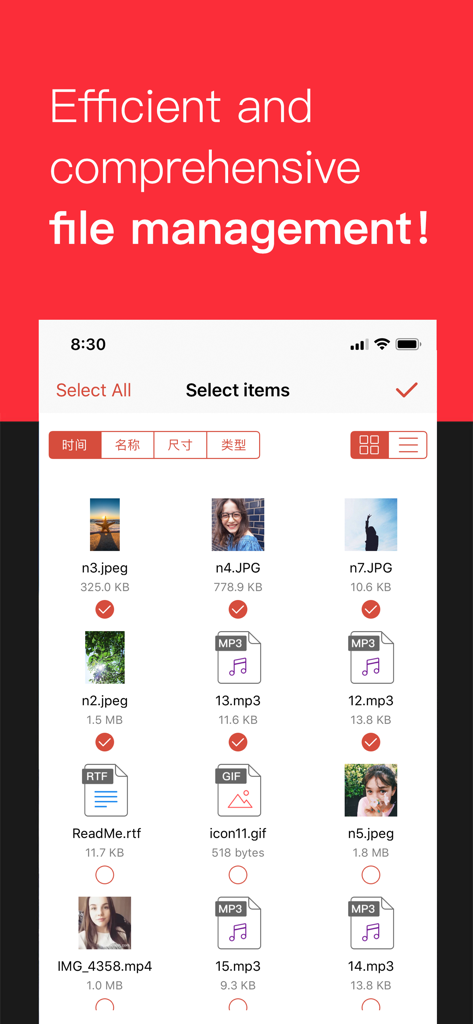
iConv app screen showing batch file selection of images and audio for conversion

iConv app screen showing batch file selection of images and audio for conversion

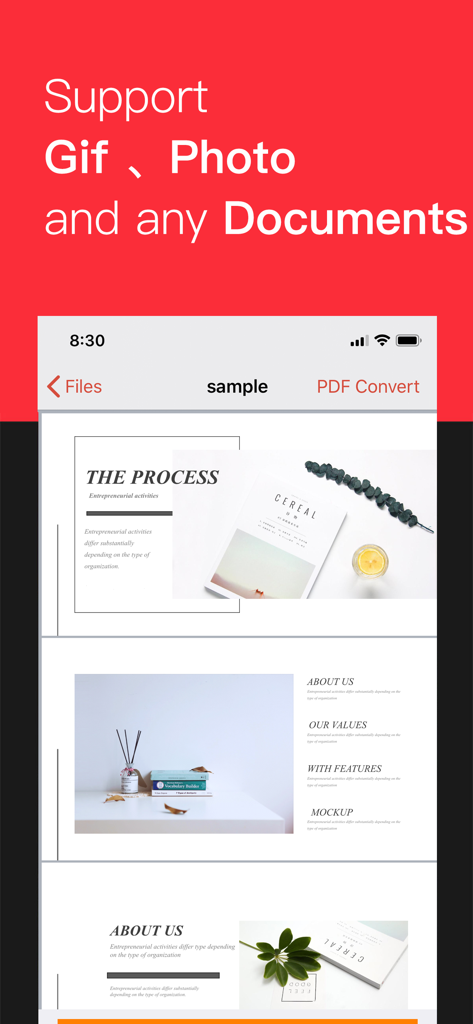
iConv app interface showing a multi-page document preview with text supporting GIF photo and document conversion

iConv app interface showing a multi-page document preview with text supporting GIF photo and document conversion

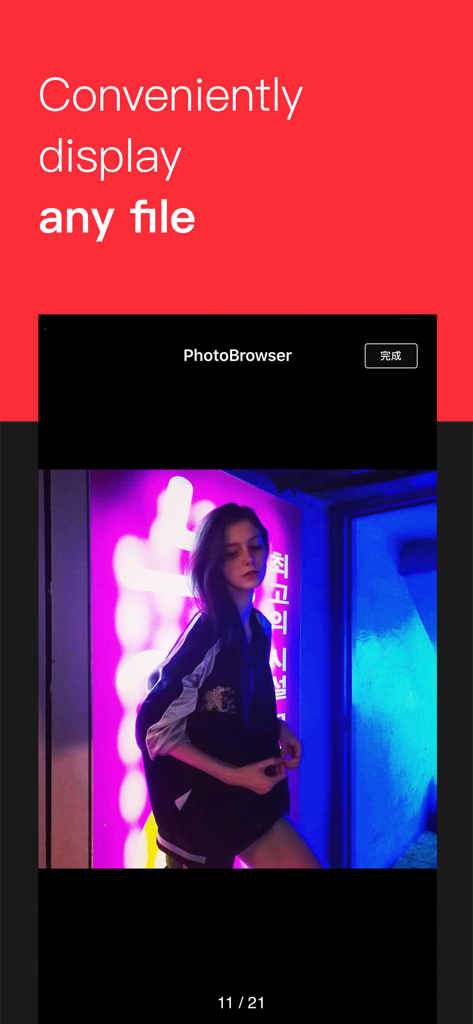
iConv app screenshot showing a photo being viewed in the integrated file browser with the text Conveniently display any file

iConv app screenshot showing a photo being viewed in the integrated file browser with the text Conveniently display any file

Your Universal Mobile Toolbox

The tools that make this app stand out, trusted by 3M+ users.

🔄

Convert Any Format Instantly

From 4K videos and high-fidelity audio to complex documents, handle over 100+ formats without ever needing a desktop computer.

🎙️

AI-Powered Creator Tools

Isolate vocals from music or trim videos frame-by-frame. High-end media editing features optimized for TikTok and Reels creators.

📄

Pro Productivity & OCR

Turn photos into editable text with OCR, batch process PDFs, and manage ZIP/RAR files using seamless iOS Drag & Drop gestures.

Loved by users worldwide

Trusted by 3M+ people who love this app.

"

"As a digital marketer, iConv is my secret weapon for mobile content creation. The ability to extract background music from videos and convert any media format on the fly has completely streamlined my workflow. It is easily the most versatile tool on my iPhone."

Jordan Miller
"

"I transitioned to an iPad-only setup for law school, and iConv made it possible. The OCR tool is flawlessly accurate for digitizing my notes, and the Drag & Drop support makes managing batch PDF conversions incredibly fast. It is a productivity powerhouse."

Sarah Chen

About the app

Everything you need to know about iConv - Video & PDF Converter.

Description

iConverter support a variety of conversions in everyday life. Such as video and audio conversion, document processing, decompressing files, image conversion, PDF conversion and so on. ----Key features---- • Convert batch of videos and audios to iPhone, iPad, iTunes. • Convert DOC, TXT, PPT,XLS,RTF,KEY,NUMBERS,PAGES to PDF and PNG • Convert Image to TXT, Optical character recognition(OCR) • Support file decompression and compression, package export(RAR,ZIP,7ZIP). • Built-in Reader document viewer for DOC, TXT, PPT, XLS, RTF, PDF,KEY,NUMBERS,PAGES or any other documents. • Support preview and convert of Photo、Gif and many documents. • Play video files frame-by-frame without missing any detail. • Audo import videos and easily convert. • Trim video/audio to desired clip with setting customized "start" and "end" time point. • Support for the Files App, you can put the files you want to convert under the "Imported" folder, and then enter the APP conversion, you can find the converted file in the "Converted" folder. • Support for Drag & Drop gestures, allowing you to easily drag and drop files in split-screen tasks. • Support the separation of vocals and background music of songs. ----Support format---- • Perfect supported output Devices: iPad, iPhone • Document formats: DOC, TXT, PPT, XLS, RTF, PDF,KEY,NUMBERS,PAGES,DOCX,PPTX,XLSX,RAR,ZIP,7ZIP • Input video formats: WMV, MKV, AVI, DivX, XviD, MPEG, MP4, MOV, QT, RM, RMVB, M2TS, M2T, FLV, MPEG2, MPEG3, MTS, ASF, 3GP, 3G2, GIF, H.264/MPEG-4 AVC, H.264/PSP AVC Video, etc. • Input audio formats: MOV, FLV, WAV, MP3, MP2, AAC, M4A, WMA, FLAC, AMR, AWB, OGG and more. • Output video formats: OGG, WebM, WMV, MKV, AVI, MPEG, MP4, MOV, RMVB, FLV, MPEG2, MPEG3, ASF, 3GP, 3G2,etc. iConverter is FREE, so try it today and see how much better file conversions can be. If you have any need for format conversion, please contact us at xiaosa1617@126.com. ========================== iConv Pro Unlimited Subscription ========================== - Join iConv Pro members, free to use all features, including all video & audio formats, ocr function, in addition, ads will be automatically removed. - iConv Pro Unlimited subscription is billed monthly or annually at the rate correspnding to the selected plan. In addition, a one-time payment will be offered if needed, which is not one of the subscription plan. - Payment will be charged to Itunes Account at confirmation of purchase. - Subscriptions automatically renews unless auto-renew is turned off at least 24 hours before the end of the current period. - Account will be charged for renewal within 24-hours prior to the end of the current period, and identify the cost of the renewal. - Subscriptions may be managed by the user and auto-renewal may be turned off by going to the user's Account Settings after purchase. - Any unused portion of a free trial period, if offered, will be forfeited when the user purchases a subscription to that publication, where applicable. - Terms of use : https://www.jianshu.com/p/7b3c05310c93 - Privacy policy: https://www.jianshu.com/p/0f8aac209878

Latest Version

7.10

Size

131.2 MB

First Released

Sep 30, 2017

The Only Converter Your iPhone or iPad Will Ever Need

Join 3+ million professionals who have replaced their desktop software with our all-in-one file powerhouse. Convert, compress, and OCR anything, anywhere.

Download on App Store
FAQ

Frequently Asked Questions

Everything you need to know about iConv - Video & PDF Converter

What types of conversions does the iConv app support?

The iConv app supports video, audio, document, image, and PDF conversions. It also handles file decompression and compression for various formats like RAR, ZIP, and 7ZIP.

Is the iConv app free to use?

Yes, the iConv app is free to download and use. An optional iConv Pro Unlimited Subscription unlocks all features, including OCR, and removes ads.

What features are included with the iConv Pro Unlimited Subscription?

The iConv Pro Unlimited Subscription unlocks all video and audio formats, OCR functionality, and removes advertisements. It offers monthly or annual billing, alongside a potential one-time payment option.

Can iConv convert document files to PDF or PNG?

Yes, iConv can convert various document formats, including DOC, TXT, PPT, XLS, RTF, KEY, NUMBERS, and PAGES, into both PDF and PNG formats.

Does iConv offer Optical Character Recognition (OCR) for images?

Yes, iConv supports converting images to text using its Optical Character Recognition (OCR) feature. This advanced functionality is accessible with the iConv Pro Unlimited Subscription.

Which Apple devices does iConv support for output?

iConv perfectly supports iPad and iPhone devices for output. It enables users to convert videos and audios specifically optimized for these Apple platforms.

Can users trim video and audio files in iConv?

Yes, iConv allows users to trim video and audio files to create desired clips. This is achieved by setting customized "start" and "end" time points directly within the app.

Does iConv integrate with the iOS Files App?

Yes, iConv integrates with the Files App. Users can easily import files for conversion by placing them in the "Imported" folder and retrieve converted files from the "Converted" folder.

How do I manage auto-renewal for the iConv Pro Unlimited Subscription?

Users can manage iConv Pro Unlimited Subscription auto-renewal by accessing their Account Settings after purchase. Auto-renewal must be turned off at least 24 hours before the current period ends.

What file types can the iConv built-in document viewer open?

The iConv built-in Reader document viewer supports opening DOC, TXT, PPT, XLS, RTF, PDF, KEY, NUMBERS, PAGES, and other compatible document types.

Can iConv separate vocals and background music?

Yes, iConv supports the advanced capability of separating vocals from background music in songs. This provides users with specific audio manipulation features.

Does iConv support Drag & Drop for files?

Yes, iConv supports Drag & Drop gestures, facilitating easy file movement during split-screen tasks. This streamlines the user's workflow for various conversions.