ID Photo Maker:Passport Photo

ID Photo Maker:Passport Photo

Download on App Store
Spark by MWM logo
Logo of ID Photo Maker:Passport Photo

ID Photo Maker:Passport Photo – The Professional Studio in Your Pocket

Skip the trip to the store and create perfect, government-compliant photos instantly. Use advanced AI to swap outfits, remove backgrounds, and ensure you look your best for your next passport, visa, or professional ID.

Publisher

PeiYi Chen

Category

Business

Downloads

1M+

User Rating

4.7/5

Total Ratings

42K+

Locales

2

Picture Perfect Results

Discover the interface used by 1M+ users.
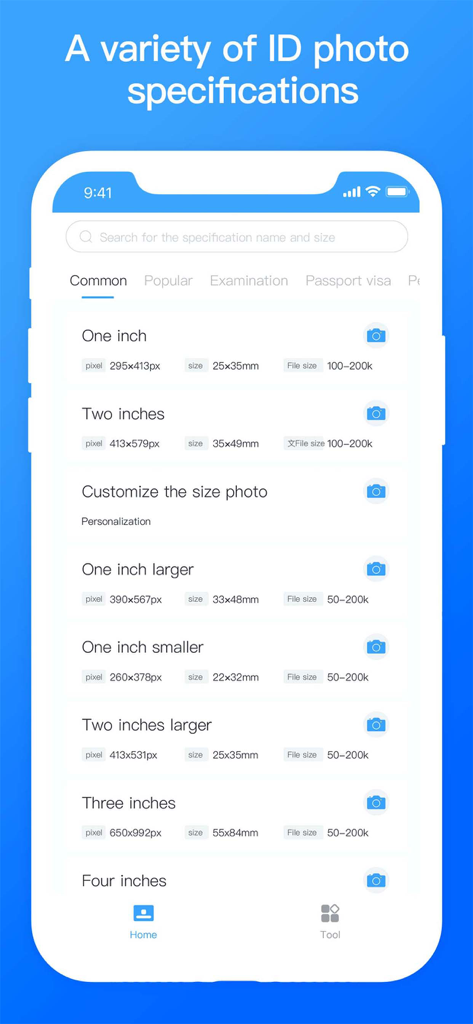
Mobile app screen displaying various ID and passport photo size specifications and measurements

Mobile app screen displaying various ID and passport photo size specifications and measurements

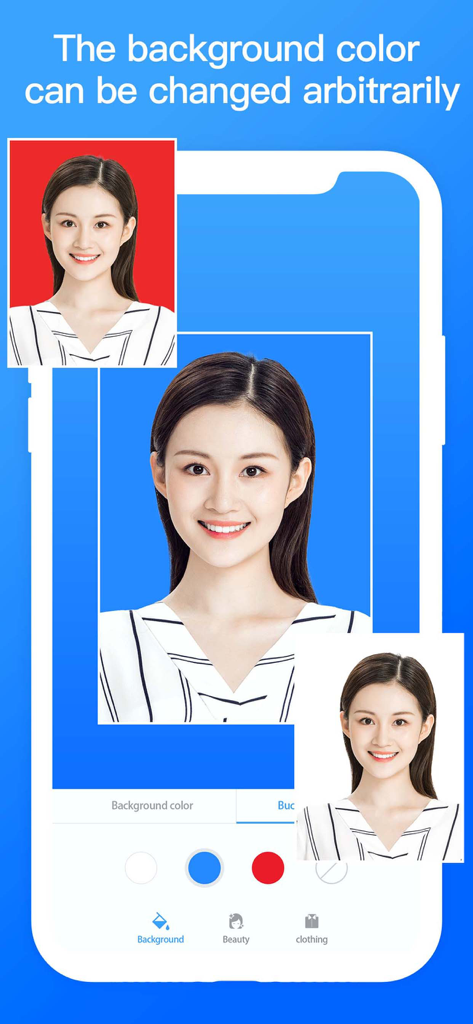
A mobile app interface showing an ID photo with different background color options like red, blue, and white.

A mobile app interface showing an ID photo with different background color options like red, blue, and white.

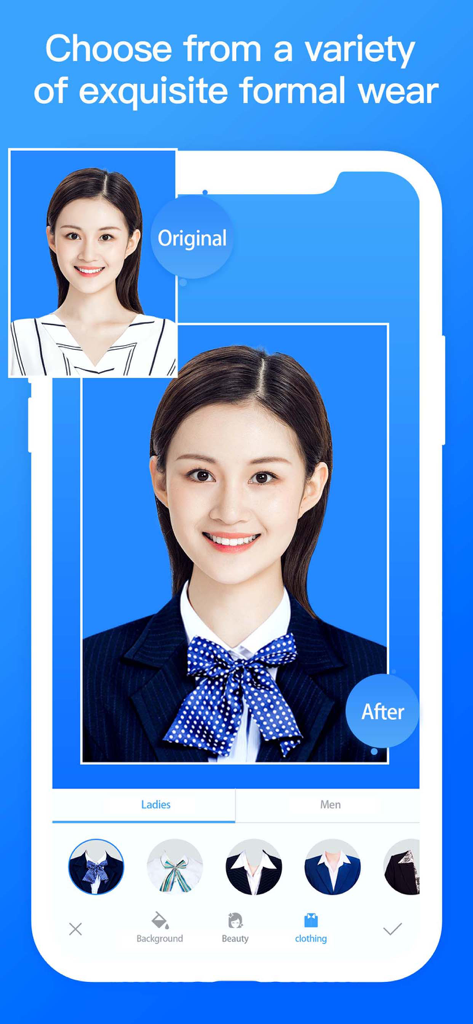
A comparison showing a woman's ID photo being changed from a casual striped shirt to a formal business suit using the ID Photo Maker app

A comparison showing a woman's ID photo being changed from a casual striped shirt to a formal business suit using the ID Photo Maker app

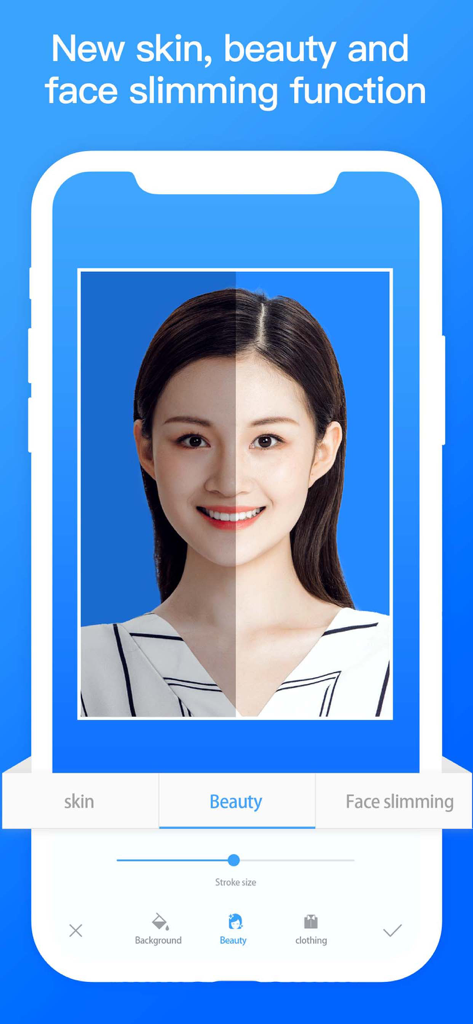
Before and after comparison of the beauty and face slimming filters in the ID Photo Maker app

Before and after comparison of the beauty and face slimming filters in the ID Photo Maker app

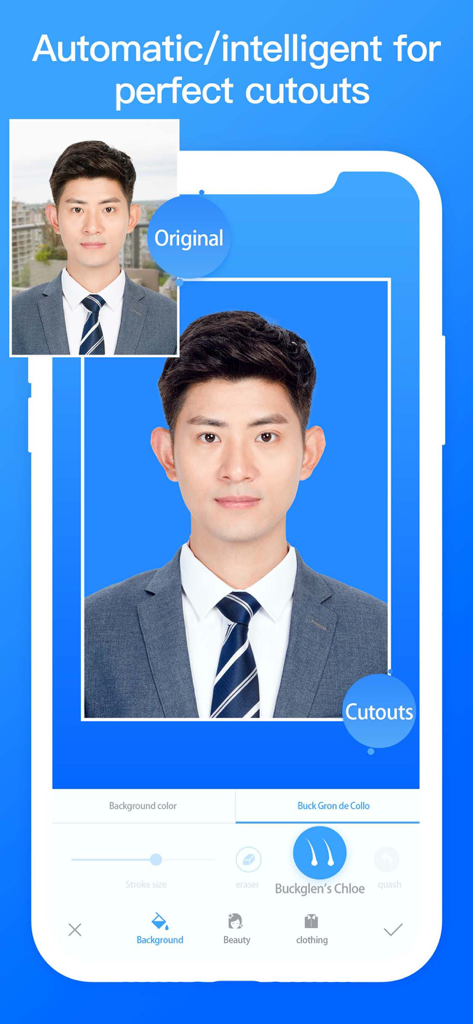
AI-powered automatic background removal for professional ID photos

AI-powered automatic background removal for professional ID photos

Professional Results, Zero Effort

The tools that make this app stand out, trusted by 1M+ users.

AI-Powered Background Magic

Instantly swap messy backgrounds for official government-compliant colors with high-precision AI segmentation.

👔

Virtual Professional Wardrobe

Look your best without the outfit change. Overlay formal suits and professional attire directly onto your portrait.

📸

Unlimited Retakes

Never settle for an unflattering ID again. Take as many shots as you want until you find the perfect look.

Loved by users worldwide

Trusted by 1M+ people who love this app.

"

"I was dreading a trip to the pharmacy for a passport photo, but this app made it so much easier. The AI background removal worked perfectly even with my messy apartment wall behind me, and I finally have a photo where I actually like how I look. It was accepted by the State Department without any issues!"

Elena Rodriguez
"

"The virtual wardrobe feature is a total game-changer. I needed a professional headshot for a corporate ID but only had a t-shirt on. I used the app to overlay a suit, and you honestly can't tell it's digital. It's fast, affordable, and way more convenient than trying to find a professional photographer."

Marcus Chen

About the app

Everything you need to know about ID Photo Maker:Passport Photo.

Description

Create your own ID photo quickly, people segmentation and remove background with advanced artificial intelligence algorithms. Half Year Membership subscription - You can subscribe for new weekly updates (every week, new clothes images will be available for download) and unlock all premium features. - Payment will be charged to iTunes Account at confirmation of purchase - You will be able to use all available images for the duration of the subscription - Subscription automatically renews for the same price and duration period as the original "half year" package unless auto-renew is turned off at least 24-hours before the end of the current period - Account will be charged for renewal within 24-hours prior to the end of the current period at the cost of the chosen package (Semiannually package) - Subscriptions may be managed by the user and auto-renewal may be turned off by going to the user's iTunes Account Settings after purchase - No cancellation of the current subscription is allowed during active subscription period - You may cancel a subscription during its free trial period via the subscription setting through your iTunes account. This must be done 24 hours before the end of the subscription period to avoid being charged. Please visit http://support.apple.com/kb/ht4098 for more information - You may turn off the auto-renewal of your subscription via your iTunes Account Settings. However, you are not able to cancel the current subscription during its active period - Any unused portion of a free trial period, if offered, will be forfeited when the user purchases a subscription to that publication, where applicable Privacy Policy - https://docs.qq.com/doc/DWllJQ0ZycFh4VlBU Terms of use - https://www.jianshu.com/p/499c567ed121

Latest Version

2.8

Size

91.8 MB

First Released

Sep 7, 2018

Ready for Your Best Passport Photo Ever?

Join over 1 million users who skip the pharmacy lines and high costs. Use our AI-powered background removal and virtual wardrobe to create professional, government-compliant ID photos in seconds.

Download on App Store
FAQ

Frequently Asked Questions

Everything you need to know about ID Photo Maker:Passport Photo

What is the primary function of ID Photo Maker:Passport Photo?

ID Photo Maker:Passport Photo creates ID photos quickly using AI algorithms for people segmentation, background removal, and offering various specifications.

Can users change the background color of ID photos in ID Photo Maker?

Yes, ID Photo Maker allows users to change the background color arbitrarily for their ID photos. The app provides options for different background colors.

Does ID Photo Maker:Passport Photo offer options to add formal wear to photos?

Yes, ID Photo Maker:Passport Photo offers a variety of exquisite formal wear options for both ladies and men, which users can apply to their ID photos.

What beauty editing features does ID Photo Maker:Passport Photo include?

ID Photo Maker:Passport Photo includes new skin, beauty, and face slimming functions. These features allow users to refine their appearance for ID photos.

Does ID Photo Maker support different ID photo specifications?

Yes, ID Photo Maker supports a variety of ID photo specifications, including different sizes like one inch, two inches, and customizable options with pixel dimensions.

What is the duration of the membership subscription for ID Photo Maker?

The membership subscription for ID Photo Maker is a "Half Year Membership." It automatically renews unless auto-renewal is turned off.

How do I cancel my ID Photo Maker:Passport Photo subscription?

Users manage subscriptions and turn off auto-renewal via their iTunes Account Settings after purchase. Cancellation of the current active subscription period is not allowed.

Can I cancel a free trial for ID Photo Maker:Passport Photo?

Yes, you may cancel a subscription during its free trial period via the subscription setting through your iTunes account at least 24 hours before the period ends.

Where can I find the Privacy Policy for ID Photo Maker:Passport Photo?

The Privacy Policy for ID Photo Maker:Passport Photo is available at the provided URL: https://docs.qq.com/doc/DWllJQ0ZycFh4VlBU.

What are the Terms of Use for ID Photo Maker:Passport Photo?

The Terms of Use for ID Photo Maker:Passport Photo are accessible via the link: https://www.jianshu.com/p/499c567ed121.