Inko › Whiteboard: Draw+Pencil

Inko › Whiteboard: Draw+Pencil

Download on App Store
Spark by MWM logo
Logo of Inko › Whiteboard: Draw+Pencil
Inko: The Pixel-Perfect Collaborative Whiteboard for Creative Teams

Brainstorm and sketch together in real-time across iPad, Mac, and Apple TV. Experience lag-free, secure collaboration with zero-config setup—even without Wi-Fi.

Publisher

Creaceed SRL

Category

Business

Downloads

898K+

User Rating

4.5/5

Total Ratings

2K+

Locales

24

Collaboration in Motion

Discover the interface used by 898K+ users.
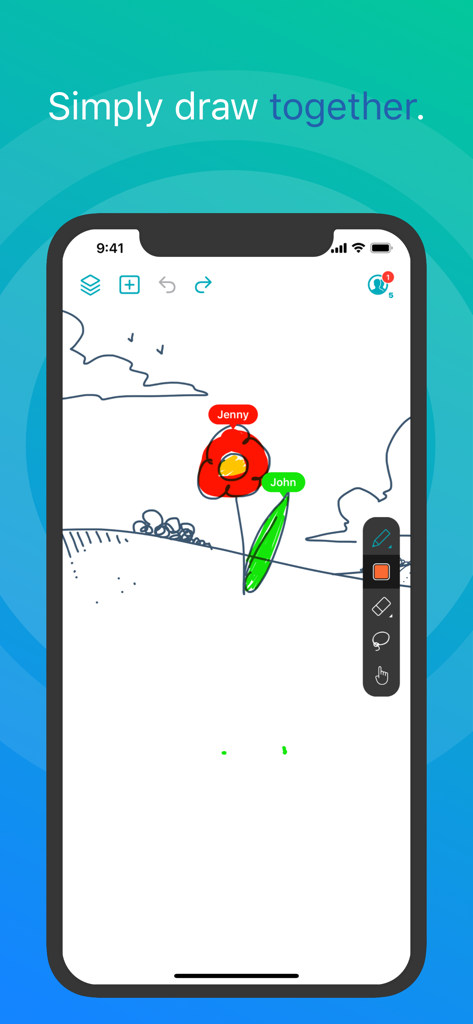
Two users collaborating in real-time on a digital whiteboard in the Inko app.

Two users collaborating in real-time on a digital whiteboard in the Inko app.

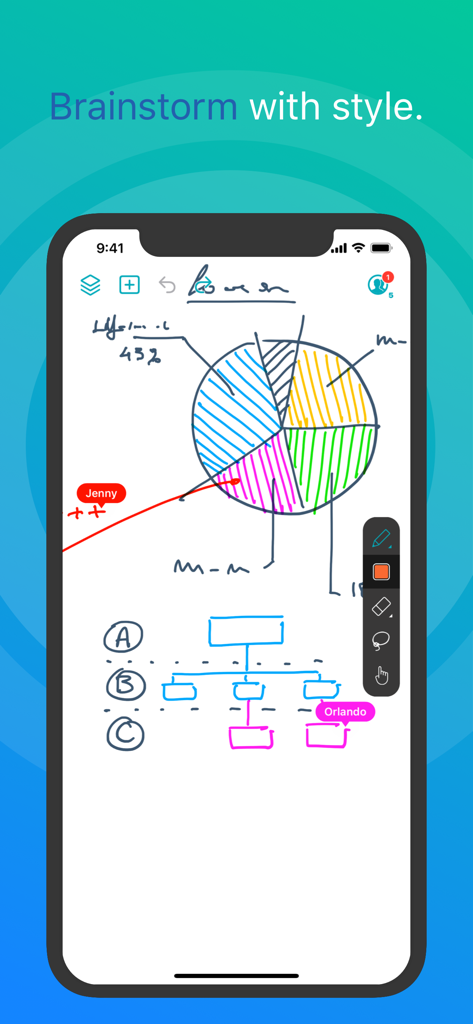
Inko app screenshot showing real-time collaborative drawing on a digital whiteboard with a pie chart and flowchart

Inko app screenshot showing real-time collaborative drawing on a digital whiteboard with a pie chart and flowchart

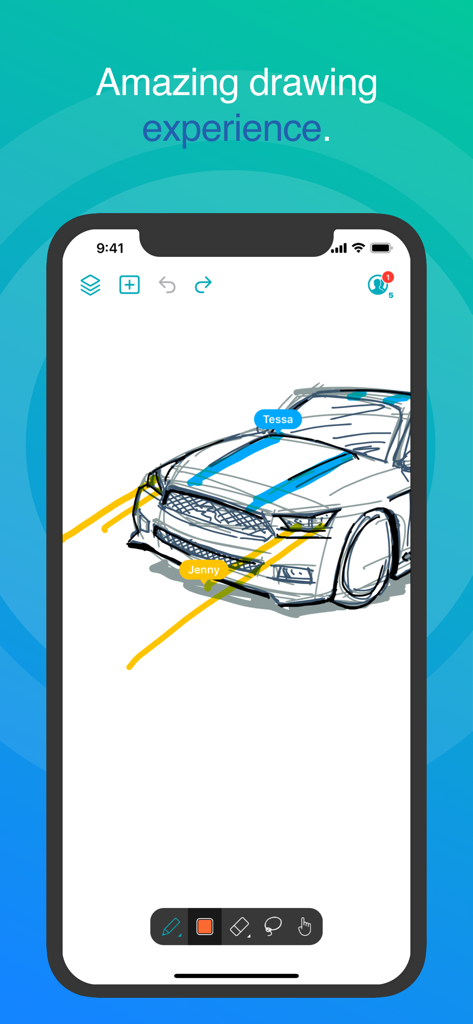
Inko app interface showing real-time collaborative car drawing with multiple user labels

Inko app interface showing real-time collaborative car drawing with multiple user labels

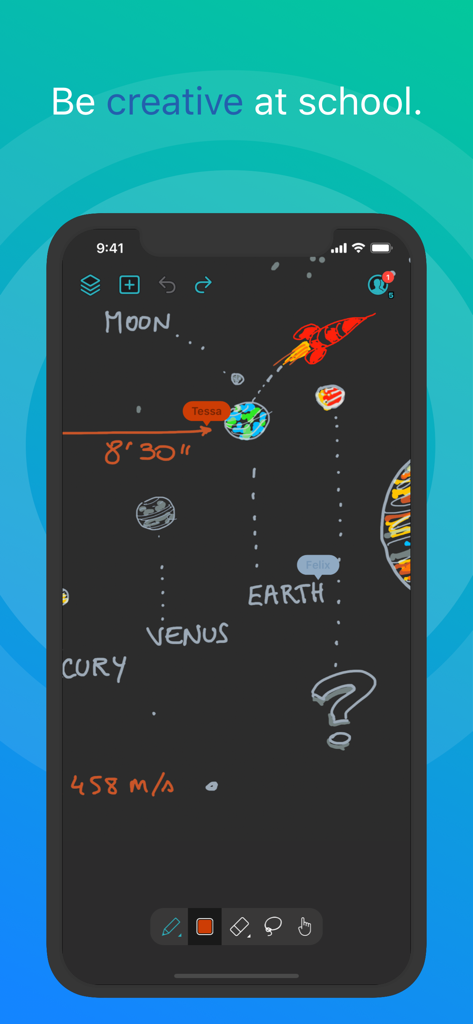
Collaborative solar system drawing on the Inko whiteboard app

Collaborative solar system drawing on the Inko whiteboard app

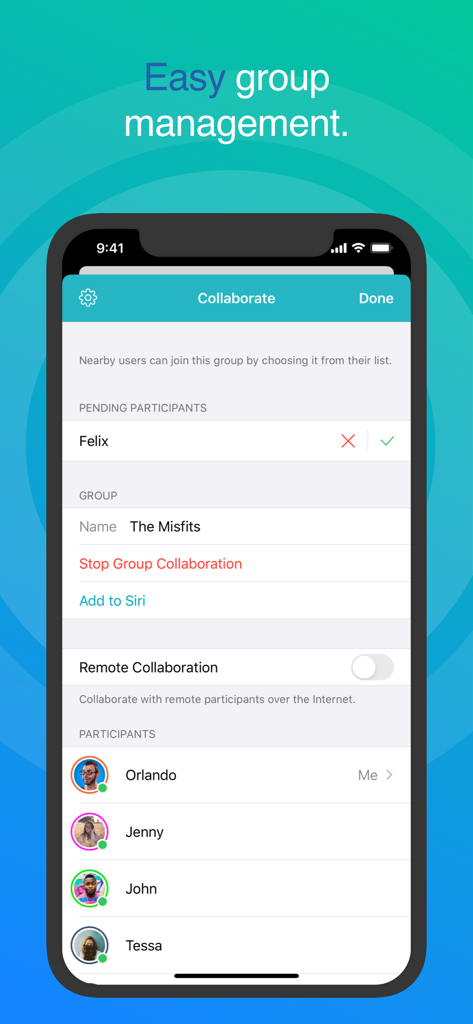
Inko Whiteboard collaboration screen showing easy group management and participant list

Inko Whiteboard collaboration screen showing easy group management and participant list

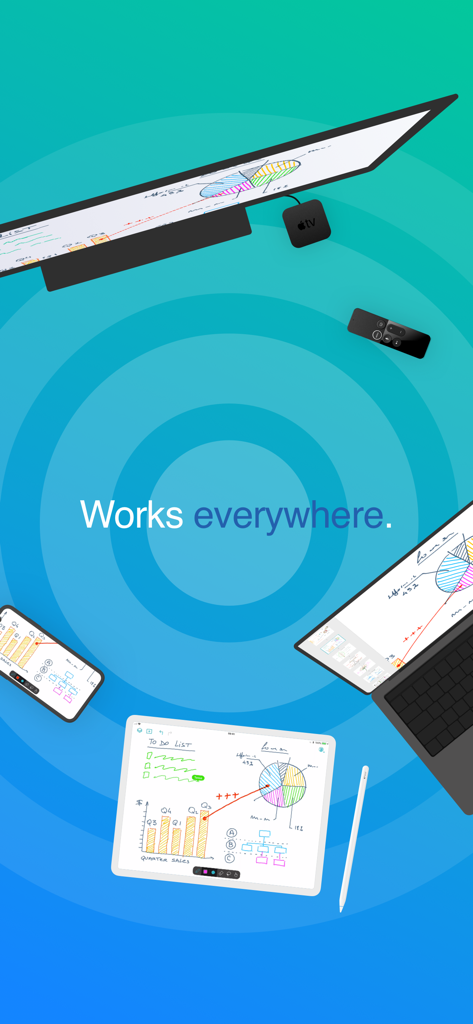
Inko whiteboard app synchronized across iPad iPhone Mac and Apple TV showing collaborative sketches and charts

Inko whiteboard app synchronized across iPad iPhone Mac and Apple TV showing collaborative sketches and charts

Elevate Your Collaborative Ideation

The tools that make this app stand out, trusted by 898K+ users.

Zero-Friction Connectivity

Start collaborating instantly with no account creation required. Use peer-to-peer connectivity to brainstorm in cafes or client sites without needing a Wi-Fi access point.

✏️

Pro-Grade Precision

Leverage full Apple Pencil support with Metal-accelerated rendering. Enjoy a pixel-free experience that stays perfectly sharp and responsive, even during complex zoom maneuvers.

📺

The Big Screen Advantage

Transform your meeting room or classroom by projecting to Apple TV. Use the remote as an innovative laser pointer to guide your audience through every detail of your design.

Loved by users worldwide

Trusted by 898K+ people who love this app.

"

"Inko has completely transformed our client discovery sessions. Being able to sketch UI wireframes in real-time with zero lag—even in a coffee shop without Wi-Fi—is a massive advantage. The pixel-free rendering means I can zoom in on details during a pitch and everything stays sharp. It’s the most professional digital whiteboard I've used."

Sarah Jenkins, Senior UX Designer
"

"This app is a game-changer for my 1-to-1 iPad classroom. I use the Apple TV companion app to project my notes while walking around the room to help students. The highlighter tool works like a laser pointer with the Apple Remote, making it so easy to keep the kids engaged. It’s intuitive, fast, and requires no complicated setup."

Mark Thompson, High School Math Teacher

About the app

Everything you need to know about Inko › Whiteboard: Draw+Pencil.

Description

Inko is a collaborative whiteboard that lets you draw together using multiple iPad, iPhone or Mac, and even interact on Apple TV. Ideal for team coworkers in a brainstorming session, for a creative classroom project, or for an interactive meeting between a graphic designer and their client. Create a group and just start drawing together! No need for complex network setup, or even any network at all, thanks to nearby connectivity. Be it in a bar, or on the beach. Oh, and your drawing even goes to the big screen too thanks to the free companion app for Apple TV! It instantly connects and interacts with all devices in the room. A great alternative to those bulky & expensive interactive boards. Inko 2 now brings remote collaboration over the Internet(*), Dark Mode support, a Mac app, and much more. Even though Inko is both simple and intuitive, it's also backed with advanced features like beautiful pixel-free rendering that stays sharp when zooming in. It also offers precise Apple Pencil support for an amazing drawing experience, lag-free and undo-capable real-time interactions, as well as hi-res PDF exports to share with your group when you’re done. COLLABORATION & CONNECTIVITY • Highly responsive, "appears-as-it-happens" multi-user drawing with no lag. • Participants’ labels on drawing trails that show who is currently drawing. • Nearby collaboration: nomadic connectivity for local devices, even without Wi-Fi access point (peer-to-peer or LAN). • Remote collaboration: seamless connectivity over the Internet for global reach via invitation link sharing. • Up to 8 participants for peer-to-peer connectivity or 12 participants for LAN/Internet. • Group saving for quick setup of future sessions. • Security & privacy: TLS connection between devices (nearby) and end-to-end encryption with daily data removal on server (remote). • No account creation. DRAWING & VISUALIZATION • Beautiful pixel-free visualization that stays sharp when zooming, as well as vibrant colors on wide color displays (P3). • High-performance Metal rendering. • Extensive Apple Pencil support (finger action, angle, pressure, high-speed & predictive sampling). • Pen tool with two sizes & one calligraphic variant. • Lasso editing: select, move, rescale. • Ephemeral highlighter to point things out. On Apple TV, it even features innovative motion-driven interaction with the remote, like a laser pointer. • Single- and multi-user undo/redo & reliable syncing. OTHER FEATURES • Optimized for latest iOS: file sharing, Split View Multitasking on iPad, Drag & Drop, Today Widget, Quick Actions, Universal Link, Siri Shortcuts, SF Symbols, Smart Screenshot, Dark Mode… • Universal app for iPad, iPhone & Mac. Free Apple TV companion app(**). • Export images, hi-res PDF, or native archive for a productive workflow. • iCloud sync for personal drawings. PRICING Multi-user collaboration requires a subscription. Two plans are proposed that enable all your devices (iPad, iPhone, Mac) and let other users join using just the free app: • Nearby Plan enables local collaboration over peer-to-peer or LAN. • Remote Plan enables remote collaboration over the Internet. Also includes all features of Nearby Plan. Both plans offer a fully functional 7-day free trial. The free app provides full drawing capabilities in single-user mode, lets you access, organize, & export your drawings, and let you try out nearby collaboration for 5-minute time-limited sessions. Volume purchase (VPP) is available for schools & businesses: see Inko (Volume Ed.). HELP & FEEDBACK Send your questions/feedback to inko@creaceed.com (*) requires Remote Plan (**) only works with local connectivity. With older Apple TV models, you can use AirPlay Mirroring. Terms of Use: https://creaceed.com/terms Privacy Policy: https://creaceed.com/privacy

Latest Version

2.5

Size

33.6 MB

First Released

Mar 28, 2018

Ready to Draw Your Next Big Idea?

Join thousands of professionals and educators who choose Inko for seamless, real-time collaboration. Start your 7-day free trial and experience the world's most responsive digital whiteboard across all your Apple devices.

Download on App Store